

Following the announcement earlier this month, Google Messages for Android is rolling out an Enhanced Protection mode to counter spam and scams.
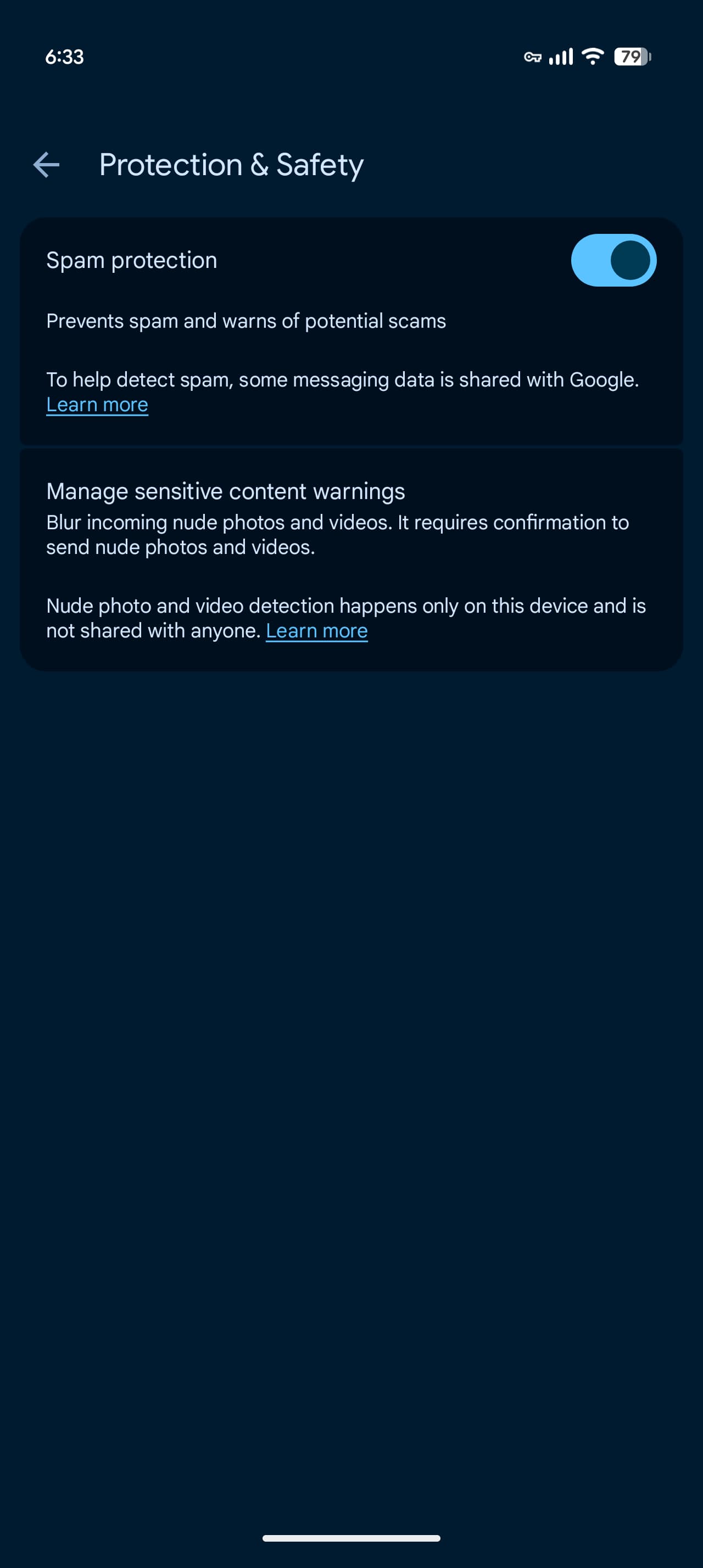
To date, Google Messages has offered Standard Protection to block “spam and suspected harmful links.” Enhanced Protection introduces “Advanced detection to prevent spam and scams.” There are three core features at launch.
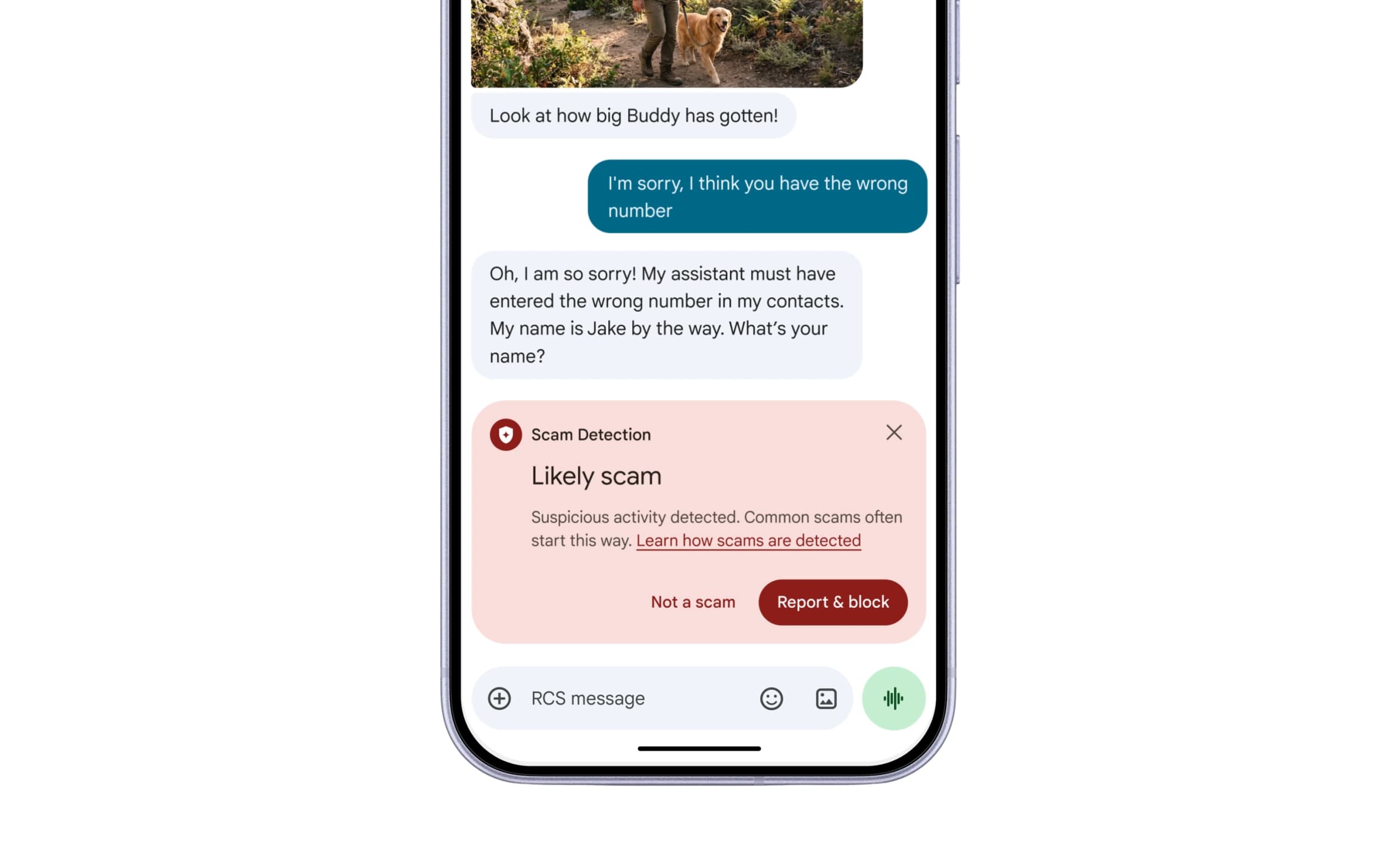
Scam Detection will leverage “cloud Gemini models to evaluate complex message context and understand a scammer’s intent more quickly when you’re in a conversation with an unknown sender.” Compared to the existing on-device detection, this approach is better at identifying “novel and sophisticated attacks.”
It uses Android’s Private AI Compute feature to encrypt messages and process them in a secure space that is “private to you and not available to anyone else, including Google.”
Meanwhile, enhanced link protections use the on-device Gemini Nano model and real-time web signals to evaluate whether an unfamiliar link is trustworthy before you tap. This feature is available on the Pixel 10+, Samsung Galaxy S26 series, Z Flip 8, Z Fold 8, and “other select devices.”
Top comment by CyanChefHat
Its a relief that Google is making people aware of the different ways some try to bait you into clicking links that basically installing spyware, trojans or even worse bots that drain battery life.
I just wanted to add that sometimes it may not come in the format we are expecting as informed as we are. Nowadays it might be as simple as a push message from a presumably trusted source, financial or news applications. Stores like Gucci do a lot of promotions and adverts that would be a verified profile so double check their socials or reach out to confirm if the offer exists.
Fell for a PlayStation scam once sent the downpayment but figured out the seller was broke at the time and just didn't know how to ask. Glad I could help out.
Treat every device as a command line with a programmer using you as a proxy. Don't panic just carry on being yourself and know that your integrity will stand the test of time. We are safe now because of programming language and syntax.
The final update redesigns warnings to give you additional time and more context to “pause before tapping links” sent by numbers not in your contacts.
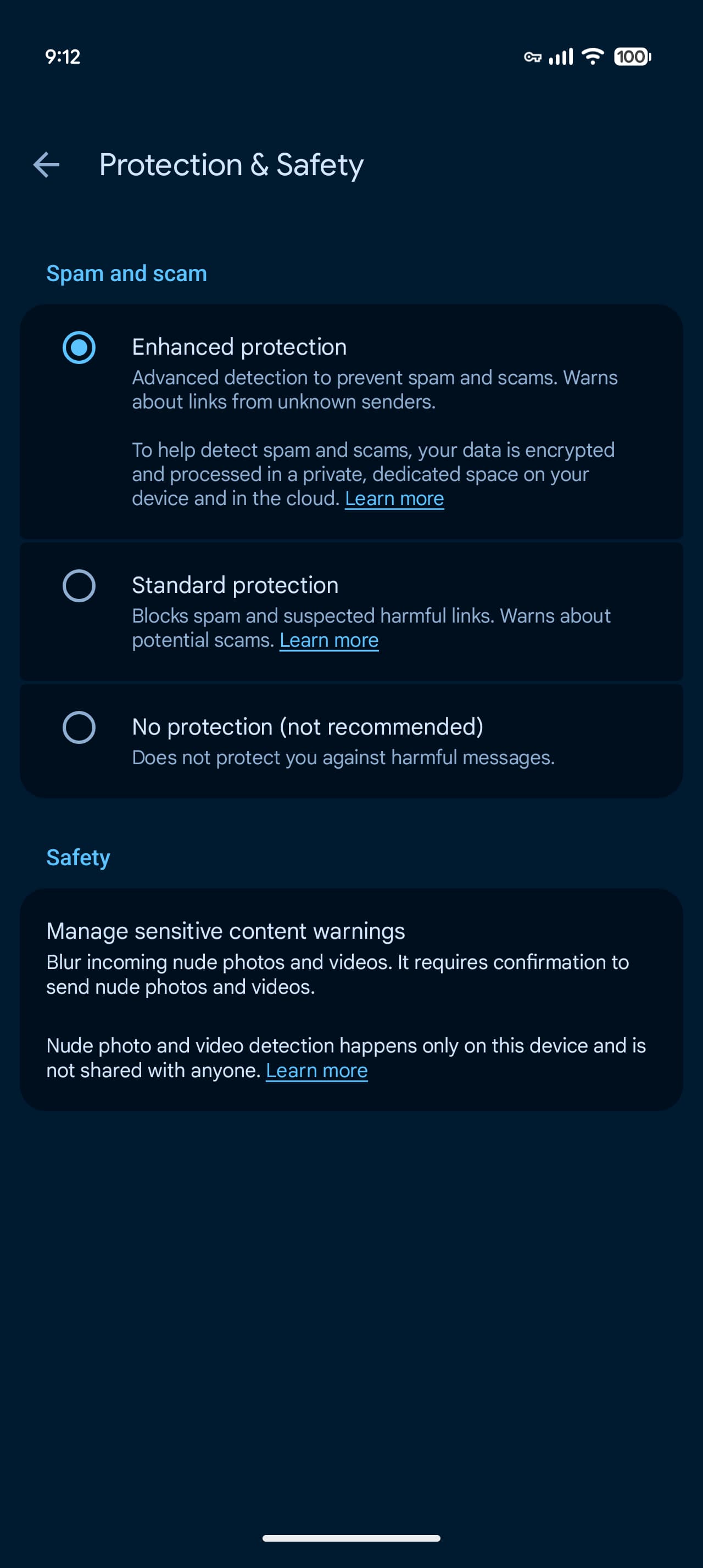
Enhanced Protection is an opt-in feature. To enable, go to Google Messages settings > Protection & safety. Instead of an on/off toggle, you’ll find three options:
- Enhanced protection
- Standard protection
- No protection (not recommended)
We’re seeing this available with the latest Google Messages beta (version 20261020_00_RC00).
Old vs. new


FTC: We use income earning auto affiliate links. More.


Comments