

Google has been slowly building out a “desktop mode” for Android for quite some time now and it appears nearly ready to launch with Android 16, and Samsung seems to be building on it with a redesign of DeX.
Samsung DeX is a desktop client built on top of Android that allows a Galaxy smartphone to run a desktop-like UI when plugged into or wirelessly connected to an external monitor. Samsung tablets also feature the ability to use this experience natively on their own display.
With its upcoming Android 16-based One UI 8 update, Samsung appears to be working on a redesign of DeX. This was spotted by @DevOfIpos on Twitter/X, who managed to get DeX up and running on a Galaxy S25 Ultra running One UI 8 to showcase new changes.
The new DeX uses what seems to be a window management design, a taskbar that opens to an app drawer, and a new Quick Settings design as well. The changes aren’t major, and this functionality all existed before, but everything seems to be more in line with the new desktop mode that Google has been working on.
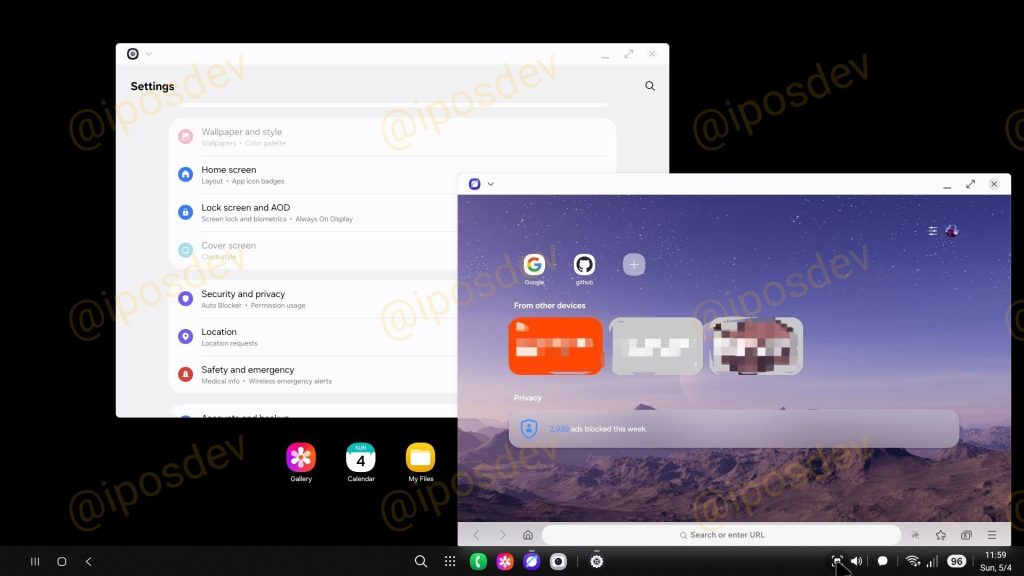
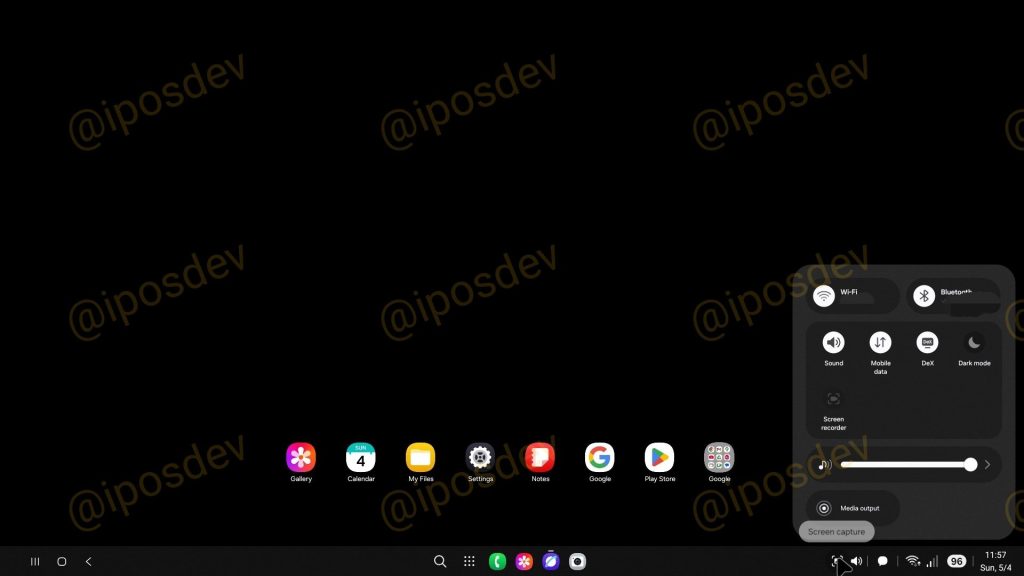
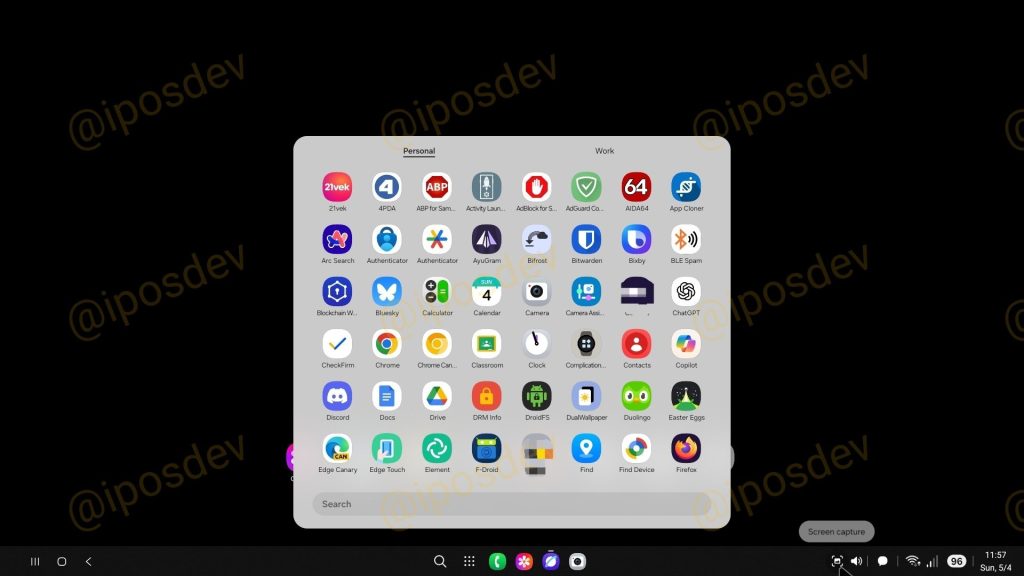
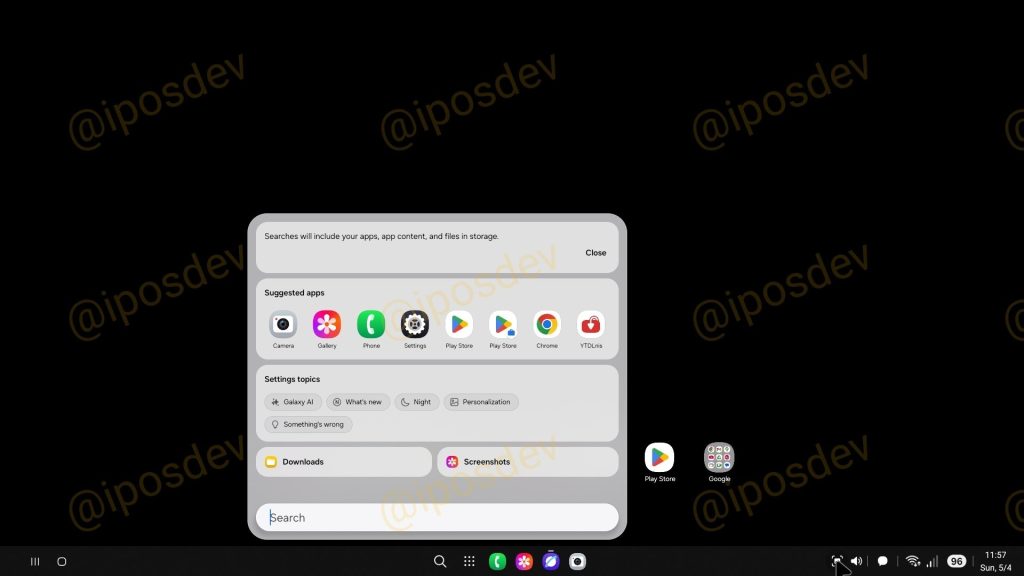
We thought that Google might be making these improvements to the native experience to benefit DeX, and this quick adoption seems to hint that this might be at least partially true.
The same leak showcases better Galaxy Buds integration across older models, additional blur appearing throughout One UI 8, the new Quick Share app, and found that Secure Folder uses Android’s Private Space API that Google introduced with Android 15.
More on Samsung:
- Samsung widely rolling out One UI 7 update to these older Galaxy devices in the US
- Galaxy S25 Edge leaks in full with that tiny 3,900 mAh battery
- Samsung teases new ‘innovative design’ for Galaxy Watch and more foldables
Follow Ben: Twitter/X, Threads, Bluesky, and Instagram


FTC: We use income earning auto affiliate links. More.


Comments