
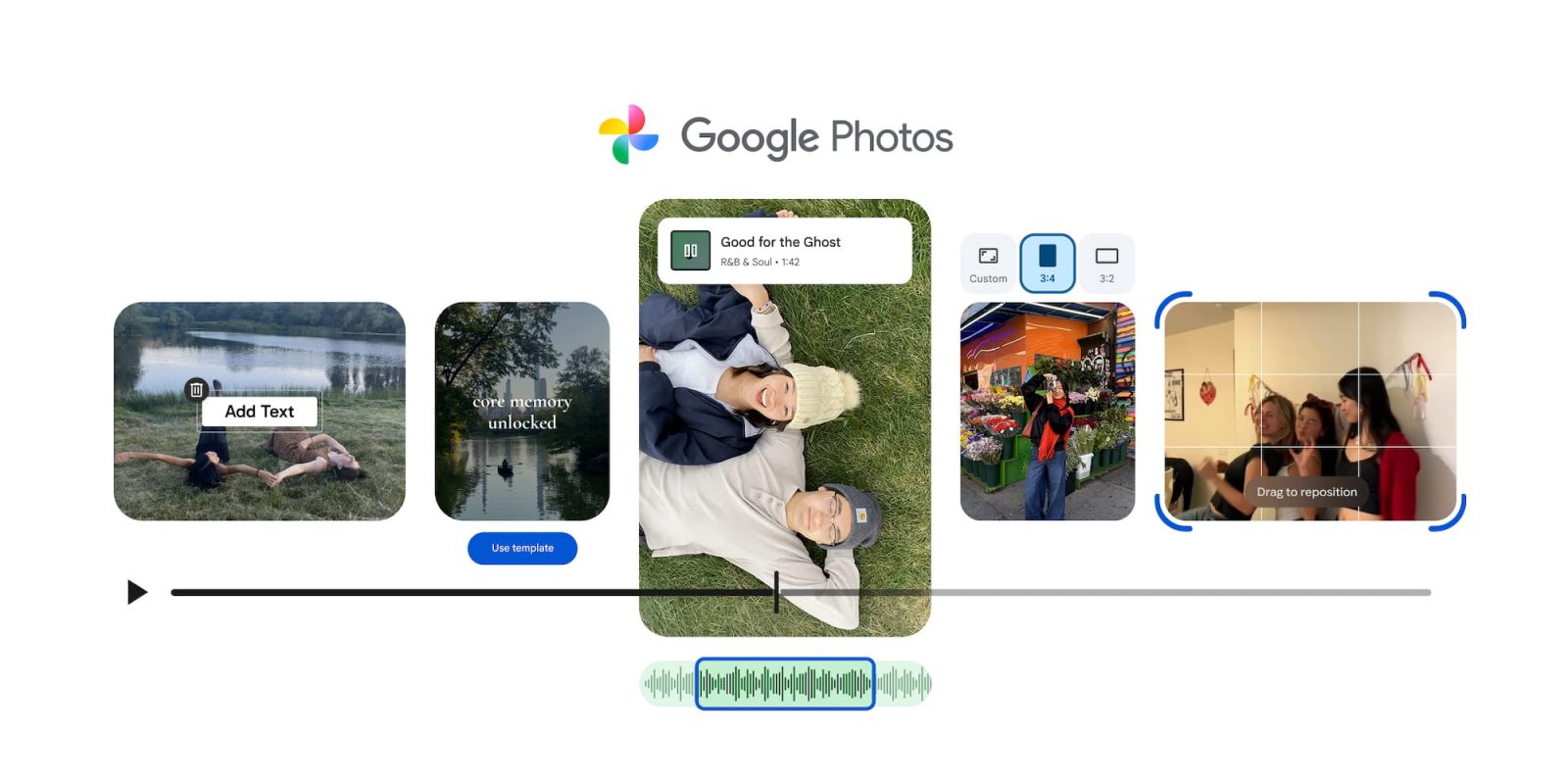
Following the big image update, Google Photos is detailing a complementary video editor redesign on Android and iOS.
Google Photos has revamped its video editor with a similar carousel-based interface as images. Featuring Material 3 Expressive containers, components, and animations throughout, you have:
- Auto: Enhance, Stabilize
- Crop
- Adjust: You have sliders for Brightness, Contrast, Tone, White point, Highlights, Shadows, Black point, Vignette, Saturation, Warmth, Tint, Skin tone, and Blue tone
- Filters: Vivid, Playa, Honey, Isla, Desert, Clay, Palma, Blush, Alpaca, Modena, West, Metro, Reel, Bazaar, Ollie, Onyx, Eiffel, Vogue, and Vista
- Audio: Mute, Music, Audio Eraser
- Speed: .25, .5, 1, 2, 4X
- Music: Offered by Photos, you can browse a soundtrack library categorized by Bright, Chill, Dramatic, Funky, Inspiring, Romantic, and Sad. After choosing the desired section of the clip, you can adjust the volume of both the video and music.
- Text: This includes font, color, and background options.
Google touts a “universal timeline that supports multi-clip editing and storytelling, along with an adaptive canvas for easier editing.” Add clips at the left, with drag-and-drop available to adjust the order. This redesign can also be used when editing standalone clips.
Compared to before, the UI is more compact (if not overly so) to prioritize the preview.
If you want to skip manual creation, Google Photos for Android will offer templates that have “built-in music, text, and cuts synced to a soundtrack.” After picking a style, select what photos and videos you want to include. To get started, open the Create tab for “Highlight video.”
These updates are rolling out, with the video editor widely available on Android.
More on Google Photos:
- Google Photos’ perspective correction tool returns after disappearing months ago
- Google Photos 2025 Recap rolling out with stats, Gemini, more
- Google Photos 7.55 rolls out gradient icon redesign on Android, iOS


FTC: We use income earning auto affiliate links. More.



Comments