
Android 16 QPR3 launched today for Google Pixel devices, bringing some interesting tweaks to round out the later stages of this software build. The newest update brings a smooth new folder animation to the forefront, along with a couple of customization changes for the home screen.
The latest beta update to Android 16 QPR3 brings a breath of fresh air to the home screen in the form of a new animation. In previous versions, tapping an app folder would trigger the folder to expand. It was smooth, but lacked that little “oomph.”
The new animation pulls a sort of “Hitchcock zoom” where the folder expands, but the background shrinks in unison. The result is very clean and feels like quintessential Android. The difference between the folder animation in stable Android 16 and QPR3 is night and day.
Along with that change to folders in Android 16 QPR3, Google has moved the themed icons option after adjusting the feature presentation to match the existing icon shape selection in QPR2. The icon options are still “default” and “minimal,” but that option is in the same section as the shape selection page. The two options are now a little easier to flip between in wallpaper customization.
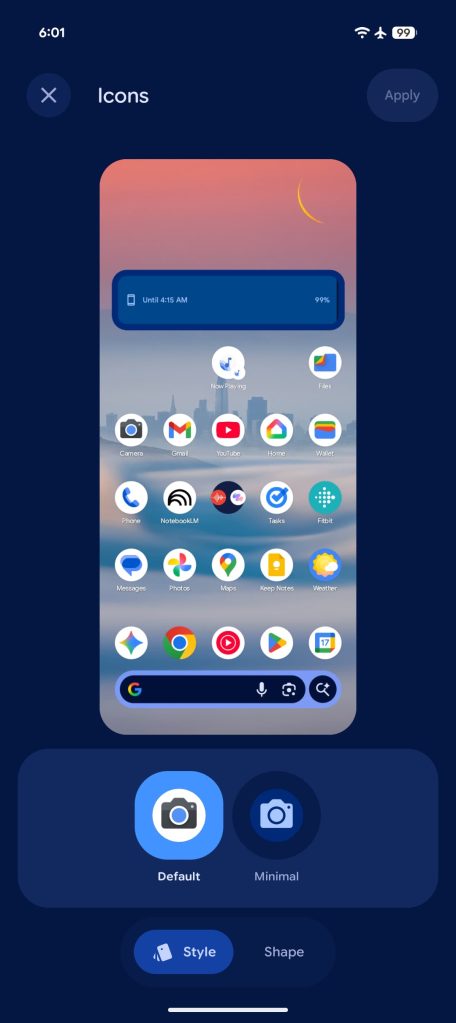
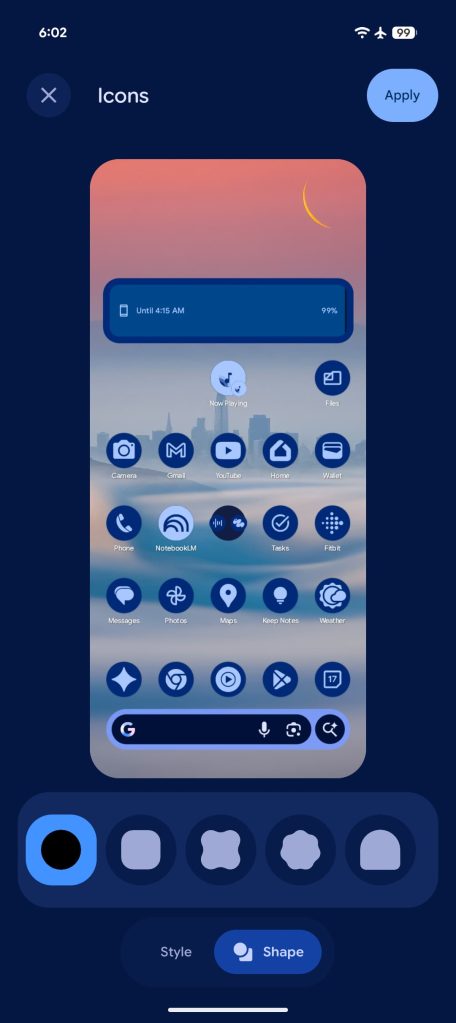
Beyond that change, the number of icon shapes hasn’t been changed, and still sits at five separate choices. The shapes still do not take effect in the app drawer, unfortunately.
Android 16 QPR3 is rolling out now to eligible devices on Google’s beta program. For a summary on every change we’ve found so far, check out our breakdown coverage.
More on Android 16 QPR3:
- Here’s everything new in Android 16 QPR3 Beta 1 [Gallery]
- Android 16 QPR3 lets you adjust flashlight brightness on Pixel
- Android 16 QPR3 adds a blue dot to show when apps are using your location
- Google Pixel adds Samsung’s navigation button layout in latest Android 16 beta


FTC: We use income earning auto affiliate links. More.





Comments