
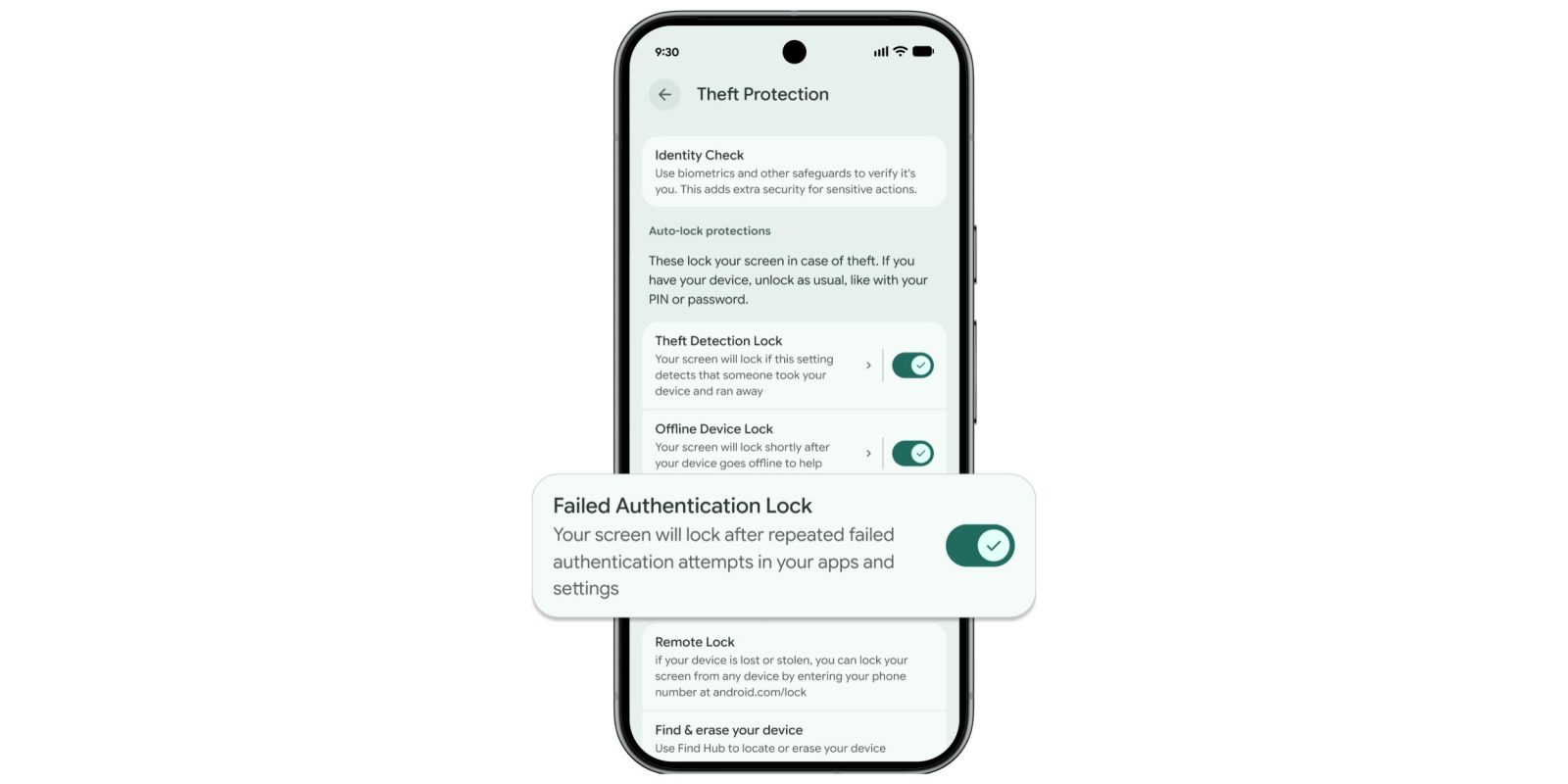
Google today detailed the latest device theft protection features for Android across stronger authentication and enhanced recovery tools.
“Failed Authentication Lock” will lock your screen “after repeated failed authentication attempts in your apps and settings.” This functionality was introduced last year, but Google is now giving it a “dedicated enable/disable toggle” alongside Theft Detection Lock and Offline Device Lock. You can find it (on Pixel) in Settings > Security & privacy > Device unlock > Theft protection on Android 16+.
Additionally, Google is “increasing the lockout time after failed [PIN, pattern, or password] attempts” to make it harder for a thief to guess your screen lock. However, Android will no longer count identical incorrect guesses to your retry limit “to ensure you aren’t locked out by mistake (by a curious child, for instance).”
This translates to “protection from brute force guessing [getting] roughly 1 order of magnitude stronger [than] it was at launch.”
An attacker spending 15 minutes with your Pixel now only gets 7 guesses instead of 36, and the delays ramp up faster from there.
Finally, on Android 16+, Google expanded Identity Check (which asks for biometrics when you’re performing sensitive actions outside of trusted places) to “cover all features and apps that use the Android Biometric Prompt.” This includes the Google Password Manager and third-party banking apps.
On Android 10+, android.com/lock now lets you set an optional security question before a lost or stolen device is Remote Locked.
This helps ensure that only you, the real device owner, can initiate a lock, adding another layer of security to your recovery flow.
Finally, Google now enables Theft Detection Lock and Remote Lock by default for new Android devices activated in Brazil.
- Theft Detection Lock: Uses on-device AI to sense motion and context that may indicate a “snatch-and-run” theft. If a theft attempt is detected, it will quickly lock the device screen to help protect your data.
- Remote Lock: Allows users to lock their device from any device that provides web access to android.com/lock without the need to have enabled the feature in advance.


FTC: We use income earning auto affiliate links. More.


Comments