
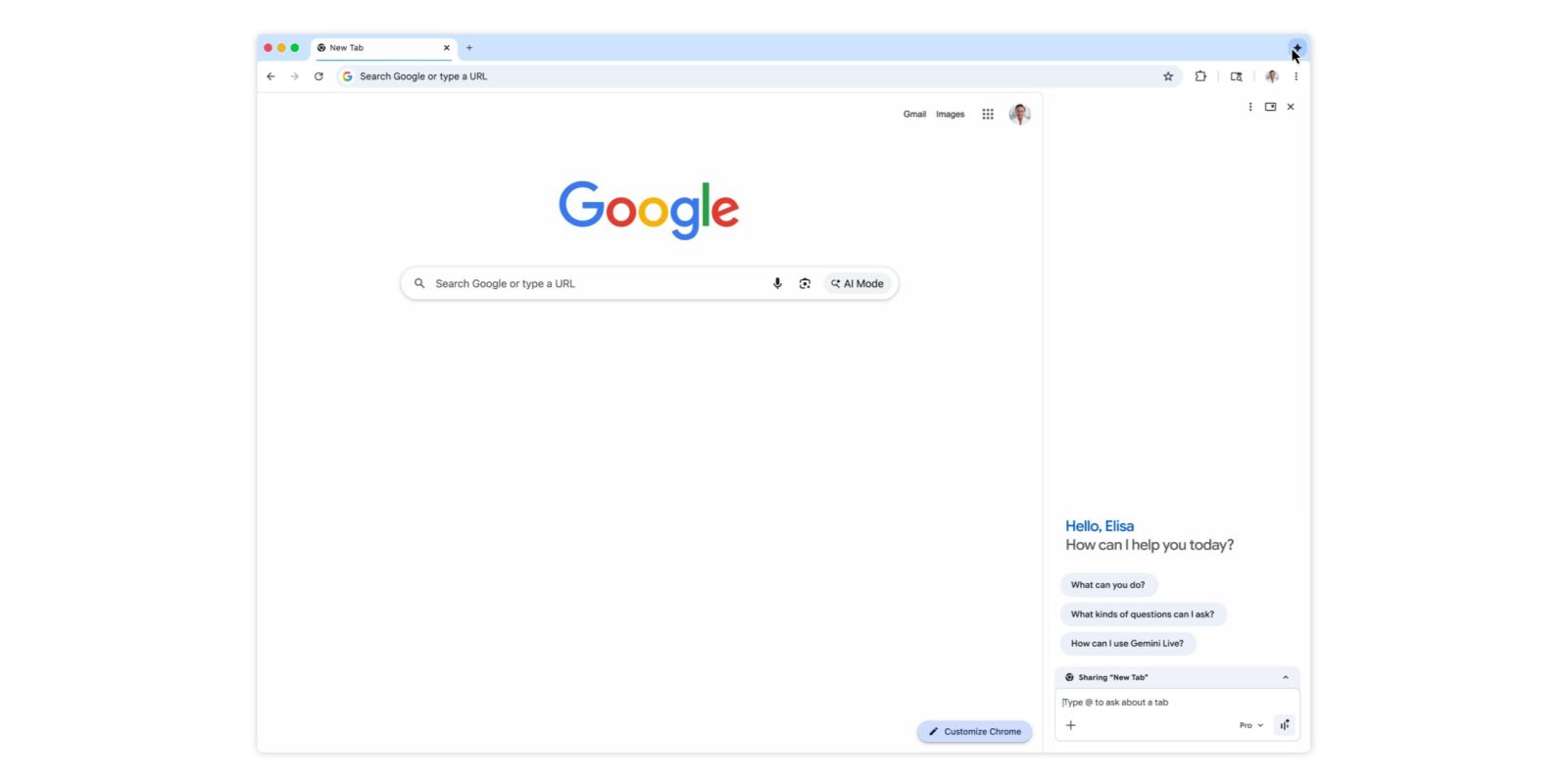
Alongside auto browse, Google today announced a number of additional updates to Gemini in Chrome, including the new side panel.
Since launch, Gemini in Chrome has leveraged a floating window. That interface is now being joined by a side panel that’s specific to each tab for improved multitasking. You can switch between either UI from the top-right corner. This is rolling out now.
Chrome now supports Gemini’s Connected Apps, like Calendar, YouTube, Maps, Google Shopping, and Google Flights. One particularly powerful integration is with Gmail where you can ask Gemini to email your current chat/response. A compose window will appear inline with the ability to send right from Gemini. This feature is already available.
if you’re traveling to a conference and need to book a flight, Gemini can dig up that old email with event details, reference context from Google Flights to provide some recommendations, and later draft an email letting your colleagues know your arrival time.
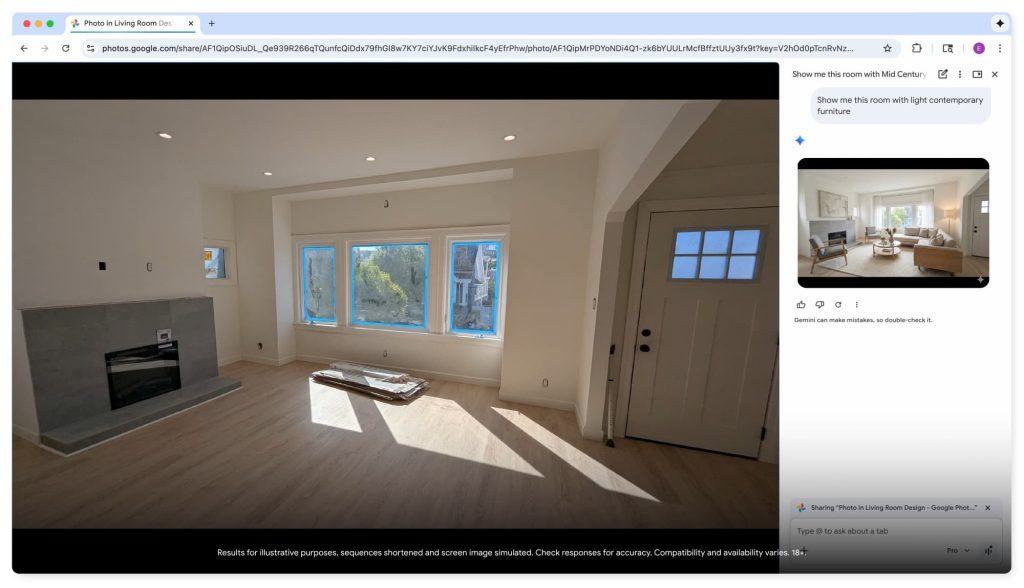
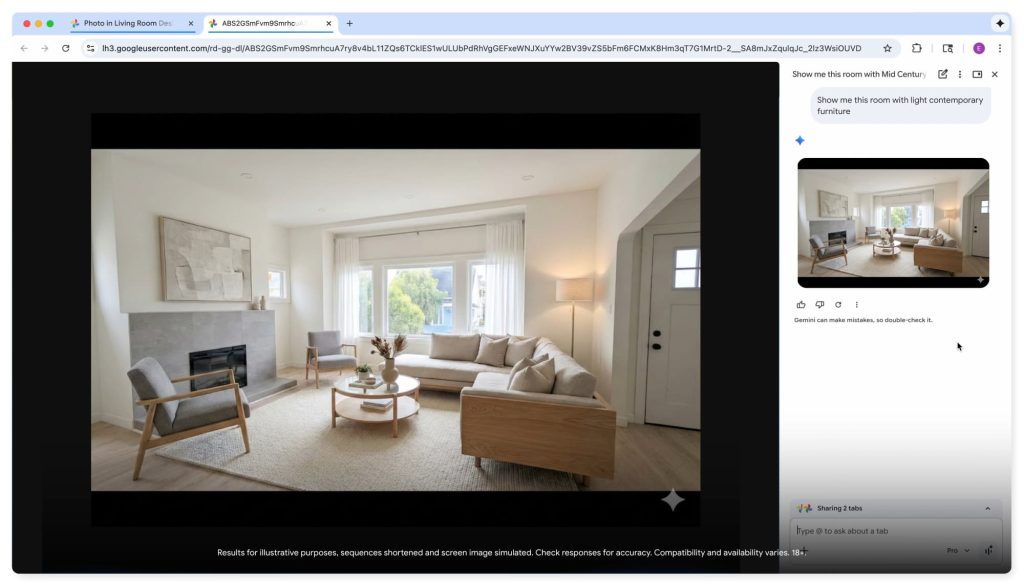
Nano Banana integration allows you to edit or transform images “without needing to download and re-upload images or open another tab.” Just share your screen and enter what you want into the side panel. Tapping on what’s generated opens a new tab. This is also rolling out starting today.

Looking ahead, Personal Intelligence will be available for Gemini in Chrome over the coming months. The browser “will remember context from past conversations so you get uniquely tailored answers to whatever you’re looking for across the web.”
Personal Intelligence in Chrome transforms the browsing experience from a general purpose tool into a trusted partner that understands you and provides relevant, proactive, and context-aware assistance.
These Gemini in Chrome features are available on Mac, Windows, and ChromeOS.


FTC: We use income earning auto affiliate links. More.




Comments