
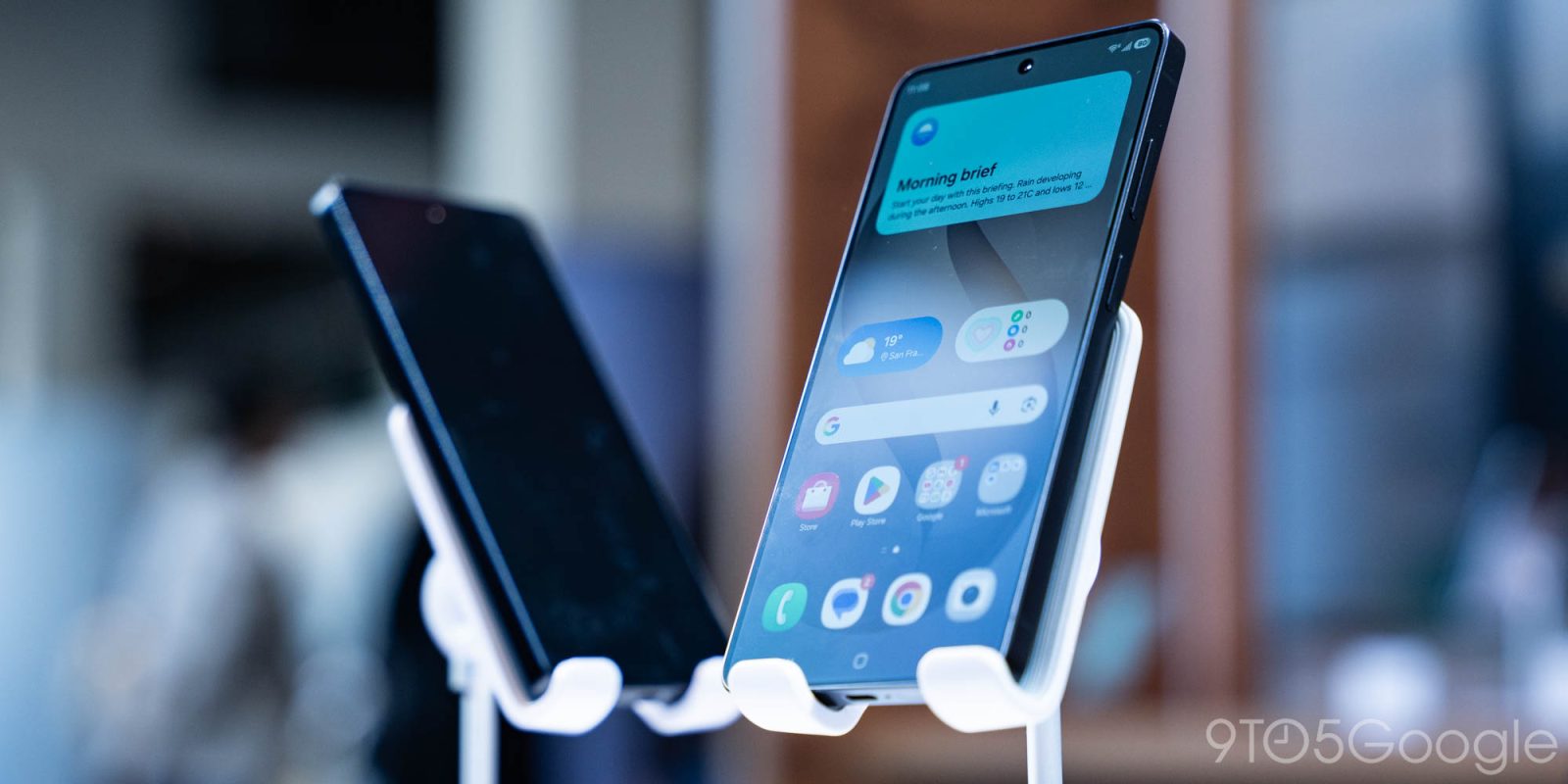
Smartphones have felt somewhat stagnant over the past several years, with truly “new” features being fairly rare. There’s plenty of innovation in software, but on the hardware front, you’re largely just looking at refinement and improvement of what’s been around for ages. While Samsung’s Galaxy S26 series might be one of the biggest offenders ever of leaning on refinement, the Galaxy S26 Ultra delivers one of the first truly new smartphone features in years with its new “Privacy Display,” and I think it’s awesome.
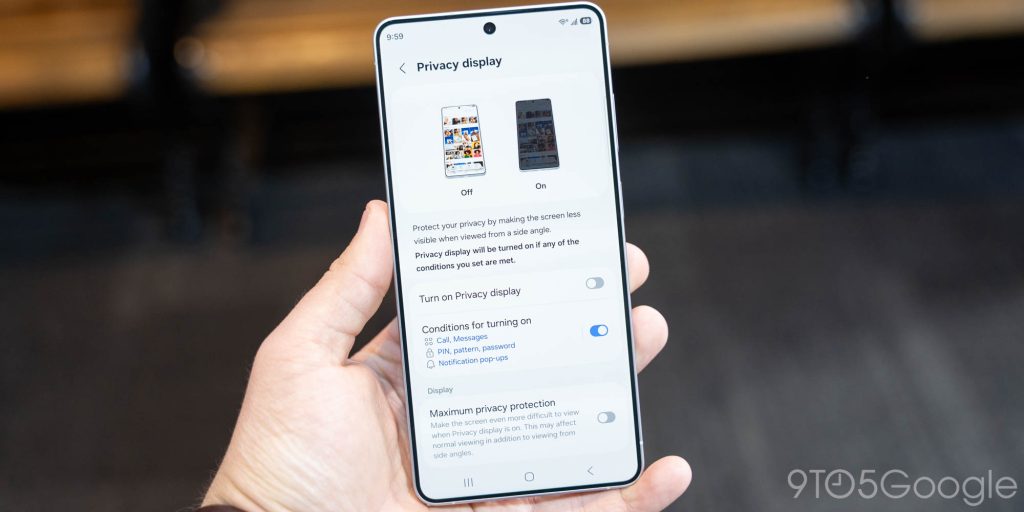
The core idea behind Privacy Display on the Galaxy S26 Ultra is to hide what’s on your display from those around you, and it does that in a similar way to the privacy screen protectors that have been around for years. But, unlike those screen protectors, this is baked directly into the display.
On its own, that’s already super cool, and it works really well in person.
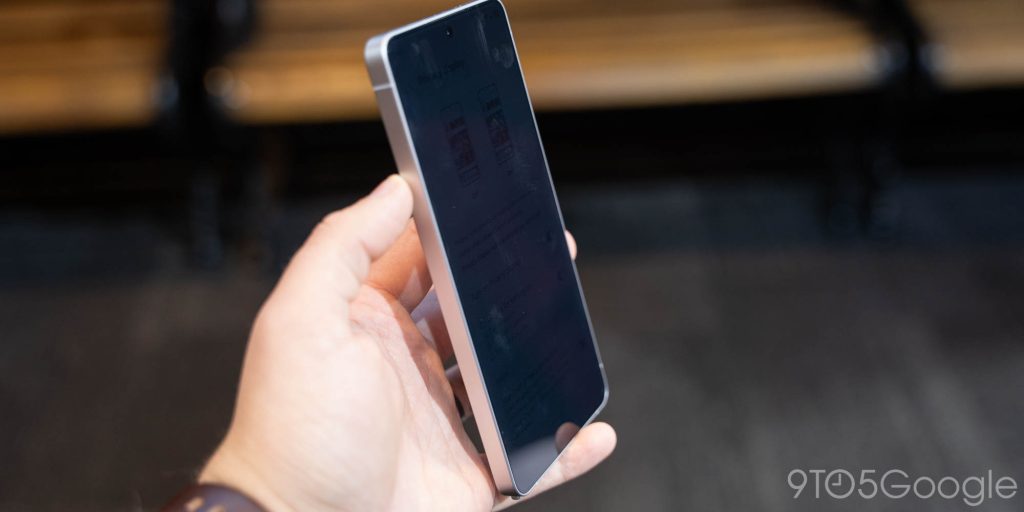
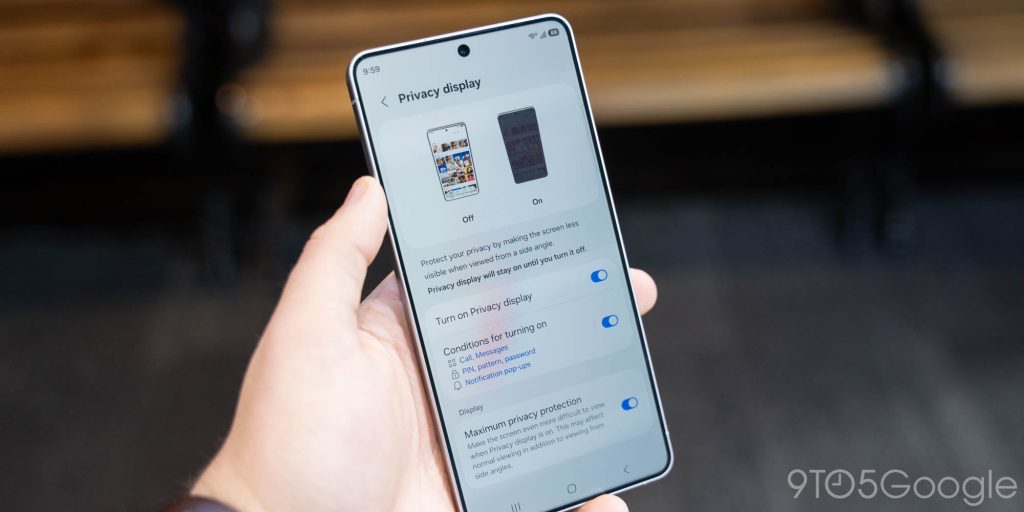
When Samsung invited us out to San Francisco to check out the Galaxy S26 series, my first stop was a beeline for the Privacy Display demo. Available solely on Galaxy S26 Ultra, this is one of those features that is just impressive from the first time you use it. When activated, Privacy Display changes how the pixels in your display emit light, making it harder or near-impossible to view the display at an off-angle. At its default setting, it definitely works, but the contents of the display are visible at less-sharp angles. Samsung has a “maximum” setting that takes this up a notch, and that setting makes it even harder to see the contents and narrows the field-of-view even further.
So what’s the trade-off here?
Privacy Display, somewhat like the privacy screen protectors, does make the whole display a bit less bright. When you toggle it on there’s an immediate and noticeable difference in the brightness and the colors coming from the display. It doesn’t ruin usability by any means, at least in the demo area I tried it in, but it’s certainly there. You can also see the individual pixels a bit more when the feature is turned on, but it’s not a big enough difference to matter in most cases.


That difference seems unavoidable with this concept, but that’s why Samsung’s implementation here matters so much.
First and foremost, Privacy Display doesn’t kick in all of the time. You can toggle it on and off as you wish, but you can also have that process automated. If you want your messaging app, or a social app, or really anything you want to be hidden, you can select it through the settings and Privacy Display will automatically kick in when you open that app. Samsung’s demo had this set up with Google Messages, and it works really well, kicking in immediately as the app opens up.
A bigger deal, though, is that Samsung has built Privacy Display with the ability to only apply to small portions of the Galaxy S26 Ultra’s display. Specifically, it can hide your notification pop-ups.
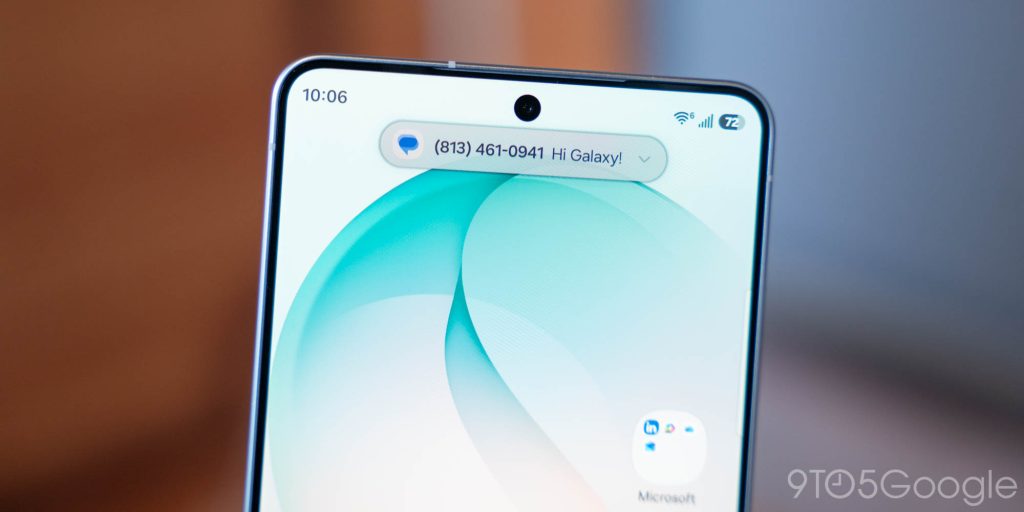
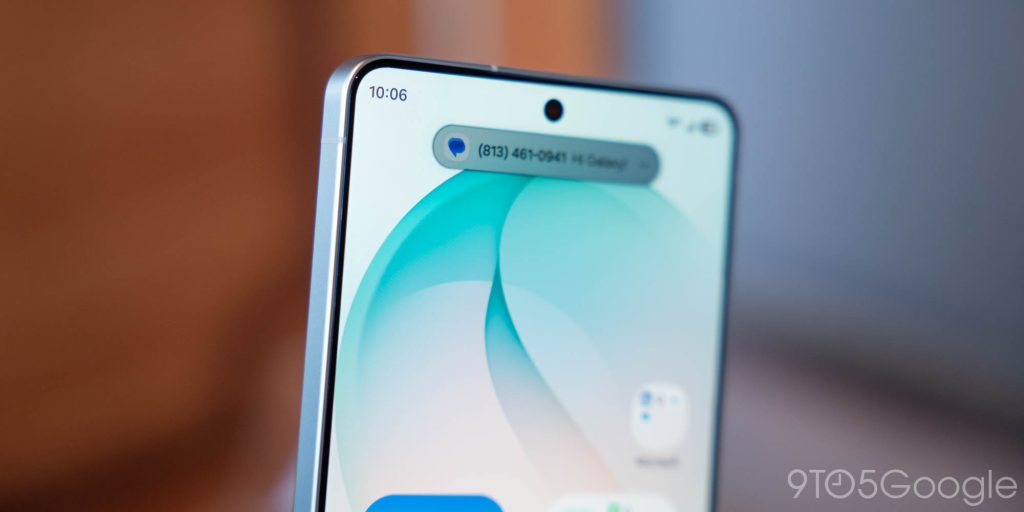
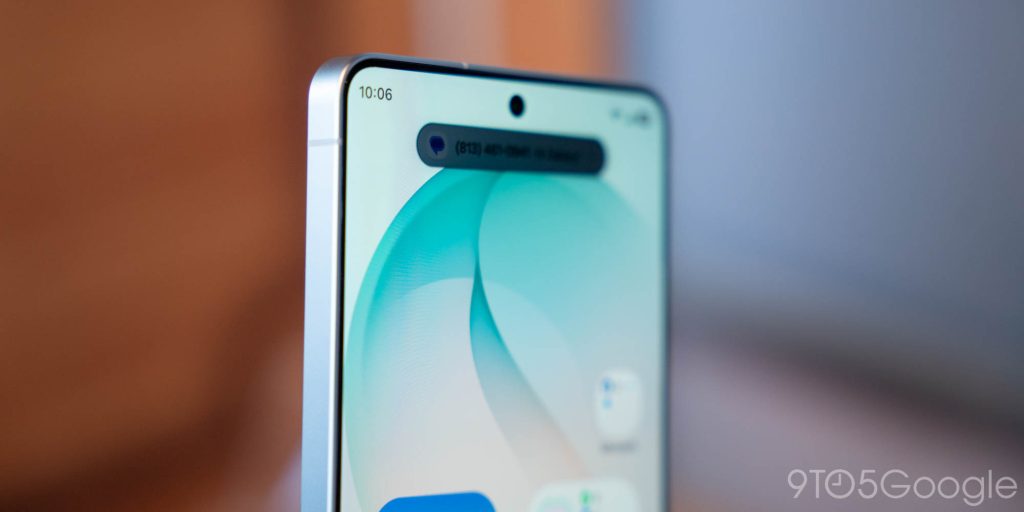
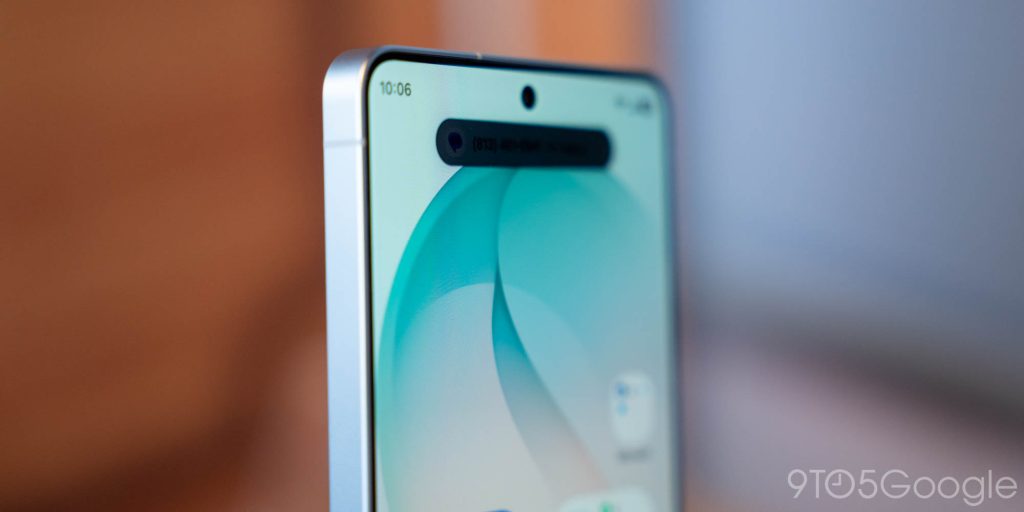
This part really impressed me, as Privacy Display is able to specifically hide only that singular portion of the display, and it does so nearly perfectly. The masking around the notification ensures the content behind isn’t affected, and the effect works incredibly well. Samsung says this only works for notifications right now, but it works for both Samsung’s small pop-up style as well as the objectively-better style found on most Android phones. In the images below, it’s worth mentioning that the Privacy Display works better to the naked eye than it does a camera.
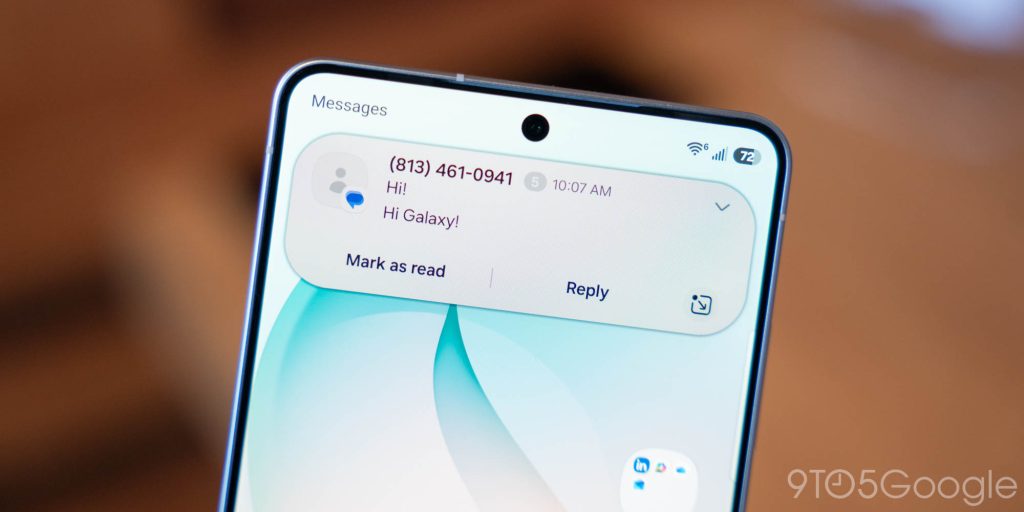
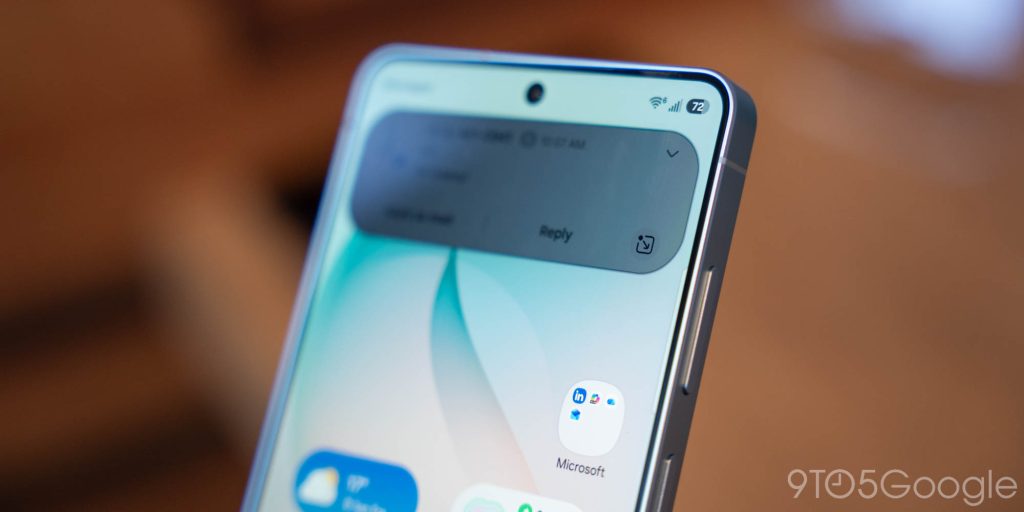
I think that Privacy Display on the Galaxy S26 Ultra, largely because of this ability to obfuscate smaller portions of the display, is quite possibly the best new smartphone feature we’ve seen in perhaps the last half-decade or so. Thinking back, the last time we had something this game-changing was MagSafe on the iPhone back in 2020. And I’m not even sure this needs a “we’ll wait for the full review” asterisk. While I’m sure there are situations where this won’t work quite as well – I can see super-bright daylight being an issue, as could dark environments – but I’m absolutely sold based on this early demo. Samsung really nailed this, and I can’t wait to see more of it in the future.
The Galaxy S26 series is available for pre-order now, with Samsung’s usual pre-order perks in full swing. You’ll find boosted trade-in values and more available now through March 11, when these phones are available on store shelves.
More on Samsung:
- Samsung launches Galaxy S26 series, and higher prices are basically all that’s new
- Galaxy Buds 4 go back to the old case with redesign, head gestures, upgraded sound from $179
- Galaxy S26 series hands-on: More of the same, but not in a good way [Video]
Follow Ben: Twitter/X, Threads, Bluesky, and Instagram


FTC: We use income earning auto affiliate links. More.



Comments