
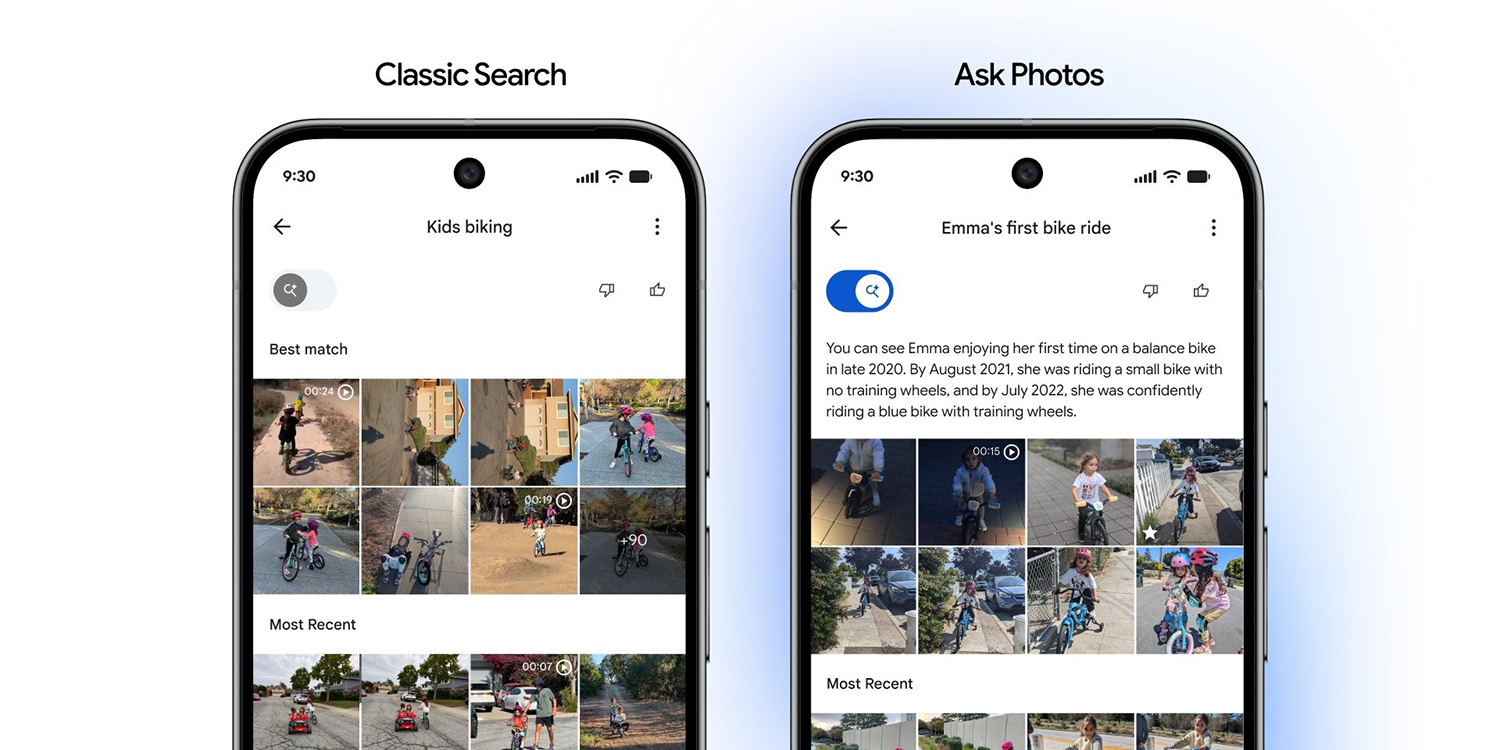
Google Photos is once again tweaking its search experience, with a new quick toggle rolling out that allows users to swap back and forth between the AI-powered Ask Photos experience and classic search.
Ask Photos started rolling out for Google Photos back in October 2024, but the AI overhaul to search wasn’t everyone’s cup of tea. Google ultimately introduced a “classic search” option and toned down the UI ahead of a wider rollout in 2025, even allowing users to turn off Ask Photos entirely.
Now, in a continued effort to listen to user feedback, Google Photos is adding a dedicated toggle that lets you quickly switch back and forth between Ask Photos and classic search without diving into any menus.
The new toggle was announced by Google Photos lead Shimrit Ben-Yair on Twitter/X. It appears within the search UI and gives the user control over what search experience is in use at any given time.
We’ve heard your feedback that you want more control over the type of results you see when searching in Google Photos. To address this, we’re starting to roll out a new experience that puts you in the driver’s seat, letting you choose between fast classic search and intelligent Ask Photos results. We’ll lead with the results that best fit your query, but you always have the control to switch views to help you find exactly what you need.
Beyond the toggle, Ben-Yair says that the “most popular searches” should see improved quality, while Ask Photos as a whole has seen “a significant increase” in positive feedback in recent months.
We’ve yet to see the toggle go live, but it sounds like we’re still pretty early in the rollout. Let us know in the comments below if you see it go live!
More on Google Photos:
- Google Photos for Android rolls out sticker creation
- Google Photos rolling out shortcut to local folders
- Google Photos upgrading ‘Photo to video’ with custom prompts, audio
Follow Ben: Twitter/X, Threads, Bluesky, and Instagram


FTC: We use income earning auto affiliate links. More.


Comments