

After introducing “Resize” in recent weeks as a more visual way to customize appearance, Gboard has removed the old “Keyboard height” setting.
Top comment by fangz
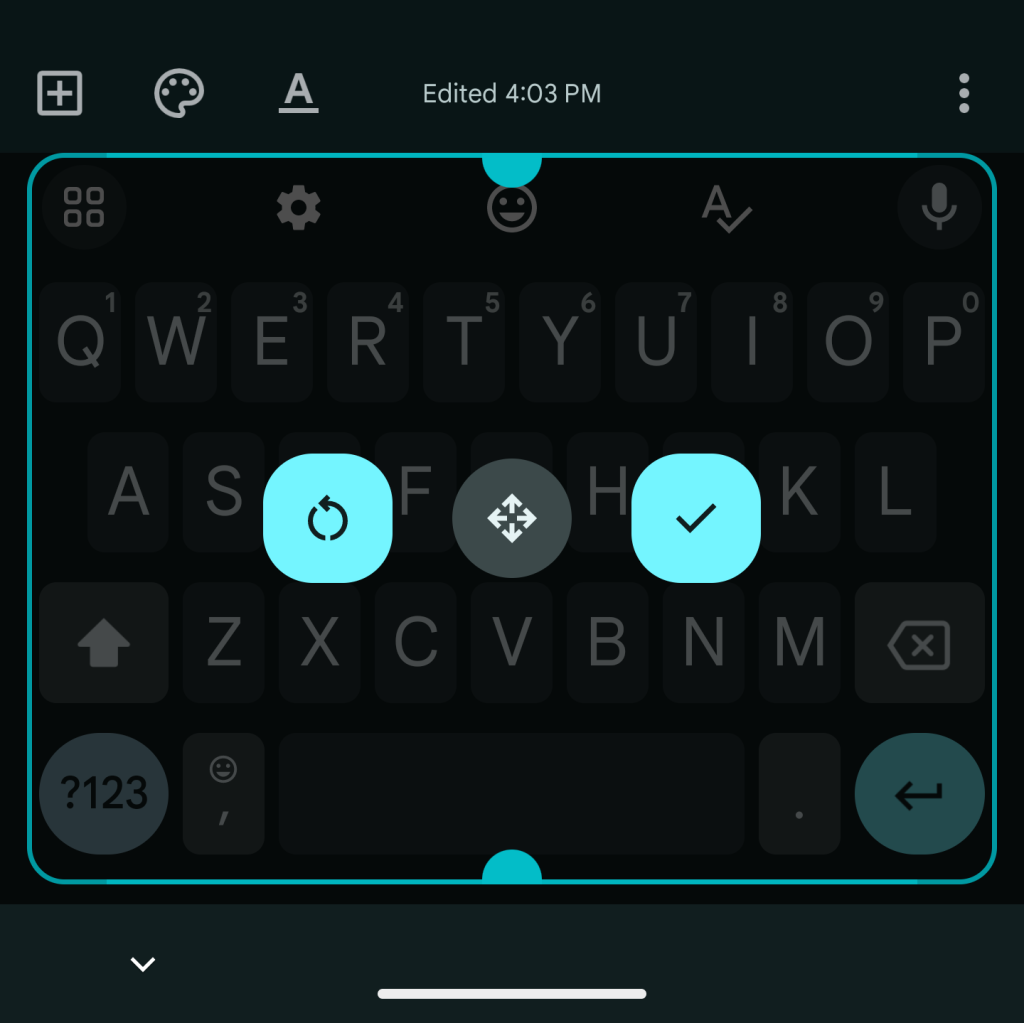
Seems kinda a negative way of reporting on an improvement in functionality. It would be more fair to say that the height adjustment is being integrated with the resize mechanic. Previously with resize, you can resize but you can't change the width/height ratio, you had to go into the separate setting option for height, which both means you don't have as much precise control and also you have no preview.
"What if you want to keep the height across devices" doesn't apply because the overall on screen size is already device dependant. If anything having it in the resize setting makes it easier to match things up between devices if you so wish.
In Gboard settings > Preferences, you previously had a “Keyboard height” option. The seven increments — Extra-short, Short, Mid-short, Normal, Mid-Tall, Tall, Extra-tall — are now gone, with only “One-handed mode” found under “Layout.”
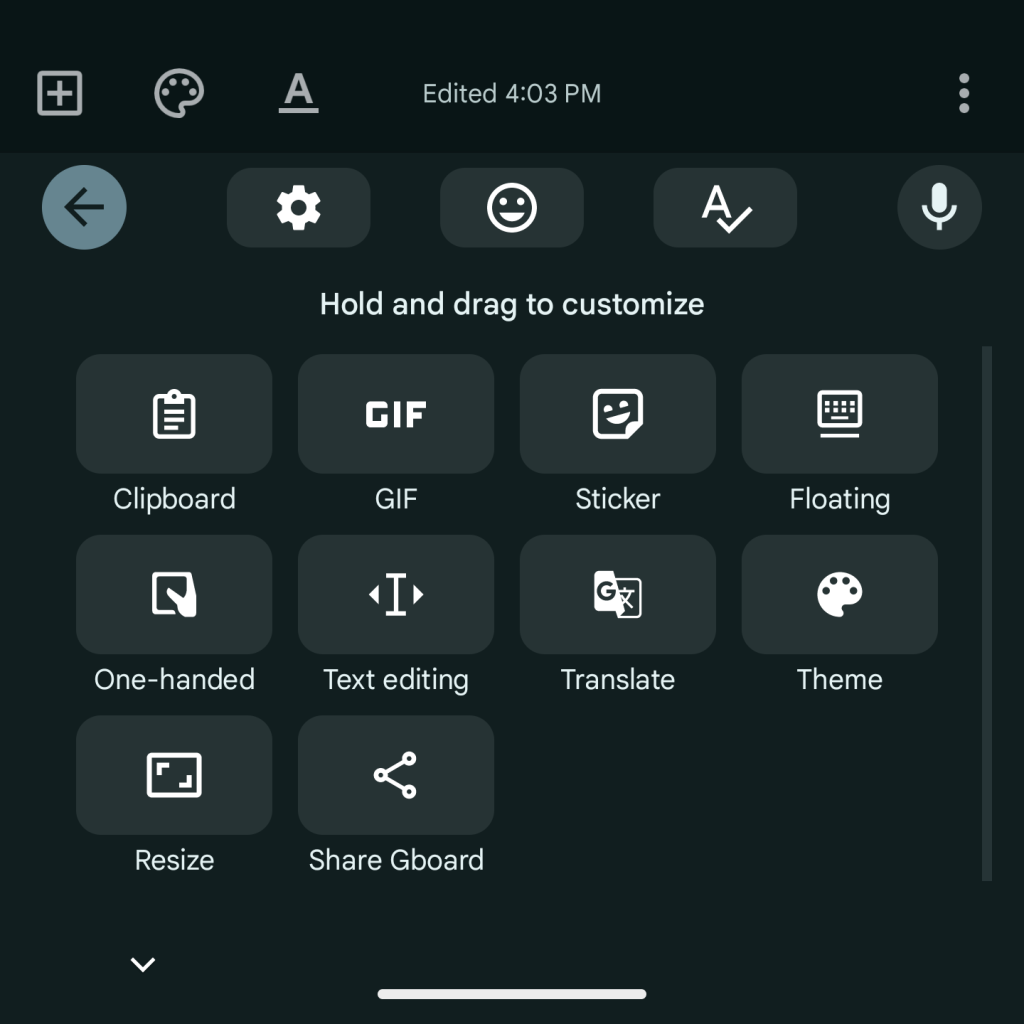
Instead, the intended way to customize Gboard’s height is by using Resize in the Gboard toolbar/shortcuts page. This lets you make adjustments by dragging the two pull tabs at the top and bottom. Users can also place the keys higher, with the ability to leave a gap between the space bar and the system home bar.


This is a more visually friendly way to make adjustments in Gboard, but not having fixed increments might be annoying if you’re trying to maintain the same height across devices, like after getting a new one.
We’re seeing this removal with the latest Gboard beta – version 13.4.08 – while Pixel devices are also seeing the Proofread option widely again. It was officially announced yesterday for the Pixel 8 and 8 Pro.
More on Gboard:
- Google Assistant on Pixel 8 ignores ‘umm’ & summarizes, Gboard gets multilingual voice typing
- What Gboard’s Assistant voice typing toolbar will look like on Pixel Tablet
- Big Gboard 13.3 update preps stylus handwriting, mini voice typing UI, gen AI stickers, more


FTC: We use income earning auto affiliate links. More.



Comments