
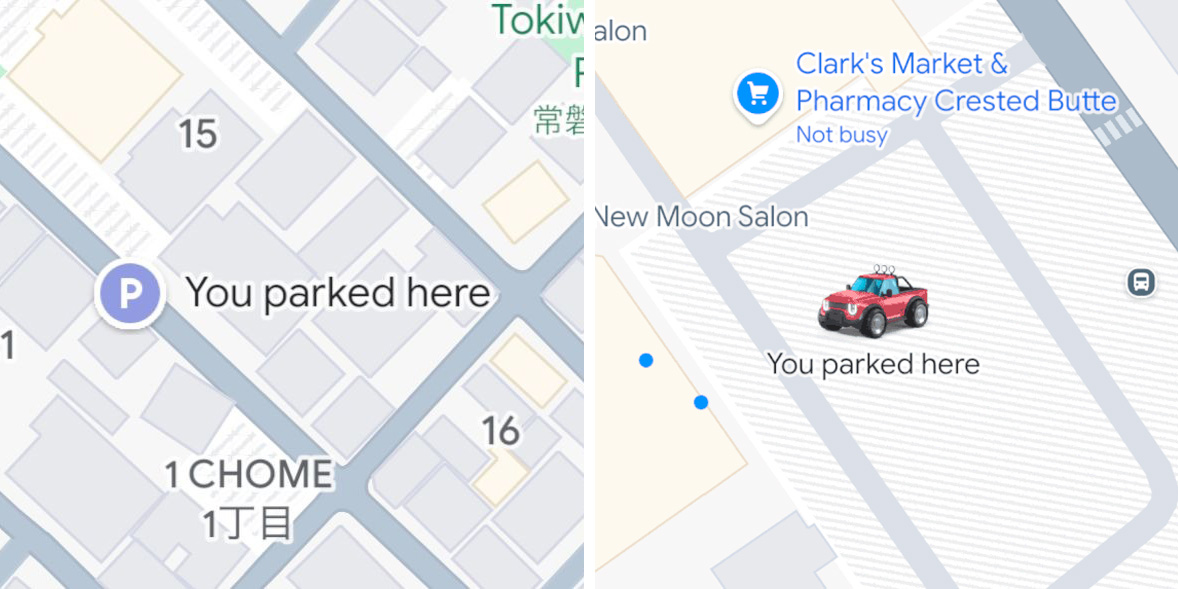
Google Maps has recently rolled out a change where, at least on iOS, the app will automatically detect that you’ve parked your vehicle and save that location, and it will also now show it with a custom icon.
The ability to save your parking location in Google Maps is far from new. It’s taken a few forms over the years, including with a button on Android Auto that pops up when you reach your destination, something that’s been in the phone app for the better part of a decade.
Yet, it hasn’t been automatic until now.
As announced recently by Rio Akasaka, Senior Product Manager for Maps at Google, a new tweak allows the app to detect when you’ve parked at a location, automatically save it, and then remove that location after you start driving again. The feature, as Akasaka explains, works when you get “in a car with Google Maps and connect to your car” through USB, Bluetooth, or CarPlay. That last part is key because, as of now, this works only on iOS. On a support page, Google further explains:
To help you find where you left your car, Maps automatically saves your parking location. It stays saved for 48 hours unless you remove it or start driving.
On Android, saving your parking location is still manual, and there’s no indication as of yet when this automated option might arrive. There has been an automatic setting on iOS for some time, but it appears that it is now enabled by default – that is
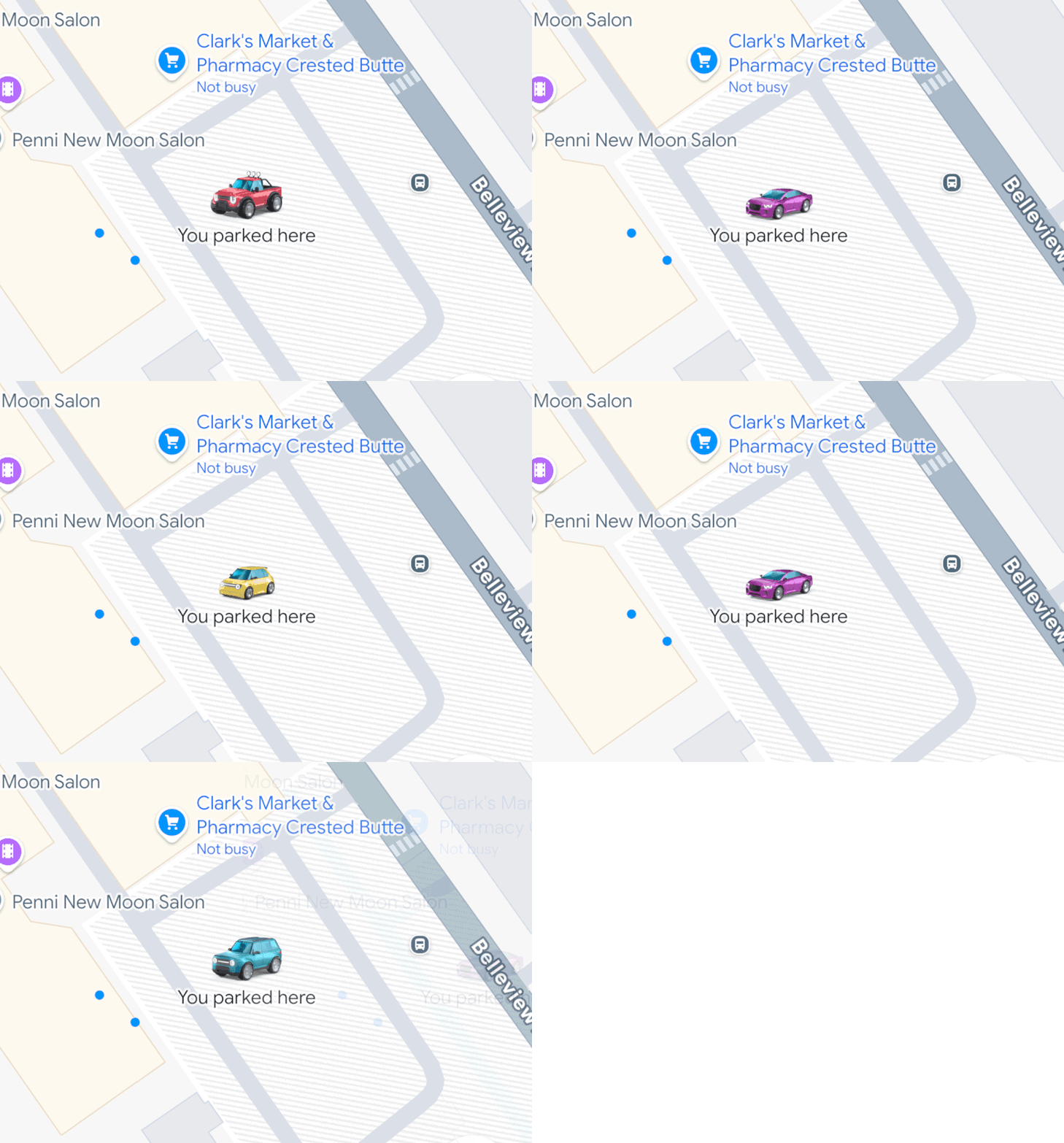
Automatic parking location saving started rolling out to iOS about a month ago, but a newer feature that’s been made available is that Google Maps will now use your custom car icons as a parking icon. Usually, the parking icon is just a “P” icon, but it will now copy whatever custom car icon you’re using, should you be using one. Google added custom car icons as far back as 2020, with further emphasis on the feature more recently including adding a bunch of new car shapes and colors, as well as extending the feature to Android Auto and CarPlay.
If you’re using a custom icon, you should now see it used as your parking icon too, Akasaka says.
More on Google Maps:
- Google Maps Power Saving mode rolling out to Pixel 10
- Google Maps starts rolling out Gemini for all navigation modes
- Google Maps adding nicknames for reviews & Gemini ‘Know before you go’ tips
Follow Ben: Twitter/X, Threads, Bluesky, and Instagram


FTC: We use income earning auto affiliate links. More.



Comments