
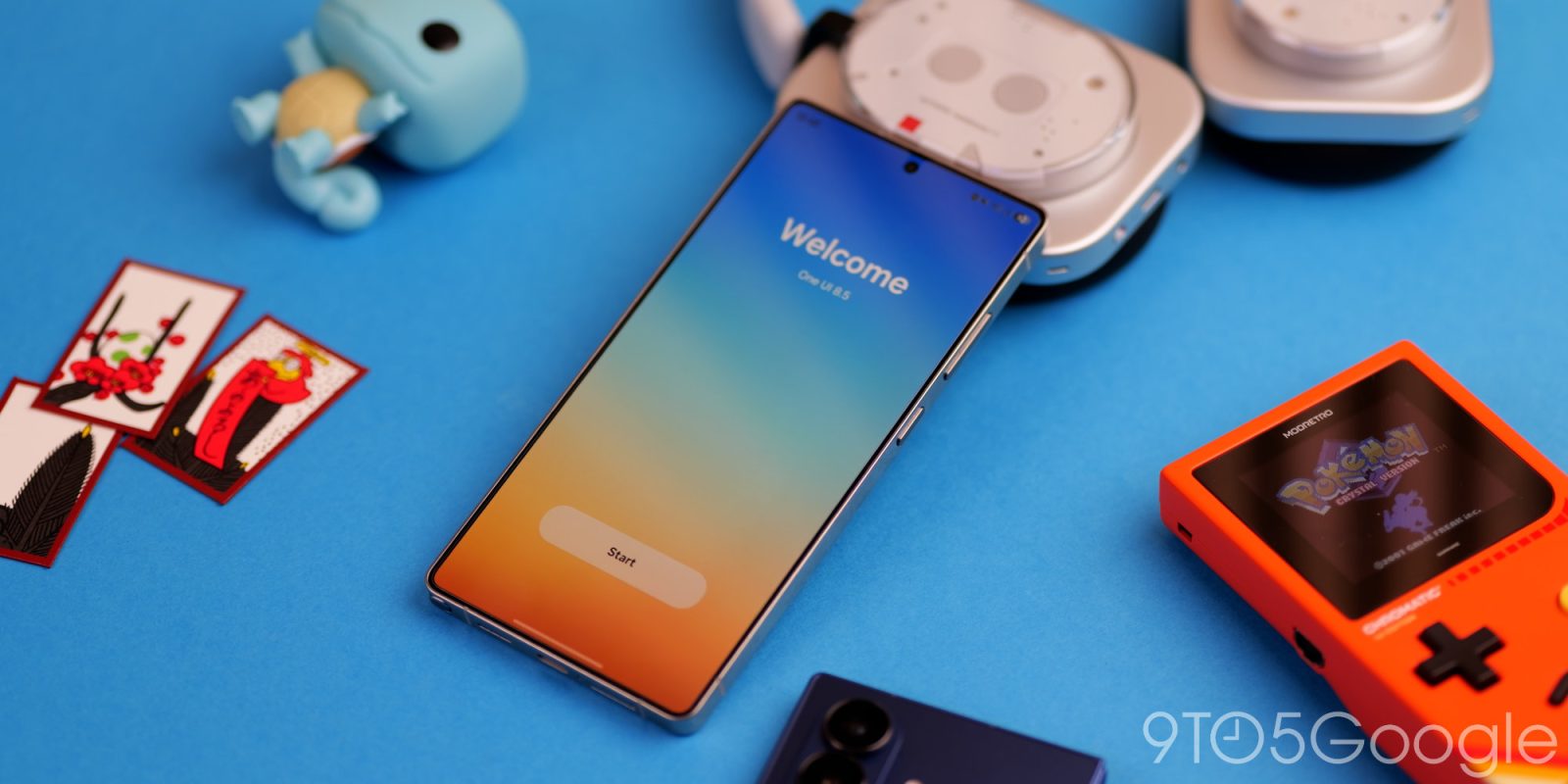
After a small-ish Android 16 update, One UI 8.5 is now available in beta for select Samsung smartphones – here are some of the biggest and best new features.
Over the past couple of years, Samsung has made major strides with One UI. From a sometimes finicky but feature-rich topping to arguably one of the best ways to experience Android, there’s a lot of love, care, and attention being paid to practically every area.
Sure, some things pay homage to what other manufacturers are doing – most notably Apple – but there’s still so much goodwill from fans as of late. While Samsung phones aren’t pushing as many boundaries as they did in the past, the software continues to improve with age.
Table of contents
- Customizable QS panel
- Partial screen area recording
- Better searchbars and control tabs
- Weather alarm wallpaper
- Better lockscreen clock automation + more lockscreen fonts
- Theft protection updates
- Pollen count in Weather app
- Storage share
- Pro Mode distraction remover
- Continuous editing with Galaxy AI photo assist
- Now Brief tweaks
Customizable QS panel
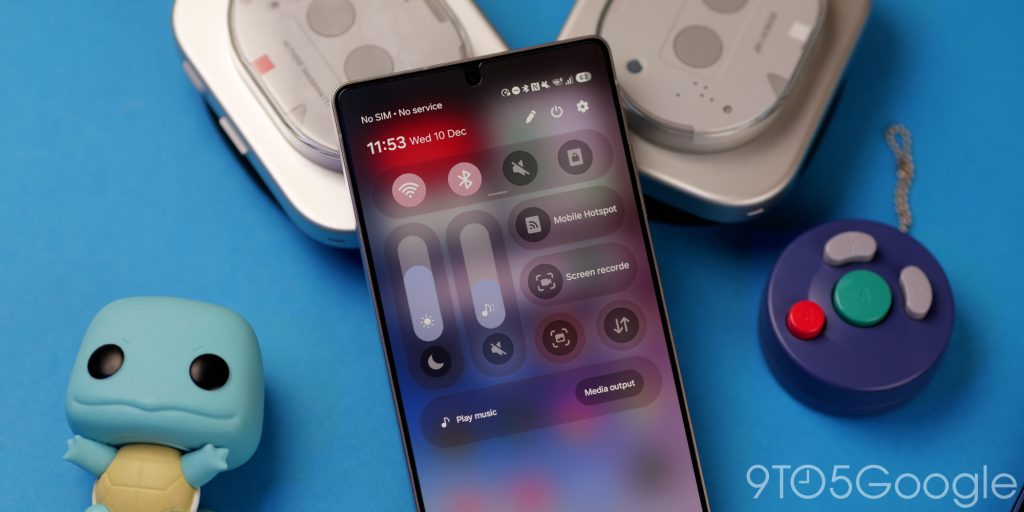
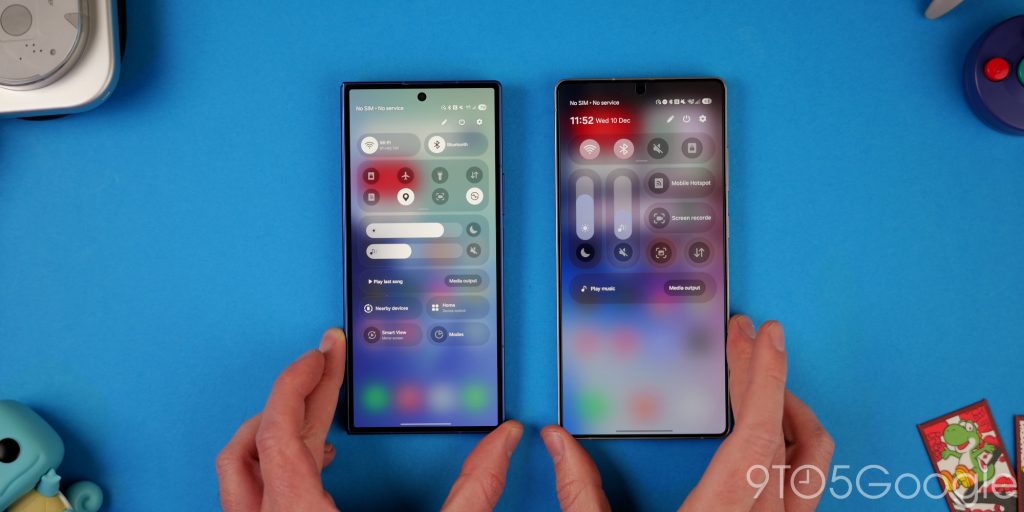
Following on from Google, Samsung is adding a fully customizable Quick Settings panel in One UI 8.5. It’s a little bit of a step between what you can do on Pixel with some elements of iOS folded in. While it’s not clear if things will stay the same on new hardware or when the stable update rolls out, after installing One UI 8.5, you’re greeted with a compact 4-button layout that you can start building on.
The UI for adding new toggles mimics the layout and categorisation found on Pixels, which makes it easier to start building a functional Quick Settings pane. The “Add a control” button is also easier to reach and less confusing.
Toggles can be added, expanded, and adjusted with small expansion tabs. Sections can be moved around to suit your own preferences. It’s a very big improvement over the previous layout. One of the best changes is to how sliders work. Because you’re able to customise the layout, you can set brightness or volume sliders to be portrait or landscape orientation, which is great for accessibility.
Partial screen area recording
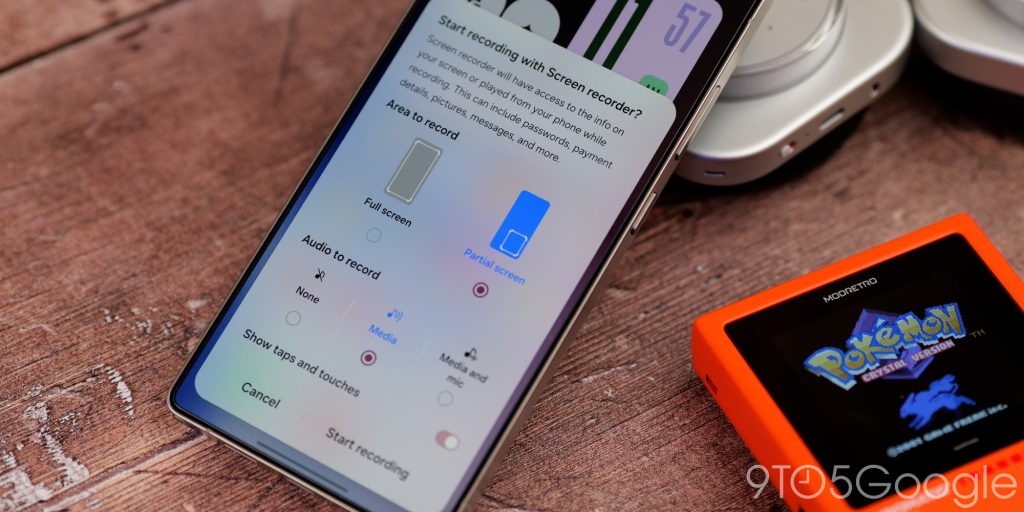
One UI 8.5 has a true power-user feature for screen recording, because you’re now able to record just a portion of your display, saving time editing later. This could be really useful if you have a foldable or are using something split-screen. It should also work in DeX mode, making it an even better tool for anyone who uses their phone in desktop mode, as your screen can be better organised in this orientation.
Better searchbars and control tabs

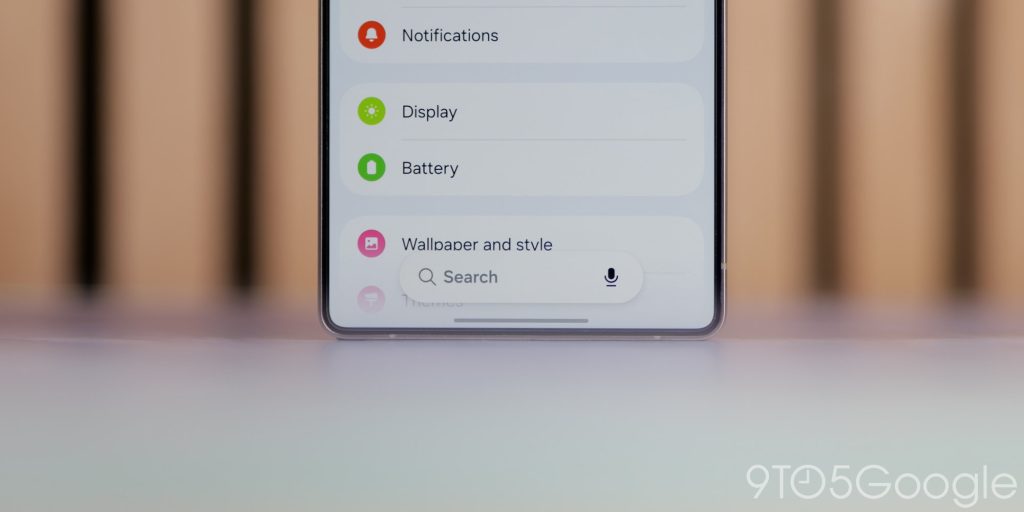
You might notice more floating search bars and control tabs on your phone if you do update to the One UI 8.5 Beta. This is technically part of the Material 3 Expressive control schema as it undocks some options, but it aids reachability in places like the Settings app or the app drawer.
Instead of needing to swipe up or stretch to the top of your display, you have search boxes within millimeters of your fingertips. It takes a little bit of brainpower to get used to something that has been the paradigm with One UI and Android for so long, but it’s a significant change on larger screens.
Weather alarm wallpaper
If you care about being able to discern the current weather conditions when you wake up, you can enable local conditions in your alarm backgrounds with One UI 8.5. While it’s not a subtle animation, it’s not likely to be as obvious as a lockscreen widget once you’ve shut off your alarm. It’s a nice touch either way.
Better lockscreen clock automation + more lockscreen fonts
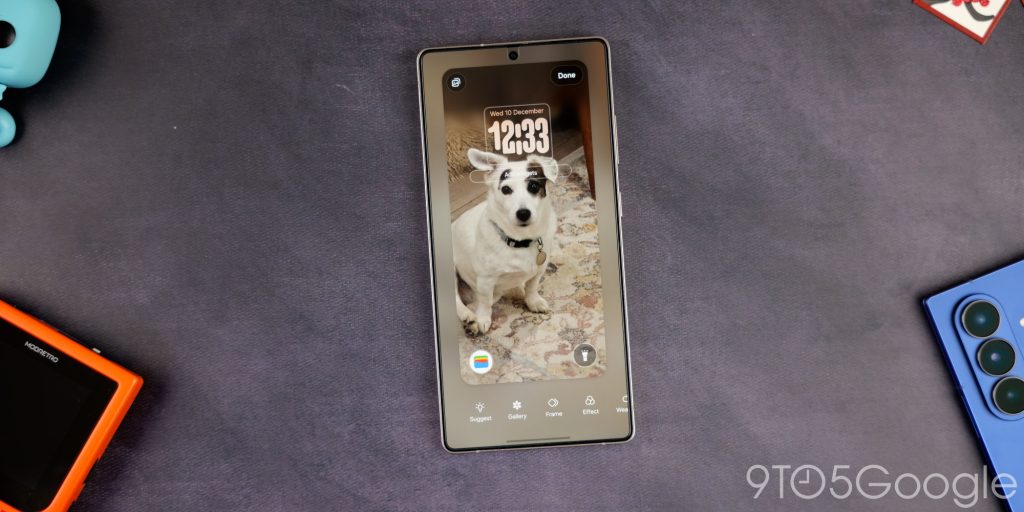
Samsung’s lockscreen customization gets a bit more automated with better detection for subjects like pets and even objects like scenery. The clock UI will adjust and move better, but it’ll detect what is in the scene and apply the changes by default now. You don’t need to mess around with the settings or placement manually to get this blocking feature to work.
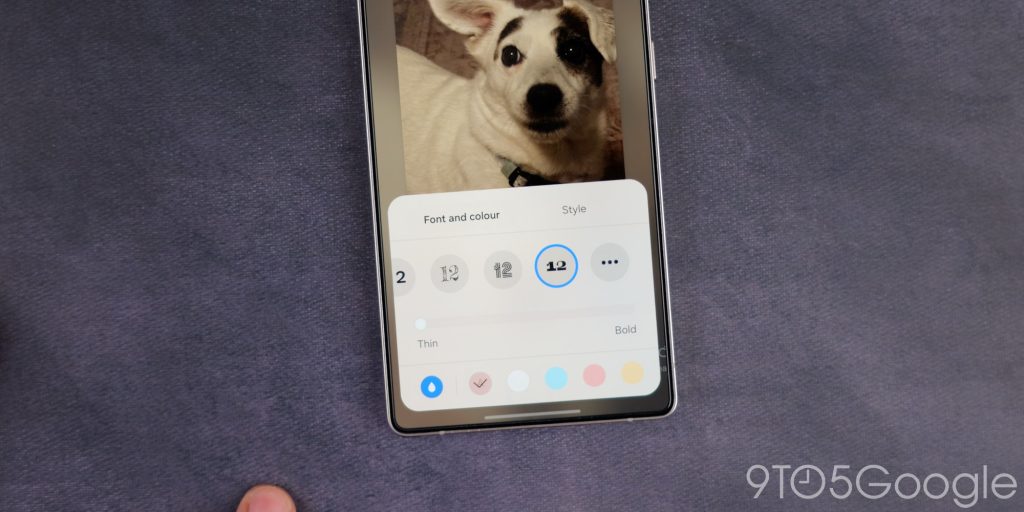
There are also a few more fonts available if you want to change it up with an adapted font color that’ll change based on the image you’ve chosen for your lockscreen wallpaper. Make changes, and it will automatically update.
Theft protection updates
Theft protection gets some extra protective features in One UI 8.5 as you can enable “Failed authentication lock” to lock your phone fully if there are too many attempts of fingerprint scans, PIN entries, and the like. People may have access to your phone, but this is just an additional layer of protection as part of the Theft Protection Suite, which you may want to enable.
Pollen count in Weather app
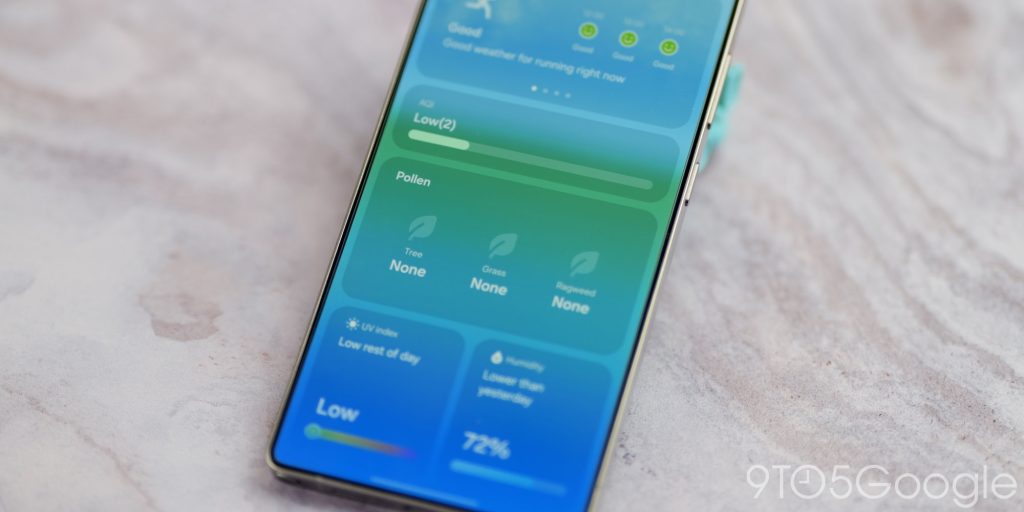
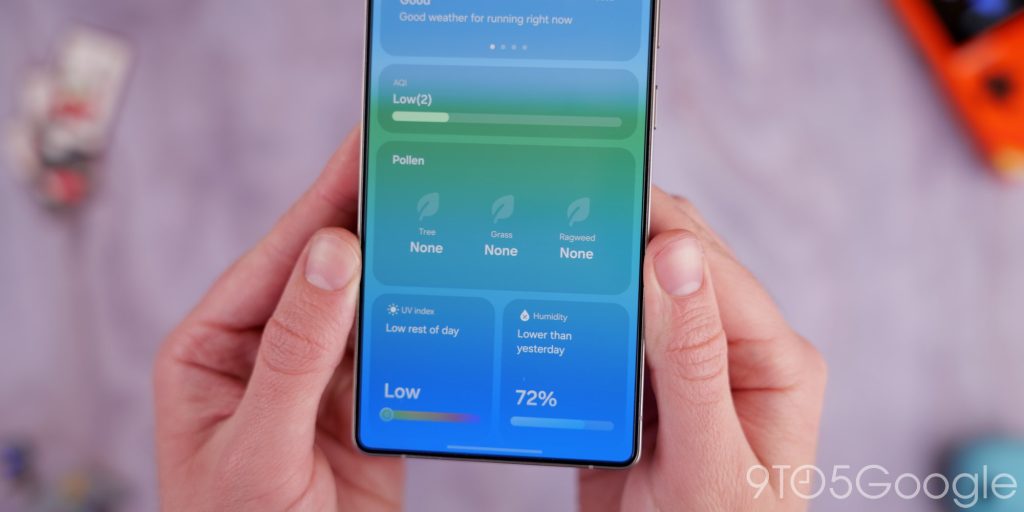
A little update dropped just before One UI 8.5 that added the Pollen Count feature back to the Samsung Weather application. For many people, this will still occur if they update to One UI 8.5 first, so we’re highlighting it here regardless.
For allergy sufferers, you can track three different types of pollen: tree, grass, and ragweed pollen. While we can’t speak for the accuracy of the data, it is powered by The Weather Channel, which should mean fairly solid data points are used to generate this information. You can get a 3-day forecast, which should be enough to at least help you take or make precautions. During the winter months, the data is less reliable due to the pollen count being lower at this time of year.
Storage share
In the My Files app in One UI 8.5, there is a new feature that you can use to remotely access nearby devices’ storage and preview/view files. Storage Share is something you should use sparingly when out and about, but it is super useful if you have multiple phones and can’t remember where you saved something.
The best thing is that you don’t need to have One UI 8.5 installed on the other phone to use the feature and access any files. Just accept the prompt that pops up, and you can start browsing and viewing files. Again, proceed with caution if you have sensitive stuff on your Galaxy phone. That said, it will be great if you have lots of Samsung hardware and forget where things are.
Pro Mode distraction remover
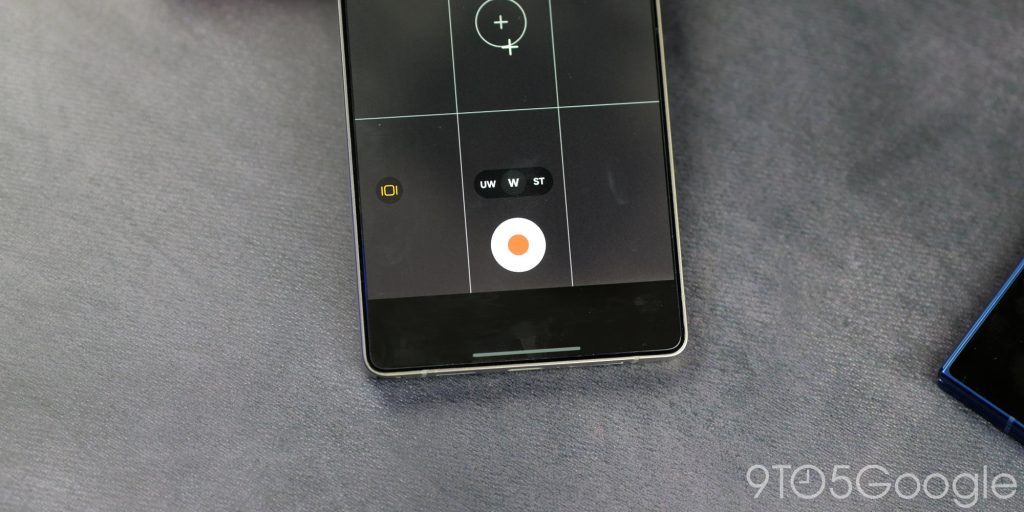
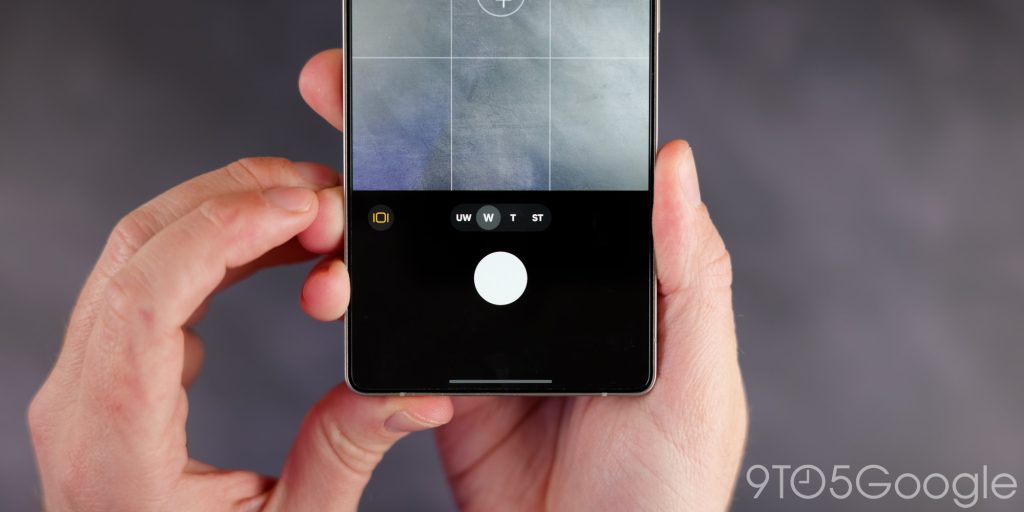
Samsung hasn’t fully overhauled the camera application, but Pro Mode has a really nice option to remove some of the distractions like EV, ISO, autofocus settings, and white balance with a toggle. It works in the Pro Video Mode too, so you won’t have things obscuring your viewfinder for a clean experience.
Oddly, Single Take and Dual Recording are missing in this first beta. This is likely going to be corrected come the full release, but it’s weird that Samsung would remove or disable some features in One UI 8.5.
Continuous editing with Galaxy AI photo assist
If you use the AI editing feature in the Galaxy AI suite, there are some important changes in One UI 8.5 to make things a little better. Firstly, you don’t need to save your photos each time you’ve made a change. Instead, you can make multiple edits back-to-back. Plus, you also have a timeline to go back and revert or restore changes if you need to. This is great if you want to completely reimagine an image and clean things up, as you don’t need to have lots of working copies. Instead, you can do it all from one file.
Now Brief tweaks
If you have Now Brief enabled, you’re able to disable the Audio Brief toggle that appears in the top right of the AI-powered section. Tapping it gives a robotic AI voice rundown of everything you can see, so it might be a bit pointless to many. Just go to Settings > Lock screen and AOD > Now bar.


FTC: We use income earning auto affiliate links. More.



Comments