
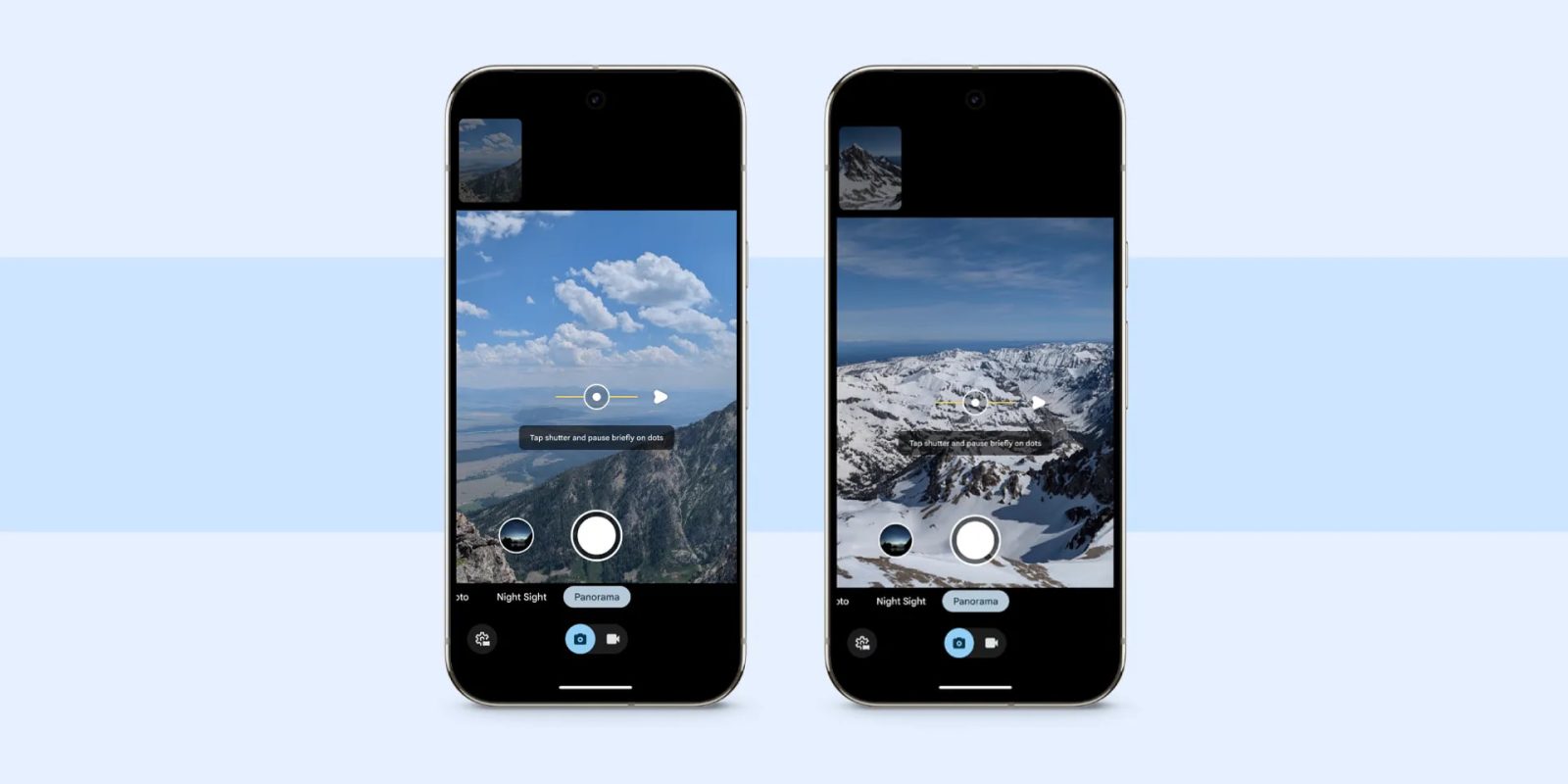
With the Pixel 9, Google introduced a new Panorama mode, and the latest Camera update brought it to the Pixel 8 series.
It starts with an “easy-to-follow UI” that uses a series of dots and various prompts underneath to guide you. The interface also integrates a level indicator.
This takes inspiration from Photo Sphere, which was removed from new devices starting on the Pixel 8 in 2023. As you move your device and capture, a small preview appears above the viewfinder.
Tapping the Settings gear in the bottom-left corner lets you set the capture direction to the left or right, as well as up or down if you rotate your phone to landscape orientation.
Pixel 7 Pro vs. Pixel 8


This new Panorama mode can be used in conjunction with Night Sight, which can be set to Off, Auto, or On. Overall, Google recommends that you “just rotate the camera as much as you can while standing in place.” By not rotating your body, this helps eliminate “perspective shift — or those jagged edges you can get when each transition doesn’t quite line up — and create a smooth stitch.”
Behind the scenes, this updated Panorama uses the “Pixel’s HDR+ pipeline and its photo pipeline to create stitched photo panoramas” instead of video, which captures less data.
Google appears to have rolled out the new Panorama mode to the Pixel 8 series with version 10.2 of Pixel Camera at the start of December. It’s not showing up on a Pixel 7 Pro running the same update today.


FTC: We use income earning auto affiliate links. More.



Comments