
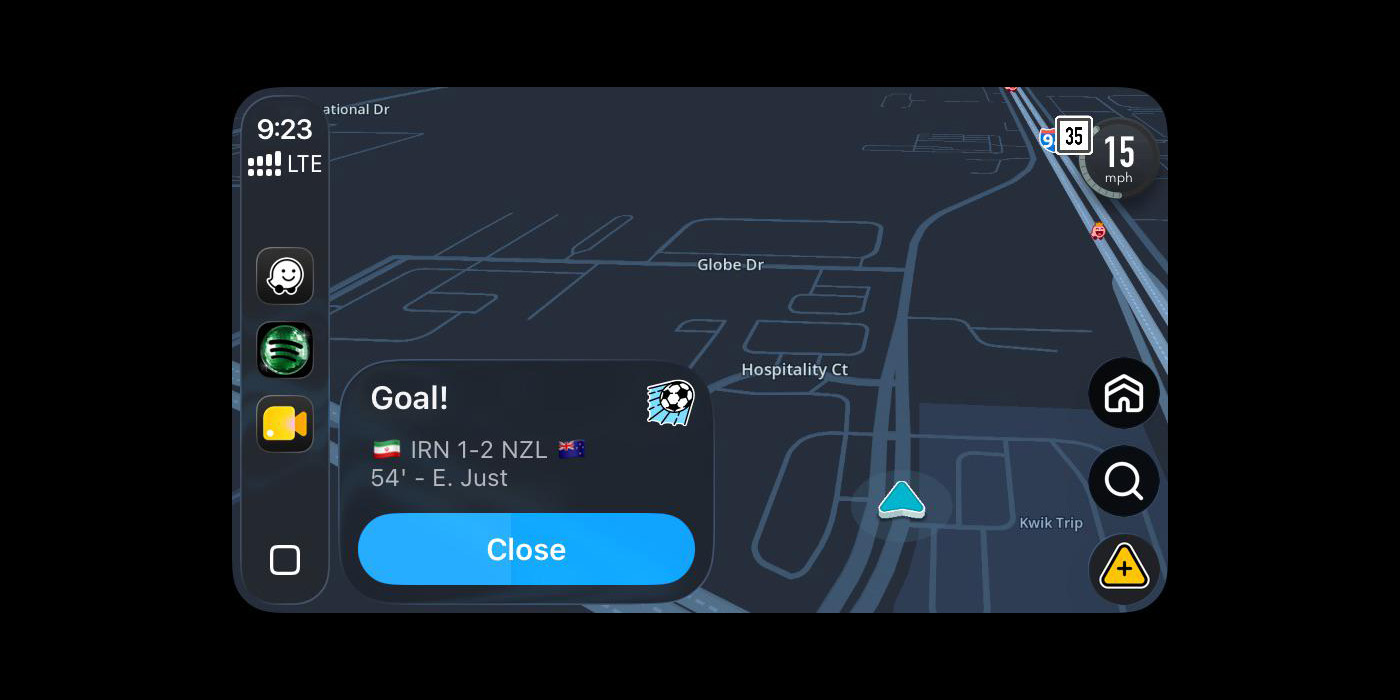
The World Cup is in full swing and, with it, many are glued to finding out the scores of each match. Waze, though, has rolled out a new enabled-by-default feature that shows World Cup scores as a pop-up for drivers. Great if you’re an avid fan, less so if you’re just trying to get directions home, and user reactions are pretty mixed.
Quietly rolling out, Waze will now show pop-ups for World Cup matches as events happen. This could include the end of a match, or simply a goal in the match as one driver noticed (pictured above, image via u/yayoshorti on Reddit) on CarPlay. The pop-up appears just like a typical road hazard alert, just with the brief description and the teams for that match. Some have noted that the notifications are actually a bit larger than some hazard alerts.
As far as we can tell, this feature is supposed to be enabled only when the vehicle is not in motion. But, as shown in the screenshot above, it’s happening while actively driving as well.
One user also captured a pop-up where Waze would customize the alerts to specific teams.
Top comment by Ben Baranovsky
This stuff drives me mad. This has absolutely nothing to do with navigation and is an unnecessary distraction. Additionally, some people don't care at all about the World Cup and others like to watch the games later without the scores being ruined for them.
The good news here, though, is that it can all be turned off, whether you want to remove it simply for the sake of it being too distracting, or if you’re just not a fan of the World Cup in general.
As Google details on a support page, users can go to Settings > Alerts and reports > Reports and turn off “Live Matches.” Notably, we couldn’t actually find that setting across multiple Android phones and the iPhone app too, so it’s possible that this either hasn’t rolled out widely or Waze might be disabling the functionality. Again, there’s not been much official communication around this.
Let us know if you’re seeing these alerts and whether or not you like the idea in the comments below.
More on Waze:
- Waze now shows traffic lights on your route, but it’s rolling out slowly
- Waze says it is rolling out ‘new’ features including speed bump, speed limit warnings
- You can finally use Waze on your phone while connected to Android Auto
Follow Ben: Twitter/X, Threads, Bluesky, and Instagram


FTC: We use income earning auto affiliate links. More.


Comments