
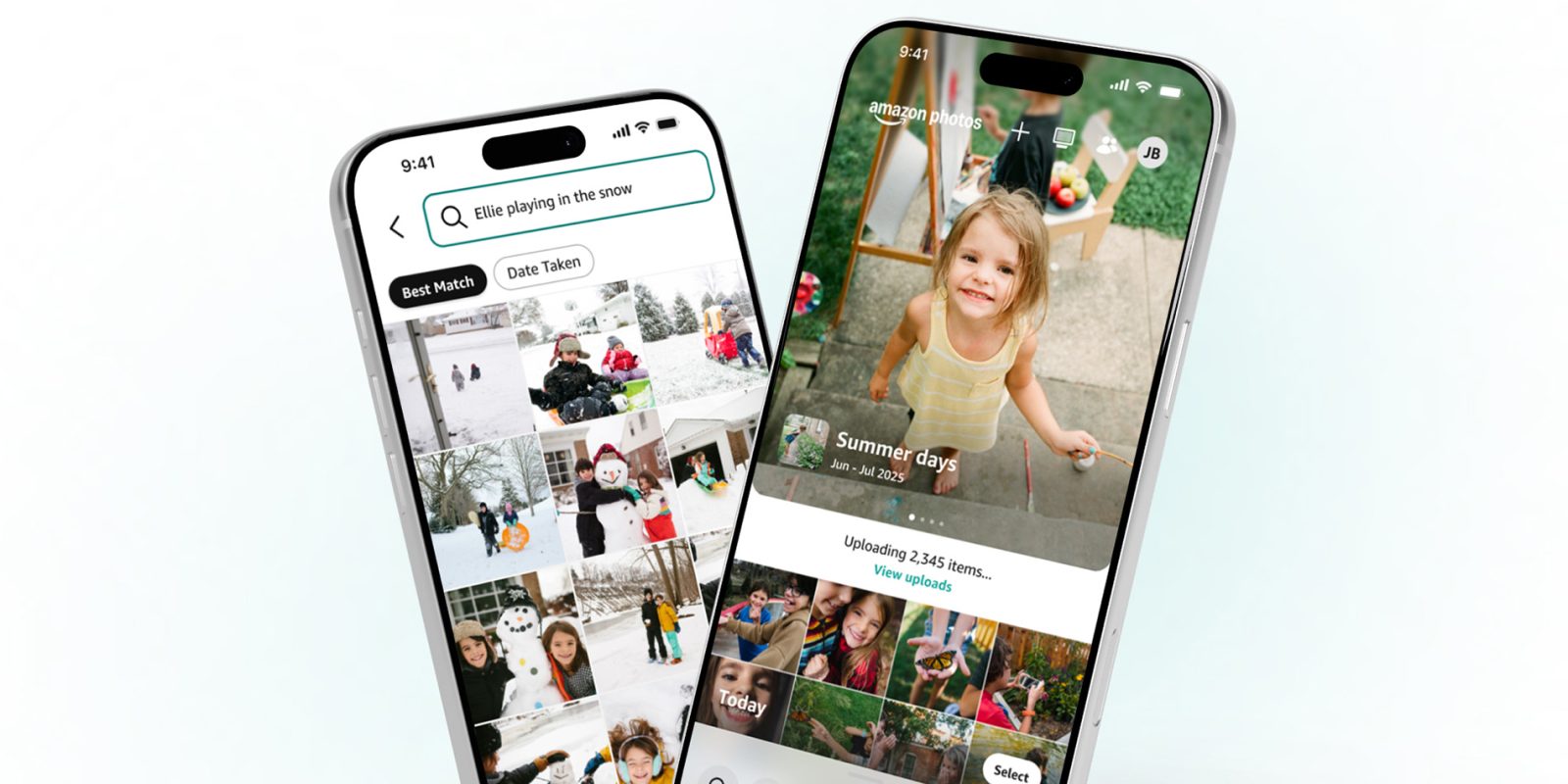
Amazon Photos is getting a revamped app that looks like it was inspired by Google Photos in a few places – which is a great thing for users.
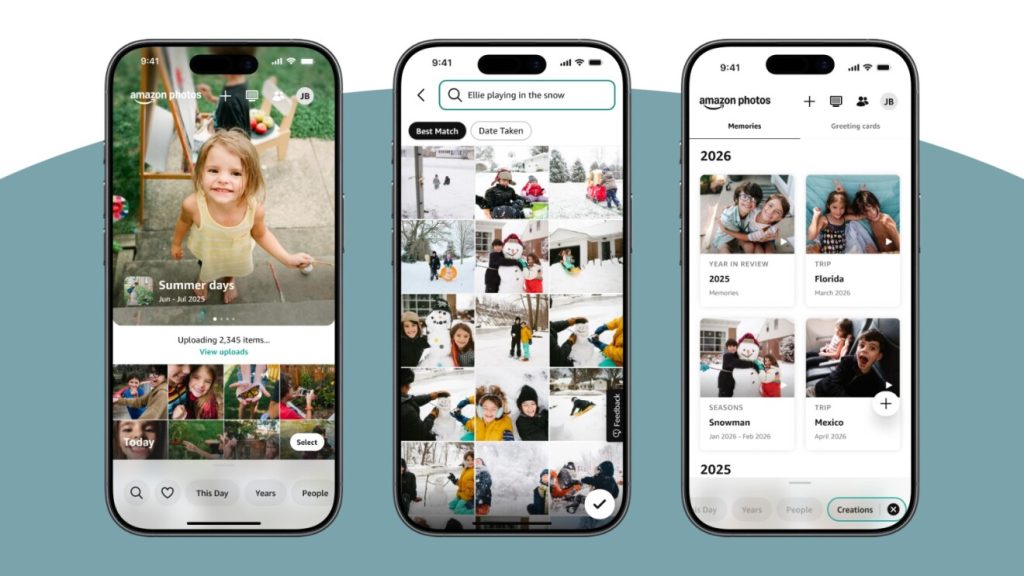
Available starting today on iOS and Android “coming soon,” the redesigned Amazon Photos app is a pretty big overhaul. The app opens to a main page that showcases “a curated carousel of memories,” with those collections playing in full screen when you tap on them.
Sound familiar?
That’s the exact experience you get in Google Photos, and it’s not the only place Amazon took notes from the competition. The new app’s navigation looks a lot like Apple’s Photos app, with a floating bottom bar that swaps between different categories. Amazon’s app does have different sections, though, with “This Day,” “Years,” “People,” and “Creations” appearing alongside the search and favorites buttons.
That “This Day” button lets you access photos taken on the same day in past years, as Amazon explains:
On This Day, one of the app’s most-loved features, is now easily accessible from your carousel. It brings back pictures and videos from the same date in previous years—what you were doing a year ago, or five—without you having to go looking for them.
Amazon is also adding natural language search – something else that feels pretty Google Photos-esque – so you can find a picture “even if you don’t remember exactly when or where it was taken” using prompts such as “beach sunset last summer.”
Amazon Photos is included with Prime with unlimited “full-resolution (high-resolution)” photo backup, and 5GB of high-quality/video storage. Add-on storage is available for an additional fee.
More on Amazon:
- Amazon sued over killing Chromecast-era Fire TV Sticks, new update policy confirmed
- Amazon will ditch Android on ‘all’ future Fire TV Sticks as latest model runs Vega OS
- Report: Amazon planning Alexa phone over a decade after Fire Phone flop
Follow Ben: Twitter/X, Threads, Bluesky, and Instagram


FTC: We use income earning auto affiliate links. More.



Comments