
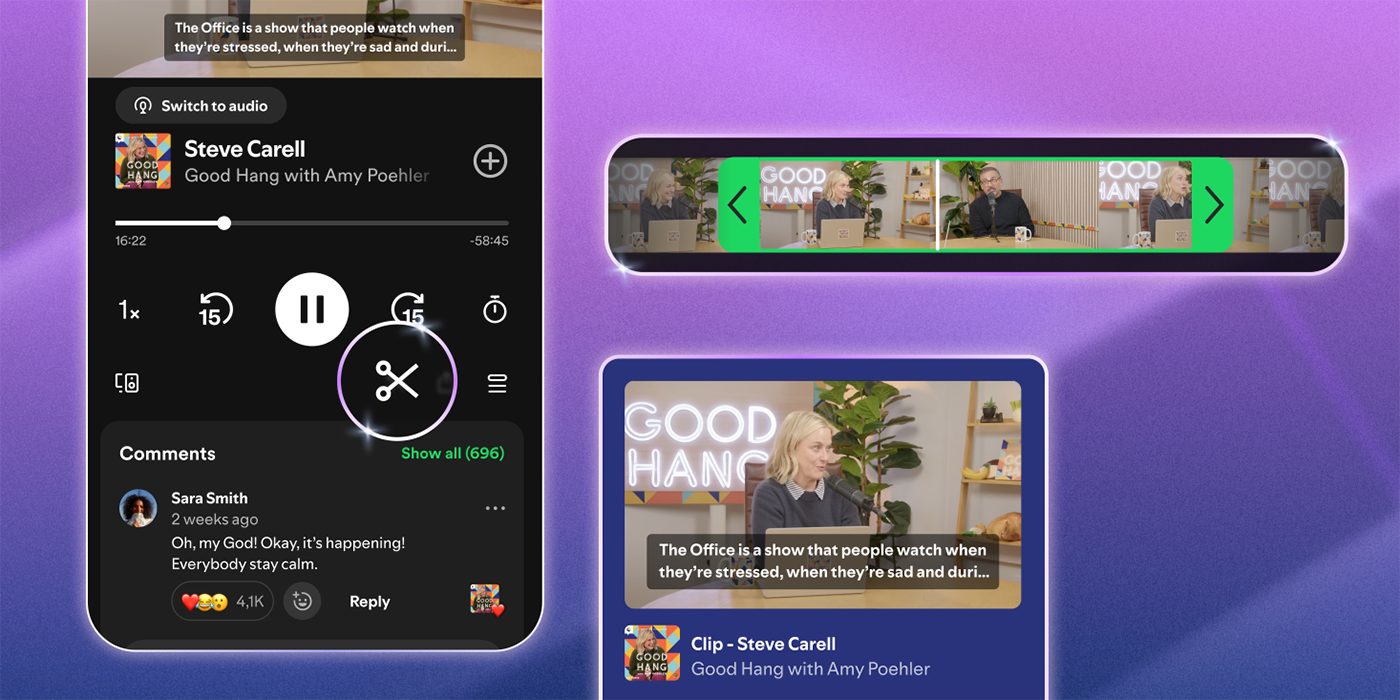
Just a few weeks after YouTube killed off its Clips feature, Spotify is essentially bringing it back to life as a way to share segments of your favorite podcasts through a simple link.
Announced today, Spotify “podcast clips” is a new way to share specific portions of a podcast with others using a link. Through the share button, you can pick to share a full episode, specific chapter, or a clip of a podcast, with the latter giving you the option to narrow down the exact timestamps you want to share.
Spotify explains:
With clips, listeners can now capture, revisit, and share the exact moments from podcasts that resonate most, without having to search through an entire episode to find them.
Clips also come with an upgraded sharing experience. The updated sharing menu gives you more ways to share what you’re hearing, whether it’s a full episode, a chapter, a timestamp, or a clip—all accessible directly from the share icon.
Once you share a clip, that segment is then saved to your library, allowing you to access it again later without digging up the link or recreating the timestamps.
It works almost exactly like YouTube Clips, which would allow viewers to share segments of a YouTube video with specific timestamps. YouTube shut down that functionality earlier this year, citing an expanded ability to share from a timestamp within the full video.
Spotify says podcast clips are rolling out starting today to Free and Premium users.
More on Spotify:
- Spotify ‘Studio’ steals a page from NotebookLM, using your personal info to generate podcasts
- Spotify ‘Party of the Year(s)’ recaps your entire music streaming history
- Spotify can now save ‘Personal Podcasts’ with your calendar and more using AI agents [Video]
Follow Ben: Twitter/X, Threads, Bluesky, and Instagram


FTC: We use income earning auto affiliate links. More.


Comments