
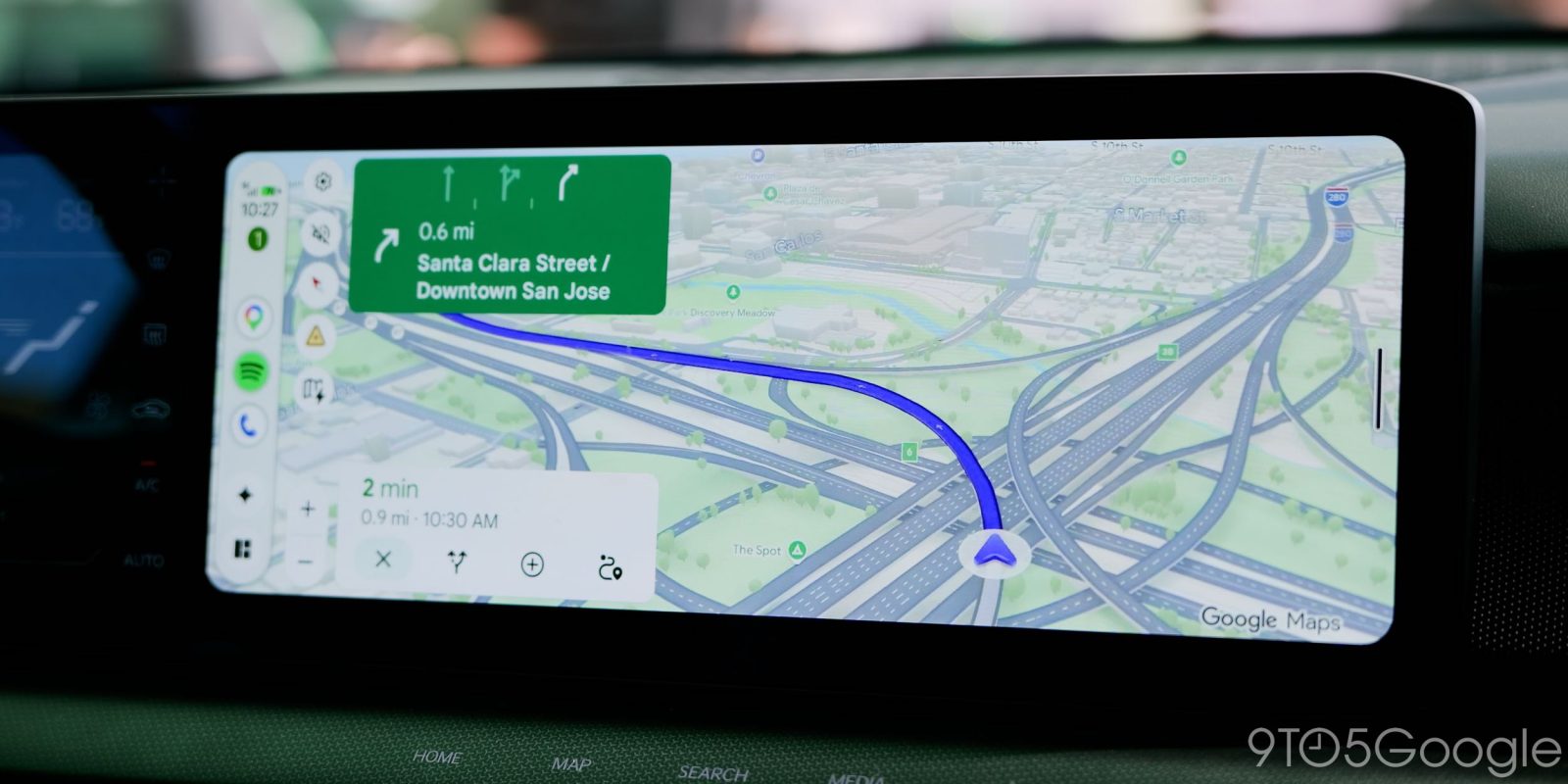
If you’ve spent any time behind the wheel on Android Auto in the past couple of years, you’ve probably encountered the pop-up alerts on Google Maps and realized just how distracting they can be. Now, Google is rolling out a redesign and it’s a huge improvement.
Google Maps incident reports, the hallmark feature of Waze, rolled out in 2024. It took a few months to land on Android Auto, and started integrating Waze reports not long after. Google has tweaked the feature over the past couple of years, but one thing it didn’t address was the design.
That design was a bit controversial, with some finding the pop-ups distracting as they’d replace your written directions and/or ETA for several moments unless you interact with the overlay. In a 2025 poll, a number of 9to5Google readers were in favor of the existing design, while most others found it at least a little distracting.
Here’s what it looked like on a Subaru Crosstrek in early 2025:

Now, Google is rolling out a redesign.
The new pop-up shows directly over the estimated time, leaving all existing UI elements in place. Nothing moves, the alert just shows up for a few seconds with a “Yes” or “No” option, then disappears.
On a taller display, like the one we spotted this on in a Subaru Forester, the change doesn’t make huge difference. Google Maps already kept the directions readily visible most of the time, but the shift in UI was far more distracting than the new pop-up.
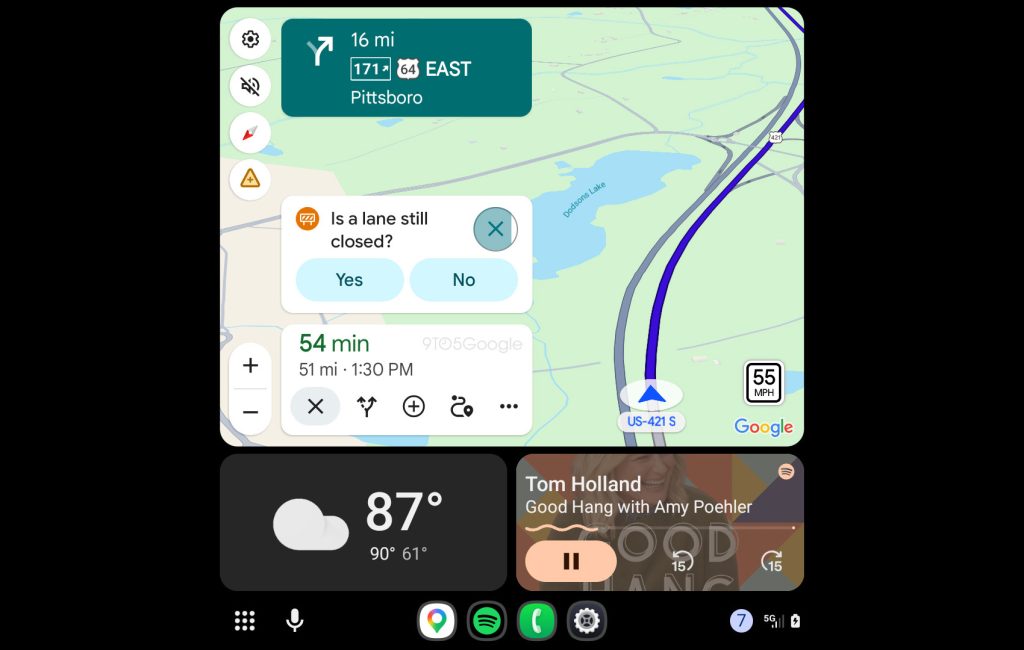
On a short and wide display, like the Kia Niro EV pictured below, the new pop-up design still manages to show up without moving other UI elements, just pushing the shortcuts usually found near the ETA down a little bit for the few seconds it is shown.
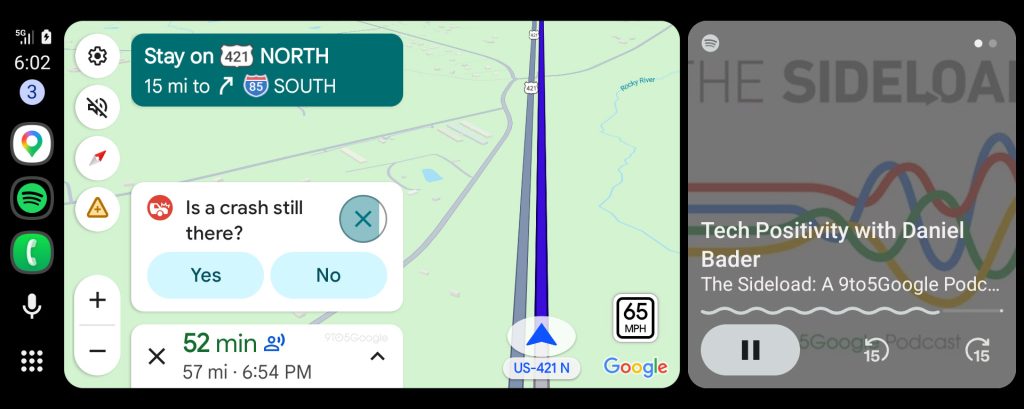
The new Google Maps alert UI appears to be rolling out to Android Auto users now, though we’re not sure if this was triggered by a recent Android Auto or Google Maps app update.
Let us know in the comments below if you’re seeing this tweak.
More on Android Auto:
- This adapter adds Android Auto and CarPlay to Chevy, other EVs from GM – for now
- Google Meet for Android Auto now rolling out widely
- Nintendo Music adds Android Auto support to bring your Mario Kart dreams to life
Follow Ben: Twitter/X, Threads, Bluesky, and Instagram


FTC: We use income earning auto affiliate links. More.



Comments