

Google Messages is finally giving Android users more customization and personalization options with “Chat themes.”
Update 6/26: Since Tuesday, more Google Messages beta users (version 20260622_01_RC00) have received the server-side update that enables Chat themes. It’s not yet widely rolled out to testers.
Once available, you’ll see a red dot badge the overflow menu as “Change colors” is replaced by “Chat theme.”
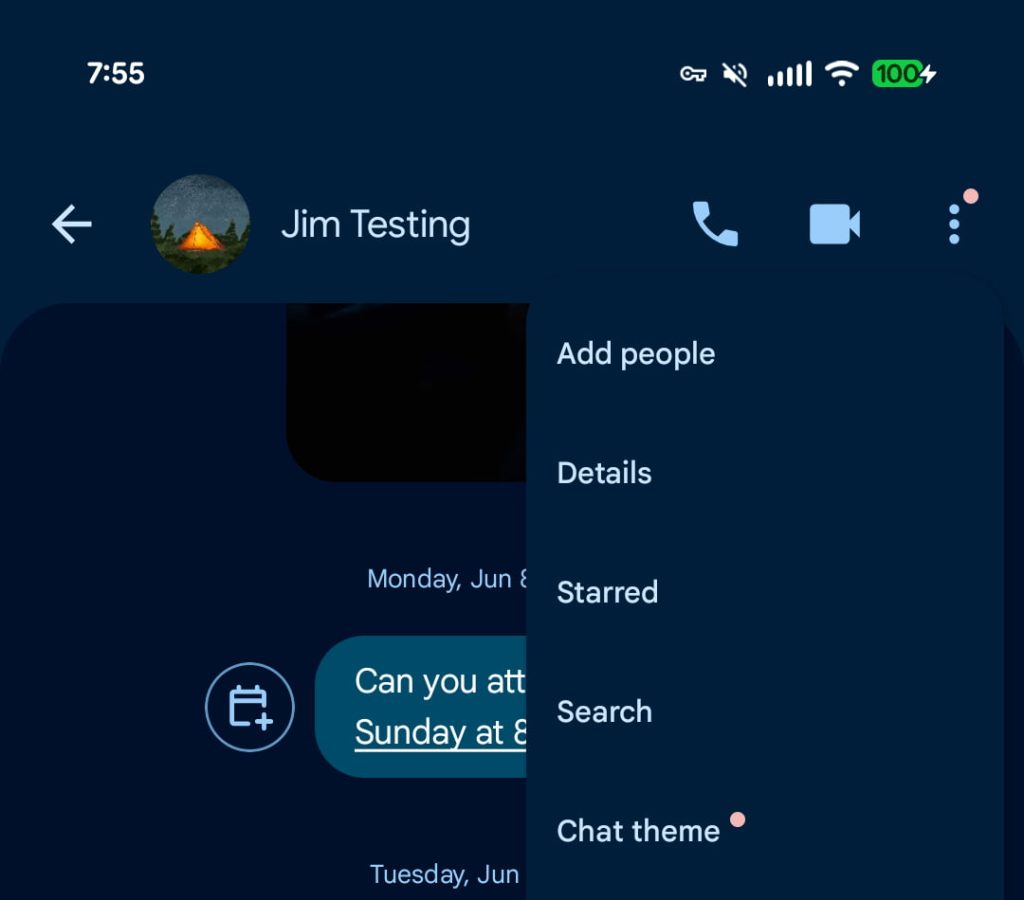
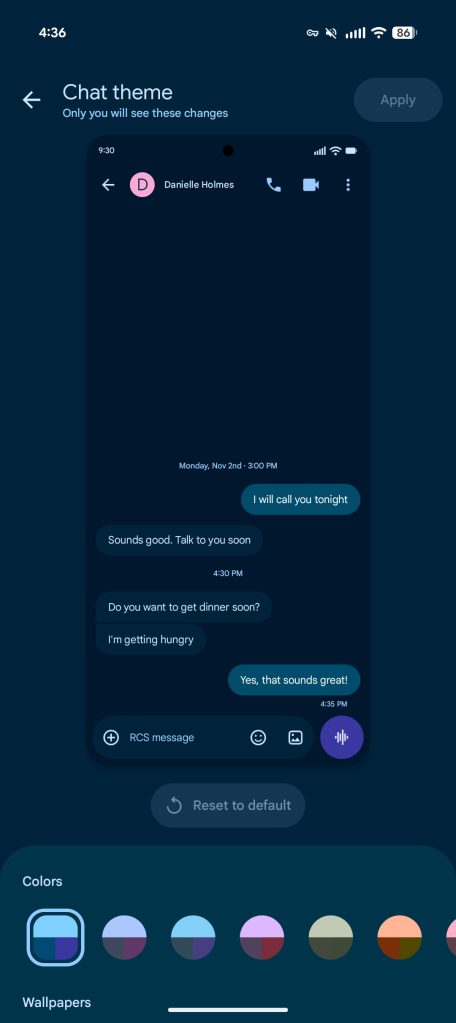
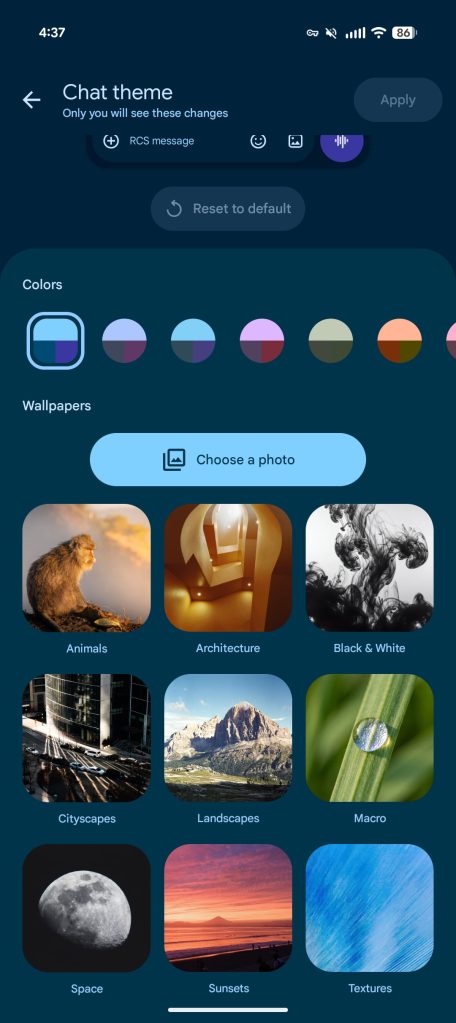
The Colors carousel themes the message bubbles. The first option is Dynamic Color and responds to the background of the chat, while the remaining eight options are static.


Wallpapers change the background of the message conversation. You can upload your own image or choose from Google’s collection: Animals, Architecture, Black & White, Cityscapes, Landscapes, Macro, Space, Sunsets, and Textures.


Original 6/23: At the moment, you can “Change colors” in a chat with nine options for message bubbles and backgrounds. This was introduced in 2024.
The new “Chat theme” option replaces that and provides more extensive customization. Google notes that “only you will see these changes” in a departure from the previous approach.
It starts with a conversation preview at the top of the screen. You next get a carousel of “Colors” that match the system-level Dynamic Color palettes.
Top comment by CyanFish
Pretty stuff like this is nice, but if Google truly wants to wow us and remove a lot of the transition trauma from Samsung Messages to Google Messages, they could implement user-defined categories so you can create groups of individual and group conversations.
For example, I want to create a category for work-related messages, one for family, one for my volleyball team, one for my congregation, etc. A person or group conversation can live in multiple categories.
I have eight or more categories now. They keep my messaging life orderly and let me find things quickly without having to do a search.
Take a look at Samsung Messages. It is simple, probably easy enough to do, and would greatly enhance and simplify use of Google Messages.
PLEASE do this! I am dreading the switch to Google because of this one essential feature!
Then you have “Wallpapers,” with Google providing stock categories like Animals, Architecture, Black & White, Cityscapes, Landscapes, Macro, and more. This is also similar to the Google Wallpaper options, while you can manually “Choose a photo.”
This level of customization is a staple for modern messaging apps, and Google is finally addressing this user request.
We’re not seeing Chat themes on several devices we checked today, with the usual staged Google Messages rollout in play. According to the Reddit report today, you’ll see “Change colors” become “Chat theme” once it is available on your device.
Hopefully, this will see a wide launch sooner rather than later.


FTC: We use income earning auto affiliate links. More.



Comments