
The Google Contacts app is making it a little bit easier to find your own number on Android, with a new “Your info” card that mirrors longstanding functionality over on iPhone, while also just being massively convenient for users.
Rolling out with the latest app updates – version 4.83.13.940538822 is the latest stable update – Google Contacts now shows “Your info” at the very top of your contacts list, above even contacts you’ve starred/marked as favorites.
There’s a dedicated share button on the side that lets you share the contact as a VCard with the option to limit what data is shown.
Top comment by HenRex
This feature already existed before. It was just hidden behind some menus. Why does 9to5 present this like it's been missing all along and copies this from iOS? It definitely does not, just bad research.
With the existing functionality, what I always found really annoying is that the "Your Info" card (tbh should be "My Info") was local on the device and not being synced or backed up. Just like health data for the emergency app is not being synced, such as blood type and diagnoses. Life-saving information that goes lost when one resets or buys a new phone.
This means I do not use these "features" and have just created a regular contact by my own name. A regular contact with my info also integrates way better with Google Home and Maps, Assistant, Chrome Autofill, etc.
Does this updated feature presented in this article back up my info card? Otherwise it remains as useless as before.
Clicking through to the card shows your profile picture, phone numbers, and email addresses, as well as any other data you’d like to add. In the phone number section, the number associated with your device is shown first with a “device number” label. That’s also the only number shared by default when you tap the share button.
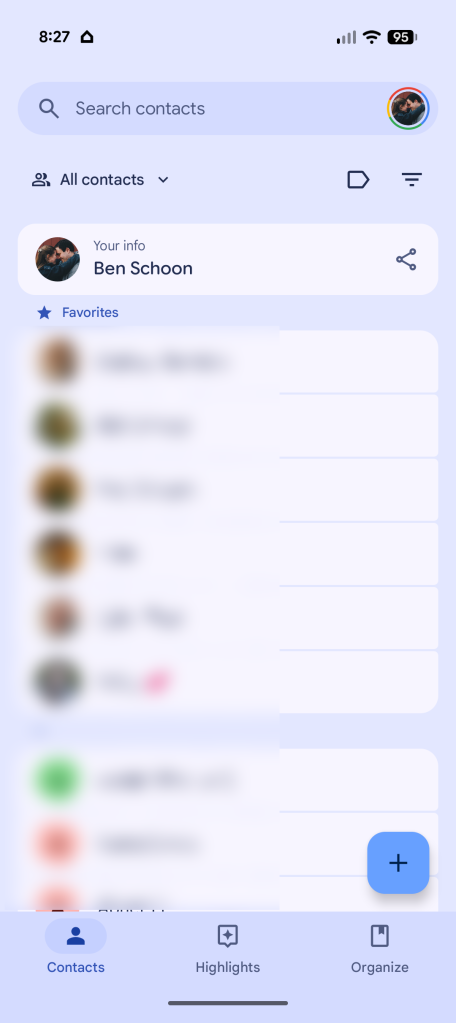
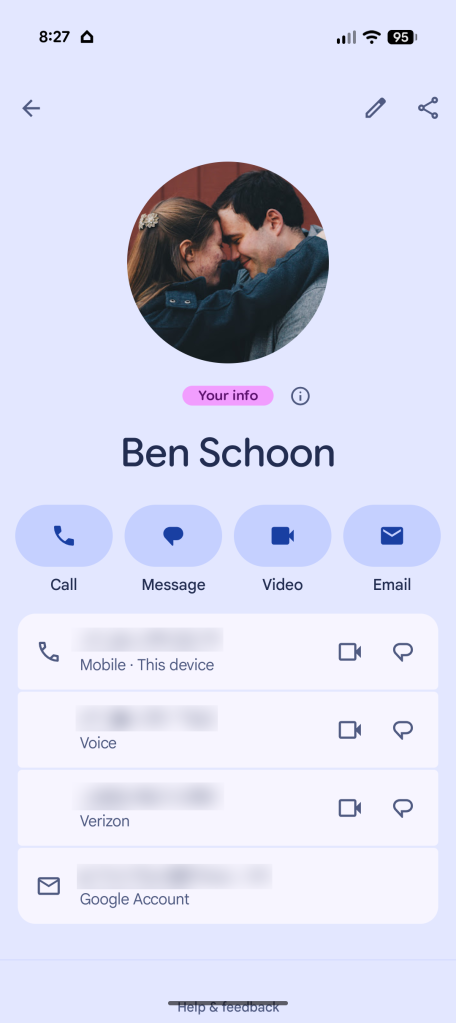
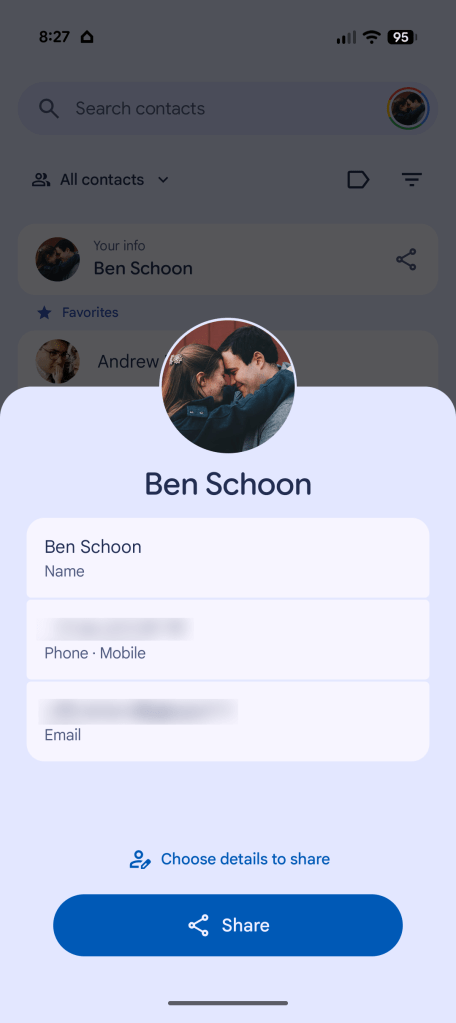
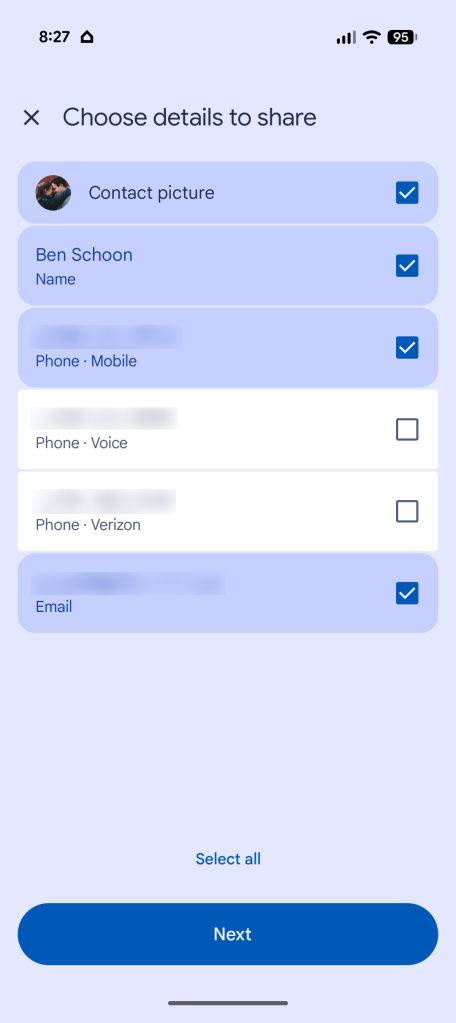
It’s pretty simple functionality, but it’s useful as a quick way to share your information with others. It should also be familiar for iPhone owners, as Apple also offers a “My card” at the top of its Contacts app that works in a very similar way to what Google is now rolling out.
Google has published a full support page on this feature now that it’s rolling out widely.
More on Android:
- Google rolling out new ‘Signatures’ app to Pixel and other Android phones [Gallery]
- What’s new in Android’s July 2026 Google System Updates
- Google is opening the floodgates to third-party app stores on Android next week
Follow Ben: Twitter/X, Threads, Bluesky, and Instagram


FTC: We use income earning auto affiliate links. More.



Comments