
As Fitbit continues to preview its personal health coach, the redesigned app is getting interface tweaks that swap out a key Material 3 Expressive component.
Previously, Fitbit leveraged the floating toolbar on stat pages. It appeared to the left of the “Ask Coach” FAB (floating action button). This pill served as a way to switch between the Day, Week, Month, 3 Months, and Year increments.
Google has now swapped out this navigation element, which was just adopted by the new Pixel Now Playing app, for a connected button group at the top of the page. It replaces the source carousel that let you see stats from specific devices, and something I never used. Pages look less dense and cleaner with this replacement.
Old vs. new


This recently introduced Material 3 Expressive element changes from square to rounded when selected. Without the toolbar, the bottom portion of the screen is no longer hidden until you scroll. This lets you see another line of information, like a day and stat in lists. That said, this change hurts one-handed usability by making you reach all the way up.
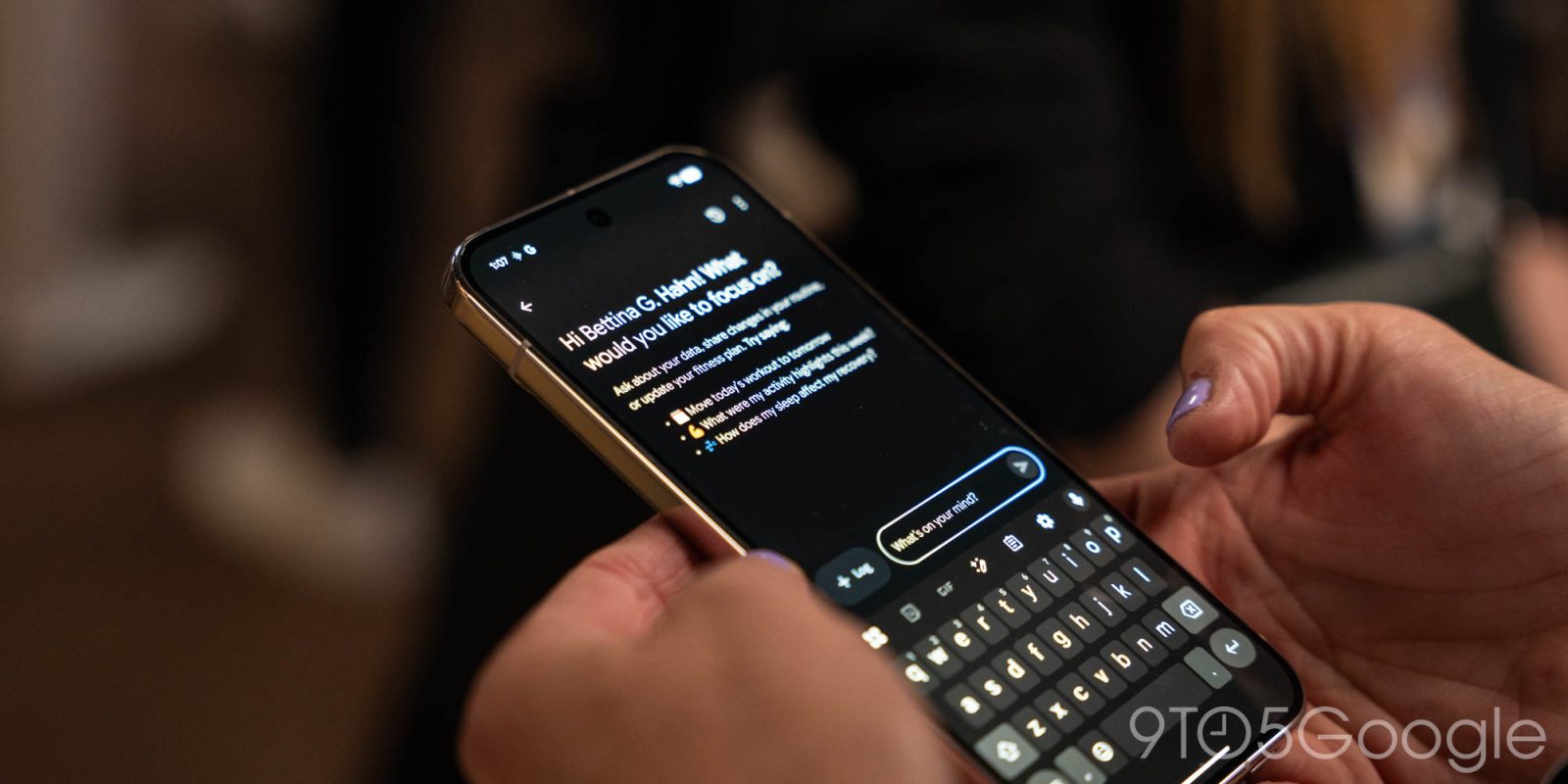
In other changes, the Ask Coach page on Android now uses the same text field as the Gemini app and AI Mode. It replaces the previous pill, with “Log” incorporated into the new container. (The lack of water logging and stats in the preview remains annoying.) Fitbit recently introduced a mic button that lets you talk to the Coach.
These changes are live with version 4.64 of Fitbit for Android.
iOS vs. Android


More on Fitbit:
- Latest Pixel Watch update breaks SpO2, skin temperature readings in Fitbit for some
- Fitbit Coach preview expanding internationally, coming to iOS
- Fitbit extends Google Account deadline to May 2026, with data deleted shortly after


FTC: We use income earning auto affiliate links. More.



Comments