
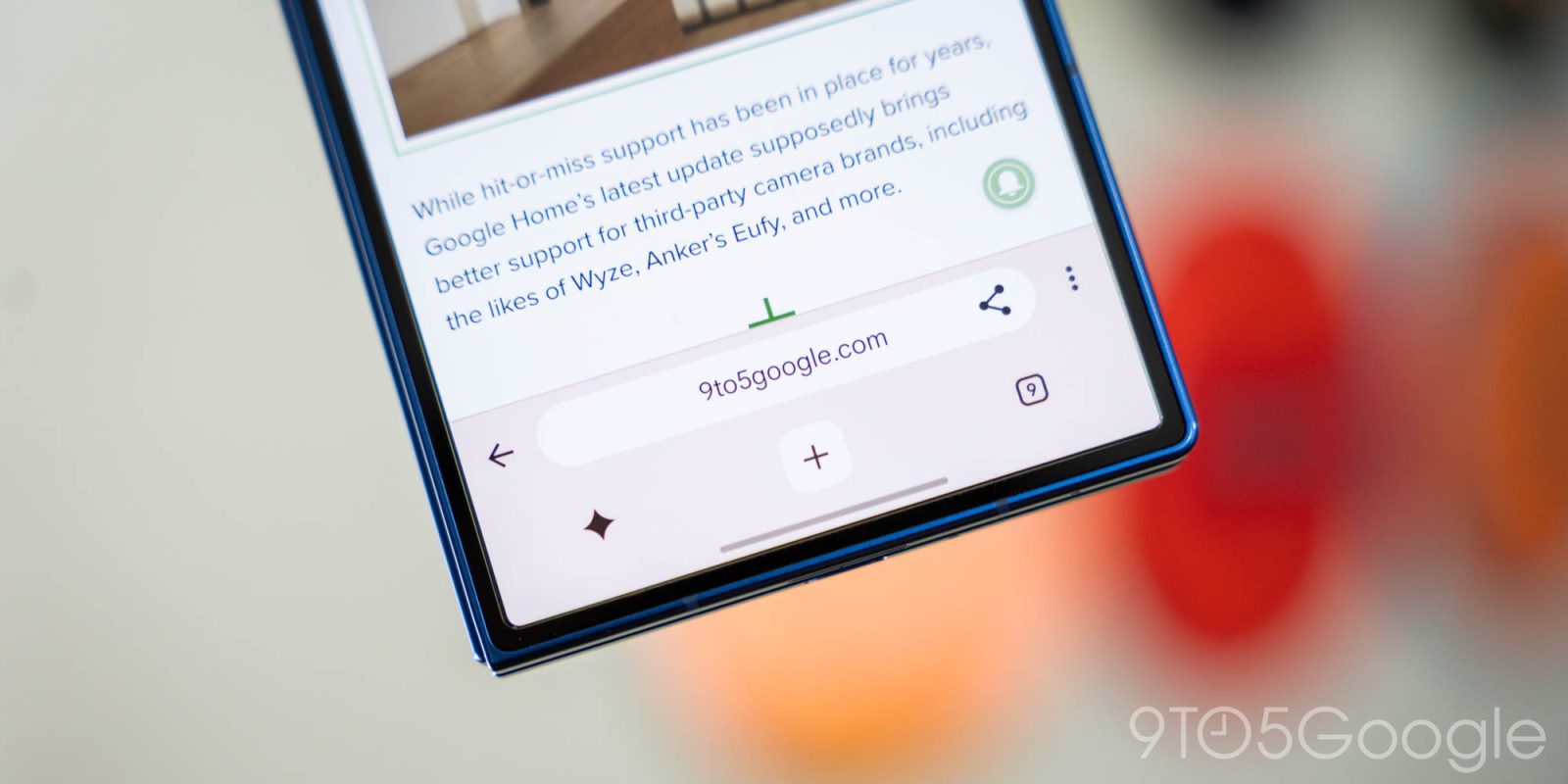
Google Chrome is testing a pretty major new redesign on mobile devices – Android and iPhone – which has dual bars on the top and bottom as well as a new Gemini shortcut.
A little over a year ago, Google Chrome for Android finally added the ability to use a bottom bar for URLs and other controls, putting everything in reach for taller screens especially. Now, it seems something a bit more radical is on the table.
Through the stable channel, we’ve picked up an update to Google Chrome for Android that introduces a dual-bar design – one up top for the URL, share button, back button, and overflow menu, and one on the bottom for “New Tab,” tab management, and a dedicated button for Gemini – which not everyone is happy about.
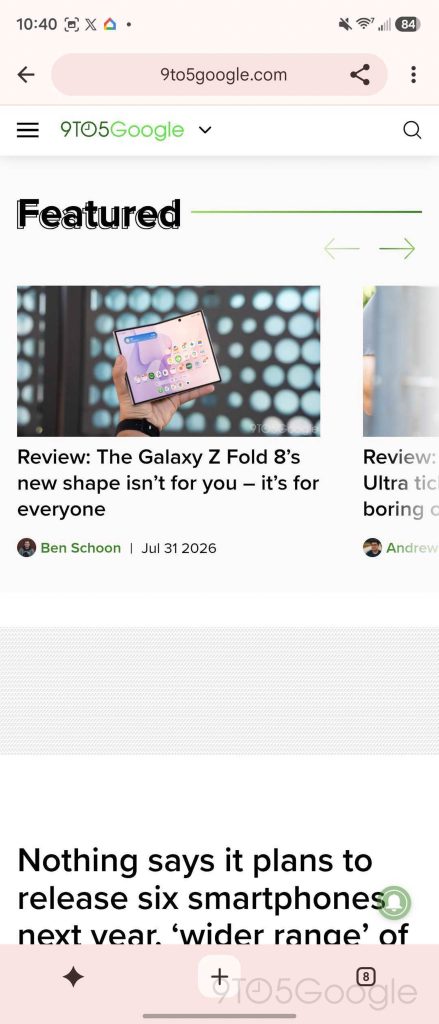

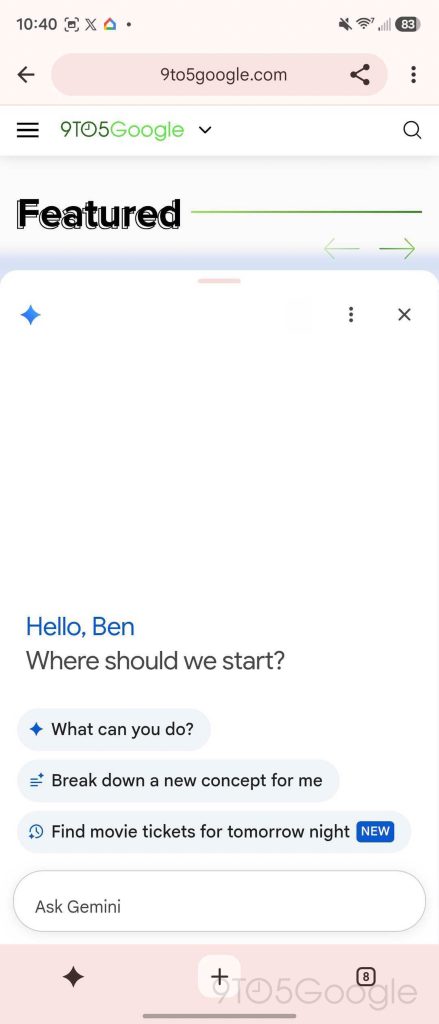
The new design still supports a full bottom-bar layout, though it’s now thicker to accomodate for the Gemini shortcut.
Google announced that Gemini would be integrated into Chrome in May, but with a UI at the time that simply placed a Gemini button alongside the tab management button.
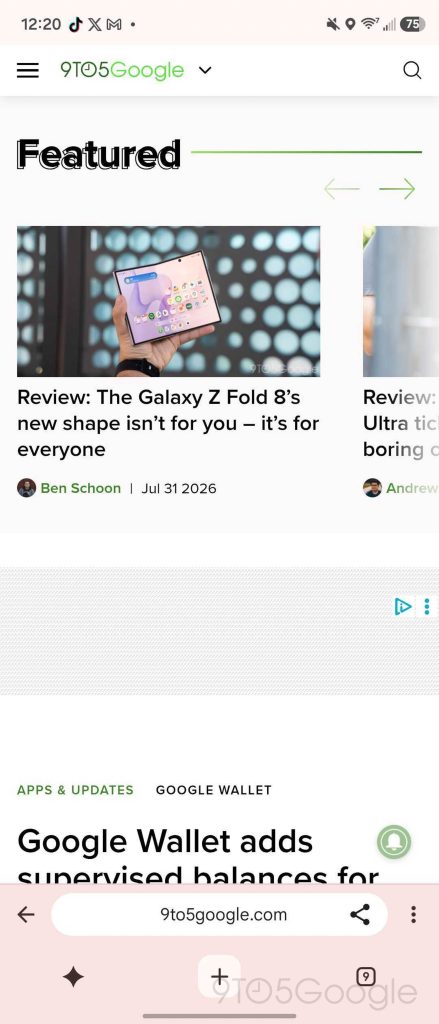
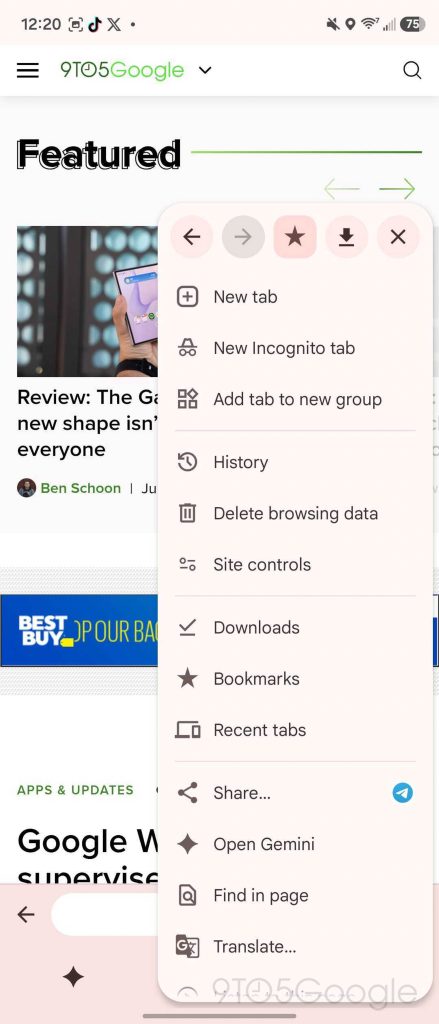

As far as we can tell, this is the start of a rollout on Google’s part, but a slow one. Originally, Google said that Gemini in Chrome for Android would start rolling out at the end of June, which didn’t happen.
Only one device is currently showing the new UI on our end, despite everything being updated and on the same settings. A very similar UI was spotted on Twitter/X last month, also in the stable release of Chrome for Android, though there are some slight differences in that user’s case due to the homepage shortcut still being active. We also spotted a similar design that showed up for an iPhone user earlier this year (that cannot be linked publicly).
Let us know in the comments below if you’re seeing this new Chrome for Android design on your device.
More on Chrome:
- Google Chrome now supports Netflix in 4K, just not on all machines
- Has Google Chrome been randomly signing you out of your accounts? [Poll]
- Google wants to update Chrome without a full browser restart
Follow Ben: Twitter/X, Threads, Bluesky, and Instagram


FTC: We use income earning auto affiliate links. More.



Comments