
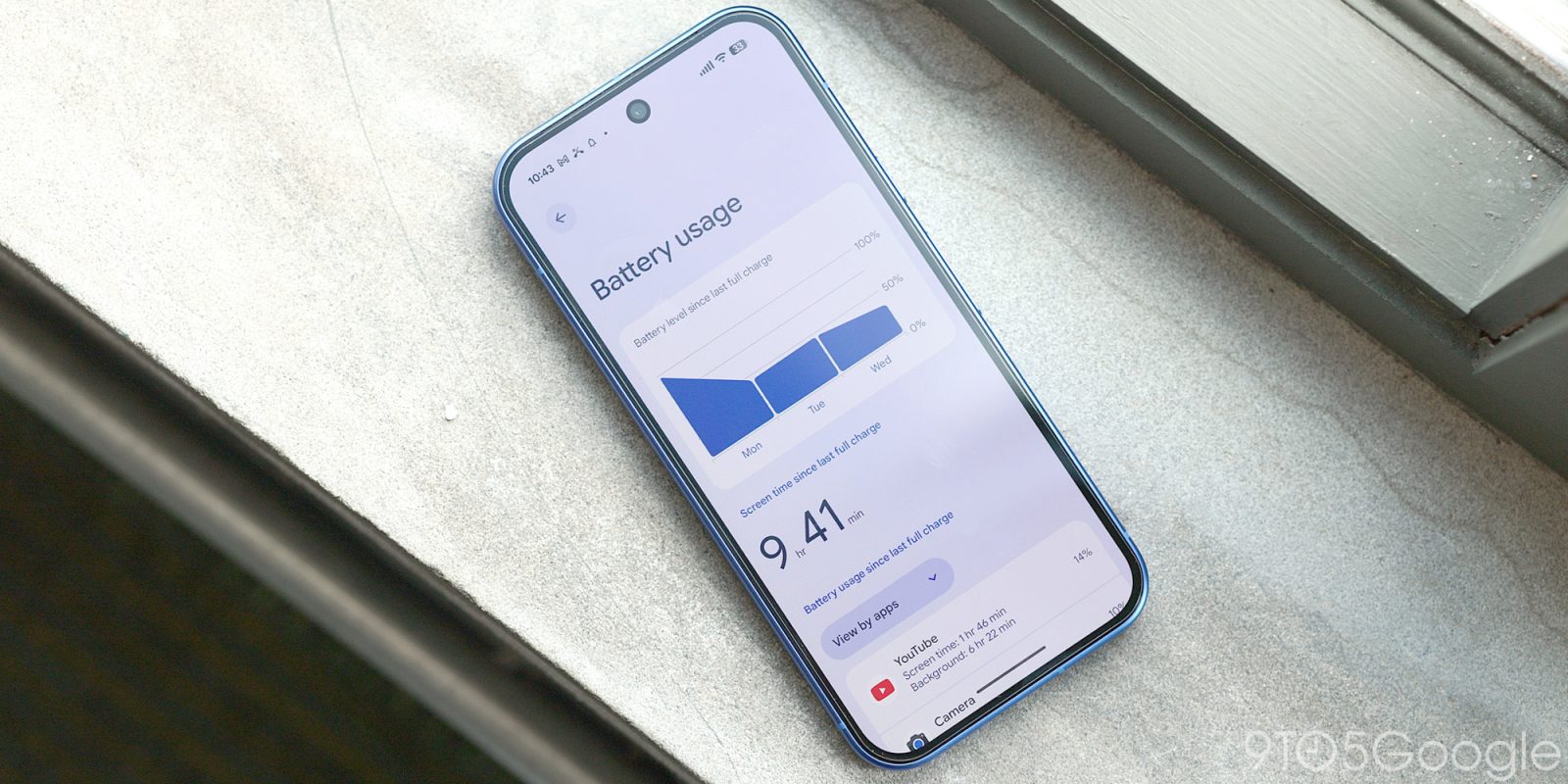
Google is rolling out a new AI-generated feature on Pixel 10 and Pixel 11 devices called “Battery usage summaries” which translate battery use stats into natural language.
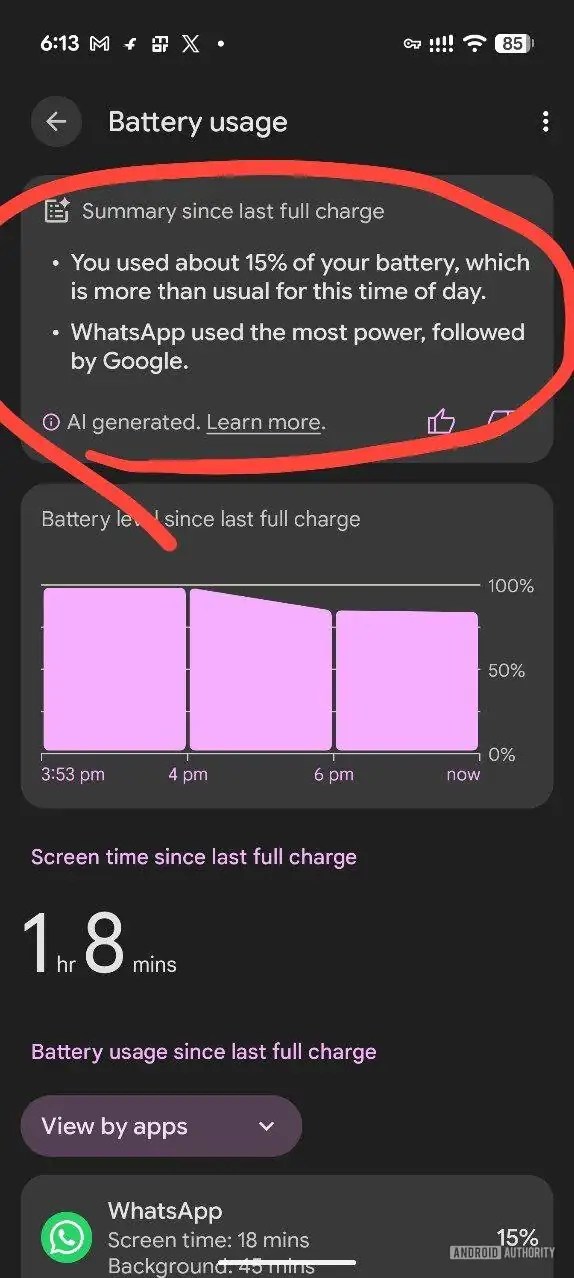
Rolling out via an AI Core update on Pixel 10 and Pixel 11 devices, “Battery usage summaries” deliver on a rather simple premise. On your battery usage page, a new AI-generated overview summarizes your battery usage, pulling in recent history and calling out more powerful apps.
On a support page, Google explains:
At the top of the Battery usage page, you can get a personalized summary of your battery usage. It summarizes these analyses, which are performed in the background:
- Identifies apps that consume the most battery.
- Monitors app background activity.
- Compares the overall and app-specific battery consumption between your selected period and recent average.
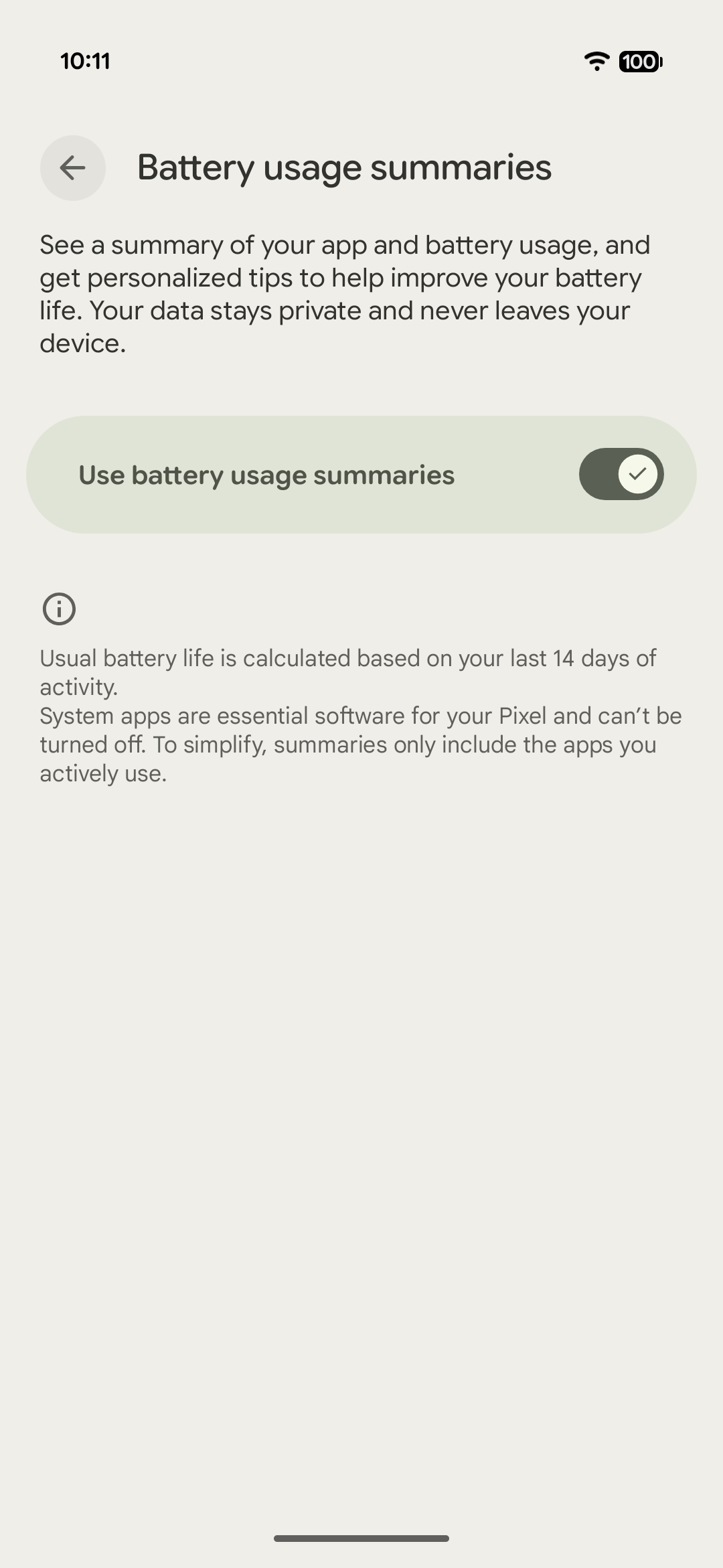
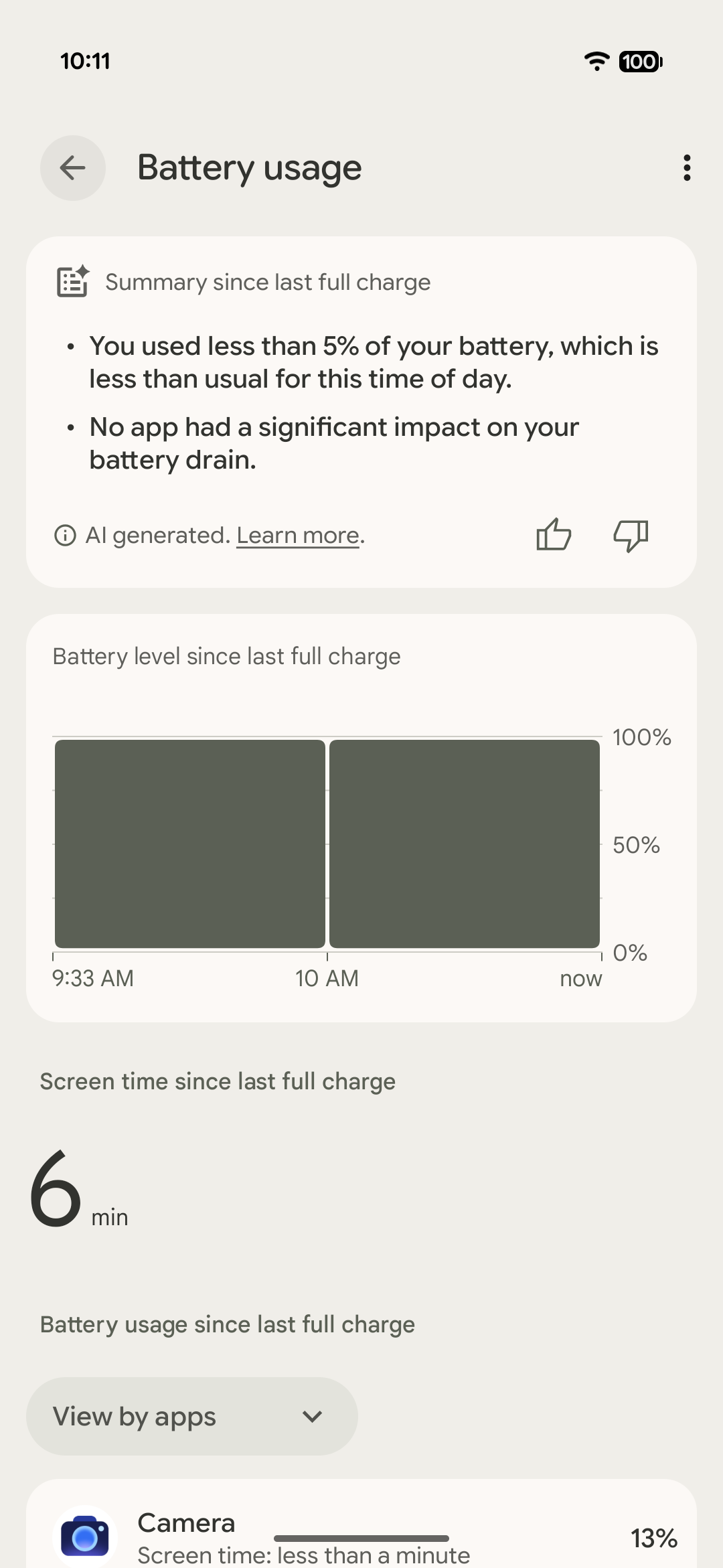
The feature is enabled by default on supported Pixels, but can be turned off via Settings > Battery & charging > Battery Usage > Battery usage summaries (overflow menu). A screenshot sent to Android Authority shows an example of what the summary might say beyond the “you’ve barely used your phone” vibes our unused-for-the-day Pixel 11 Pro Fold shows. Google says that “outputs vary and highlight the most important info only.”
Google’s support page mentions that the latest AI Core update is needed to enable the feature, but it’s unclear if there are any additional requirements. While we’re seeing the feature live on both a Pixel 11 Pro Fold and a Pixel 11 Pro XL, it’s not yet showing on Pixel 10 or Pixel 10a devices we’ve updated and tested.
If you’re seeing “Battery usage summaries” on your Pixel, let us know in the comments below.
More on Google Pixel:
- Pixel Camera adds ‘Launch control’ and new ‘Quick access’ slider controls on Pixel 11 [Gallery]
- Google Pixel screen savers add new styles and iPhone-like switching [Gallery]
- Pixel 11’s Magic Capture perfectly solves a very modern parenting dilemma
Follow Ben: Twitter/X, Threads, Bluesky, and Instagram


FTC: We use income earning auto affiliate links. More.


Comments