

AI in Google Search can be useful, but it’s also one of those “love it or hate it” tools. If you’ve been wanting to turn AI Overviews in Google Search off, though, there’s a pretty easy way to do that.
Officially, there’s no one way to turn off AI Overviews in Google Search. Google has said from the very beginning that AI Overviews are a feature of Search in the same way that Featured Snippets and Knowledge Panels are. There’s a “Web” filter that brings back the original “10 blue links” version of Search, and some other workarounds.
An option that’s not super well known, though, is a quick and easy modifier.
Top comment by Myke
I think there should just be an option in settings to disable AI overviews without having to deal with extensions or keywords but that isn't ever going to happen without regulators stepping in.
If you add “-ai” to the end of your query, the resulting Google Search will be free of AI Overviews. It’s really that simple.
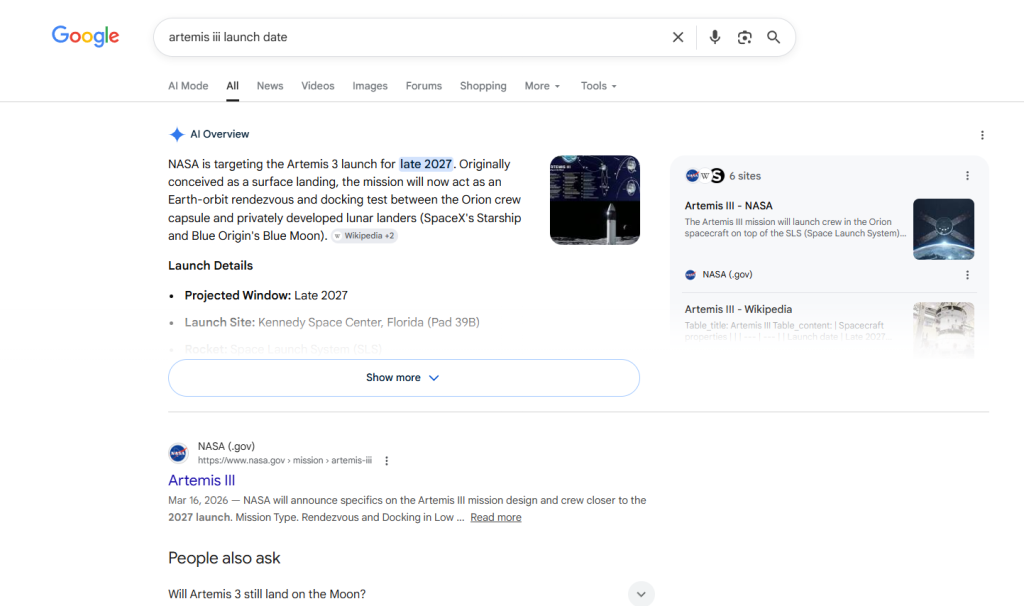
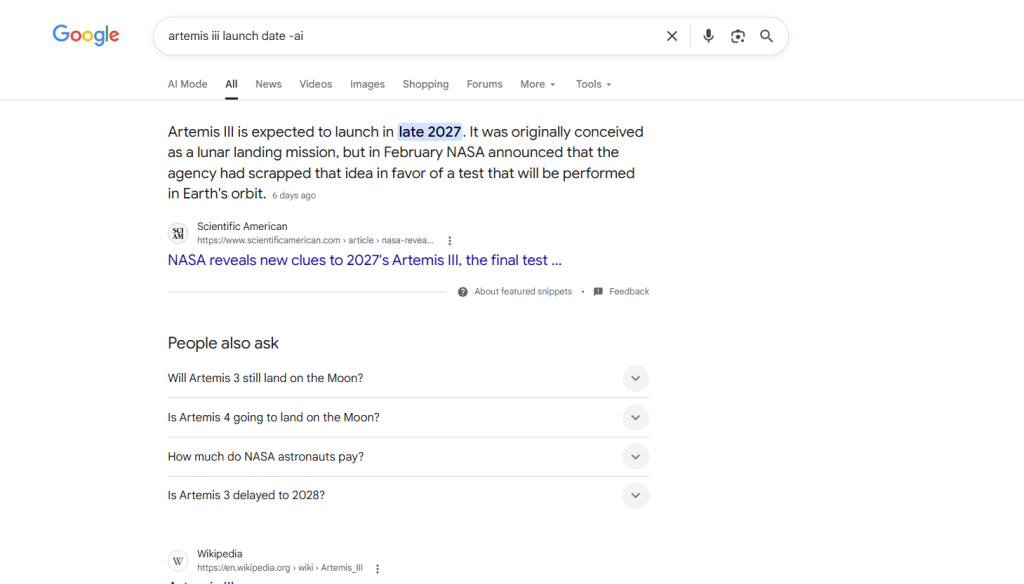
Google Search modifiers – also known as “operators” – have existed for ages, with one of the most useful being to add quotation marks (” “) to specific words to ensure that Google is looking for that exact spelling and order of words. But there are a ton of other useful tweaks like this “-ai” one. Google details a number of these on a support page.
While this modifier isn’t a permanent solution, it’s a useful way to exclude AI Overviews in places you might not want to see them.
More on Google Search:
- Google’s AI Overviews break the dictionary when you use words like ‘disregard’
- Google gets ‘intelligent’ Search box redesign, information agents, mini apps, & more
- Google expands ‘Preferred Sources’ to everyone so you actually see your favorite sites
Follow Ben: Twitter/X, Threads, Bluesky, and Instagram


FTC: We use income earning auto affiliate links. More.



Comments