
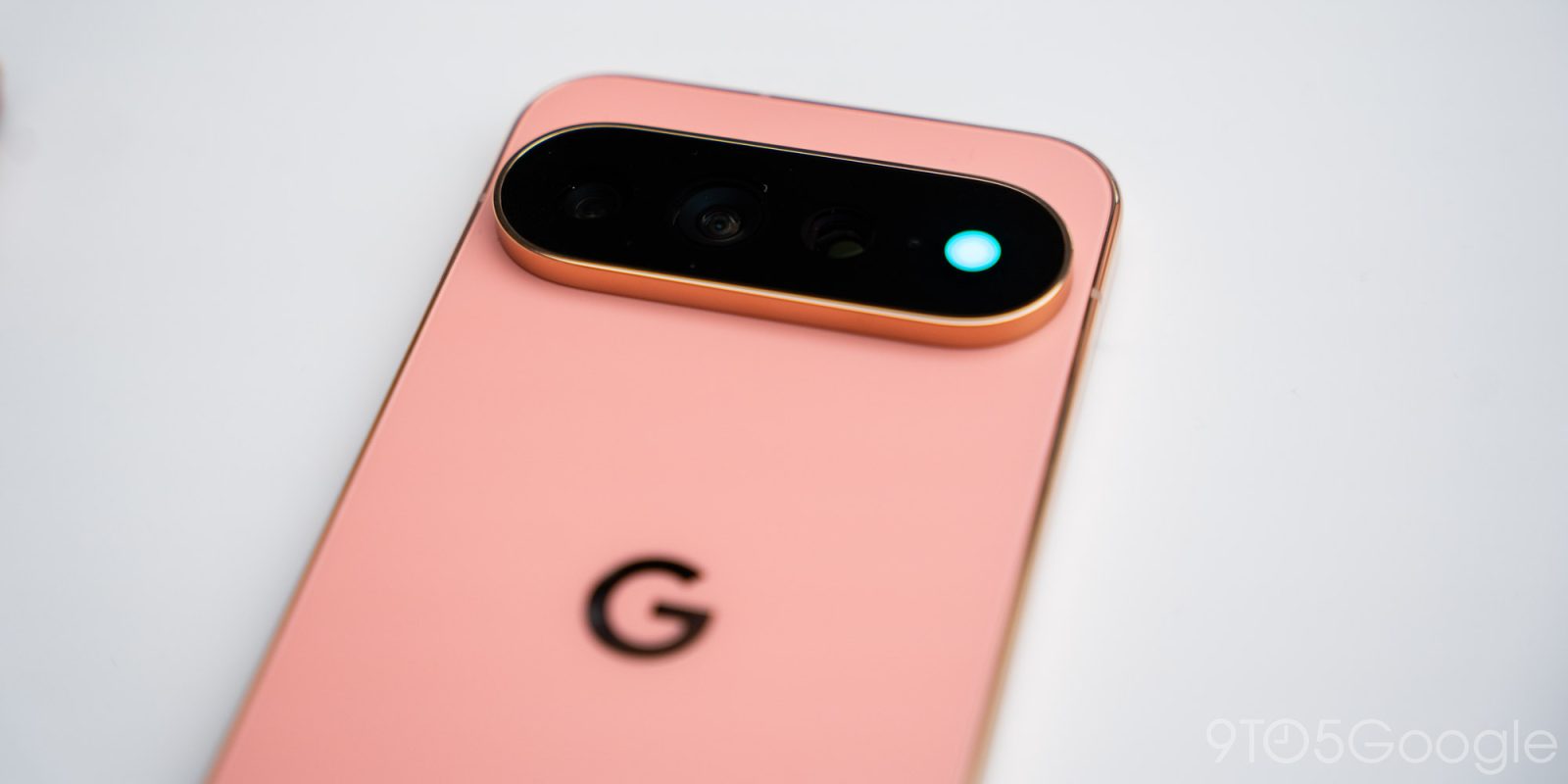
There are a few trends that have shown up on Pixel phones over the years, but one of the most frustrating is that Google keeps launching half-baked features on its devices that take way too long to reach their potential, just to be taken away afterwards. “HiLight” is the worst example of that to date.
9to5Google Weekender by Ben Schoon is a part of our free newsletter that also includes ‘Inbox,’ a twice-weekly roundup of key stories from around the web by Daniel Bader. Sign up here to get Weekender delivered to your inbox every Sunday along with ‘Inbox’ on Tuesday and Thursday. You can find past issues here.
Throughout the Pixel era, Google has introduced a number of features that simply were not ready at launch, either vanishing in the next generation or sticking around just long enough to find utility before getting a replacement in later releases. Some examples that come to mind include:
- Pixel 2: “Active Edge” – Opened Google Assistant with a squeeze, removed on Pixel 5
- Pixel 3: Dual selfie cameras – Used for ultrawide angles, removed after a single generation
- Pixel 4: Soli & Face Unlock – iPhone-like facial recognition + gesture support, removed after a single generation
- Pixel 8 Pro: Temperature sensor – Recognize surface temperatures, removed on Pixel 11
In the earlier years, these very much felt like Google trying to find Pixel’s defining hardware feature. “Active Edge” was a simple idea, as were the dual selfie cameras on Pixel 3. Straightforward, nothing missing, just pure hardware functionality. The same argument could be made for Soli on the Pixel 4, but that’s where things started getting a bit muddied.
The soft reboot that the “Tensor era” brought along with it also gave the Pixel a chance to shake off some of its growing pains, at least from a hardware feature standpoint, and build a better foundation for the future. A couple of years in, Google started experimenting again with the launch of the Pixel 8 Pro’s infamous temperature sensor.
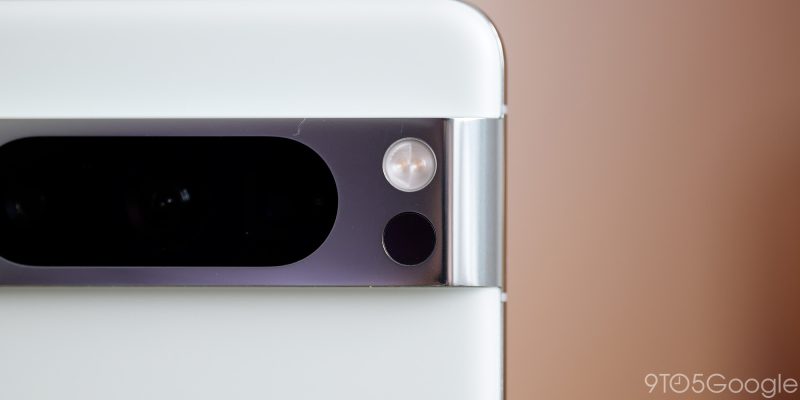
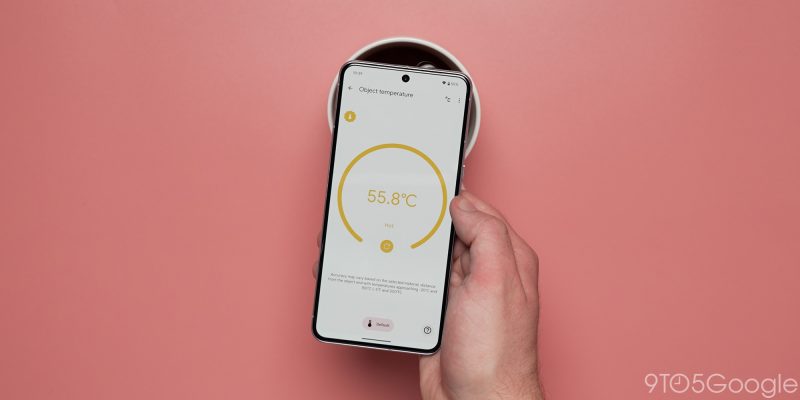
The temperature sensor always felt like a bizarre choice on Google’s part. It launched with the sole ability to measure surface temperatures, adding support for body temperature – the very obvious use case for this idea – only a few months after launch. But it’s that first impression that set the tone. The temperature sensor effectively being useless in the time following its debut left Google’s feature with an uphill battle to relevance alongside online discourse largely full of negativity. The feature stuck around for a couple of generations, just long enough for some people to find it useful, but it never made enough of an impact to earn a permanent place.
That’s where this year’s “HiLight” feature comes into play. The rear-facing LED is available on all three Pixel 11 Pro models, and somehow it feels more half-baked than the temperature sensor.
This feature currently exists for exactly two functions – to tell you when a favorite contact is calling you, and to indicate that Gemini is active.
That’s it.
And I really want to know how Google managed to botch this one so badly, because every time I hear more about this feature, it just makes me question how the obvious selling points could be completely ignored like this. That starts with what Google literally acknowledged on stage during its Pixel 11 event this week – “HiLight” should obviously work with your text messages. Somehow, though, that’s not available at launch. In a world where Google is targeting younger buyers who avoid phone calls at all costs, limiting a literal hardware feature to calls is not just a missed opportunity – it’s a complete turn-off. “Who will you HiLight?” is a great marketing line, but surrounding it with “oh this only works for phone calls” kills that completely.
Also, elephant in the room, why in the world does this not work as a notification LED?!
Our Andrew Romero pointed out just how good this would be. Having the LED customized to the app you got a notification from – reds and purple for Instagram, as one example – would be so good.

“I’m tired of this grandpa” is basically my attitude around “HiLight.” It’s like Google learned nothing from the reception of the temperature sensor, or any of the other half-baked features it has released over the years – hardware or otherwise. First impressions matter, regardless of how many updates arrive down the road. I hope that “HiLight” eventually gains the utility that it very obviously should have, but burdening this feature with such an awful first impression does not set it up for success.
What do you think?
This Week’s Top Stories
The Pixel 11 launch
In case you missed anything else, here are the most important stories from our Pixel 11 coverage this week:
- Everything announced at Made by Google 2026: Pixel 11, Pixel Watch 5, Pixel Tag, & more
- Pixel 11 hands-on: Better, but no longer a bargain at $899 [Video]
- Pixel 11 Pro launches with the best of Google’s Gemini Intelligence starting at $1,099 [Hands-on]
- Pixel 11 Pro Fold is $1,899 and Google says the back is ‘nearly impossible to crack’ [Hands-on]
- The Pixel Watch 5 isn’t much at a glance, until you get to ‘At a Glance’ [Hands-on]
- Google announces $29 Pixel Tag coming in November with UWB [Hands-on]
- Pixel Buds Pro 2 get ‘dynamic’ ANC, sleep sync, and more next month, Olive color available now
- Pixel 11 camera gets new main sensors, ‘Camera Looks,’ ‘Instant Night Sight,’ and much more
If you’re looking to pick up one of Google’s new phones, we’ve also got breakdowns of where to buy the best deals.
- Google’s Pixel 11 trade-ins top out at $1,000 with great values for older phones
- This is the best deal you can get on Google Pixel 11, with gift cards, free watches, and more
- Where to pre-order Pixel 11 series: $350 gift cards, $1,000 trade-in, more
More Top Stories
- Gemini app hits 1 billion monthly users, Google teases what’s next
- Gemini 3.7 Flash launches three weeks after last model, live in Spark
- Google redesigns icons for Pixel Camera, Calculator, Clock, Recorder, & Weather apps
- Google Play Store starts distributing third-party Android app stores – here’s how it works [Gallery]
- Google TV adds over 10,000 free movies & shows on-demand, no apps needed
- Samsung will reportedly make an extra one million Galaxy Z Fold 8 units
- Galaxy Z Fold 8’s wider shape still survives bend test, teardown shows off titanium and poor Qi placement [Video]
From the rest of 9to5
9to5Mac: iPhone 18 could get two new Pro-level upgrades, per report
Top comment by Morgrain
I mean Google did something incredible TBH
They replaced a mediocre feature (temperature sensor that needs near direct skin contact) with an even more mediocre feature (led flashlight that works in exactly two system apps)
To be able to go worse than mediocre is not easy, it takes skill and dedication. They could have just kept the temperature sensor and gave us the led flashlight on top, but no, that would have made sense. They went out of their way, removed something that started to make sense, only to replace it with something even worse.
Well done, Google. Your ability to shoot yourself in the foot is unparalleled. Google is googles greatest enemy, always was, always will be.
9to5Toys: Best Buy announces giant 60th Anniversary Sale: Thousands of deals live next week
Electrek: Tesla Electric launches $35/month Powerwall whole-home backup lease
Follow Ben: Twitter/X, Threads, Bluesky, and Instagram


FTC: We use income earning auto affiliate links. More.



Comments