
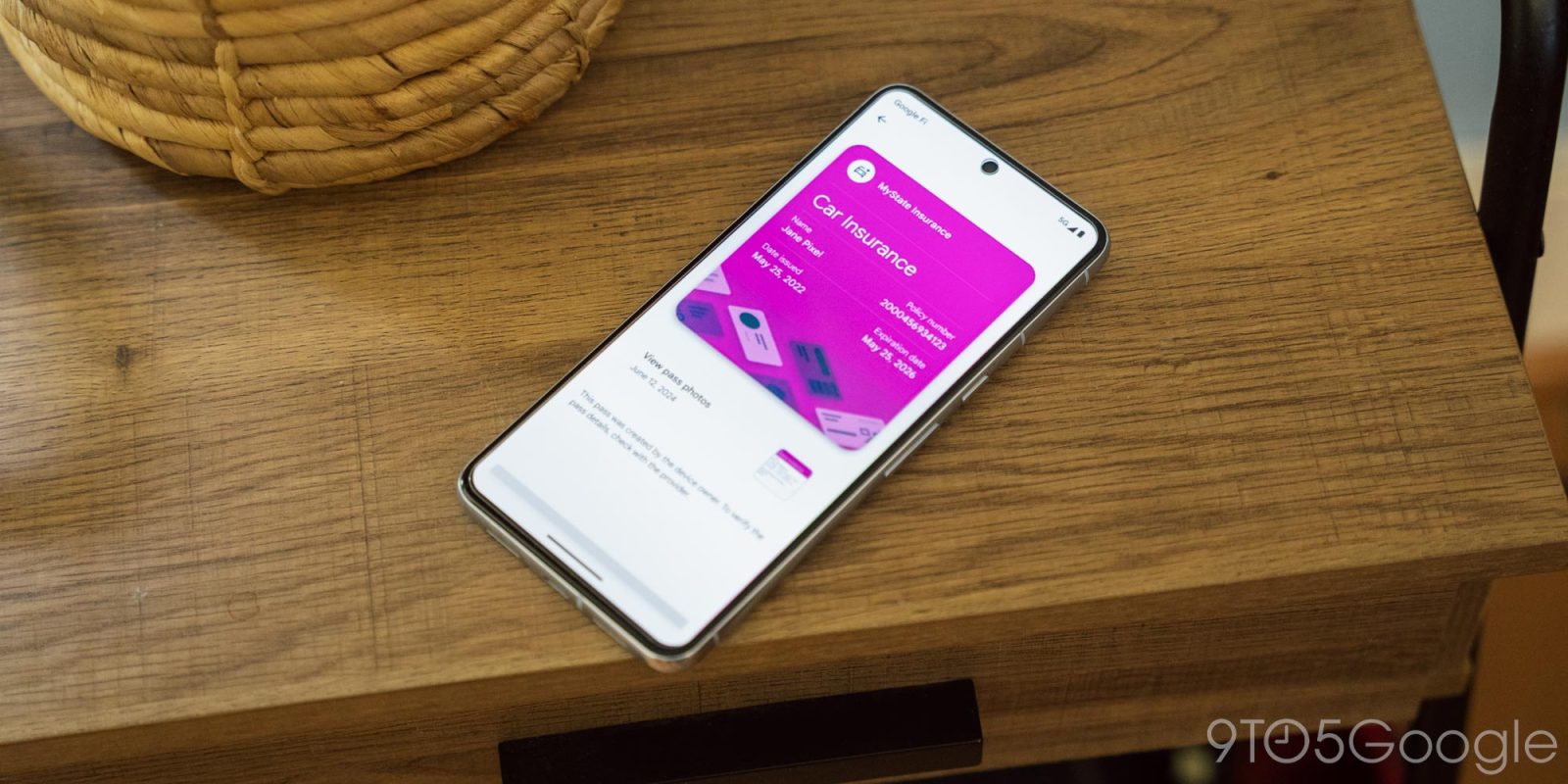
As announced at I/O 2024 in May, Google Wallet for Android now has an expanded “Everything else” option for creating digital passes.
Replacing the old “Photo” option, Everything else lets you “Scan a photo of any pass like an event ticket, gym membership, insurance card, and more” to create a digital version that appears in Google Wallet. The app explains how AI is leveraged to “determine what kind of pass you’re adding and to suggest the content of the pass.”
If you’re adding something sensitive with health or government ID information, it will be classified as private and not get synced to other devices, while authentication is required before opening. However, you can change the private pass classification later.


Top comment by JG
I know they want our phone to replace our wallet... But I'd love to see Google launch a physical wallet card again.
Set it up with its own EMV and NFC chips and maybe a magnetic strip. Set it up so it works like any other debit card when I use it. Except instead of going against my bank account it goes against my Pay/Wallet account like I had tapped my phone.
That way I use the card if I'm somewhere that doesn't have NFC (like Walmart). Or I can give the card to a waitress or to a friend running into the shop for me rather than having to give them my unlocked phone. Or I can take it to the beach or the like where I may not want to take a $1,000+ phone but didn't mind taking a 2¢ bit of plastic.
And I don't have to worry about the phone crashing or running out of battery etc...
After taking a picture of the pass, Google will extract the information and let you edit common fields, as well as add your own. At this stage, you can change the pass type to one of the following:
- Business card
- Car insurance
- Driver’s license
- Events & tickets
- Health insurance
- ID card
- Library card
- Loyalty card
- Passport
- Residence permit
- Student ID
- Tax ID card
- Vehicle registration
- Voter ID card
- Other
When finalized, it will appear below your carousel of credit/debit cards. Google will let you access the original “Pass photos” when viewing the digital copy.


Everything else for Google Wallet is now widely rolling out after appearing for the first users earlier this month. If you’re still seeing “Photo,” go to the Settings > App info page for Google Play services to Force stop.
According to a support article, Everything else is “US only” at the moment.

More on Google Wallet:
- California ID cards are coming to Google Wallet on Android
- Google Wallet can now turn basically anything into a digital pass – here’s how
- Google Wallet Quick Settings Tile might come to Samsung phones


FTC: We use income earning auto affiliate links. More.


Comments