Google spreadsheets updated with simplified edits & resizable charts

Google announced today on the Google Drive blog that it is updating Google spreadsheets with some new editing options and enhanced charts. The first update is the ability to click directly on any aspect of a chart to edit its colors, labels, legend, etc., without having to open the chart editor. The new quick edit mode (pictured above) will definitely make the app quicker and easier to use by providing the ability to edit the chart title, horizontal or vertical axis, legend, or any data series in just a few or less clicks.

Many chart types allow you to make formatting changes by clicking directly into the chart itself. Clicking anywhere in a line, area, bar, column, pie or candlestick chart, for example, will activate Quick Edit mode. You can then hover and click into specific areas of your chart that you’d like to modify… When you use Quick Edit, two buttons will appear in the top-left corner of your chart: View mode and Quick Edit mode. When you click into a chart, you’ll initially find yourself in Quick Edit mode. When you’re done making changes, click View mode.

You will also now be able to enter a Move and Resize mode that Google explained would allow you to “drag the edges of the chart and move it around to allow things like the legend labels to all fit on one line.” You can access the new resizing option (pictured below) by clicking the background of a chart and a selecting “Move and Resize”.


Read more

Google Search iPhone app completely redesigned for speed and full screen searching

Google updated its Google Search iPhone app to version 2.0.0 today, which introduced a completely redesigned app that focuses on improvements to speed and full screen browsing features. Among the new features are an auto full screen mode that hides controls when scrolling down and reveals when scrolling up, and a new full-screen image search view.

The updated app also includes “major speed improvements,” a built-in text finder for webpages, and quick links to Gmail, Calendar, Docs, and search options such as images, places, and news. The iPad did not receive the same update, but both the iPhone and iPad will now be able to save images to the iOS camera roll.

A full list of features is below, while the updated app is available on the App Store now.

Read more

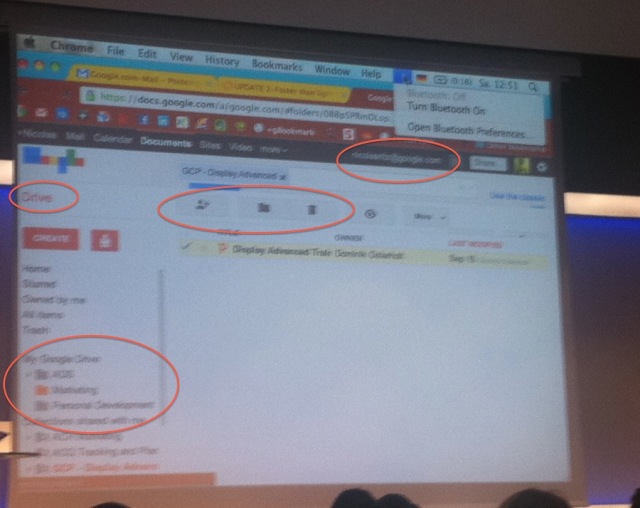
Google Docs to be changed to ‘Google Drive’

From some slides of an internal presentation given by Google, it appears that where there is now Google Docs, there will soon be ‘Google Drive’.  Most of the functionality, like uploading files of any type, of the mythical Google Drive now lies in Docs Hopefully, with this upcoming rebrand, Google allows more storage (let me buy it) and also has some utilities like backing up the home folder on Windows or Mac.  Seriously, what better way to get users to adopt your system than to offer to sych your files to the cloud.

Oh, now that we have all of your files, you might as well get a Chomebook.

Read more