

Like other Google apps, Messages for Android A/B tests many features. It can take the RCS/SMS client a rather long time to actually launch new functionality in stable. From various reports, Google announcements, and devices we’ve checked, this is the current state of Messages.
Update 2/28:
Table of contents
Still rolling out (beta)
These are Messages features that Google announced or have been spotted in the wild by beta users.
[New] Android-iPhone encrypted RCS
As of iOS 26.4 beta 2, Apple and Google are testing end-to-end encrypted RCS between iPhone and Android devices. iOS users will see a lock at the start of the thread, with Google Messages using the same icon.

[New] Real-time location sharing
Powered by Find Hub, this joins the existing “One-time Location” option that sends a static Google Maps link.

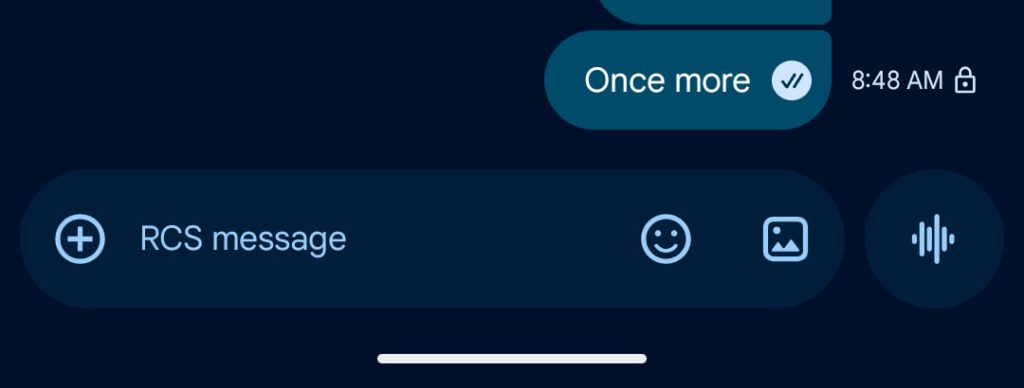
[Updated] Read receipts redesign
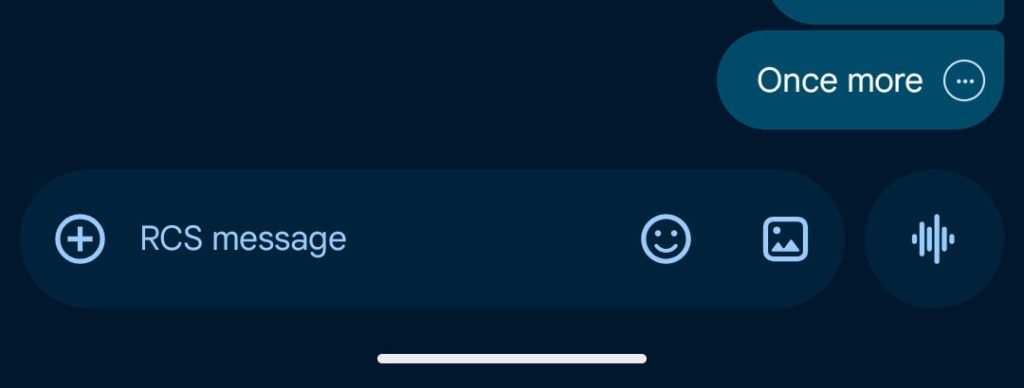
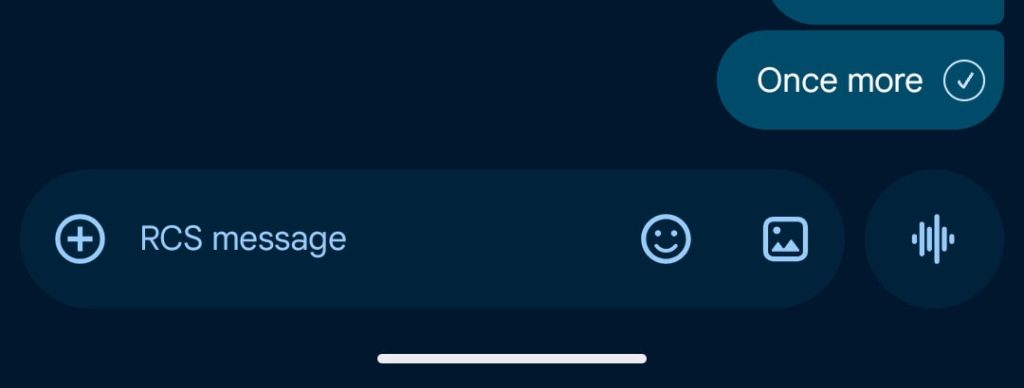
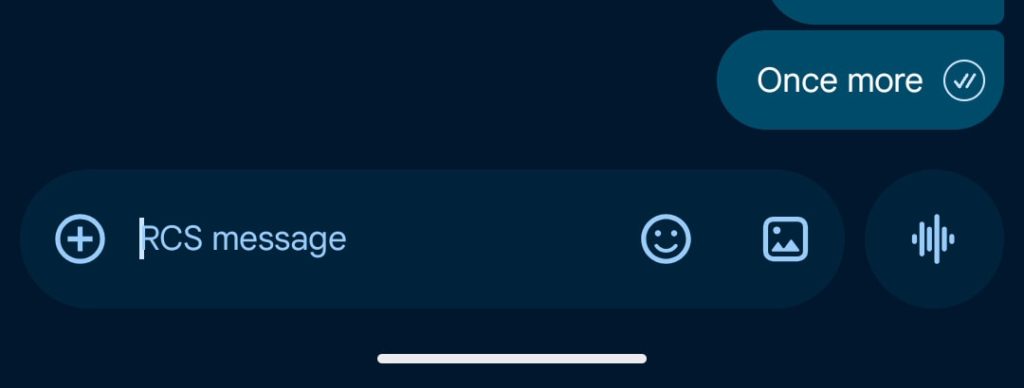
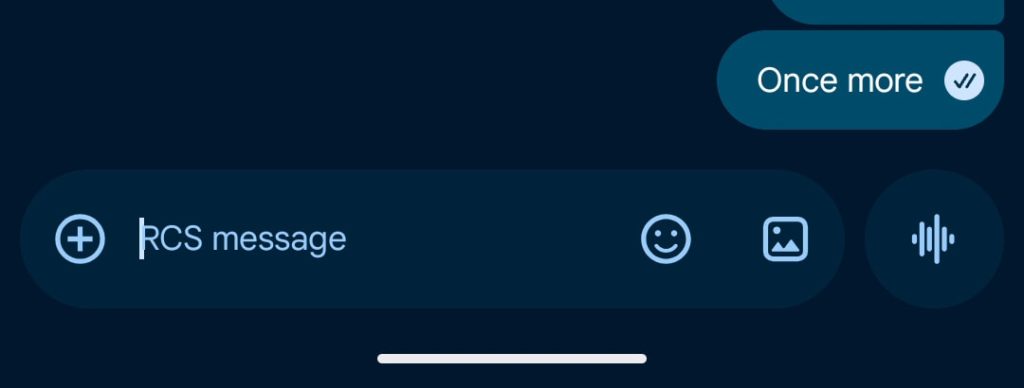
Read receipts are now placed in a circle at the bottom-right corner of message bubbles and images. You swipe left to see timestamps and the encryption lock, while you can swipe right to reply. This first started appearing in August of 2024, but is now seeing wide beta and stable availability.
| Ellipsis | Sending |
| Single check with ring | Sent |
| Double check with ring | Delivered |
| Double check solid circle | Read |
@mentions in group RCS chats
This ability to get a person’s attention in group conversations even “if their notifications are muted” has been slowly seeing a broader rollout in recent weeks. It’s not yet widely available.

Long-press menu
Instead of a toolbar, long-pressing on an image or message opens a floating menu, with Google partially centering what you’re viewing. The background gets blurred, while you feel haptic feedback.


Recent launches (stable)
[New] Gemini-powered Scam Detection
On-device Gemini Nano is being leveraged for “more nuanced analysis of complex conversational threats” on the latest flagship Android phones in US, Canada, and UK. This includes the Pixel 10 series, Galaxy S26, and other select devices. It’s rolling out now.
…it can better detect the subtle conversational patterns used in job offer scams or sophisticated romance baiting scams (also known as “pig butchering”), a deceptive tactic where a scammer builds a long-term “relationship” with a potential victim to gain their trust, before tricking them into a fraudulent investment. Because these methods rely on gradual manipulation and don’t present typical warning signs, they need more advanced capabilities to catch them at scale.

[New] Edit History in Details page
RCS edit history is once again available. Long-press on an edited message to “View details.”


Toned down Nano Banana Remix
When you long-press on an image, “Remix” in the bottom-left corner is now smaller. Meanwhile, the fullscreen viewer has moved the button to the bottom row to provide an unobstructed image.
Other designs that Google tested removed the banana emoji, but Messages is now keeping that branding in place.
Old vs. new


Camera tweaks
Google has reduced the height of the camera viewfinder, though it now extends into the status bar. This container features rounded corners. The gallery now shows two full image rows, while some users might see part of the next row.


- Bigger Gemini FAB
- Link preview redesign
- Leave unknown group chats
- Image viewer redesign
- Remix with Nano Banana
- Tweaked camera + gallery icon
- Account menu redesign
- Spam link detection
- Key Verifier
- Standalone gallery
- Material 3 Expressive redesign
- Sensitive Content Warnings
- Details page redesign
- Custom group chat icons
- Delete for everyone
- Snooze notifications
- RCS status in updated ‘New chat’ contacts list
- Gallery + camera redesign with ‘Original quality’ sending
- Expanded text field limit
- Real-time and expanded Scam Detection
- Unsubscribe for SMS and RCS spam
- Double tap to thumbs up
- Text field redesign 2025
- Improved media receiving performance
- Custom profile pictures
- ‘Your profile’ name and photo settings
- “Magic Rewrite” button
- Camera face filters
- Gemini double FAB
- RCS message editing
- Group search in new conversations screen
- Full RCS Messages transfer on Pixel 9
- RCS photo with text caption redesign
- New “Select recipients” conversation picker
- Show expressive animations
- Larger contact photos
- Voice recorder redesign with noise cancellation + Voice Moods
- Single-line text field
- Selfie GIF
- Custom Bubbles and backgrounds
- Profiles
- Reaction Effects
- Revamped Contact Details page
- Photomoji
- Magic Compose
- Google Account Device pairing


FTC: We use income earning auto affiliate links. More.



Comments