
Like other Google apps, Messages for Android A/B tests many features. It can take the RCS/SMS client a rather long time to actually launch new functionality in stable. From various reports, Google announcements, and devices we’ve checked, this is the current state of Messages.
Update 6/27:
Table of contents
Still rolling out (beta)
These are Messages features that Google announced or have been spotted in the wild by beta users.
[New] Chat theme
Google Messages is letting you more extensively customize conversations with “Chat theme.” Replacing “Change colors” from 2024, you can access this new option from the three-dot overflow menu. Be on the lookout for a red badge when this is rolled out for your phone.

The Colors carousel themes message bubbles. There are nine options, with Dynamic Color being the first option and responding to the background of your chat. Your other eight options are static, like before.


The Wallpapers option lets you change the background of the conversation. In addition to uploading your own image, Google provides the following collections: Animals, Architecture, Black & White, Cityscapes, Landscapes, Macro, Space, Sunsets, and Textures.


[New] iOS 27 adds replies & photo reactions to Android-iPhone RCS
When iOS 27 launches this fall, Android-iPhone conversations over RCS will gain support for inline replies that include quotes, as well as photo reactions with the actual emoji instead of just the text description. This feature is currently in beta.
Long-press menu
Instead of a toolbar, long-pressing on an image or message opens a floating menu, with Google partially centering what you’re viewing. The background gets blurred, while you feel haptic feedback.
Update: This long-press menu is seeing wider availability in the beta channel, but is not yet broadly available.


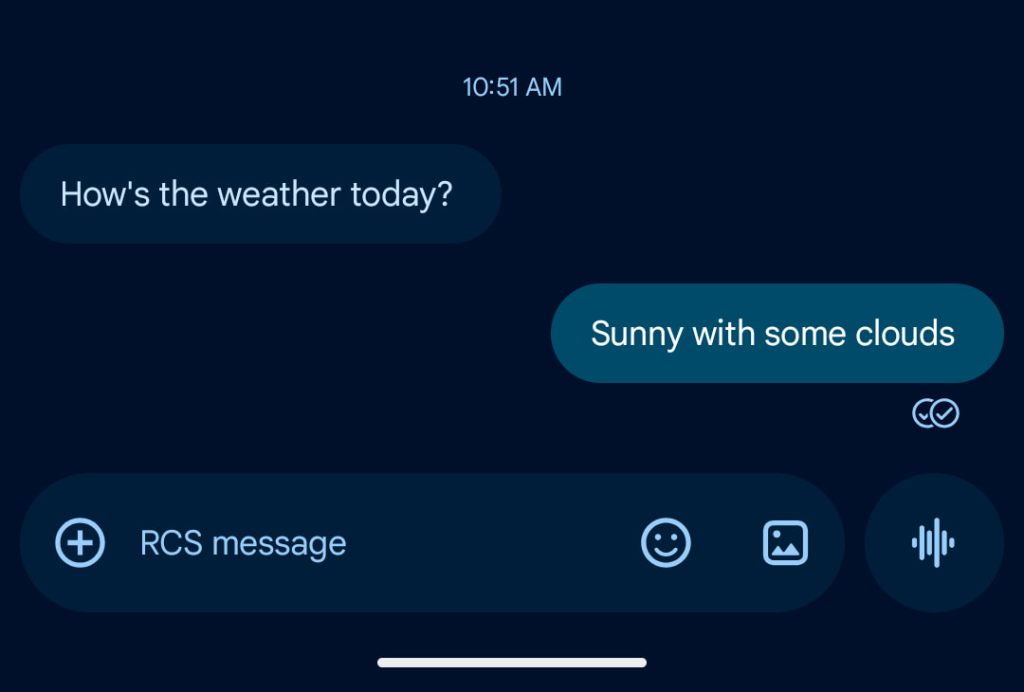
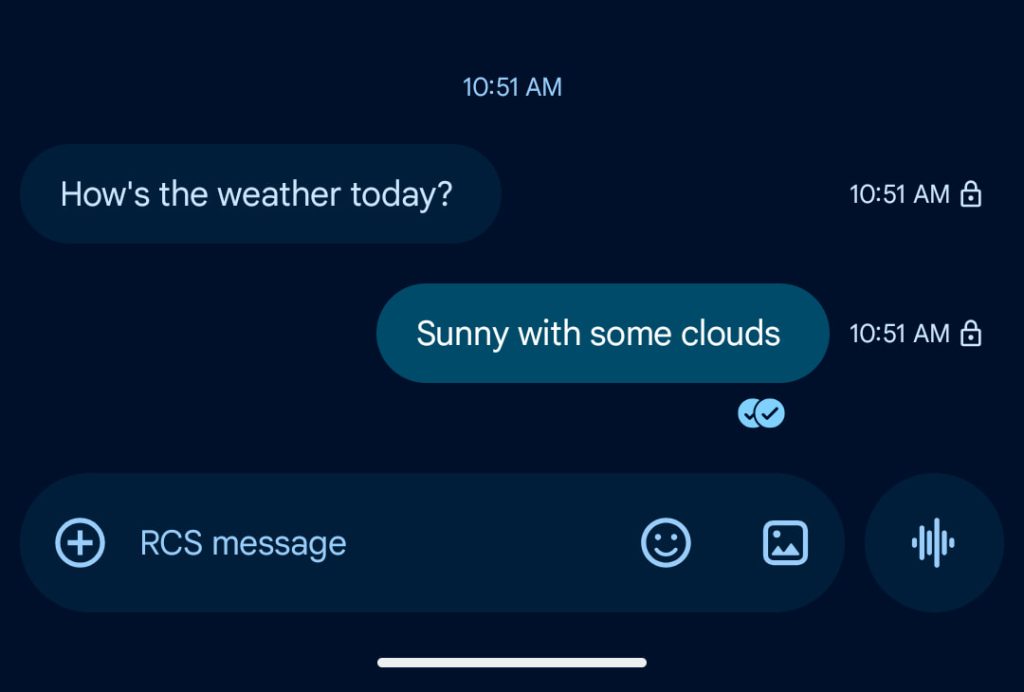
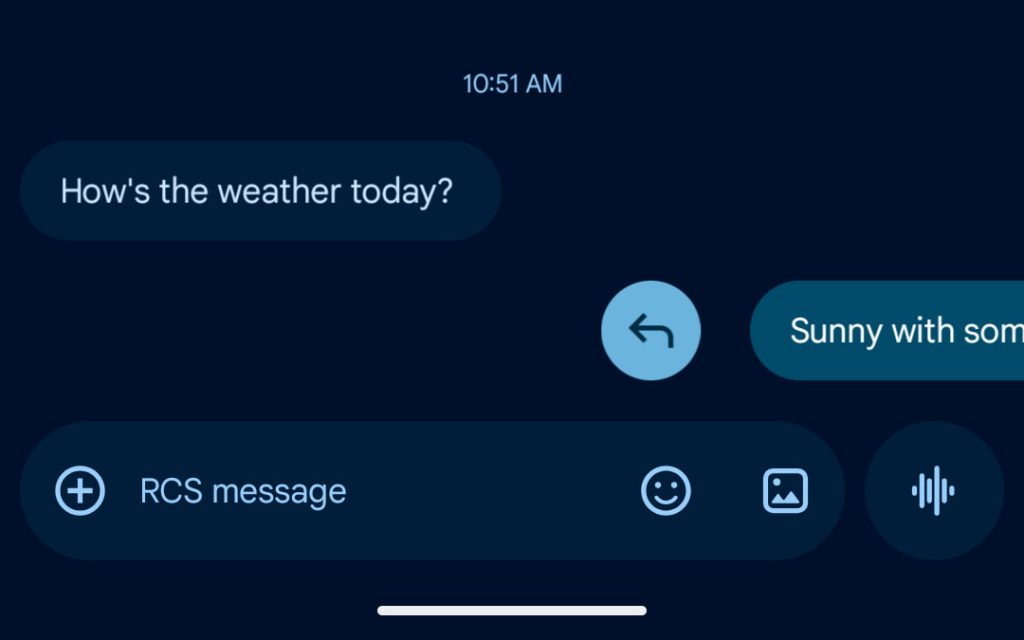
Read receipts redesign II
In recent weeks, Google Messages has mostly reverted to the two-circle read receipts underneath the message design after trying a single circle within the bubble.
Google is now testing a variant that uses the old icons but moves the timestamp and encryption lock. You now view that information by swiping left, with direct replies accessed by a right swipe.
Samsung Messages will be discontinued in July
In the US, Samsung is having users switch to Google Messages. On Android 14+, Google’s RCS app will “automatically shift” to your homescreen dock after the move.

Messages for web removing QR code pairing
Going forward, Messages for web users will have to use Google Account sign-in. As of late April, the QR code method is still available.

Read receipts redesign I
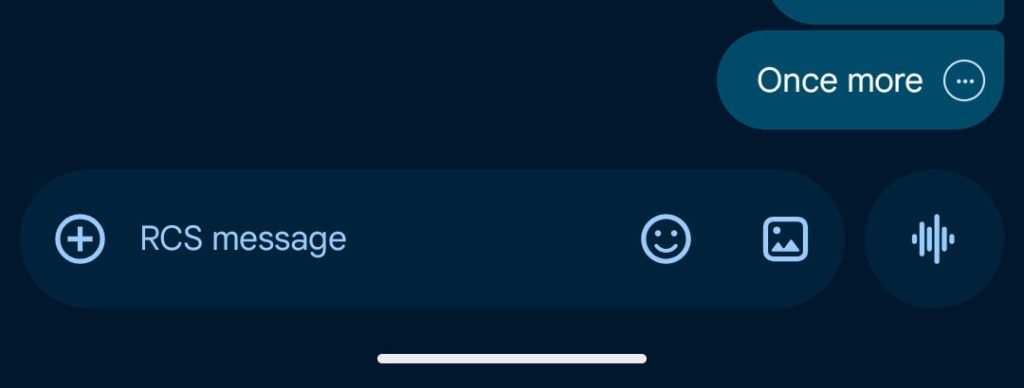
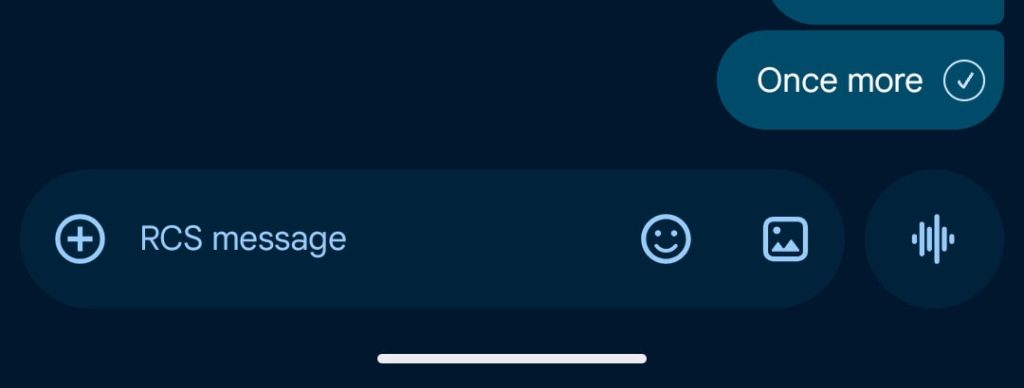
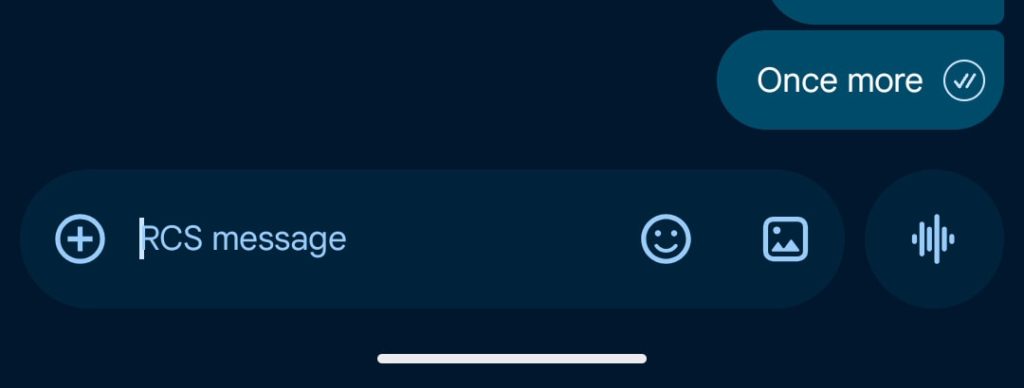
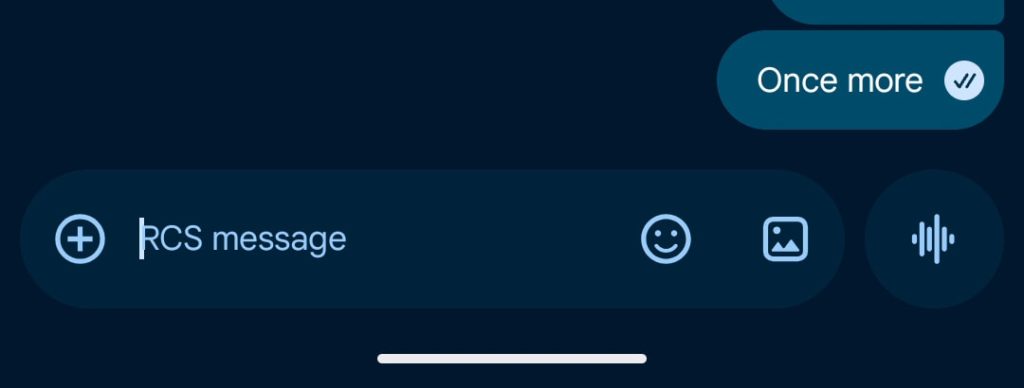
Read receipts are now placed in a circle at the bottom-right corner of message bubbles and images. You swipe left to see timestamps and the encryption lock, while you can swipe right to reply. This first started appearing in August of 2024, but is now seeing wide beta and stable availability.
| Ellipsis | Sending |
| Single check with ring | Sent |
| Double check with ring | Delivered |
| Double check solid circle | Read |
Recent launches (stable)
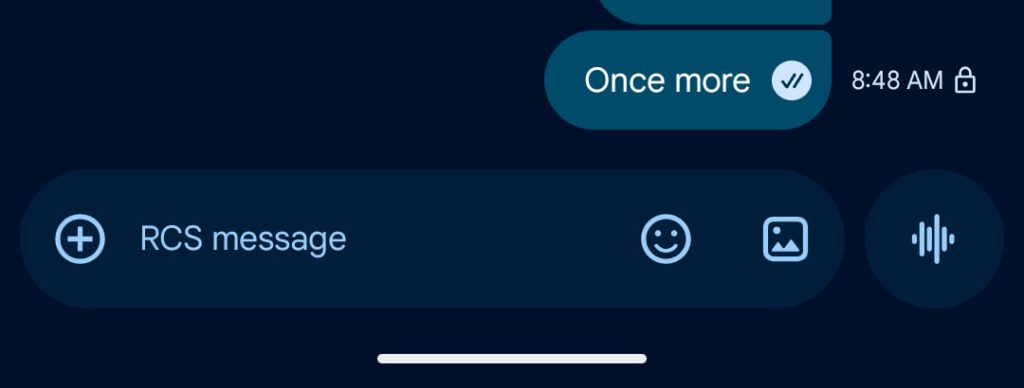
Bolder voice message button
Google now themes the voice message button with a bolder color after previously having the waveform match the compose field
Old vs. new


Tap to draft
This new option helps reduce accidental Smart Replies. After enabling in Settings > Suggestions & Actions > Suggestions, tapping a Smart Reply will place it in the text field to allow for further edits before you manually tap the Send button. “Tap to send” remains available and is the default behavior.


Selfie GIF consistently appears
Google has addressed an issue in the ‘plus’ menu where the “Selfie GIF” option would not consistently appear every time you open attachments. It resulted in the “One-time Location” shortcut moving between spots, thus impacting muscle memory. This has been resolved as of stable version 20260428_00_RC02.

Encrypted RCS for Android and iPhone with iOS 26.5
On May 11, Apple rolled out iOS 26.5 with end-to-end encrypted (E2EE) RCS. Chats/messages between Android and iOS users cannot be read by anyone else as they are sent between phones.
Top comment by twylight
Jfc what is so hard about adding categories for conversations?
Google Messages users will see the same lock as before when talking to those on the iPhone. The iOS Messages app will show “Text Message · RCS | [lock icon] Encrypted” at the center of the screen.
Encrypted RCS will be “automatically enabled over time for new and existing RCS conversations.” Apple says this is “available with supported carriers and will roll out over time.” Make sure you’re running the latest version of Google Messages. Supported carriers are listed here.
In the US, it’s AT&T, Boost Mobile, C Spire, Cellcom Wisconsin, Consumer Cellular, Cox Mobile, Cricket, Family Mobile, FirstNet, Metro by T-Mobile, Mint Mobile, Nex-Tech Wireless, PureTalk, Red Pocket, Spectrum, Strata, T-Mobile USA, TracFone / Straight Talk, Ultra Mobile, US Cellular, Verizon Wireless, Visible, and Xfinity Mobile.


- Trash folder
- Real-time location sharing
- @mentions in group RCS chats
- Gemini-powered Scam Detection
- Edit History in Details page
- Toned down Nano Banana Remix
- Camera tweaks
- Bigger Gemini FAB
- Link preview redesign
- Leave unknown group chats
- Image viewer redesign
- Remix with Nano Banana
- Tweaked camera + gallery icon
- Account menu redesign
- Spam link detection
- Key Verifier
- Standalone gallery
- Material 3 Expressive redesign
- Sensitive Content Warnings
- Details page redesign
- Custom group chat icons
- Delete for everyone
- Snooze notifications
- RCS status in updated ‘New chat’ contacts list
- Gallery + camera redesign with ‘Original quality’ sending
- Expanded text field limit
- Real-time and expanded Scam Detection
- Unsubscribe for SMS and RCS spam
- Double tap to thumbs up
- Text field redesign 2025
- Improved media receiving performance
- Custom profile pictures
- ‘Your profile’ name and photo settings
- “Magic Rewrite” button
- Camera face filters
- Gemini double FAB
- RCS message editing
- Group search in new conversations screen
- Full RCS Messages transfer on Pixel 9
- RCS photo with text caption redesign
- New “Select recipients” conversation picker
- Show expressive animations
- Larger contact photos
- Voice recorder redesign with noise cancellation + Voice Moods
- Single-line text field
- Selfie GIF
- Custom Bubbles and backgrounds
- Profiles
- Reaction Effects
- Revamped Contact Details page
- Photomoji
- Magic Compose
- Google Account Device pairing


FTC: We use income earning auto affiliate links. More.


Comments