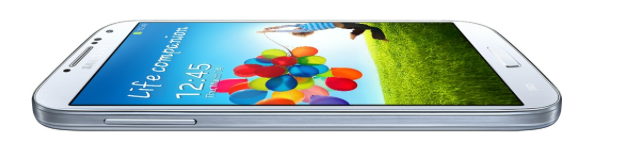
Users will be able to move apps to the SD Card freeing up native storage and can even shoot HRD (high dynamic range) video. The software update itself frees up 80MB of storage.
The update is currently available for Galaxy S4 users in Germany, and could require carrier approval before it shows up in the States, but its confirmation that Samsung is listening to user concerns.
Google announced briefly on its official Android blog last night that a new update to the Google Calendar for Android app would be rolling out and with it comes a couple highly requested features.
First off, Google is adding new customization options including the ability to select colors for calendar entries directly from on the device. It’s also including redesigned date/time pickers and making it easier to schedule repeating events:
For all of you world travelers, our redesigned timezone picker makes it simpler to find the region that you’re looking for, whether you’re in San Francisco, Tokyo or Zurich…Finally, it’s easier to schedule repeating events. You can now set events to repeat every Tuesday and Thursday, every month, or every 7 weeks, it’s completely up to you… Adding events is now easier and more fun with our redesigned date and time pickers, which let you schedule your special dinner date or the start of your well-deserved vacation in a snap.
In a Google I/O presentation titled “Structure in Android App Design,” Google might have given us a sneak peak at what’s to come for the Gmail Android app. Much of the talk focused on the new navigation drawer that is already present in the latest Google app updates including Earth and Shopper for Android. One slide, as pointed out by AndroidPolice, appears to show off a redesigned Gmail app equipped with the sliding drawer for navigating inboxes (similar to Gmail on iOS) and a number of other tweaks including the removal of the navigation buttons along the bottom of the app. We’ll have to wait and find out for sure if this was simply a mock up for the presentation or the next redesign of the official Gmail app for Android. Expand Expanding Close
The ability to view Drive and Calendar results within Gmail as you type was previously only available to those signed up to the Gmail Search Field Trial. Today Google announced that it will finally be rolling out the feature to all users after receiving positive feedback from field trial users.
The feature will for now only be available in English to US users and should be available in the coming week.
The app’s UI has been overhauled and now displays your Drive files in a familiar grid style view:
You can swipe between files to see large previews that let you quickly review and discover the information you’re looking for. And if you want to keep some Drive files on your Android device, you’ll now be able to “download a copy” from the actions menu inside settings.
Another big update included in the latest version of Drive for Android is the ability to ‘scan’ and store physical documents as PDFs. The new scan option will allow users to snap photos of documents and save them within Drive as a PDF. Thanks to Optical Character Recognition, you’ll also be able to search for the scanned docs using keywords.
The update includes a number of other improvements as well including the ability to download a copy of your files in Drive your device’s local storage, improvements to editing features in Google Sheets, and much more: Expand Expanding Close
Following its I/O keynote address today, Google just announced on its commerce blog that it will soon be integrating Google Wallet features into Gmail to allow users to send and receive money. The feature will be available to those with a Google Wallet account and will initially be available to users 18 and older in the US:
Google Wallet is now integrated with Gmail, so you can quickly and securely send money to friends and family directly within Gmail — even if they don’t have a Gmail address. It’s free to send money if your bank account is linked to Google Wallet or using your Google Wallet balance, and low fees apply to send money using your linked credit or debit card.
Google will be adding a new $ icon next to the paperclip icon for attachements that will allow users to “attach money” to messages in Gmail by simply entering the amount and clicking send.
Google noted that the feature will first only be available on the desktop, but that users can also send money through wallet.google.com on mobile devices.
Look for the feature to start rolling out in the coming weeks but earlier access will be granted to those that receive money from others using the feature. You can learn more about sending money with Gmail here.
Google today announced today that Google’s new hangouts service/experience would be available in Gmail:
What does this mean for your Gmail? You now have the option to switch from the current version of chat to Hangouts. Simply click “Try it out” next to your chat list to switch to Hangouts and give your chat an instant facelift (literally!). You’ll now see the profile photos in the order of your most recent conversations. With Hangouts, you’ll also be able to quickly send messages, have video calls with up to ten people at once, and share photos. You can start a conversation with just one friend or even a whole group.
Google today announced that it is revamping the Google voice search feature available in Chrome. While users have always been able to search with their voice through Chrome, Google is attempting to make the service work more like it does through Google Search apps and Google Now on mobile devices.
Chrome will now include “conversational search” with a brand new interface that doesn’t require users to click in order to search with their voice. Like on mobile devices with Google Now, users will now be able to simple say “Google” in order to activate voice search.
Today, we previewed what this conversational experience will look like in Chrome on your desktops and laptops. Soon, you’ll be able to just say, hands-free, “OK Google, will it be sunny in Santa Cruz this weekend?” and get a spoken answer. Then, you’ll be able to continue the conversation and just follow up with “how far is it from here?” if you care about the drive or “how about Monterey?” if you want to check weather somewhere else, and get Google to tell you the answer.
The new interface, as pictured above from Google’s demo of the feature, is much like the voice search interface for Google Now on Android devices.
While not a full blown Google Now experience yet, the feature will allow users to pull up flight information, email, calendar entries and more by taking advantage of Gmail field trial features that some users have already opted in to try.
The new feature will be coming to Macs and PCs through Chrome soon.
Google also briefly showed off some new content coming to Google Now including new cards for Reminders, Music Albums, TV Shows, Books, Public Transit, and Video games rolling out today: Expand Expanding Close
Some pretty incredible new features of Google+ Photos today that will probably be burying Picasa once and for all. Using their algorithms, they will enhance and help sort photos saving time and energy with the net result being incredible photo albums.
We knew from leaks in the weeks leading up to I/O that Google was planning some gaming related announcements and today the company has officially announced the service in a press release ahead of its Google I/O keynote taking place now. Not only will the service allow Android developers to build in real-time multiplayer, social features, achievements, and leaderboards while storing game saves and settings in the cloud, the SDK for Google Play game services will also be available to iOS and web developers.
Google noted a few titles for Android have already been updated with the feature including World of Goo, Super Stickman Golf 2, Beach Buggy Blitz, Kingdom Rush, Eternity Warriors 2, and Osmos.
Not surprisingly, the cross-platform gaming service will also build in Google+ integration to track high scores, achievements and more:
-Achievements that increase engagement and promote different styles of play.
-Social and public leaderboards that seamlessly use Google+ circles to track high scores across friends and across the world.
-Cloud saves that provide a simple and streamlined storage API to store game saves and settings. Now players never have to replay Level 1 again.
-Real-time multiplayer for easy addition of cooperative or competitive game play on Android devices. Using G+ Circles a game can have up to 4 simultaneous friends or auto-matched players in a game session together with support for additional players coming soon.
Pinterest is rolling out a big update to its mobile apps today that brings a number of highly requested features to Android devices. Some of the more notable updates include notifications and push notifications for comments and mentions, the ability to @mention friends from within the app, and improved search that provides suggestions as you type.
-Send a pin to someone
-Get push notifications to know when someone comments, likes or repins your stuff
-Search…and you shall receive suggestions
-Mention your friends in comments
Google has just started pushing out an “XE5” software update for Google Glass users today and with it comes a number of new features in addition to fixes and performance enhancements. Phandroid points us to the full changelog for the update, which includes incoming Google+ notifications for direct shares, comments, and +mentions, the ability to comment and +1, incoming Hangout notifications, new crash reporting features, and much more.
With the update Glass users can also now “Long-press to search from anywhere in the UI,” access international number dialling and SMS, as well as view a new recipient-list mosaic. A full list of new features on the XE5 Google Glass update is below: Expand Expanding Close
Google announced on its blog today that it is adding support for 5 new languages in Google Translate that combined are spoken by over 183 million people worldwide. The new languages, which include Bosnian, Cebuano, Hmong, Javanese, and Marathi bring Google Translate up to a total of more than 70 languages.
The five new languages are still in alpha (apart from Bosnian) but Google promised to “to test and improve them over time.”
-Bosnian is an official language in Bosnia and Herzegovina that’s also spoken in regions of neighboring countries and by diaspora communities around the world.
-Cebuano is one of the languages spoken in the Philippines, predominantly in the middle (Visayas) and southern (Mindanao) regions of the nation.
You can hear the Hmong language spoken in many countries across the world, including China, Vietnam, Laos, Thailand and throughout the United States.
-Javanese is the second most-spoken language in Indonesia (behind Indonesian), with 83 million native speakers.
-Marathi is spoken in India and has 73 million native speakers. Google Translate already supports several other Indian languages: Bengali, Gujarati, Hindi, Kannada, Tamil, Telugu and Urdu.
Google announced some new handy features for Drive on its official Google Drive Blog today. To make it even easier to quickly see who you are collaborating with inside a file in Drive, Google has added profile pictures in addition to names at the top of the web app. Hovering over the new profile pics will let you see details and add users to circles on Google+:
Now when you open a file in Drive, you’ll see the profile pictures of other viewers at the top instead of just their names, making it easy for you to do a quick scan of who else is in the file. You can hover over a photo to see details about the viewer and add them to your circles on Google+ — all without ever leaving Drive.
Google is also providing easy, one click access to starting group chats with both new features rolling out to users in the next couple of days. Google also confirmed it will be adding support for new files types soon, such as Google Sheets.
An updated Google Play with an image-centric design will be rolling out to all Android devices running Froyo (2.2) and up over the next few weeks, the Official Androidblog confirmed. The redesign focuses on connecting ‘similarly themed’ content so apps, songs, and movies of the same genre are grouped rather than scattered everywhere.
Perhaps it’s too soon to state this with any certainty — surely this update has been in the works for some time now — but we may already be seeing the influence of Facebook Home on app design, at least as it pertains to the use of larger imagery and simplified interface. Something to keep an eye on at the very least.
Following releasing the features to Beta channel users, Google announced today that it has started rolling out an update (26.0.1410.58) to all Chrome for Android users. It includes the ability to access saved password and autofill entries.
Users logged into both Chrome on the desktop and Android will now be able to get access to saved autofill entries and passwords when using the Android app:
To try it out, make sure you’re signed in to Chrome on both your desktop and mobile device, and let sync take care of the rest.
Password Sync
Autofill Sync
Fixed issue where blank page would be loaded rather than URL
Performance and stability improvements
The updated Chrome app should be available through Google Play soon, but Google noted it could take a couple of days for the feature to roll out to everybody.
On top of rolling out support for new Twitter cards for developers that will allow users to launch and install apps directly from within tweets, Twitter today released an overhauled Android app that finally follows the Android 4.0+ Holo design theme:
We just released a new version of Twitter for Android. Its new design reflects a native Android experience: wider and taller timelines that fill the screen, a flat navigation bar, tap and hold for quick actions, and more. You can now quickly navigate between tabs by swiping across your screen. And as you type your Tweet or search, you’ll see username and hashtag suggestions, making it easier to connect with friends and join conversations.
Other improvements in the updated app include @username and #hashtag auto suggestions when typing in search for composing a new tweet, as well as the ability to install and launch apps from developers that support a new mobile app deep-linking feature Twitter outlined on its developers blog.
Google announced an update today to Google Translate for Android that brings an extremely useful feature for those who are traveling or in need of translations when without an Internet connection. Starting today, the updated Android app will now allow users running devices on Android 2.3 and up to access the service using downloadable offline language packages.
Google noted that there are currently around 50 languages available for offline use and detailed how to download the necessary packages through the app:
You can select [Offline Languages] in the app menu to see all the offline language packages available for download. To enable offline translation between any two languages, you just need to select them in the offline languages menu. Once the packages are downloaded, you’re good to go.
While the languages packages provide everything you need to get quick translations when offline, Google warned that the offline modes are “less comprehensive than their online equivalents” without explaining in detail.
Users of the updated app will also now be able to translate vertical text for Japanese, Chinese, and Korean—using their device’s camera.
It’s been nearly four months since Evernote was updated to version 5.0 on iOS, and today Android will reap in the benefits of the update. Evernote 5.0 for Android brings a bunch of new productivity and utility features to the popular note-taking app.
One of the niftiest features of the update includes something new from Evernote called ‘Page Camera’. Page Camera allows the user to take a picture of a written (or typed) paper document and save the photo to Evernote. The camera automatically detects the text and enhances it to make reading it on a device easier. Another feature, which was released on OS X in January, titled ‘Shortcuts’, allows the user to access notes faster and easier than before. Finally, if you use Evernote to save pictures that you take, then ‘Multi-Shot Camera’ may be your new favorite feature. The camera update allows users to take multiple photos and save them in bulk, rather than the old method of taking shots individually.
Google announced today on its Official Gmail Blog that it has released an update to the Android app for Gmail that brings new features, faster search, and other enhancements for certain users. Perhaps the most notable new feature is the ability to reply, archive, and delete from notifications with one tap—rather than having to open the app to sort and reply to mail:
You can combine this with existing notification features like the ability to customize which messages you receive notifications for and set up different sounds for individual labels. So if you filter and label all the messages from your mom, you could set a ringtone to let you know you received a new mail from her and then quickly reply (because we know what can happen when you ignore your mother!).
The feature is available to users running Android 4.1 and up, but Google is also rolling out faster search, bug fixes, and performance enhancements for Android 4.0 and up. Users on Android 2.2 and up will now have access to a “New Labels API for 3rd-party app developers” and the usual performance improvements.
Google announced today that it updated the mobile web app for Gmail and the Gmail Offline Chrome app with a refreshed UI and new features similar to recent enhancements to its iOS apps. On top of the redesigned visuals, Google also included improvements to search and Google Calendar integration:
Today we’re rolling out a similar refreshed look to the Gmail mobile web app as well as Gmail Offline (http://goo.gl/0f1ae) that includes many of these same changes. Try it out at gmail.com in the browser of your Android, iOS, Blackberry or Kindle Fire device.
Google noted it decided to implement a design for its web apps similar to its iOS offerings after receiving positive feedback since first launching the new iOS design in December.
Google updated its Chrome for Android app today with a number of performance enhancements including improved scrolling, better responsiveness for pinch-zooming, and improvements to “interactive pages thanks to the latest version of the V8 javascript engine.” Google is also including background audio support in this release and “expanded support HTML5 features”:
What’s in this version:
Updates in this version of Chrome for Android include improved text font clarity and stability fixes in addition to:
1. Improved scrolling performance
2. Increased responsiveness to pinch-zooming on pages
3. Faster interactive pages thanks to the latest version of the V8 javascript engine
4. Audio now continues to play while Chrome is in the background. Audio playing in Chrome will now pause when the phone is in use. This requires an additional permission
5. Expanded support for HTML5 features
Chrome version 25 was released with a new Web Speech API that allows web developers to integrate speech-to-text dictation into their web applications.
The other feature of importance on the new version is the removal of “silent extensions.” Silent extensions are web-browser extensions that install without your knowledge. From now on, every web extension installation must be manually approved.
The updated version is available here, but Chrome’s auto-update feature may have already installed it for you.