

Smart Chips let you do a lot in Docs and other Workspace apps, and Google is now adding a prominent “@” button shortcut.
Top comment by John Jackson
I found it annoying like everyone else in the comments. It looks like you can disable it with an Adblocker. I used uBlock Origin and used the "element picker". Initially just blocked the @ the first time I picked it, next time I picked the gray blob and that disappeared too.
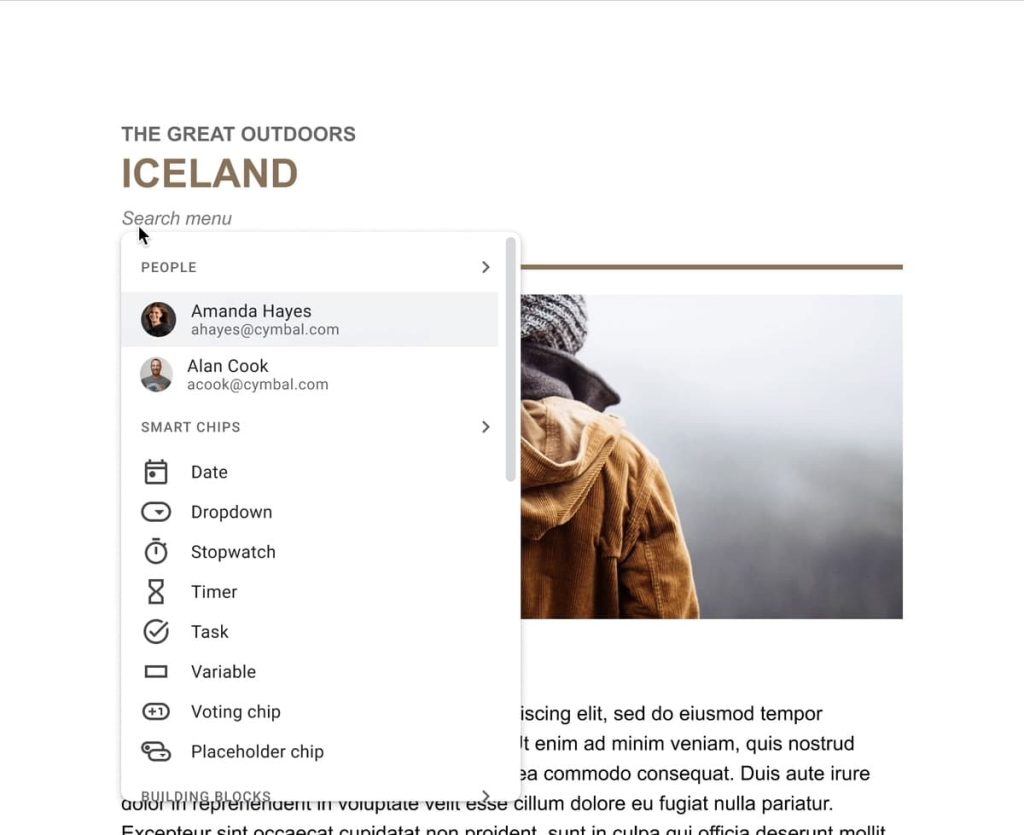
This @ button appears when you move the cursor to a blank line within your document. Clicking the gray circle, which might be faster than typing the symbol for some, will open the @-menu with People shortcuts listed first followed by the various Smart Chips: Date, Dropdown, Stopwatch, Timer, Task, Variable, Voting, and Placeholder.
Scrolling down reveals Building Blocks for Meeting notes, Email draft, Product roadmap, Review tracker, and Project assets. These templates are also suggested when you open a new document. Finally, you will see recent Files and any upcoming Calendar events.
This @ button in Docs is rolling out now and will be “available to all Google Workspace customers and users with personal Google Accounts.”

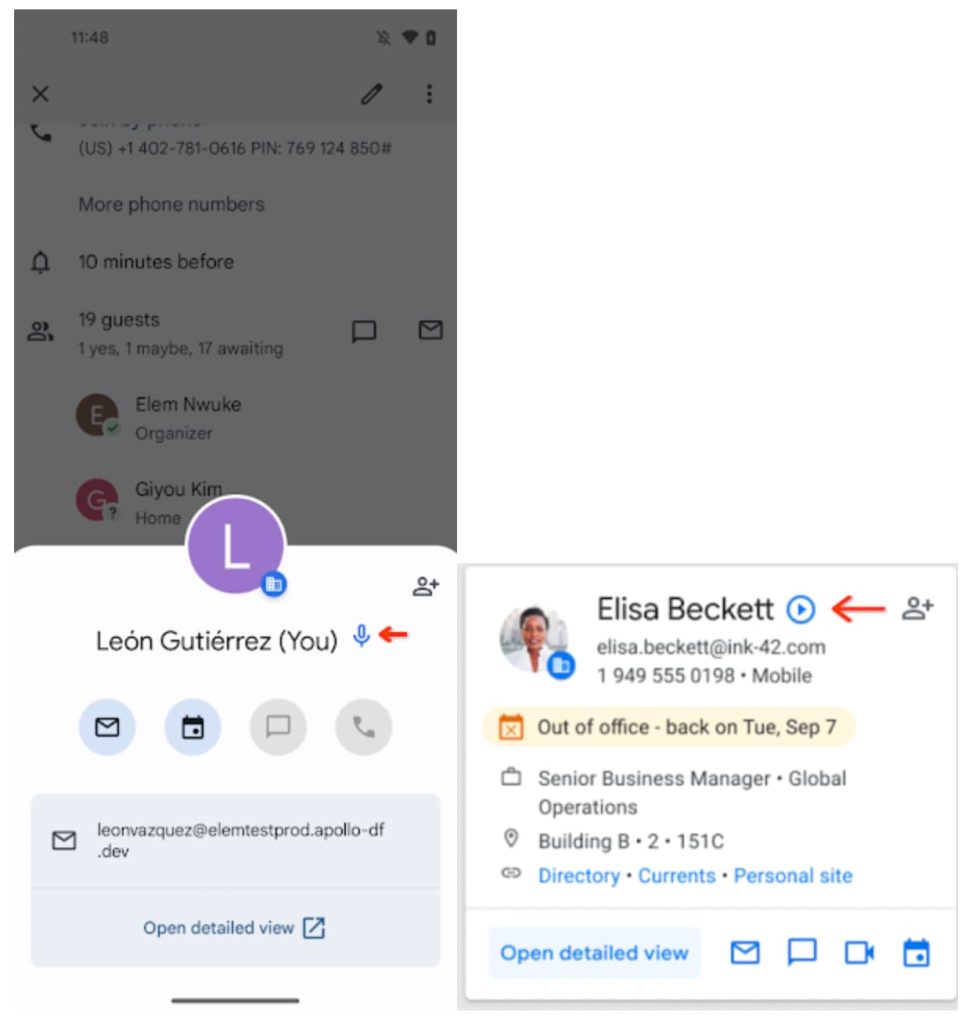
Meanwhile, Workspace domains are adding the ability for employees to “record [their] name and share its pronunciation with other users.” This pronunciation will appear and can be played from the profile cards that appear in Gmail, Docs, and other apps. To start the recording process, open your profile card.
- Available to Google Workspace Business Starter, Business Standard, Business Plus, Essentials Starter, Enterprise Essentials, Enterprise Essentials Plus, Enterprise Standard, Enterprise Plus, Frontline Starter, Frontline Standard, and Nonprofits customers
- Not available for Google Workspace Education Fundamentals, Education Standard, Education Plus, the Teaching and Learning Upgrade customers


FTC: We use income earning auto affiliate links. More.



Comments