Google Apps



[youtube=http://youtu.be/vT503jUG4Y4]
A leaked video suggests Microsoft’s world-renowned productivity suite will soon feature cloud-like options in an effort to curb Google Apps’ growing market share with its alternate offering.
The 30-second promo above is hosted on YouTube by Within Windows. It emphasizes “Office 15” as the suite’s newly re-branded name. It also focuses on the accessibility of the next iteration through remote access to documents, which is enabled by a normal sign-in procedure. The cloud options will tracks and store all of a user’s virtual papers in Microsoft’s cloud-based Sky Drive service.
Microsoft Office is dueling many cloud-based productivity suites, such as Google Apps, and it is steadily losing market share. The downward spiral even caused the once-great Word processing giant to embark on a smear campaign against Google, where it lambasted the Mountain View, Calif.-based Company as a shady advertiser with alternative motives.


Google already announced some big new enterprise partners adopting Google Apps this year, despite Microsoft launching its “Googlighting” smear campaign to promote its Office 365 alternative. In January, it signed its biggest deal with a single company by transitioning roughly 110,000 employees across 26 countries from Spanish bank BBVA to Google Apps. For governments, Colorado recently adopted the Google Apps for Government platform, and today Google announced on the Official Enterprise Blog that Edmonton has become the first major Canadian city to make the switch:
Google announced today in a post on the Inside Google Books blog that it would be discontinuing its reseller program that allowed independent booksellers to sell through Google’s eBook services. The American Booksellers Association sent letters to its members informing them that about 350 independent bookstores selling eBooks through Google’s reseller program would end as of Jan. 31, 2013. The full letter (via Paid Content) is below.
Google’s explanation comes from Director of Product Management for Digital Publishing Scott Dougall:
Looking at the results to-date, it’s clear that the reseller program has not met the needs of many readers or booksellers. While our role as an ebooks wholesaler to booksellers will be coming to a close next year, we remain as committed as ever to making the eBooks experience from Google the best it can be for readers around the world.
For books that customers have already purchased, Google confirmed they would continue to “be able to access and read their eBooks on the web, phones, tablets and compatible eReaders.” Google will also help its 16 reseller partners “as they transition in the coming months” by continuing to give access to free Books APIs and highlighting them in the “Buy this book” section of Google Book search.
The full letter from the ABA to its members is below:
A new report from The Next Web claimed a “source close to the product’s development” confirmed Google has a new commenting system in the works. With continued integration of Google+ into the rest of the company’s web services, the report claimed Google will likely aim to take on Facebook and its third-party commenting platform. The report explained:
Expand
Expanding
Close
Princeton University’s Office of Information Technology recently polled 150 students who tested Google Apps’ Gmail and Microsoft Office 365 and results showed only two preferred the latter.
According to The Daily Princetonian, the undergraduate student government is collaborating with OIT to move the student body from its current email server Webmail to either Google Apps or Microsoft Office 365.
Google Apps is a cloud-based productivity suite that features several Web application user-interfaces similar to traditional office suites—like Microsoft Office 365. The services vary per edition but generally include Docs, Gmail, Calendar, Talk, Sites, Groups, Video, and Marketplace. Its popularity among students and educational institutions is rapidly increasing due to enhanced sharing features, accessibility, and cost.
Google Apps for Education is just one edition that offers 25 GB of storage space per user for free through K-12 schools, colleges, and universities with up to 30,000 users. Forty-million active users currently use Google Apps, and according to US News & World Report, 61 of the Top 100 schools have switched to the educational service.
USG IT Committee Chair Josh Chen said the University’s polled students prefer Gmail due to its “many benefits and no drawbacks.” Meanwhile, U-Councilor Lily Alberts said the poll’s results likely attribute to the student’s prior familiarity with Gmail during pilot testing. The group of 150 students piloted the two options, and those students came from a pool that replied to an earlier campus-wide email.

Amazon just updated the “Kindle” for Android app to support Kindle Format 8, and it brings a variety of children’s books, comic books, and graphic novels with vivid color and illustrations.
“Shop for over 1000 children’s titles such as Brown Bear and Curious George, and comics such as Batman and Superman. Plus, richer formatting in thousands of other Kindle titles,” announced the app’s description on the Google Play Store.
The new collection of reading materials compliment an already existing catalog of over 850,000 Kindle books and 100 different newspapers and magazines hosted through Amazon’s free application that does not need a Kindle slate. For those that already own a Kindle, Whispersync seamlessly beams a user’s last page read, and any bookmarks, highlights, and notes across all compatible devices.
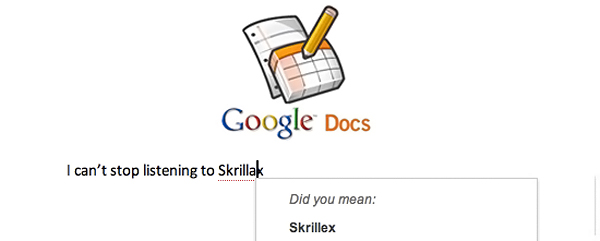
Google Docs can now spell check threw through the Web.
Software Engineer Yew Jin Lim took to the official Google Docs blog this afternoon to explain how the Internet is helping Google Docs get smarter. The ambiguous and ever-adapting Googlebot is able to crawl cyberspace and adapt to words. The resulting action enables Google to improve suggestions during misspelled queries in Google Search. Well now, the same process is applied to Google Docs…

 As first reported by Venture Beat, and later announced on his Google Plus page, Google’s Vice President of Apps and President of Enterprise Dave Girouard is leaving Google after eight years to form a startup called “Upstart.com.”
It’s true. After eight wonderful and life-altering years, I’ve decided to leave Google to pursue my own adventure. I owe a lifetime of gratitude to +Larry Page +Sergey Brin and +Eric Schmidt and so many others at Google for giving me such an incredible opportunity. I don’t know if I’ll ever match the learning experience I’ve had here, but I’m going to give it one hell of a try!
In recent months, I’ve thought a lot about the younger generation; about the opportunities and challenges they face in navigating their careers and life choices. The result is www.upstart.com, which you’ll (hopefully) hear a lot more about in the coming months.
Thanks to all of you who have made my Google experience so wonderful!
I had the opportunity to interview Girouard a few years ago when I was at Fortune, and I found him to be extremely grounded and dedicated to the apps mission. Make no mistake, as far as apps and enterprise are concerned, Girouard was the pioneer at Google having manned the helm since its inception.
Other rising executives like Amit Singh, who came over from Oracle a few years ago, will continue to the rapid growth that apps have seen over the last eight years.
Expand
Expanding
Close
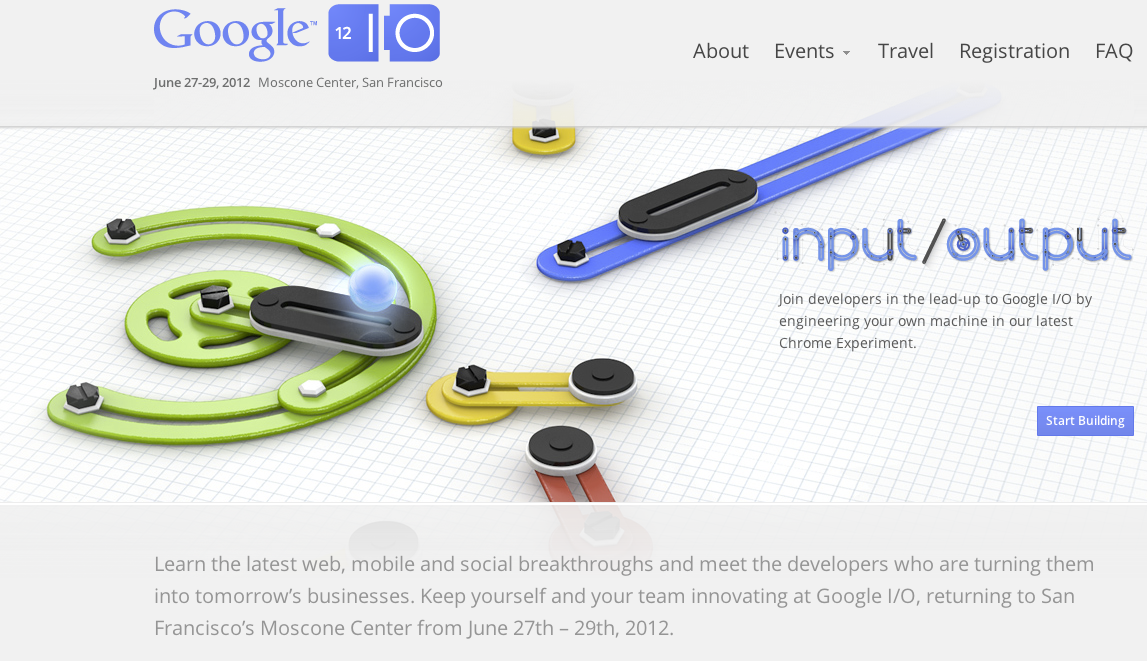
Google opens its registration for its annual I/O conference on March 27. Remember, tickets sold out last year in under an hour so set your alarms!
The conference also moved from May to June this year where Google will debut many new technologies, including some Glasses hopefully. While we do not have official word on the Glasses “Project WingFront,” we were told by a Google employee that this year’s I/O was going to be “totally insane.” Perhaps so insane that Google moved from a two-day format to three days this year.
 .
.
Google also updated its I/O website with some fun and games.
Expand
Expanding
Close
Microsoft is slinging mud at Google recently with bitter videos and critical advertisements, but the Internet giant is staying silent and has only thrown one thing at the Windows company: The “Google Search” app.
“Find better results using Google from your Windows Phone. Search the web faster and easier with the latest features: Google Autocomplete, My Location, and Voice Search,” announced the app’s description.
More information is available below.
Google can now check the University of Pennsylvania off its ever-growing list of ivy leaguers wielding Google Apps for Education, because the school just announced a recent move from Microsoft’s Windows Live Hotmail to Gmail.
The Philadelphia-based private university ranks No. 5 in National Universities, according to U.S. News and World Report, and it joins over 60 other leading institutions from the nation’s top 100 to use Google Apps. Harvard College, Yale, and Brown University are a few of the more prominent schools to top Google’s list.
Penn changed services after studying student email trends:
“We just saw more than 50 percent of students forward emails from their Hotmail to Gmail accounts and thought it would be more convenient this way,” said Director of Social Sciences Computing and Student Technology Chris Mustazza to The Daily Pennsylvanian.
More information is available below.
[youtube=http://youtu.be/cOZU7BOeQ58]
Google announced today that it is adding Google+ Circles to Google Voice.
Software Engineer Tom Ford took to the official Google Voice blog to tell users how Circles give callers more control with organizing and managing in Google Voice:
Circles give you more control over how you manage your callers; for example, calls from your “Creepers” circle can be sent straight to Voicemail, only your “College Buddies” circle will hear you rap your voicemail greeting, or you can set your “Family” circle to only ring your mobile phone.
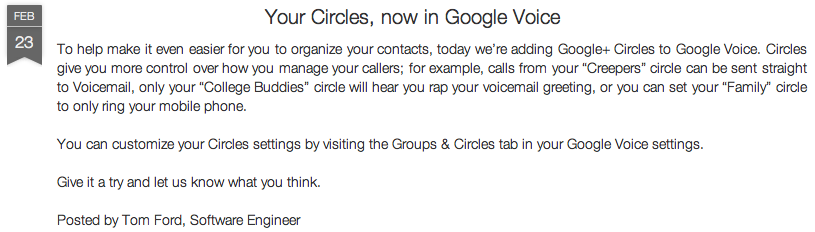
As Ford mentioned, go to the Groups & Circles tab in Google Voice settings to customize Circles.
More information is available below.
[youtube=http://youtu.be/k4EbCkotKPU]
Microsoft released the above Google-lambasting video on YouTube (ironically) yesterday to take aim at Google Apps and decry the Mountain View, Calif.-based advertising business of seedily selling productivity software “on the side.”
Microsoft takes a curious spin on “moonlighting” and calls its competition the “Googlighting stranger” while making many jabs at the search engine’s product. The mud-slinging does not stop at the end of the 2.15-minute video, however…
With the yet-to-launch Google Drive cloud service that is rumored to take on Dropbox, Microsoft made things a little more official today for its upcoming updated SkyDrive cloud service for Windows 8 and possibly OS X. The new service will include improved file management and synchronization, secure two-factor authentication for remote access to files not yet uploaded to Skydrive, and support for file uploads of 2GB. What makes things interesting are rumors of paid storage options and a Mac client originating from Gemind.com.br who posted (via ArsTechnica) screenshots from Windows Live of SkyDrive advertising clients for “PC or Mac”…

Stanford University in Palo Alto, Calif., is moving from VM Ware’s Zimbra to Google Apps for its entire staff and student-body, according to The Stanford Daily. Stanford has given Google Apps a trial for the past year and is finally ready to open it up campus-wide. Stanford will roll out Google Apps this spring with undergraduate students able to move to Gmail when they choose. Google Docs will then roll out in the summer. The full roll out of Google Apps across the campus cannot happen until Google enters into a Business Associate Agreement with the university.
Stanford is making the switch to Google Apps from Zimbra, an open source email software made available from VM Ware. Stanford’s Matthew Ricks said, “In delivering Google Apps to Stanford, we’re responding to the desires of the majority of our community,” which indicated Zimbra was not meeting the campus’ needs.
Google Apps will offer Stanford document creation from Google Docs through Gmail, management through Google Calendar, and more. Many other schools and organizations have also made the move to Google Apps while citing it to be the most affective. Thanks for spotting the title error, Dane!
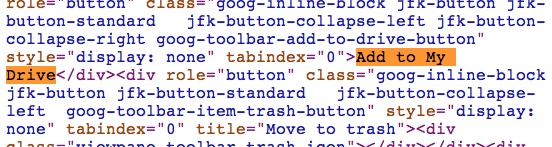
Rumors about Google Drive claim the product is Google’s new cloud file storage service. WSJ reported last night it is launching Google Drive in the coming weeks. Flickr user Sebastien Fuss (via GigaOm) discovered today that Google Docs is referencing the product through a code viewable in any browser, which reads: “Add to My Drive.” There is not any physical button in Google Docs, but the code reference is definitely interesting.
It should not be long before we see something out of Google. The Google Drive product will most likely integrate on Android and throughout its other services, like Google Docs and Google Plus.
[youtube=http://www.youtube.com/watch?v=2oLf_jXxpyw&feature=player_embedded]
According to a new report from ReadWriteWeb, Google is prepping an overhaul of its OnePass platform for publishers sometime in “the next few weeks” based on feedback received from initial partners:
“Our engineering team is currently innovating on OnePass based on all that we’ve learned over its first year,” Google tells paidContent. “Our aim is to improve and iterate OnePass to suit the publishing industry’s needs.”
Google has been working with nearly a dozen publishing partners since the launch of the service in February 2011. Last November, French publishers, who offer content through a subscription service and iOS app known as ePresse, announced they would begin to use OnePass. Now reports from ePresse consortium member L’Express claimed the publishers have canceled their plans in anticipation of Google’s overhaul of the service in the coming weeks.
Expand
Expanding
Close
[youtube=http://www.youtube.com/watch?feature=player_embedded&v=gCpDHZ6NNoY#!]
Following a few big recent Google Apps enterprise announcements— including signing its biggest partnership ever with BBVA switching 110,000 employees to the platform— Google officially named its “Google Enterprise 2011 Partner of the Year.” This year’s award goes to Cloud Sherpas for its work in helping over 1 million users migrate to Google Apps since 2008 with a revenue growth of more than 300 percent for the third year straight.
Google’s Head of Global Partner Programs Mark Hodgson at a Google enterprise sales event in San Francisco recently handed out the award. CEO for Cloud Sherpas Douglas Shepard said the following about the announcement:
“The Partner of the Year award from Google is important because it validates the role of the channel in helping businesses succeed in the cloud. We hear repeatedly from clients that they need the services of Google experts to fully leverage the platform, collaborate more effectively and grow their businesses. We are proud to be recognized as Google’s partner of the year, and we look forward to continuing our strong relationship with Google and Google Apps users in 2012.”
The full press release is after the break:
 Google announced last night that it would be discontinuing a number of its services in the coming months because they “replicate other features, haven’t achieved the promise we had hoped for or can’t be properly integrated into the overall Google experience.”
Two things jump out at me regarding these closures:
Most notably for consumers, Picnik, the Cloud photo editing software, will be discontinued in April.
Picnik: We acquired this online photo editor in 2010. We’re retiring the service on April 19, 2012 so the Picnik team can continue creating photo-editing magic across Google products. You can download a zip file of your creations through Picnik Takeout or copy them to Google+. As of now, the premium service is free to everyone. Premium members will receive a full refund in the coming weeks.
We will likely see Picnik’s features reincarnated in Google Plus —where Google wants users to be storing photos anyway. Google did the same thing to Picasa late last year.
Google also announced that it will close Urchin Web Analytics, the company it bought in 2005 to make Google Analytics cloud service. Google kept the offline product available, but it will discontinue updates and sales, then subsequently direct customers to the Google product.
Urchin: helps businesses of all sizes measure their websites and online marketing. We’re fully committed to building an industry-leading online analytics product, so we’re saying goodbye to the client-hosted version, known as Urchin Software. New Urchin Software licenses will no longer be available after March 2012.
Google’s Skymap App project, which was started by some Pittsburgh Googlers in their 20 percent time, will now be Open Sourced and run out of nearby Carnegie Mellon.
A number of other services were also slated for termination…

Google announced two new features for Google+, including a “What’s Hot” stream that allows users to see the most interesting content shared throughout Google+, and users can now view who has “+1′d” posts —not just the count.
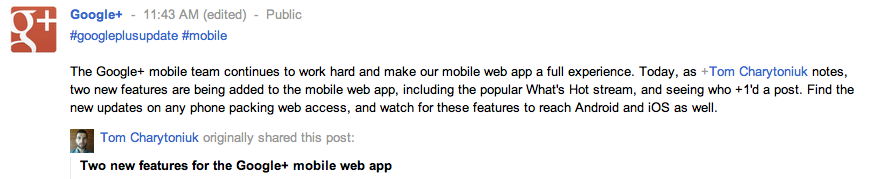
These minor tweaks display Google’s attempts to make Google+ more interactive and attractive. The “What’s Hot” stream on mobile devices could be a response to Twitter’s “Discover” feature that surfaced last month. It is accessible in the Web app by swiping to the right of the Circles stream, and a constant view of trending posts for Google+ will immediately appear. This ensures a flurry of content, even when people within a user’s Circles are silent for the day…

Google recently enhanced the Gmail offline Chrome app and integrated the webmail service with Google+ filters for circles, auto-sync for contacts and sharing features. Today, new capabilities rolled out to Google Apps for Business, Google Apps for Government and Google Apps for Education editions, managed via the Google Apps control panel. Administrators can now take advantage of improved email compliance footers, approved/blocked sender lists and file attachment policies, the search firm wrote in a blog post.
Previously, users had to resort to Google Message Security to use these capabilities. Google said it improved upon these features and “designed them specifically to meet the needs of our Apps customers.” Last September, Google brought out contacts manager from consumer Gmail to Google Apps.
Google just signed its biggest deal yet with a single company to offer cloud services with 110,000 employees in 26 countries of Spanish bank BBVA switching to Google apps. The bank will use apps like Gmail, Calendar, Chat, Docs, and it will have employees’ access video chats and other collaboration tools. According to BBVA, the deal is the “largest global agreement for the adoption of Google Apps, Google Enterprise suite.”
Through this solution, BBVA seeks to increase its efficiency by providing employees the tools of advanced communication and collaboration. In addition, Google Apps will facilitate collaboration among professionals from the bank, regardless of geographic area in which they are. This is essential to drive innovation in a financial group as global as BBVA.
According to a report from BBC, who talked with BBVA, the move was largely driven by an increasing number of the bank’s staff utilizing smartphones and tablets as their main computer. The bank already moved 35,000 employees to Google Apps and it expects it to roll out to 110,000 staff members during 2012.
Director of innovation for BBVA Carmen Herranz confirmed to BBC that all customer data would remain on the bank’s servers with the move to Google services only applying to communication among staff. The bank had previously rolled out a successful pilot project with around 7,000 staff, and plans to “closely monitor for any increases in network load.” Herranz said their biggest concern is video conferencing.
Vice President of Google Enterprise EMEA Sebastien Marotte gave a statement in BBVA’s press release highlighting the importance of the announcement and growth of Google Apps:
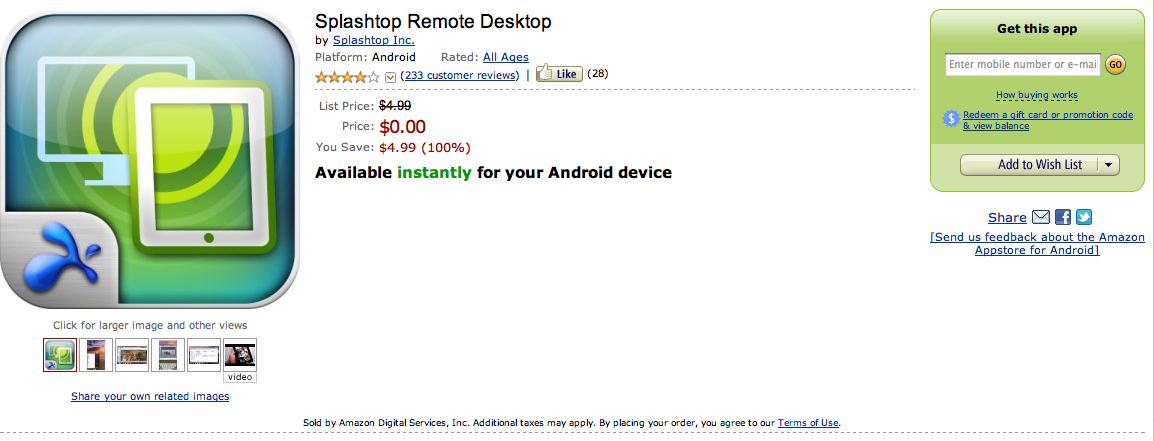
The Android application for “Splashtop Remote Desktop” is free today at the Amazon Appstore —down from its normal price of $4.99.
The 2011 Consumer Electronics Show and The New York Times heralded the app that essentially lets users access their desktop through Android devices.
“With this app, you can control your home computer from your Android device via Wi-Fi or a 3G/4G connection,” announced the app’s description on Amazon Appstore.
Users can manage their Web browser with plug-ins and bookmarks, as well as PowerPoint, Word, Excel, and Outlook files. Splashtop Remote Desktop can also stream high-resolution video and audio from a PC or Mac to an Android device…
TiVo and non-TiVo customers can now experience DVR on their Android-powered devices with the first—and free—TiVo application. Vice President of TiVo User Experience Margret Schmidt tweeted the release of the new app early Jan. 6.

“You can search, browse, discover and share without ever interrupting the show you’re watching,” announced the app’s description on the Android Market. “Quickly surface new content, view guides, schedule and manage recordings, get recommendations, or dig deeper into a particular actor’s entire resume—all using intuitive, gesture-based interaction.”
The app features many options, including: access to the channel guide and ability to record shows without exiting a running program; advanced screening of shows 14 days early; management and scheduling preferences for recordings; and, access to TV, Netflix, Amazon, and Blockbuster streaming content in an integrated view…