Gmail

See All Stories

Announced on April 1, 2004 with an unprecedented 1GB of user storage, many assumed that Gmail was just one of Google’s April Fools’ pranks. For comparison, competing services only had 2 to 4MB for users to store email messages and attachments. Currently, Gmail storage is combined with that of other Google products with 15GB available for free.

Gmail was released in beta with an invite system and was not open to the general public until February 2007. In July of 2009, it finally dropped its beta status. As of February 2016, Gmail is the most widely used web email provider with 1 billion active users worldwide.

Besides email, Gmail has a number of features, including integration with Google Drive for sending large attachments and choosing images from Google Photos. Users can fully search their email with advanced spam filtering and labels to manage messages. Google also scans emails to show context-related advertisements.

Since launch, the email service has gone through a number of redesigns. Apps are available for Android, iOS, and the mobile web.


Site default logo image

Google rolls out new Gmail for Android app w/ cleaner conversation view and more

Google announced today that it is rolling a new version of Gmail for Android that introduces a new and improved conversation view, improved multi-select functions, and other improvements.

The cleaner conversation view is pretty self explanatory from the screenshot above, and does a good job of making it easier to see email threads that get grouped together. You can also now tap profile images of senders within the conversation view to select multiple emails in the conversation.

As for the improved multi-select functionality, Google noted that the app also now includes “checkmarks for multiple message selection so you can easily see what messages you are about to move, archive or delete.”

You’ll also now be able to see if Account Sync is disabled directly in your inbox.

The updated Gmail app is available now on Google Play.

Google apologizes for Gmail delivery issues, explains what happened

Google has apologized for Gmail delivery delays experienced by some users yesterday. Google says that whilst most messages were not affected, 29% of messages were delayed by a couple of seconds, with only 1.5% of messages being critically delayed, by as much as two hours. The issue lasted for about 8 hours, starting at around 5:30 am PST.


Expand
Expanding
Close

Site default logo image

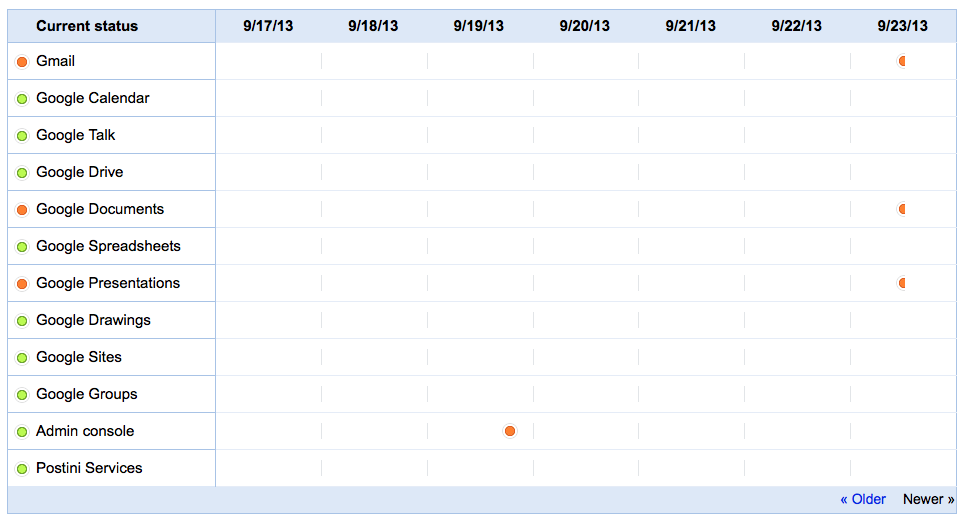
Gmail and Google Drive affected by Google Apps downtime

Google Apps experienced some downtime today, bringing down Gmail and parts of Google Drive for about an hour. During the downtime, Google Apps customers were unable to send or recieve emails (or experienced delays in doing so) or use the docuement and slideshow creation tools.

Everything appears to be running smoothly now, however. Google has not yet said what caused the downtime.

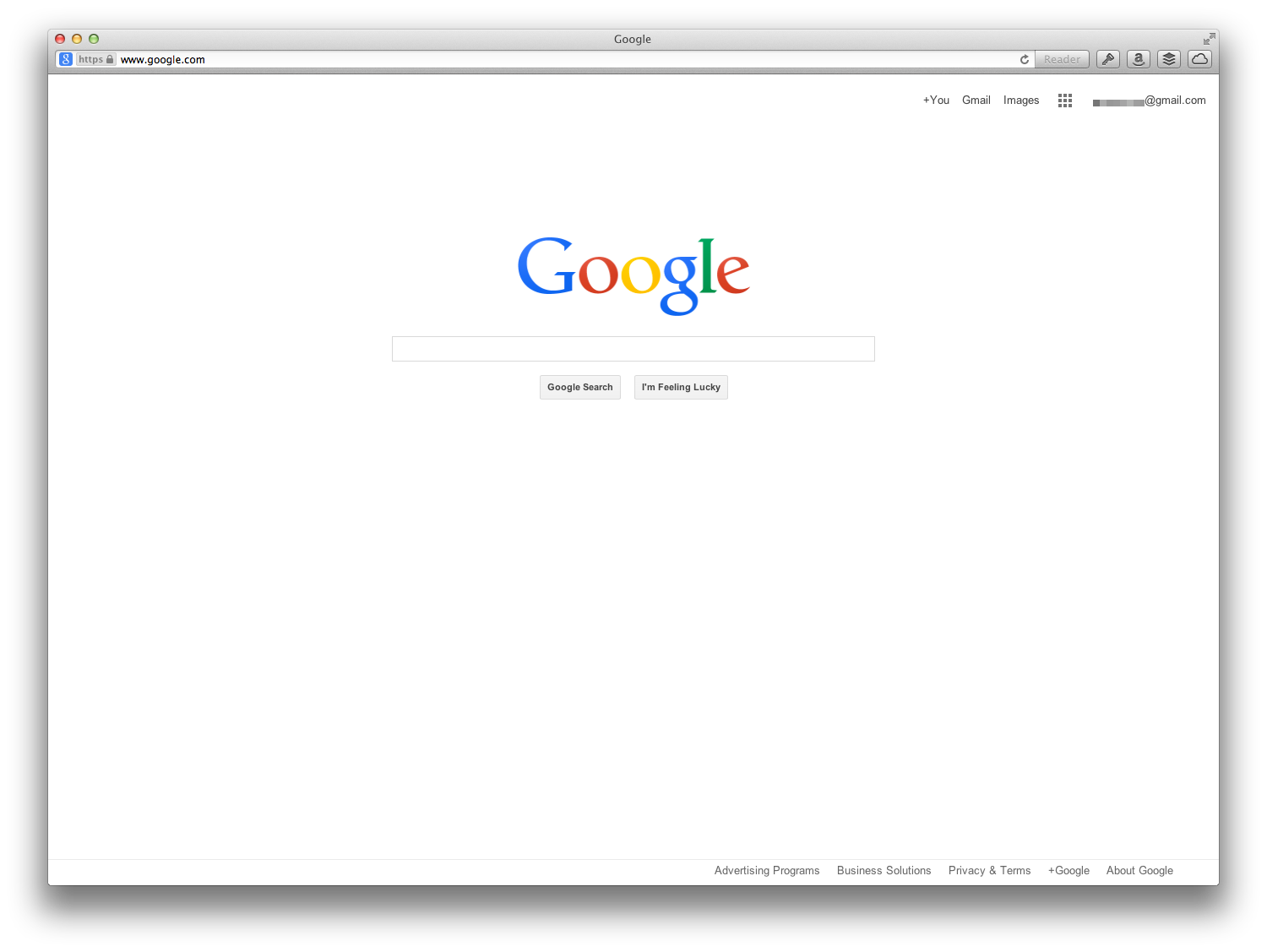
Google testing new homepage design, shows off flatter logo, removes black bar

Google is currently split-testing a new Google homepage layout. The redesign is not drastically different to tradition, but Google seems to be testing a different look for its persistent top-bar. As shown, the black strip as well as most of the shortcuts to other Google properties have been removed. In this version, the only shortcuts in the top navigation are links to Google+, Gmail and Google Images.

Notably, this design uses the flatter logo previously seen in the new Chrome for Android beta. At the time, The Verge said a source refuted claims that this is a new logo, saying that the flatter look was only meant for places where the traditional logo would not display well, such as when printed onto banners. However, this homepage redesign shows that Google is at least considering to use this new logo as their main branding in the future.

Robert Scoble says Best Buy rumored to sell Google Glass next year [update: no]

Site default logo image

According to a report from plugged-in technologist Robert Scoble, Google might have plans to rent out around 6,000 square feet inside every Best Buy location to begin selling Google Glass by as early as next year.

Scoble does note that this is still a rumor at this point, but hopefully we’ll get some more details soon. While previous reports claimed that Google Glass could be available for everyone to purchase by the end of the year, Google confirmed earlier this week that Glass will not begin shipping to consumers until at least 2014.

Google Glass is currently still available to those invited to Google’s Glass Explorer program, but the company recently started experimenting with a Gmail style invite-a-friend strategy for the product.

While we heard previously that Google had plans to open its own retail stores, it wouldn’t be the first time its used the store-within-store model as it already operates smaller spaces within Best Buy and Dixons.
Expand
Expanding
Close

Google search now includes flights, reservations, & more from Gmail, Calendar & Google+

Site default logo image

Google announced on its blog today that it is soon rolling out the ability to view information from Gmail, Calendar, and Google+ directly in search results, providing users with a more personalized experience and an easier way to quickly look up important data across services. Some of the features have previously been available to Google Now on Android devices, but starting over the next few days English users in the US will begin seeing results for flights, reservations, and much more in Google search results on the web and mobile devices:

Ever had trouble checking your flight’s status on the go because it meant digging through your email for the flight number? Or wanted to just quickly see whether your package would arrive on time, without having to look up the tracking info first? You’ve told us it would be much easier if you could skip the fuss and just ask Google. Soon you’ll be able to find this info instantly in Google Search if it’s in your Gmail, Google Calendar or Google+. For example, just ask or type, “What’s my flight status?” or “When will my package arrive?”

The new results are triggered by queries such as “Is my flight on time?” or “my reservations” and will also work with Google’s recently introduced voice search features.

Google highlighted a few of the new results that you’ll begin seeing including flights, reservations, purchases, events, and photos from across all three services mentioned above:
Expand
Expanding
Close

Google switches all users to Gmail’s redesigned compose window with full-screen mode

Site default logo image

Google announced today that it is starting to roll out the redesigned Gmail compose experience that it first introduced us to back in October of last year. The feature, which makes the compose window a small, chat-like pop up window within the Gmail inbox, allows users to easier multitask while composing messages and compose multiple messages at once. It started off as a preview, and Google eventually made it the default option for everyone back in March.  However, up until now Google allowed users to opt-out and switch back to the old full-screen compose mode. Over the next few days that won’t any longer be an option.

Google made a point of noting that you can make the new compose window “full-screen” and set that as the default if you prefer an experience more like the old compose window:
Expand
Expanding
Close

Google experimenting w/ Gmail style invite-a-friend strategy for Google Glass

Site default logo image

As noted by several posts on the Google+ Glass community page (via SearchEngineLand), Google has begun sending emails to Google Glass owners allowing them to invite a friend to the Explorer program. Google has been distributing Glass on an invite only basis up until now (on top of its #IfIhadglass contests), but this marks the first time it is allowing users to invite others into the beta program. You might remember Google used the same invite-a-friend strategy when Gmail first launched.
Expand
Expanding
Close

Google brings voice back to Gmail w/ new group chat features, free calls to US & Canada from other countries

Site default logo image

When Google rolled out its new unified Hangouts messaging service, some users were disappointed that the new experience within Gmail removed the ability to place free calls within the US and Canada. Google previously confirmed that the feature would be returning and today it announced on its Gmail blog that it is rolling out the free calling feature to Gmail Hangouts and also adding some new features.

In addition to improvements to desktop calling, such as the ability to “add multiple phone numbers and video participants to the same call” and play sound effects, it is also making calls to the US and Canada free from any country with access to Hangouts.
Expand
Expanding
Close

Google adds Gmail contacts to Search Field Trial, Google+ profiles coming soon

Site default logo image

Those currently singed up for Google’s Search Field Trial, a program that lets users test out new, yet-to-be-released features of search, will now have the ability to search for Gmail contacts. Google announced on its Google+ page that the feature is available now and will also work with its new Voice Search functionality. Asking for a person’s address or phone number will display any relevant Gmail contact results directly within Google’s search results.

The Contact results will include maps with built-in turn-by-turn directions, as well as links to phone numbers allowing users to place calls with a single tap:
Expand
Expanding
Close

Gmail for iOS updated with new inbox grouped by category & improvements to notifications

Site default logo image

As expected, Google just started rolling out its brand new inbox to iOS users after first introducing us to the new category-based design last week. While its not a tabbed design like on the desktop, much like the Android app that just started rolling out iOS users can now access the new feature that groups emails into separate inboxes by selecting categories from the app’s side navigation bar.

 Meet the new inbox: If you’ve enabled the new inbox, your mail is now grouped into categories so that you can see what’s new at a glance and decide which emails you want to read when. Primary mail is shown first and it’s easy to access and keep track of email in other categories by opening the menu. Configure this feature by going to Gmail.com on your computer.

Today’s Gmail update also brings improved notifications allowing you to customize what emails you receive notifications for:
Expand
Expanding
Close

Leaked screenshots show redesigned Gmail with ‘Categories’ feature to sort emails by content

Site default logo image

The image above is being passed around by an anonymous tipster this evening that claims to have screenshots alongside some new information about an upcoming version of Gmail for both the web and mobile devices.

According to the tipster, the update Gmail for web will have new Category tabs that organize emails into separate inboxes based on the content within (as pictured above). Examples given include Main (for family, friends and everything that doesn’t belong in another category), ‘Social’ for emails related to social networks, ‘Offers’ for promotional material, ‘Notifications’ for reservations, bills, etc, and ‘Forums’ for mailing lists and forums.

We have no way of verifying the legitimacy of the tip, but it’s an interesting concept nonetheless and it will apparently also be hitting the new Gmail mobile apps when it begins rolling out this Wednesday…
Expand
Expanding
Close

Google shows off a redesigned Gmail app for Android with side navigation drawer?

Site default logo image

In a Google I/O presentation titled “Structure in Android App Design,” Google might have given us a sneak peak at what’s to come for the Gmail Android app. Much of the talk focused on the new navigation drawer that is already present in the latest Google app updates including Earth and Shopper for Android. One slide, as pointed out by AndroidPolice, appears to show off a redesigned Gmail app equipped with the sliding drawer for navigating inboxes (similar to Gmail on iOS) and a number of other tweaks including the removal of the navigation buttons along the bottom of the app. We’ll have to wait and find out for sure if this was simply a mock up for the presentation or the next redesign of the official Gmail app for Android. 
Expand
Expanding
Close

Site default logo image

Google begins rolling out instant Drive & Calendar results in Gmail to all

The ability to view Drive and Calendar results within Gmail as you type was previously only available to those signed up to the Gmail Search Field Trial. Today Google announced that it will finally be rolling out the feature to all users after receiving positive feedback from field trial users.

The feature will for now only be available in English to US users and should be available in the coming week.

Google integrates Google Wallet with Gmail for sending and receiving money

Site default logo image

Following its I/O keynote address today, Google just announced on its commerce blog that it will soon be integrating Google Wallet features into Gmail to allow users to send and receive money. The feature will be available to those with a Google Wallet account and will initially be available to users 18 and older in the US:

Google Wallet is now integrated with Gmail, so you can quickly and securely send money to friends and family directly within Gmail — even if they don’t have a Gmail address. It’s free to send money if your bank account is linked to Google Wallet or using your Google Wallet balance, and low fees apply to send money using your linked credit or debit card.

Google will be adding a new $ icon next to the paperclip icon for attachements that will allow users to “attach money” to messages in Gmail by simply entering the amount and clicking send.

Google noted that the feature will first only be available on the desktop, but that users can also send money through wallet.google.com on mobile devices.

Look for the feature to start rolling out in the coming weeks but earlier access will be granted to those that receive money from others using the feature. You can learn more about sending money with Gmail here.

New Hangouts coming to Gmail (optionally) starting today

Site default logo image

Google today announced today that Google’s new hangouts service/experience  would be available in Gmail:

What does this mean for your Gmail? You now have the option to switch from the current version of chat to Hangouts. Simply click “Try it out” next to your chat list to switch to Hangouts and give your chat an instant facelift (literally!). You’ll now see the profile photos in the order of your most recent conversations. With Hangouts, you’ll also be able to quickly send messages, have video calls with up to ten people at once, and share photos. You can start a conversation with just one friend or even a whole group.

Google announces conversational Voice Search coming to desktop through Chrome

Site default logo image

Google today announced that it is revamping the Google voice search feature available in Chrome. While users have always been able to search with their voice through Chrome, Google is attempting to make the service work more like it does through Google Search apps and Google Now on mobile devices.

Chrome will now include “conversational search” with a brand new interface that doesn’t require users to click in order to search with their voice. Like on mobile devices with Google Now, users will now be able to simple say “Google” in order to activate voice search.

Today, we previewed what this conversational experience will look like in Chrome on your desktops and laptops. Soon, you’ll be able to just say, hands-free, “OK Google, will it be sunny in Santa Cruz this weekend?” and get a spoken answer. Then, you’ll be able to continue the conversation and just follow up with “how far is it from here?” if you care about the drive or “how about Monterey?” if you want to check weather somewhere else, and get Google to tell you the answer.

The new interface, as pictured above from Google’s demo of the feature, is much like the voice search interface for Google Now on Android devices.

While not a full blown Google Now experience yet, the feature will allow users to pull up flight information, email, calendar entries and more by taking advantage of Gmail field trial features that some users have already opted in to try.

The new feature will be coming to Macs and PCs through Chrome soon.

Google also briefly showed off some new content coming to Google Now including new cards for Reminders, Music Albums, TV Shows, Books, Public Transit, and Video games rolling out today:
Expand
Expanding
Close

Google wants their datacenter to become your +Photos darkroom

Site default logo image

Some pretty incredible new features of Google+ Photos today that will probably be burying Picasa once and for all. Using their algorithms, they will enhance and help sort photos saving time and energy with the net result being incredible photo albums.

Google+ Stream redesigned with three column view, intelligent hashtags, responsive design

Site default logo image

Google+ will receive a card-based interface redesign featuring a new three column view. The new interface is responsive to the user’s display size. The new multi-column view is customizable meaning you can toggle back to the previous single column view if you prefer.

Google+ will also begin rolling out intelligent hashtags for photos, meaning if you post a photo of the Eiffel Tower, Google+ can automatically recognize the subject and appropriately tag it for you.

Users will now be able to view related photos by clicking on the current photo and seeing related hashtags on the flip side of the photo. A video below highlighting the related hashtag feature is below.


Expand
Expanding
Close

Google announces Hangouts messaging service coming to iOS, Android, and desktop today

Site default logo image

Update: The apps are now live on Google Play and the App Store.

Google today launched its much rumored messaging service live on stage at its I/O keynote and announced the service would be coming to multiple platforms today. While some thought the service would be dubbed “Babel,” Google instead rolled out a standalone app called simply “Hangouts” that will be coming to iOS, Android and desktop later today.

Google execs provided a demo of the app running on Android today, but also gave us a glimpse of the iOS version as pictured above. The demo mostly focused on showing a list of conversations (not contacts) as well as one-on-one and group messaging, photo albums stored in the cloud, and the ability to start text conversations and video calls with contacts in one tap.

As for Gmail:

What does this mean for your Gmail? You now have the option to switch from the current version of chat to Hangouts. Simply click “Try it out” next to your chat list to switch to Hangouts and give your chat an instant facelift (literally!). You’ll now see the profile photos in the order of your most recent conversations. With Hangouts, you’ll also be able to quickly send messages, have video calls with up to ten people at once, and share photos. You can start a conversation with just one friend or even a whole group.

Google made a point of noting that conversations are stored and saved in the cloud, allowing users to have long-lasting conversations and browse a full history that dates back months or years. The app will unify and replace the Google Talk, Google+ Messenger, and the Google+ Hangout apps that currently make up Google’s messaging services.

The service will be launching as a new standalone app called Hangouts for iOS devices, Android, and on the desktop some time today.

Google announces Google Play for Education launching this fall

Site default logo image

Google today announced a new service called Google Play for Education that allows schools to easier find and distribute Google Play content to Android devices in schools.

The Google Play Education store will allow schools to search for content by subject matter and grade level and provide content that has been recommended by other educators. Google is teaming up with partners such as NASA and PBS for content but it will also begin accepting app submissions from developers this summer before the education store launches this fall.

Rather than using credit cards in an education environment, teachers will be able to purchase bulk quantities of apps and charge licenses against a balance from the school’s purchase order. The Google Play for Education service will also allow school’s that use Google Apps to instantly distribute an app to multiple devices in a school by setting up a Google Group

Google Play for Education will be launching this fall. You can learn more at https://developers.google.com/edu/.

Site default logo image

Google: Chrome is the most used browser with 750+ million active users

At its I/O keynote taking place right now, Google is going over improvements it’s made to Chrome and to kick things off the company announced that the browser is now home to over 750 million active users across all platforms. That’s means the company has added over 300 million users since it announced 450 million active users at its I/O event last year.

Google announces Google Play Music ‘All Access’ streaming service, launching today for $9.99/month

Site default logo image

Google just announced its much rumored new music service that it is calling Google Play Music “All Access” live on stage at its Google I/O event keynote presentation.

Google execs focused on showing off curated playlists but also made a note of pointing out a “radio” feature that will automatically create an endless radio station based on the song you’re currently listening to. The service will also allow users to search for a particular song or view the “playlist” of a radio station to remove unwanted songs.

The service also includes a feature called “Listen Now” that will provide quick access to recently listened to songs, customized radio stations based on your preferences, and recommendations for new releases from artists you like.

The service will be available on the web, tablets, and phones and cost users $9.99 per month with a 30 day free trial in the US. Those that sign up before the end of June will be able to get the subscription for just $7.99/month and Google said the service will land in other countries soon.