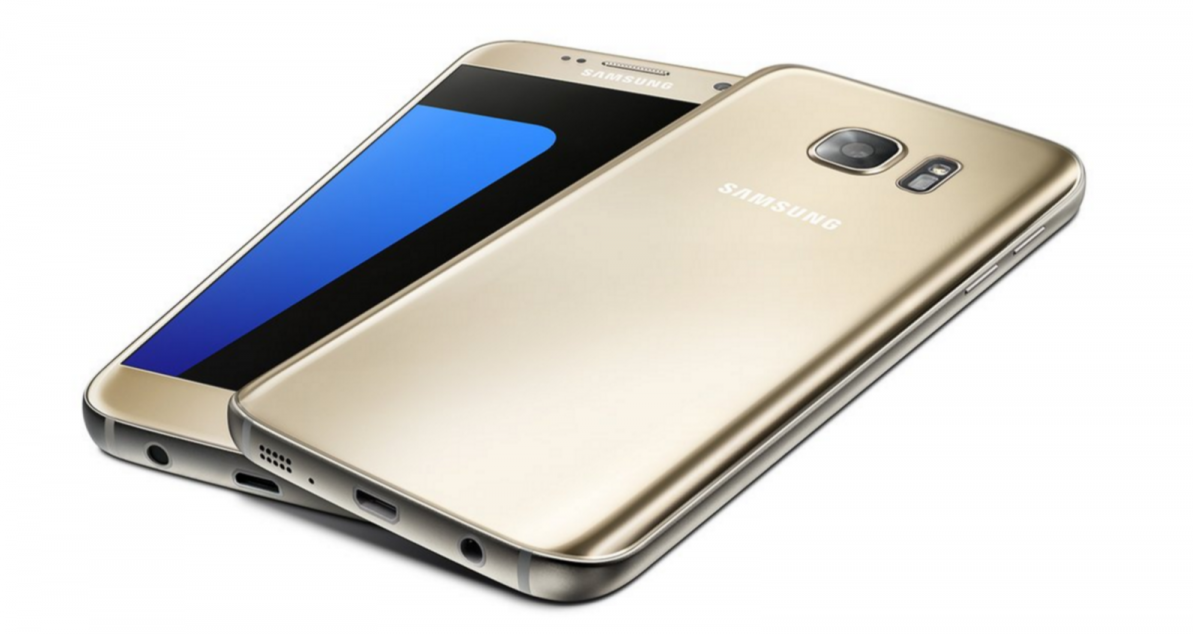
With the Galaxy S7 expected to make its first official appearance next month at MWC in Barcelona, the number of leaks has increased, as has the quality of those leaks. We recently saw what claimed to be the schematics for the upcoming Android-powered flagships. More recently, some high quality renders were published by uSwitch, in collaboration with @OnLeaks.
As we’ve heard and read many times already, the S7 is unlikely to depart from the current design language of Samsung’s smartphones. It’s an all metal and glass affair, with a back which curves towards the edges a lot like the Galaxy Note 5. Not including the protruding camera, the phone is expected to measure 7.9mm thin, 142.5mm tall and 69.5mm wide. If accurate, the phone will be shorter, narrower, but slightly thicker than the Galaxy S6, more than likely to make space for the rumored bigger battery.
[youtube=https://www.youtube.com/watch?v=sDd8_NrkH7I]
As well as these detailed renders which claim to accurately show the dimensions and design of the next Samsung flagship, a number of cases have already turned up for sale on Amazon, including a bunch from well-known manufacturer, Spigen. Some — like the transparent Ultra Hybrid — are available to order now with an expected release date of April 1, 2016. Cases from other manufacturers claim to be available from as soon as next month.
With the phone(s) not being official yet, it’s unlikely any of the images with the case listings are accurate. In fact, most appear to be renders of the current crop of Galaxy smartphones. What’s more, there’s always a chance the manufacturers haven’t received accurate schematics yet. We expect that once the phones are official, manufacturers will update the images.
While we expect many of these rumors and leaks to be accurate, it’s always reading with a helping of caution. Nothing is official until Samsung confirms it.