Author

Avatar for Jordan Kahn

Jordan Kahn

jordankahn

Senior Editor

9to5Mac / 9to5Google / 9to5Toys / Electrek.co

Jordan writes about all things Apple as Senior Editor of 9to5Mac. He covers Google for 9to5Google.com, the best gadgets and deals on 9to5Toys.com, and delivers a weekly roundup of EV and solar news on Electrek.co. Sometimes he makes weird electronic music as one half of Makamachine.

Contact Jordan with news tips and long-winded complaints:  

Connect with Jordan Kahn

Site default logo image

Skype makes chat notifications less annoying when using multiple devices

Skype-tablet-app

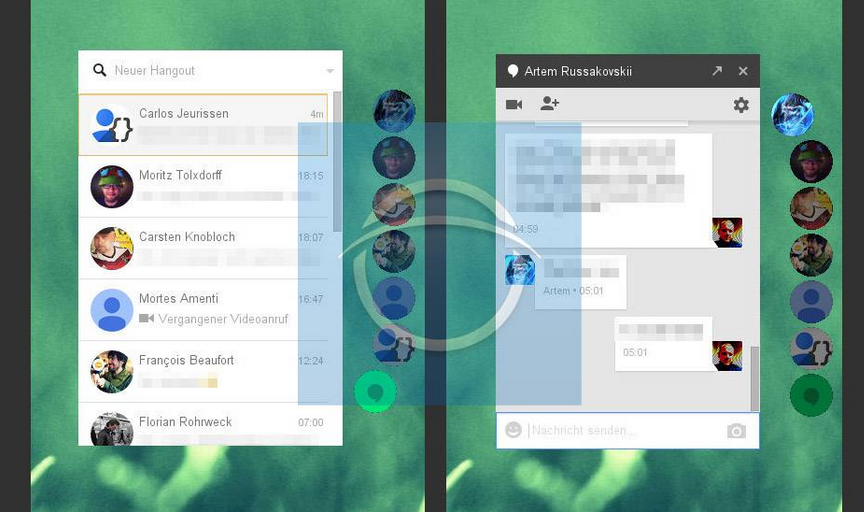
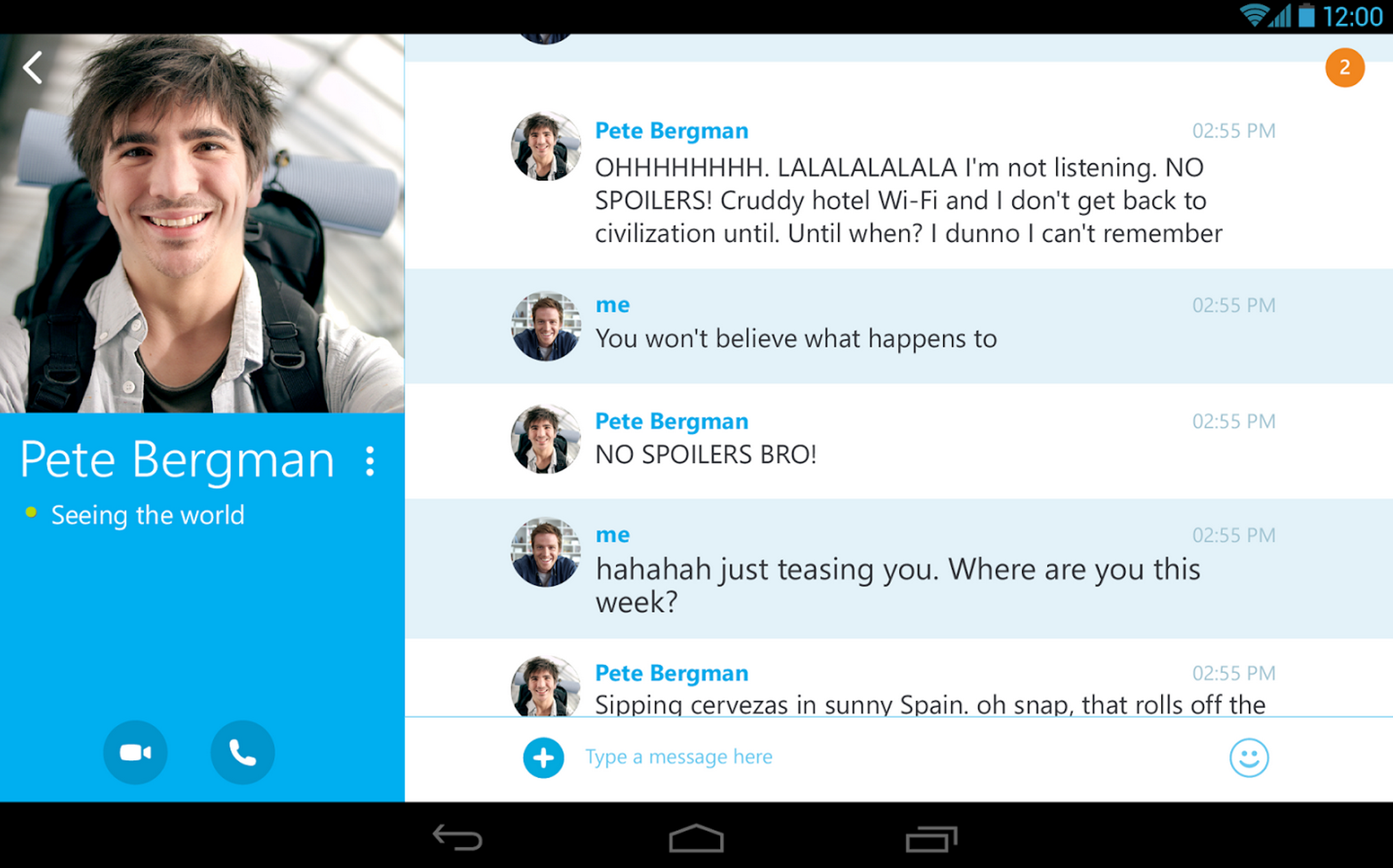
Skype announced today that it’s finally fixing the way notifications work for users with multiple devices by only delivering chat notifications to the device you’re actively using. If you’re signed into Skype on multiple devices like your Mac, iPhone and iPad, Skype will now recognize which device you’re actively using to chat and only send notifications to that device. It will also notice when you stop actively using a device and continue sending notifications to all devices. The changes are only for chat, however, as call notifications will continue to come through on all devices you’re signed into:

The moment you stop actively using Skype on any device, all devices will receive notifications again to make sure you never miss anything important. When you pick up any one of your devices to respond, we will stop send notifications to all other devices. Call notifications are still sent to all devices so you can answer on whichever gadget you prefer, not just the one you’re closest to.

Skype notes that with the change to notifications chat history will continue to “sync across all devices allowing you to continue a conversation from any one of them.”

Skype is rolling out the feature to all users on the latest version of Skype over the next few weeks.

Verizon reportedly in talks with others to build global Android app store

Site default logo image

Verizon logo (medium)

Update: Verizon tells Re/code it has no plans to create an app store, adding “Been there. Done that.”

According to a new report from The Information, Verizon is looking to launch its own global app store and in the process has held talks regarding building an “industry coalition” of sorts with other carriers to do so. The app store would of course be a direct competitor for Google’s own Play Store that currently controls the majority of app downloads made on Android devices.
Expand
Expanding
Close

Samsung reportedly developing Ultlrasonic cover for Galaxy Note 4 to assist visually-impaired

Site default logo image

IMAGE_-_Note_3_front_201309040829251_201309271455362

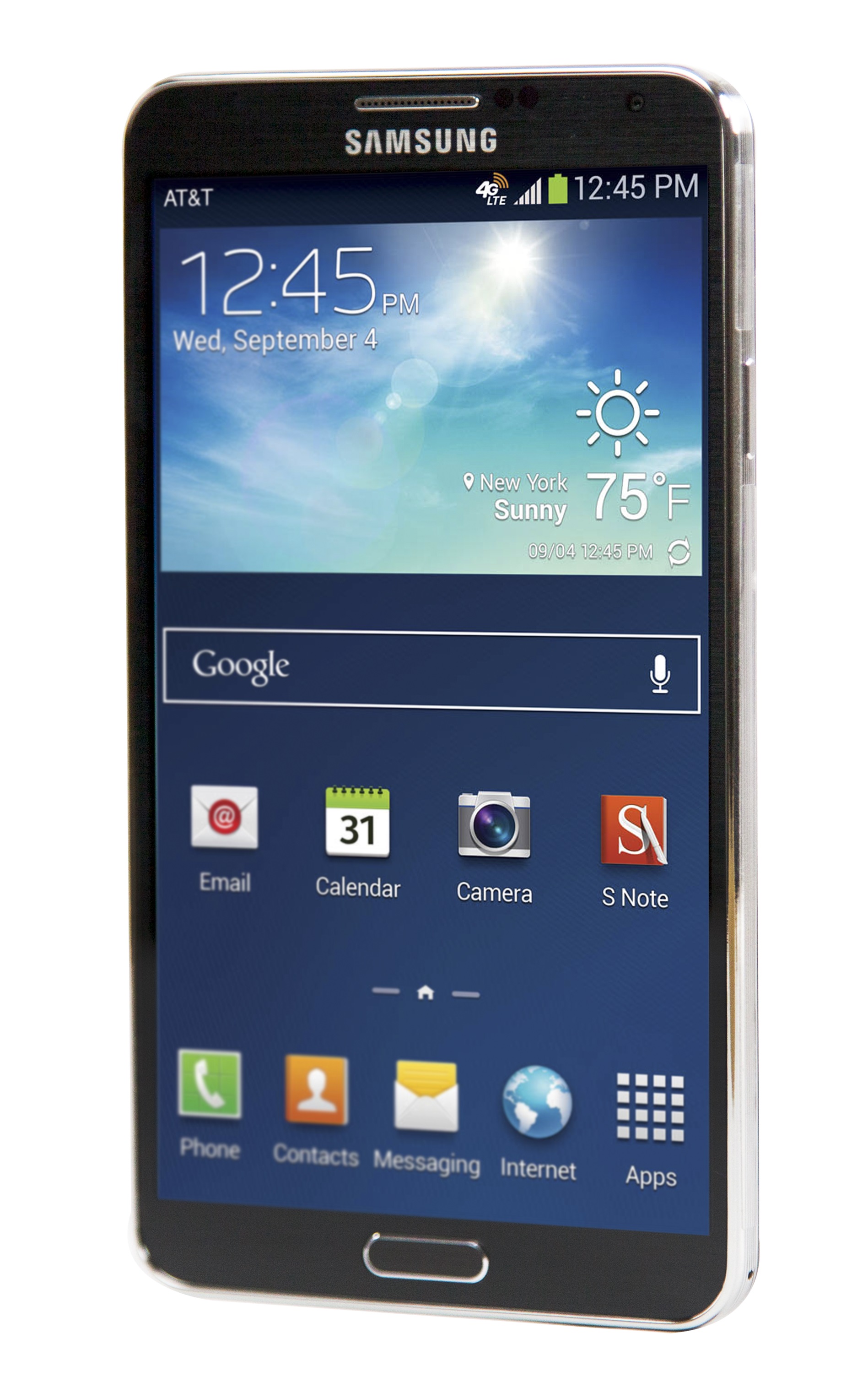
According to a new report from the often reliable Samsung blog SamMobile, Samsung is developing a new smartphone cover with built-in ultrasonic sensor that will provide navigation assistance to the visually impaired. The accessory will reportedly launch as a companion to the new Galaxy Note 4 that the company is expected to unveil early next month during IFA in Berlin. 

Today’s report not only brings news of the ultrasonic cover, but also provides a description straight from Samsung about how it will work. “According to our sources, the cover consists of an ultrasonic sensor which detects nearby objects in front of the person and provides feedback, appropriately. Users will also be able to change the range of ultrasonic signals and choose between three levels: short, middle and long. However, as the user increases the range of ultrasonic signals, the width of the area covered by the ultrasonic sensor will get narrower.”
Expand
Expanding
Close

Microsoft updates OneNote for Android w/ handwriting support, full tablet experience, more

Site default logo image

Microsoft announced today that it’s releasing a big update to its OneNote app for Android that includes full support for handwriting and brand new experience for tablets with a new UI.

Handwriting support has been the biggest feature request and we have listened to your feedback!  If you have an Android tablet, say goodbye to pen and paper because now you have OneNote to take notes during lectures or meetings. With this update you can take handwritten notes, draw with your stylus and even with your finger. Your notes will sync across all your devices, helping you access them easily and stay organized.

Also included in the update is a new tablet-optimized UI with formatting options including “font type, font size, font color, highlight color, text alignment and heading style.”

We have completely redesigned the UI to fit your Android tablet. The new tablet navigation lets you scan through your notebooks and sections so you change to your notes quickly. For those of you who like to keep your notes well formatted, this update has a lot to offer. We have added many new formatting options… You can even organize your notes better by inserting tags to your notes.

Other new features in this release include the ability to “change the page color for visual appeal or add grid lines or ruled lines to your pages to assist in handwriting or drawing.”

The update is available now on Google Play.

[youtube=https://www.youtube.com/watch?v=dEofqMkMmQY]

Site default logo image

Chromecast extension causing auto-playing YouTube videos in Chrome, fix coming today

Wondering why all the YouTube videos in Chrome seem to be auto-playing on their own all of a sudden? It turns out the problem seems to be a bug with YouTube and the Chromecast extension for Chrome installed by users of Google’s $35 HDMI stick. 

AndroidPolice point us to the issue being reported to Google and a note from the YouTube team confirming a fix is rolling out today:

The YouTube team confirmed that there was a bad push yesterday which caused this issue to be triggered.  There is a fix being qualified and that is scheduled to be pushed today that will correct this issue… Closing this issue for now, since there’s not a Chrome issue here in any event.  Thanks to everyone for reporting this issue.

In the meantime, you can remove the Chromecast extension (Window>Extensions) to temporarily disable the auto playing videos until the issue is fixed. 

Site default logo image

Xbox One SmartGlass app adds ability to buy & install Xbox games remotely, more

Xbox-Smartglass-01

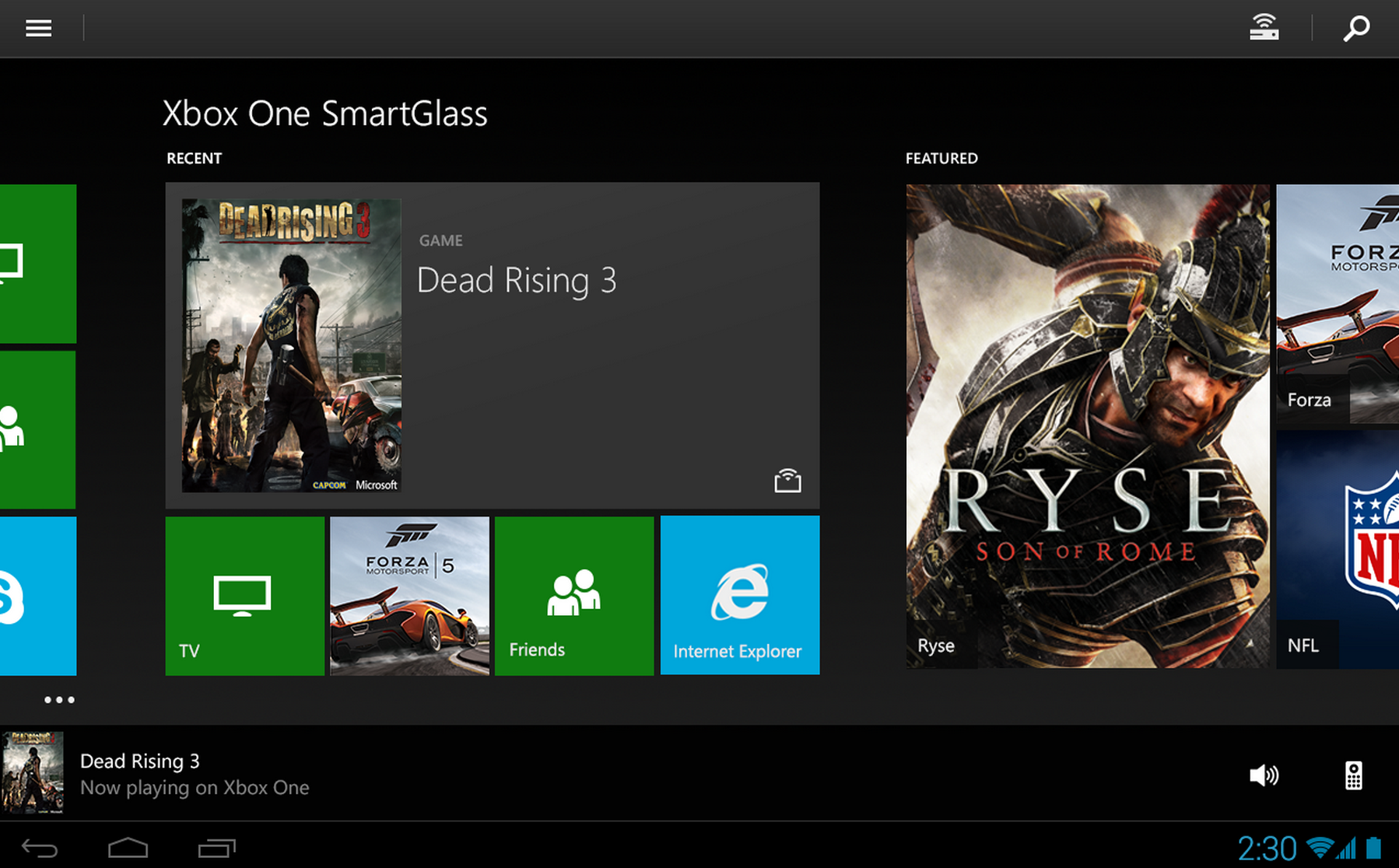
Microsoft updated its Xbox One SmartGlass app for Android today with a few interesting new features including the ability to purchase and remotely begin installing games to your Xbox.

The app now lets users browse new and popular games, add-ons, and bundles as well, which will come in handy now that you can also purchase and begin automatically installing content on your Xbox right from your smartphone or tablet.

Also included in version 2.8 of the app is the ability to “rate your favorite game clips and activity feed entries” and “receive and view shared Activity Feed and Game Clips”.

The updated Xbox One SmartGlass app for Android is available on Google Play now. A full list of what’s new in the update is below.

What’s New in Version 2.8

•Rate your favorite game clips and activity feed entries
•Purchase things on your phone or tablet and they will start installing on your Xbox
•Browse new and popular games, add-ons, and bundles
•Receive and view shared Activity Feed and Game Clips
•General stability and polish improvements
•Bug fixes

Site default logo image

Google Play textbooks now available to purchase & rent in Canada

Play-Books-Textbooks-Canada

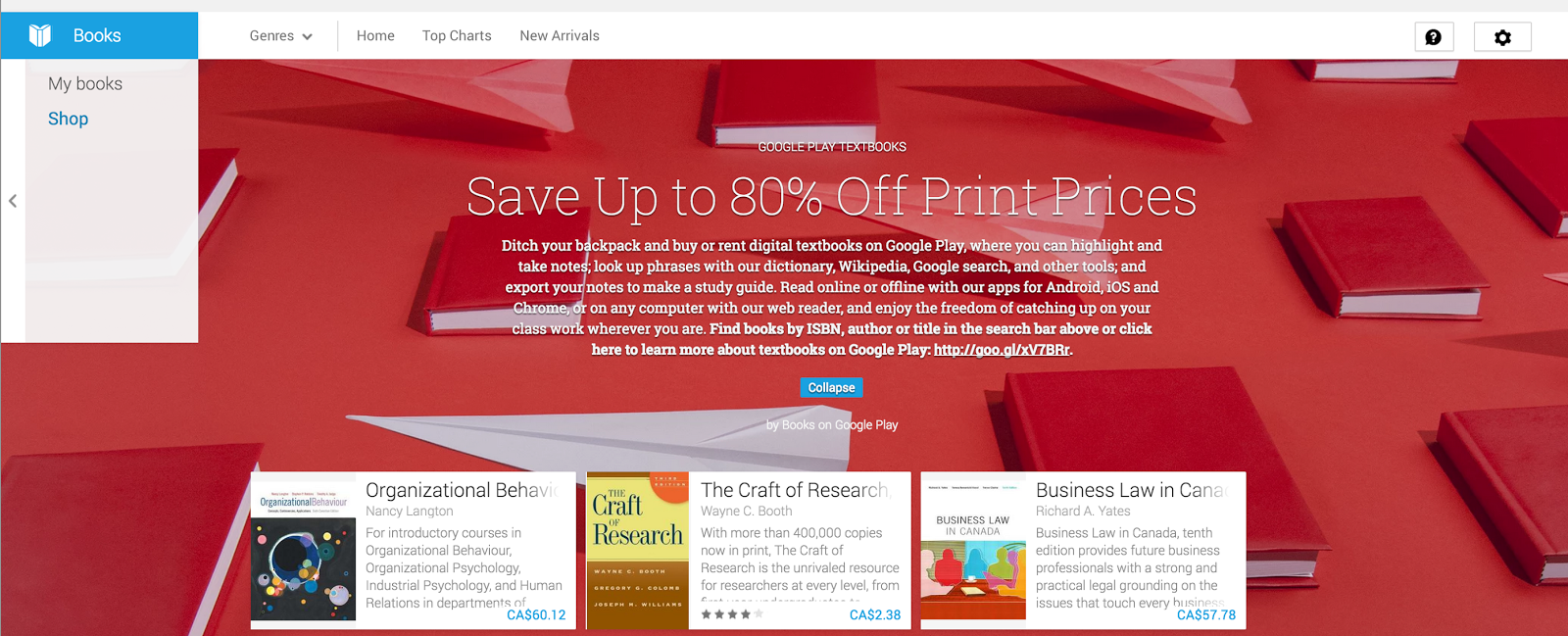
Google announced today that it’s launching the ability to purchase and rent textbooks in Canada through its Google Play Books service:

Starting now, students in Canada can rent or purchase digital textbooks from Google Play Books. With thousands of textbooks from top publishers, we have a comprehensive selection of higher education titles from science and mathematics to history and English, and everything in between… With the Google Play Books app, you have convenient tools at hand to make studying simpler and faster. You can instantly search within a textbook for a particular word or phrase, bookmark chapters and pages, highlight and annotate key passages and get quick access to dictionaries, translation tools, Wikipedia and Google search.

Google first started rolling out the feature to Google Play Books in the US last year.

The textbooks library is available through Google Play Books and accessible on Android, iOS devices, and through Google Play on the web. Canadians can head over to Google Play now to purchase or rent textbooks now.

Google working to navigate Children’s Online Privacy Protection Act w/ new kid-focused features

Site default logo image

Google-offices-1

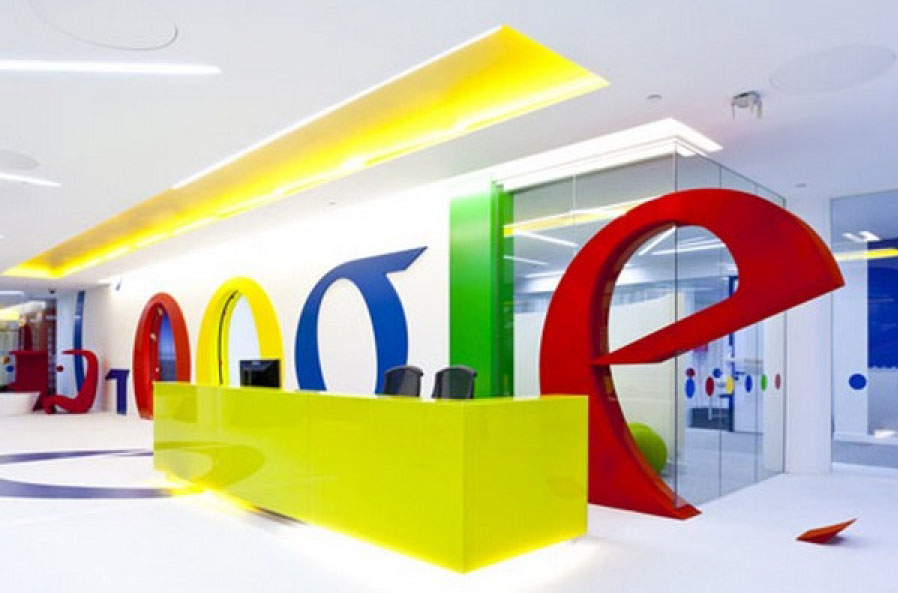
According to a report from The Information, Google is working on new features that would help it better cater to children by legally allowing them to use its services. The report notes that Google currently requires users to share their age when signing up for its services on desktop, but that it’s considering also bringing that requirement to Android in addition to other kid-focused features.
Expand
Expanding
Close

Site default logo image

Sony rolls out Android 4.4 KitKat update for Xperia M2 & M2 Dual

Sony-M2-M2-dual

Following an update to Android 4.4 for the Xperia E1 and E1 Dual, Sony today announced the same update is now rolling out for the Xperia M2 and M2 Dual. Like the update has done for other Sony devices, Android 4.4 also brings Sony specific features including a new Status Bar and Quick Settings features, animations and live wallpapers similar to the PlayStation 4, and much more:
Expand
Expanding
Close

Google posts new Android Wear ads showing wearables in real world situations (Videos)

Site default logo image

[youtube=http://youtu.be/CZrGDo9Grgk]

Google has just posted four new Google Wear ads to its YouTube channel that show off the device in every day situations. Compared with the mostly technical videos Google has posted for its Android Wear wearables platform thus far, the commercials look a lot more like TV spots aimed at regular consumers.


Expand
Expanding
Close

Site default logo image

Google expanding its Safe Browsing service to warn against more deceptive software in browsers

Safe-Browsing-01

Google announced today on its Online Security Blog that it’s expanding the Safe Browsing service that helps fight against malicious websites and warns users of potentially dangerous software when downloading files through browsers like Chrome. Rolling out next week, Safe Browsing is being updated to warn users against additional types of deceptive software:

programs disguised as a helpful download that actually make unexpected changes to your computer—for instance, switching your homepage or other browser settings to ones you don’t want… We’ll show a warning in Chrome whenever an attempt is made to trick you into downloading and installing such software. (If you still wish to proceed despite the warning, you can access it from your Downloads list.)

Google noted today that it’s “currently showing more than three million download warnings per week—and because we make this technology available for other browsers to use, we can help keep 1.1 billion people safe.” Some of those users are also receiving warnings from Safe Browsing through Firefox and Apple’s Safari browser.

Report shows iBeacon battery drain is worse on iOS than Android

Site default logo image

iBeacon-battery-drain

Aislelabs, a Toronto-based company offering in-store analytics and solutions for building mobile shopping experiences, today released a report examining how Apple’s Bluetooth iBeacon technology impacts battery life on iOS devices vs Android. The study found that Apple’s iBeacon framework, first introduced with iOS 7 to let iOS developers take advantage of Bluetooth beacons for sending location-aware notifications, actually performs better with Android, at least when it comes to battery life:
Expand
Expanding
Close

Site default logo image

Google Sheets gets copy & paste charts and trendlines

Google-sheets-trendlines

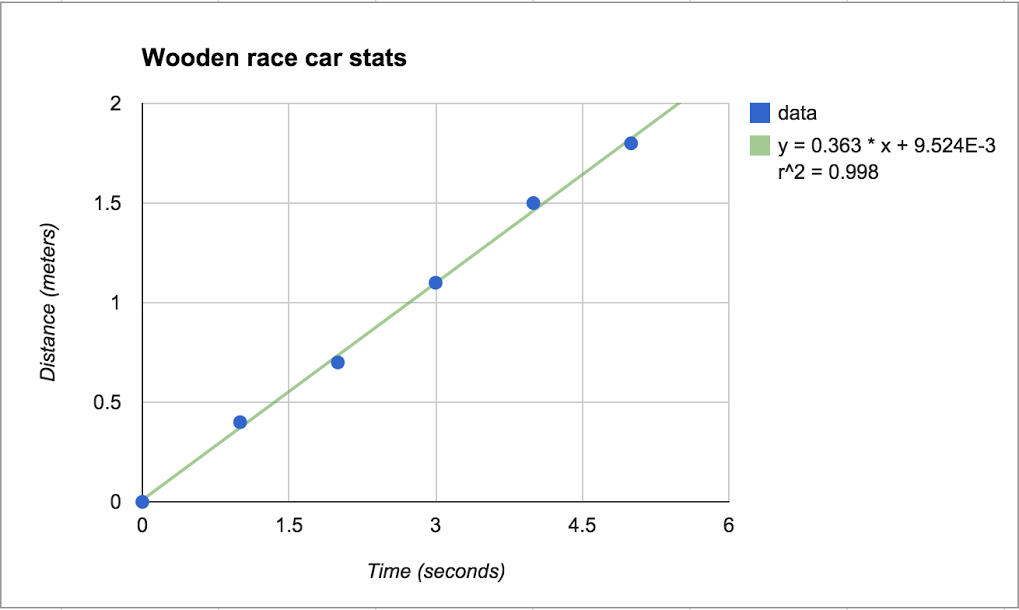
A couple nice new features for Google Sheets users are rolling out today including the ability to copy and paste charts and a new trendlines feature.

Sometimes it’s helpful to recognize and track patterns of data in your spreadsheets, so that’s why today we’re launching trendlines to scatter plot, bar, column, and line graphs in Google Sheets. Trendlines are commonly used to analyze financial and scientific data, but they can even be useful in the classroom or for personal needs like budgeting.

There are a bunch of ways to customize trendlines in Sheets, like:
-Choose between exponential or linear trendlines
-Add a variety of labeling options
-Customize your trendline

Today’s update also brings the ability to copy and paste charts in Sheets between other sheets or spreadsheets.

Google has more info on adding trendlines to charts here.

Site default logo image

Uber adds destination entry for riders & turn-by-turn navigation for drivers to mobile apps

Uber-Android-app-01

Uber announced today that it’s added new features that will make the experience even more seamless for both users and its drivers.

We envision a day when there is no coordination necessary to take an Uber ride. Simply push the button, and the rest is essentially on cruise control: the car quickly shows up at exactly the right place and whisks you away to your destination via the best possible route. The latest rider and driver app releases take us one step closer to that world with two new features:

A new destination entry feature lets users quickly enter destination details into the Uber app that are then automatically available to the driver when they arrive. “You can literally skip the step where you tell the driver where you’re going.”

Uber has also added turn-by-turn navigation to its driver app: With one tap, the driver can enable turn-by-turn navigation to the destination you’ve provided. There’s no need to juggle multiple apps or waste time typing in an address.

Uber says the features are live now, although doesn’t list the features in the latest update that hit the app yesterday.

Site default logo image

Amazon releases Live App Testing tool for beta testing Android apps on Appstore

Amazon-Live-App-testing

Amazon today announced that it’s releasing a new tool for developers called Live App Testing that will allow them to beta test an app or update with a specific number of users through the Amazon Appstore.

The testers will be able to sample the full suite of Amazon services – including in-app purchasing – against our production environment, so you can make ensure your app is working as expected.  This allows you to gather feedback, improve quality, increase stability and optimize the experience before you push your app live for all customers to download.

Developers can invite specific users to test the app through an email invite and also offer the testing service on any Android or Amazon Fire device.

  • Test your app against Amazon production environment before distributing to everyone:  You no longer need to wait until after your app is launched to get real world testing.  You can now distribute your app to a set of testers you define, which gives your more control over the test.  And, you can quickly test against a production environment (yours and Amazon’s), ensuring a higher quality app when you release to the general public.
  • Tester Management: Easily define the list of testers you want to be able to test your app.  You don’t need to keep track of who you have invited to test your app.  Amazon takes care of the complexity of ensuring that only the set of testers you defined are the ones that are testing the app.
  • Test on all Android and Amazon devices, including Fire TV and Fire phone:  You can choose to test your app against all Android and Amazon devices, including the Fire TV and Fire phone.

For developers interested in trying out the service, Amazon has a step-by-step guide for getting started here.

Site default logo image

Google Play Music All Access arrives in 9 new countries in South and Central America

Google-Play-all-access

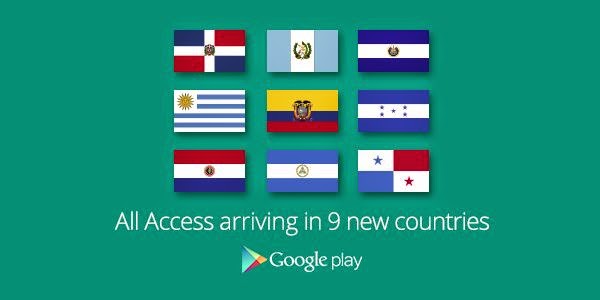
Google just announced that its Google Play Music All Access streaming service is arriving today in nine new countries, including: The Dominican Republic, Ecuador, El Salvador, Guatemala, Honduras, Nicaragua, Panamá, Paraguay, and Uruguay.

The nine new additions add to the many other countries that the $10/month streaming service is already available. The current list minus the new countries above, includes: Australia, Austria, Belgium, Bolivia, Canada, Chile, Colombia, Costa Rica, Czech Republic, Denmark, Finland, France, Germany, Greece, Hungary, Ireland, Italy, Liechtenstein, Luxembourg, Mexico, Netherlands, New Zealand, Norway, Peru, Poland, Portugal, Russia, Slovakia, Spain, Sweden, Switzerland, Ukraine, United Kingdom, United States.

You can check out the service and grab a free 30-day trial in your country here.

Site default logo image

Gmail now blocking email w/ suspicious letter combinations to protect against scammers

Screen Shot 2014-08-12 at 2.29.32 PM

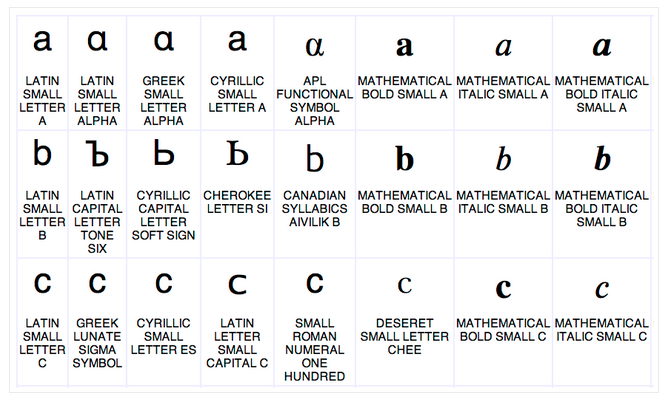
Google announced today that it’s adding a new feature to its spam filtering support in Gmail that will help it protect against possible scams and spam as it introduces support for non-latin characters. Google announced earlier this month that it was adding support for the non-latin characters in email addresses (like accented characters and those written in a script like Chinese), and that it hoped the rest of the industry would follow to offer a seamless mail experience in various languages. Google said today, however, that with the new feature comes the possibility of new scams taking advantage of similarities in characters:

Scammers can exploit the fact that ဝ, ૦, and ο look nearly identical to the letter o, and by mixing and matching them, they can hoodwink unsuspecting victims. Can you imagine the risk of clicking “ShဝppingSite” vs. “ShoppingSite” or “MyBank” vs. “MyBɑnk”?

To protect against these possible scams, Gmail will now block emails with suspicious letter combinations based on an open standard from the Unicode Consortium:

To stay one step ahead of spammers, the Unicode community has identified suspicious combinations of letters that could be misleading, and Gmail will now begin rejecting email with such combinations. We’re using an open standard—the Unicode Consortium’s “Highly Restricted” designation—which we believe strikes a healthy balance between legitimate uses of these new domains and those likely to be abused.

Google says the changes are rolling out to Gmail users starting today.

Google Classroom now available to all Apps for Education users, adds collaboration features

Site default logo image

After announcing a preview of “Google Classroom” back in May, today Google has opened up the tool for educators to all Google Apps for Education users. Classroom offers teachers a slick platform to plan lessons, assignments, and work alongside students, and today Google also announced some new features its implemented on advice from educators that have been previewing the software. Google is adding new collaboration tools that allow teachers to work with students while they work on assignments:
Expand
Expanding
Close

Slimmer, reversible next-gen USB Type-C now ready for PCs & mobile devices

Site default logo image

Following an announcement back in December and some renders that popped up a few months back, today the USB 3.0 Promoter Group announced the next-generation USB “Type-C” connector is now ready for production. That means that PC and smartphone manufacturers can now adopt the standard, which the Promoter Group describes as “the final piece in developing a single-cable solution” for the industry.
Expand
Expanding
Close

T-Mobile revamps Pay As You Go plans w/ data passes, 10 cent talk & text flat rate, $3/month min.

Site default logo image

523px-T-Mobile_logo.svg

T-Mobile announced today that it will soon introduce a new Pay As You Go prepaid plan that offers one flat rate on talk and text minutes as well as the ability to purchase daily and weekly passes for LTE data. The carrier hopes the new plan will simplify the experience of prepaid, pay as you go plans by making the per minute cost the same for all customers while simultaneously lowering the minimum amount users have to spend each month.

Under the new plan users get talk and text $0.10/minute, which T-Mobile claims is “the lowest ‘pay as you go’ offer in the industry, amongst major nationwide carriers.” Users will also only have to spend a minimum $3 a month (30 minutes of talk or text) to keep an account active:
Expand
Expanding
Close

Site default logo image

Report says Chromebook sales are up 79% to 5.2M units this year

Chromebooks-sales-gartner-Aug-2014

Gartner released a report today with its latest numbers on Chromebooks noting that sales are up 79% since last year and on track to triple by 2017. That 79% increase means Gartner is estimating sales will hit 5.2 million units this year while predictions for 2017 sit at 14.4 million units.

The report also estimates around 85% of sales were into the education market:

Demand for Chromebooks is mainly driven by the education sector in the U.S. Gartner estimates that the education sector accounted for nearly 85 percent of Chromebook sales in 2013. In addition, of the 2.9 million Chromebooks sold during 2013, 82 percent were sold in North America, making it the major market for Chromebooks globally.

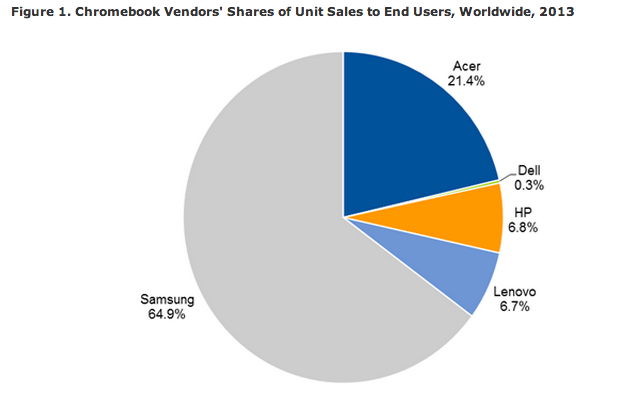
In addition, we also get a look at market share for Chromebooks by vendor as of last year (above) with Samsung grabbing 64% of the market and Acer next in line at 21.4%. 

By selling 1.7 million units in 2013, Samsung led the Chromebook market globally. It was especially dominant in the education market, having the most popular devices in primary and secondary schools. Acer, which had a 21.4 percent market share in 2013, designs Chromebooks with a consistent focus on delivering the best value for money. It uses Intel, rather than ARM-based, CPUs because its target consumers are price-sensitive.