Apps and Updates




Google this afternoon announced an update to its Search apps on both Android and iOS that includes voice search support for three addition languages. In a blog post, the company announced that the app can now understand French, German, and Japanese. In addition to being able understand the new languages and give text results, the Search app can also now give spoken answers back in those languages.
To try it out, simply tap the microphone in the search box and ask for anything you’re looking for. If you need some coffee in Munich, just say “Wo bekomme ich Kaffee in München?” to get a list of local options. Wondering what the height of the Eiffel tower is? Get a quick answer by asking, “Quelle est la hauteur de la Tour Eiffel?”. Maybe you need to know who invented the transistor ? Try asking in Japanese for “トランジスタを発明したのはだれ?”
Google says it will continue to work on adding even more languages to its Search app and that this is just the beginning of its efforts.
The Google Search app update is available for free in both the iOS App Store and on Google Play.
Expand
Expanding
Close
Google Music for Android received an update this morning, bumping it to build 5.3.1316. Most notably, the update adds the ability to store cached music on an external SD card for KitKat users . For devices that still have an SD card, which aren’t many at this point, this is a very nice addition. Also coming with this update is the ability to share links to songs with social networks, as well as the ability to shuffle all songs by a specific artist. Design-wise, the update also makes some slight tweaks to the pull-out notification panel.
Full changelog:
The update is most likely a staged rollout, so it may take awhile for it to officially hit your device. If you don’t feel like waiting, head over to Droid-Life, where they have a direct APK link for sideloading purposes.
Expand
Expanding
Close

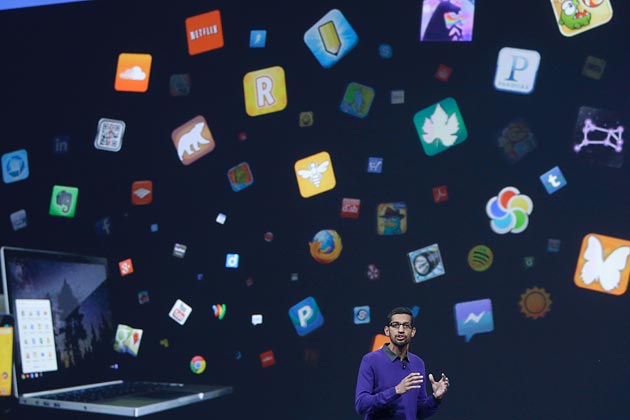
As December continues to tick away and as we look back at 2013, I’m about to cleanse my smartphones (plural) and kick out all the apps I haven’t touched in months. There’s little question that this year has been chalk-full of all-star apps and even some duds. It’s tough to narrow down all my favorites of the year especially when you factor in some app updates that made at least one or two of my favorite apps jump from the second or third page right up to my first page of apps.

Visual Supply company, the group behind the uber-popular VSCO cam for iOS has finally set December 3rd as their Android release date. The app, available for most Android devices running 4.0 and above is a great camera app in the iOS arena and a most welcome addition to Android. This announcement in and of itself is good news, but what’s really great news is the price: free.
Well-known CyanogenMod developer Koushik Dutta is at it again, this time with a new app for Android that allows users to beam their local content to a variety of set-top streaming boxes, including the Apple TV, Roku, Xbox, PS4, and any other DLNA renderers (via Engadget). The app, entitled AllCast, is incredibly simple to operate. Once it is installed, simply go to a video that is local on your device and tap the cast button in the upper right corner and a menu will pop up, asking you where you would like to cast it. Within seconds of choosing a device, the video will begin playing on your TV.
The process works very much like the Chromecast and Apple TV, though with local videos as well. AllCast is huge for Apple TV users, as it was easy for them to cast videos from their Android device to the set-top box. Though, it’s worth noting that it only works with local videos, not videos from streaming services.
In order to download AllCast, first you must join the ClockworkMod Beta Testers Community, then sign up to be a beta tester for AllCast, and then install the actual app from the Play Store.
Check out a video demonstrating the app below:
Expand
Expanding
Close


Rockstar has announced that Grand Theft Auto San Andreas is coming to mobile platforms next month. Following on from Vice City (also available on Android), San Andreas is the third 3D instalment in the 3D GTA franchise.

Google today announced some nice additions to its Google Shopping service available to users browsing for products in Google search and directly through the Google Shopping site on desktop and mobile. In addition to new curated shopping lists from some of its partners (note: These are Google’s partners buying paid product listing ads), Google Shopping also receives an updated look and feel, part of an ongoing update that Google started rolling out back in October with an updated storefront and improved local listings.
One new feature in the redesigned shopping experience pictured above is the ability create your own shortlists that are easily accessible from the top of each page while browsing:
Expand
Expanding
Close

Update: the new version is available now.
Today Twitter has announced they will be updating their official app for Android, making it easier to discover what is happening on the microblogging network. The update adds new search filters that allow you to quickly navigate to specific people and Tweets. The filters also allow you to toggle between all relevant Tweets and only the most popular “top Tweets.”
Filters will also allow you to filter by different media types, such as photos and videos. There’s also an option to see Tweets only from the people you follow. The update includes includes a new timeline in the Discover tab that makes it easier to see what’s currently trending. This trending timeline will show topics that are associated with nearby events and TV shows.

Google updated its Shopping Express app for iPhone today with support for loyalty cards from “lots of stores,” and other improvements. Among the enhancements are a faster method of adding items to your shopping cart and the ability to zoom in on product photos.
The update also adds support for autocorrect in the search bar, which should help people who suck at typing (like me) find what they’re looking for much more easily. Of course, it wouldn’t be a proper app update without a miscellaneous collection of unnamed “bug fixes,” so that’s included as well.
The update is available for free on the iPhone App Store.
Hot on the heels of an iOS update rolling out earlier today, Pandora for Android has just received an update with several new features. First off, the app now supports touch screen and steering controls in select Nissan vehicles that offer the NissanConnect app.
Also in this version is a new Sleep Timer feature. This allows you set a timer for either 15 minutes, 30 minutes, or 60 minutes and have Pandora shut off after that amount of time.
The update is available now on the Play Store.
Google has just began rolling out version 5.0.21 of its YouTube app to Android devices (via Android Police). The update is arguably the biggest the app has ever seen and includes a brand new interface, as well as much more. The interface is now entirely based on cards, much like the Google+ app. The slide-out navigation has also been changed, though only slightly. Finally, you can now give videos a thumbs up or thumbs down, or flag it, without having to expand the video description.
Also new is in-app multi-tasking. Now, you can minimize any video to a tiny window in the corner and continue to let it play, even when navigating through other portions of the app. You can bring it back to the forefront by tapping or dragging the window back to the center and dismiss it by swiping away the card.
Expand
Expanding
Close
Evernote for Android has just been updated with a handful of new features and general stability improvements. The update adds the ability to edit documents with the OfficeSuite app, as well as the ability to mark up PDFs with Skitch, though the latter requires a premium subscription. You can also now add a new reminder, introduced earlier this summer, right from the Reminders list.
The Evernote widget has also received several improvements, including support for Reminders and lists of notes, as well as lock screen support for Jelly Bean.
New in Evernote
Check out the update on the Play Store now.
Google has updated its Chrome Beta Android app today with several small new features. First, the update adds support for WebRTC, which is a web feature that allows for real-time voice and video communications. WebRTC is useful for things like voice calling, video chatting, and peer-to-peer file sharing. The update also improves page loading performance and offers up a handful of bug fixes and general stability improvements.
Full changelog:
Download it on the Play Store now.
Just a day after Chrome 28 was released to Mac and Windows with rich notifications, the update is now available to Android devices with a its own feature set. With the update, Chrome for Android now offers built-in Google Translate support, meaning that if you visit a site in a different language, a bar will appear at the bottom asking if you wish to translate it. The update also adds fullscreen support for tablets, as well as a new interface for languages that are read right-to-left.
The full change log from Google follows:
The update is available on the Play Store now.
Expand
Expanding
Close
Google’s recently been updating all of its apps with a new slide-out navigation bar, and the latest app to receive the update is Google Play Movies. The app was updated today with a few new features, including a new, redesigned interface with the slide-out navigation bar and a new Watch Now option, which aims to predict what you are going to watch next and give you easy access to those titles.
Full changelog:
The update is available on the Play Store now.
Google has released an update for its Google Search app for Android that adds a host of new features purely for Jelly Bean users. First off, the app will now show you information about show you are watching via an internet connected TV. This feature is only available in the United States, however, and Google wouldn’t say when it is going to roll it out to other nations. Your device also has to be connected to the same network as your TV, which means you won’t be able to get show information while on the go.
The update also adds the ability to control your music via a voice actions and new voice action tips.
The full change log is below:
For Android 4.1+ (Jelly Bean):