Chromebooks



Google’s annual I/O conference is only two days away but leaks and rumors leading up to this year’s show have been going strong for quite a while. In an effort to brace ourselves for Mountain View’s latest contributions to the tech world, we’ve decided to discuss what we might be seeing in the next couple of days. While some of these items are a given, others are a mix of rumors and speculation. There’s no guarantee that everything listed here will be announced during I/O, but we eventually expect to see these projects from Google at some point in time. That being said, here are some things that we might see this year in San Francisco.
A listing for what could be the first Tegra-powered Chromebook may have just been outed by a Swedish retailer. Listed as the Acer Chromebook CB5 13.3″ HD, this unannounced system features a Tegra K1 processor, 4GB of RAM, a 32GB SSD for local storage and a 13.3-inch HD display. At a glance this white Chromebook appears to have a pair of USB ports (presumably USB 3.0) and a 3.5mm audio jack.
If a Chrome OS device is one of your household’s main routes to the internet and you’re ready to extend this option to your children, you’ll now have some new tools at your disposal. Google recently added supervised user support to its growing platform, which lets Chromebook and Chromebox owners set up secondary profiles on their Chrome OS devices.
Since the very first CR-48 rolled off the assembly line, Google has billed its Chromebook platform as reliable but affordable alternative to buying a traditional laptop. Today, the company expanded on this idea by revealing plans to bring its next-gen netbook to nine new territories. Residents of New Zealand, the Philippines, Norway, Denmark, Mexico, Chile, Belgium, Spain and Italy will soon have access to Google’s Chrome OS-powered platform.

Google loves to highlight its work getting Chromebooks into the hands of business customers and a lot of the time that also means a switch from Windows and Microsoft Office products to Chrome OS and Google Apps. It’s not as often, however, that we hear about companies that decide to replace their Macs with Chromebooks. Today Google published a guest blog post from CIO of digital creative group Fred & Farid Group about the company’s decision to do exactly that, replace Macs with Chromebooks for around 60 percent of its employees:
Macs are a popular choice among the creative team. But I soon realized not everyone needs a Mac, especially the 60 percent of our employees who work in office roles like marketing, sales, IT, and administration. We recently rolled out 10 Samsung Chromebooks in a small pilot and plan to have 200 employees on Chromebooks by the end of the year. Our decision to adopt Chromebooks wasn’t based solely on price — though we expect to save a significant amount compared to deploying Macs — but also a desire to have faster collaboration. When you have a Chromebook, you think less about downloading stuff to your hard drive and more about sharing information in the cloud. With Google Drive, we’re able to store, sync and share all our important files easily, whether it’s when we’re on our Chromebooks or on our phones and tablets on the go.
Like with those switching from Windows, relying on mostly Google Apps is one of the reasons the company decided Macs weren’t necessary for many of its employees: We use Google Hangouts for all our voice communications — we don’t even have phone lines in our offices anymore. In the Paris office alone, we conduct more than 50 Hangouts each day. Of course, we also use Drive for document sharing and Calendar for scheduling.
More on the Google Enterprise Blog here.
Google released an update for its Chrome OS today and and in addition to some standard bug fixes and security patches, 35.0.1916.116 adds some noticeable features. For starters, the Chrome OS launcher now supports folders, so users can organize their apps as they see fit. Google has also updated window controls based on user feedback. The minimize button has now returned and the left/right tiling of windows is now accessible by long-pressing the maximize button. Hotwording (“OK Google”) in now available to US Chrome OS users through the New Tab Page and Google.com. Mountain View has also added captive portal detection during sign-in. This addition will make it easier to connect to public networks at places like hotels, airports and libraries that use a landing page to authenticate users before using the internet.
Nothing lasts forever and if you’ve invested in a Chrome OS-powered device, it’s good to know how much support time you’ll have from Google. The folks in Mountain View recently updated its end-of-life schedule for Chrome OS devices, letting people know how long a specific product will have guaranteed support from Google. What happens when your device reaches its EOL date? It’ll work, however it may no longer receive automatic software updates from Google. This will most likely result in missing features and possible performance issues.

Google is thinking about adding a new feature to Chrome OS that will give users advanced remote access to their devices. Internally known as “consumer management,” this work in progress will let people remotely lock, erase and locate their Chrome OS equipment. As of now, the feature isn’t available, but you can get a look at it by switching to the Dev channel, going into Dev mode and running a specific set of code.

Today in San Francisco, Google and Intel announced a brand new fleet of Chromebooks in various shapes and sizes. While some of these devices will be powered by Intel’s familiar Haswell processors, the big news today is that the chip maker is bringing its newer Bay Trail platform to Mountain View’s take on the notebook. Partners like ASUS, Lenovo, LG, HP and Acer will all be producing Bay Trail-powered Chromebooks.

In addition to the new ChromeOS and Intel-based ChromeBook announcements this morning, Intel announced an important new manufacturing initiative for its computer microprocessors. The company announced via a video that it will be moving production of its processors to completely lack conflict materials. These new chips, including the more efficient Bay Trail, will be conflict free in the new ChromeBooks. Intel’s video explicitly mentions materials such as gold, tungsten, and tin coming from war zones in the Congo. The video says that Intel is choosing to completely revamp its processor manufacturing operations and to assist these zones rather than abandoning them and moving to already conflict-free zones for sourcing materials.

The profile of Chromebooks is likely to get a boost after the world’s largest PC manufacturer, Lenovo, announced its first Chromebooks aimed at the consumer market. Pricing starts at $279.
Lenovo, best known for its Windows laptops, launched its first Chromebook in January – but that one was pitched at the education market, selling in bulk to schools and colleges. This is the first time it has pitched a Chromebook directly at consumers – something which may worry Microsoft. Lenovo has 18.6 percent of the PC market, ahead of HP, Dell and Acer …
Expand
Expanding
Close

If listening to tunes on your Chromebook is a daily activity, you’ll be happy to know that the process just became more refined. Thanks to a recent Chrome OS dev update, owners of Google’s internet-fueled notebooks can now control the volume of their music by using the device’s arrow keys. It’s a modest addition for sure, but it’ll most likely make life a little easier for people who struggle with their Chromebook’s trackpad.
Here’s an overview of the keyboard shortcuts for this new feature :
Since you’ll probably be queueing up new playlists this weekend, allow us to make a suggestion. Nas’ “The World is Yours” is currently free from the Play Store. You’re welcome.

Android Police has spotted a new feature in the Chrome OS dev channel that could one day allow users to unlock devices running Chrome OS by simply having their phone near the computer. The feature, which is still in a very early beta, is dubbed “Easy Unlock.” With this feature, your Chromebook could sense when your phone is nearby and Easy Unlock would automatically unlock the Chromebook, preventing the need to enter your password.
[youtube http://www.youtube.com/watch?v=-09Up5eqI98]
A trackpad’s performance can make or break your experience with a laptop and the folks at Google are well aware of this. Working towards the best user experience, the company’s Chrome OS team has assembled the “Quickstep,” a USB-powered machine that uses a laser to measure trackpad latency in Chromebooks. Whenever a person breaks the laser’s beam with their finger, Quickstep calculates the delay between the trackpad and its input.
While it’s not a fancy space elevator, this piece of tech is definitely making the world a better place.
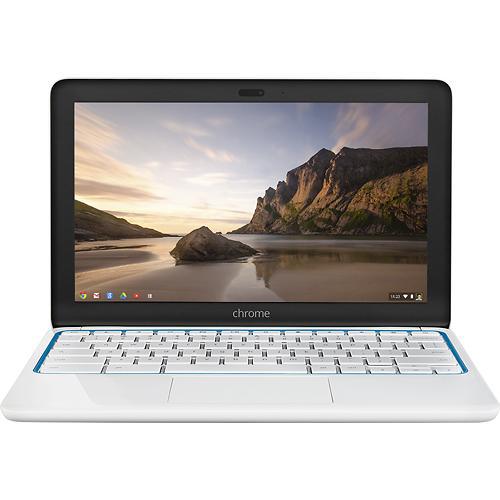
If you’ve been wanting to try a Chromebook, but have held off due to their need for an internet connection, Best Buy might have a remedy for your dilemma. The blue and yellow big box is currently knocking $100 off HP’s 11.6″ LTE Chromebook, bringing its asking price to $199. The device is backed by Verizon’s LTE network, you’ll pretty much have internet access anywhere in the US.

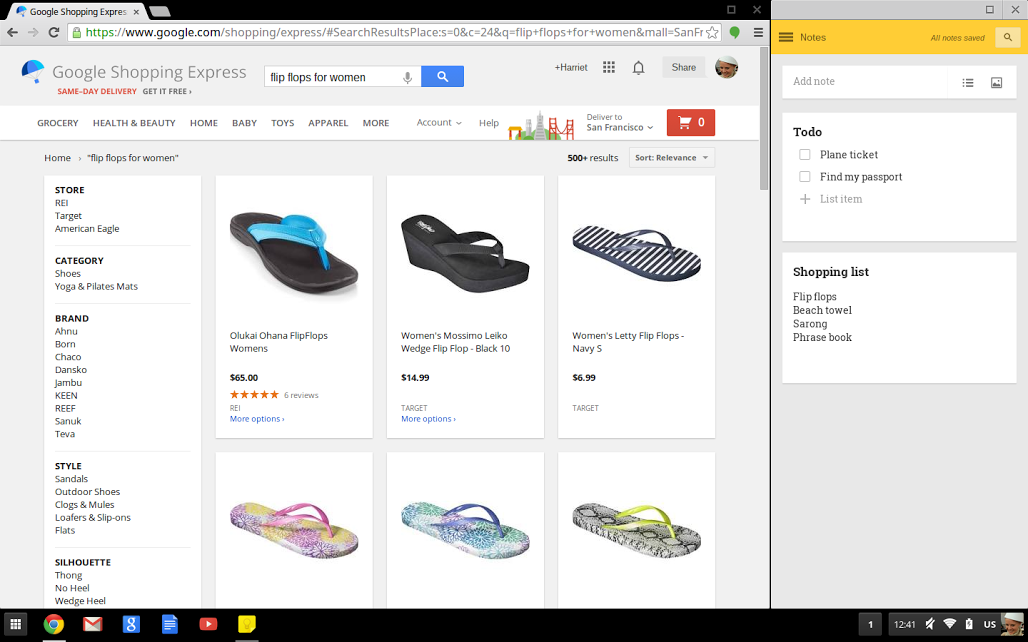
Google recently announced a new tweak to Chrome OS that will enable easier multitasking for Chromebook users. The new “docking” feature allows small windows like Hangouts and Google Keep notes to be pinned to one side of the screen, much like the “snap” feature found in Microsoft’s more recent Windows releases. Docked windows will remain visible at all times, causing other apps like the Chrome browser or Gmail to be resized.
The feature is a little-publicized addition to the most recent Chrome OS update released the end of last week. You can get the latest Chrome OS build by simply rebooting your Chromebook.

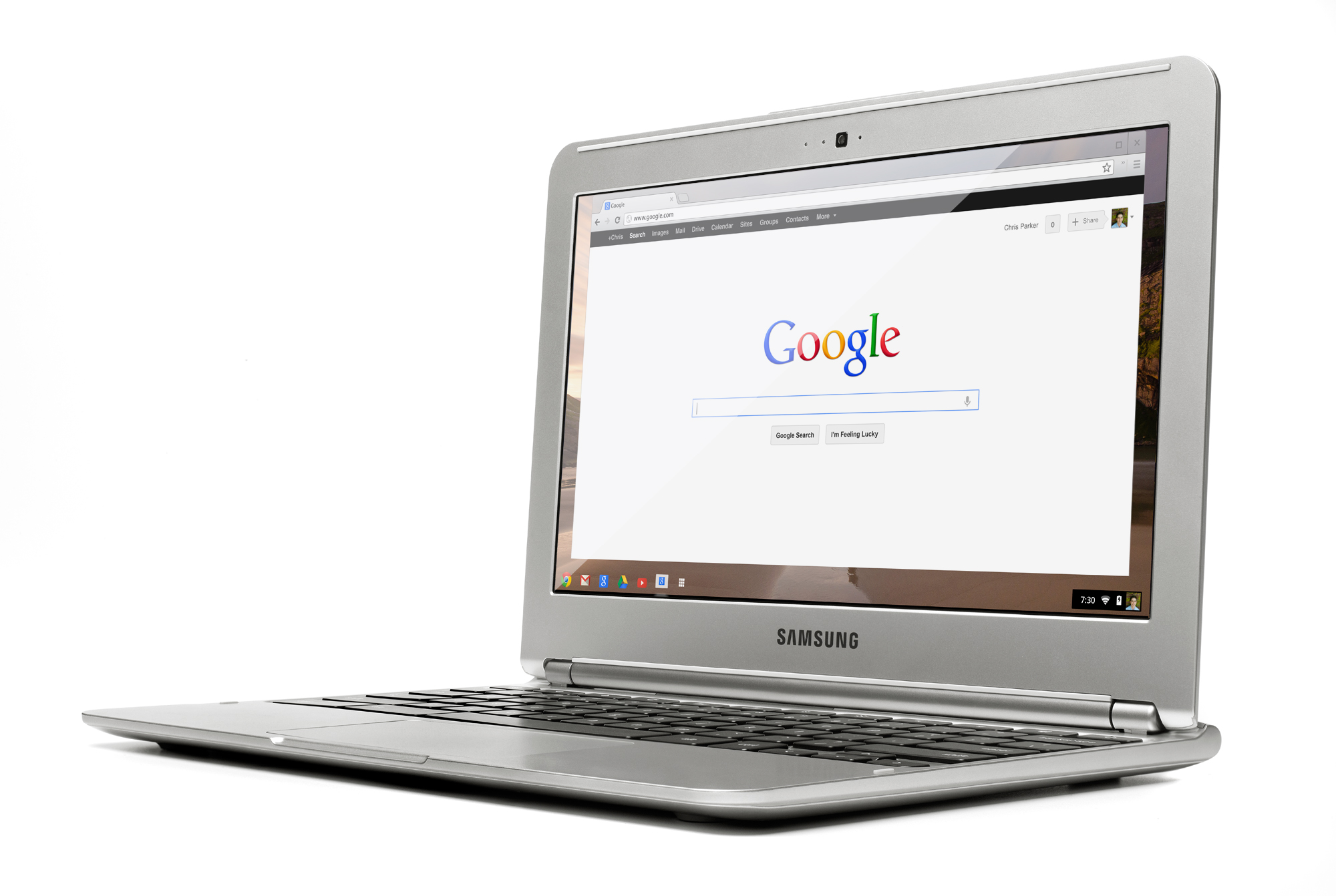 Intel shared some news this week about its upcoming processors and more this week at an event held in China.
As CNET reports, Intel’s senior vice president Kirk Skaugen revealed that the company’s follow up to its Chromebook-friendly Bay Trail processor is being called Braswell and will feature the usual jumps in battery efficiency and performance.
Intel also discussed optimizing Android for 64-bit:
Intel released Android KitKat 4.4 with a 64-bit kernel optimized for Intel Architecture devices. “With this release, the company ported, validated and tested the Android Open Source code on IA, taking on the work that developers typically would need to do on their own. This release will provide the ecosystem with 64-bit kernel support for development of next-generation devices,” Intel said. (The chipmaker noted that Android KitKat is a 32-bit OS.)
Hot on the heels of Samsung’s announcement of its new “Milk” streaming music service, Google has announced that it will be offering 60 days of free access to its Play Music All Access service to certain users, as well as anyone who owns a Chromebook.
Normally, the service runs $9.99 a month for the premium plan. Play Music All Access allows users to access a library of millions of on-demand tracks on any Android device. Prior to this offer, Google was offering 30 days of free usage, but the company has graciously doubled that for a limited time.
If you’ve been wanting to try Play Music All Access, keep an eye on your inbox for two free months of the service.

Samsung’s new Chromebooks leaked a little bit last week and again over the weekend, but now they are official. The biggest upgrades include the form factor featuring the faux leather stitching made famous by its Galaxy Note 3 and a new 1080P 13-inch display on the higher end $399 model. Both still use Exynos 5 Octocore processors that lack a little bit of the oomph of Haswell Intel processors, but they compete very well in battery life (8.5-9 hours claimed by Samsung). These machines also have wake times of less than one second and cold boots in less than ten.
Another prime area of improvement is the Hangouts video chat experience enhance by a 720P front side camera paired with improved mic and 2x 2W speakers.
Expand
Expanding
Close
[youtube=http://www.youtube.com/watch?v=TN0WrJGKNk4]
Google has announced an experimental feature in the developer version of Chrome OS that allows you to access more than one user profile at the same time, easily flicking between them, as well as passing both tabs and files back-and-forth between profiles.
Switching profiles is as easy as clicking on the profile picture in the system tray popup. […] One nice thing, but still highly experimental, is that you can move windows to different profiles with a simple right click in the window top bar. As you can see in the video, even the Files App even supports this feature.
To access the feature in the Chrome OS dev channel, enter the following line:
chrome://flags/#enable-multi-profiles
If you’re not currently using the dev channel, you can find instructions for switching here, but note that by definition you can expect to experience some glitches. The stable channel is always recommended when working on anything important.


If you’re looking to give Google’s ChromeOS a try, the 11.6″ HP LTE-equiped Chromebook may be your best option right now. The non-LTE version of the Chromebook usually sells for $279, but the LTE model is actually available now for only $249. The connectivity isn’t the only difference between the two, either. The LTE model comes with 16 GB of flash storage while the more expensive, less-capable version uses a standard hard drive of the same size.
Both come with 2 GB of RAM, a 1.7 GHz Samsung Exynos processor, built-in webcam, support for 802.11a/b/g/n Wi-Fi, and weigh only 2.3 pounds. Both models are also available in a range of colors. Obviously, the connectivity differs between the two, as the LTE model comes with support for Verizon’s 4G LTE network.
While we’ve yet to get official word on the machines from Samsung, it looks like two new Samsung Chromebooks will be going on sale shortly as retailer B&H begins accepting preorders for the new models. The listings were spotted by OMGChrome (via GigaOM) but since removed.
Presumably replacing the original 11.6-inch Samsung Chromebook model that sells for $249 ($329 with 3G) is an 11.6-inch model starting at $299 featuring a Samsung Exynos 5 SoC and a $399 model with a 13.3-inch display. There isn’t much more information on the new Chromebooks at the moment, but we expect Samsung will announce them once it wraps up its big smartphone announcements at MWC this week.
Expand
Expanding
Close
Google announced a partnership with virtualization software maker VMware today that will bring Chromebook users access to Windows desktops and apps. The deal means enterprise Chromebook users will have access to Windows apps through VMware Horizon DaaS and an upcoming Chrome Web Store app:
Cloud applications allow flexibility, scalability and security and enable a work-anywhere environment, but many of our customers still use traditional desktop applications. Desktop as a Service (DaaS) helps bridge the gap between the cloud and a traditional desktop by allowing you to run your traditional software in the cloud and have applications appear on your Chromebook similarly to how they run today. An example might be your Windows based accounting application.
It might sound a little bit like Google is admitting that enterprise customers need more than just Chrome apps to get the job done, but it’s also embracing the upcoming end of life for Windows XP and encouraging business customers to upgrade to Chromebooks. Giving businesses access to the Windows apps many rely on is certainly a good argument for upgrading to Chromebooks. In a statement in VMware’s press release, Google’s president of enterprise Amit Singh said “Chromebooks can save businesses about $5,000 per computer when compared to traditional PCs.”
Expand
Expanding
Close
ASUS has announced that the new Chromebox it promised last year will go on sale next month, priced from $179. The device – looking rather like Intel’s NUC ultra-compact desktop PC – is both the smallest and most powerful Chromebox to date, with a choice of three processors.
$179 will get you the base model, powered by a Celeron 2955U. Next model up is a Haswell Core i3 model, capable of driving a 4K monitor – and there will be an i7 version sold only outside North America. No pricing has yet been announced for the more powerful models.
“The Asus Chromebox offers the simplicity, security, and speed of Chrome OS in the most compact and powerful Chrome device to date,” said Felix Lin, director of product management at Google. “Perfect for home, the classroom or the office, Chromebox is designed for the way we use computers today” …
Expand
Expanding
Close