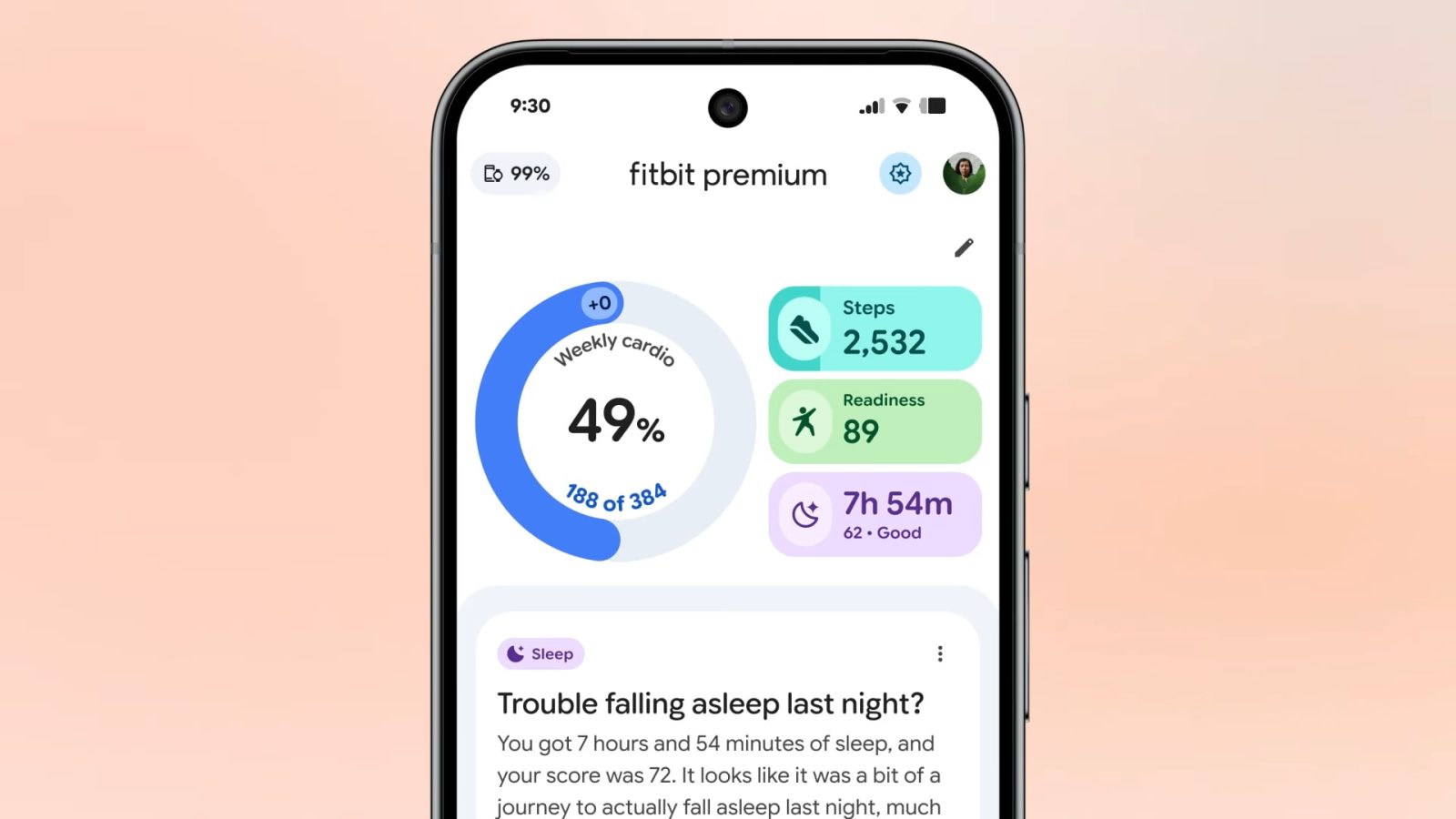
Fitbit Public Preview adds food & water logging, more as app redesign comes to free users


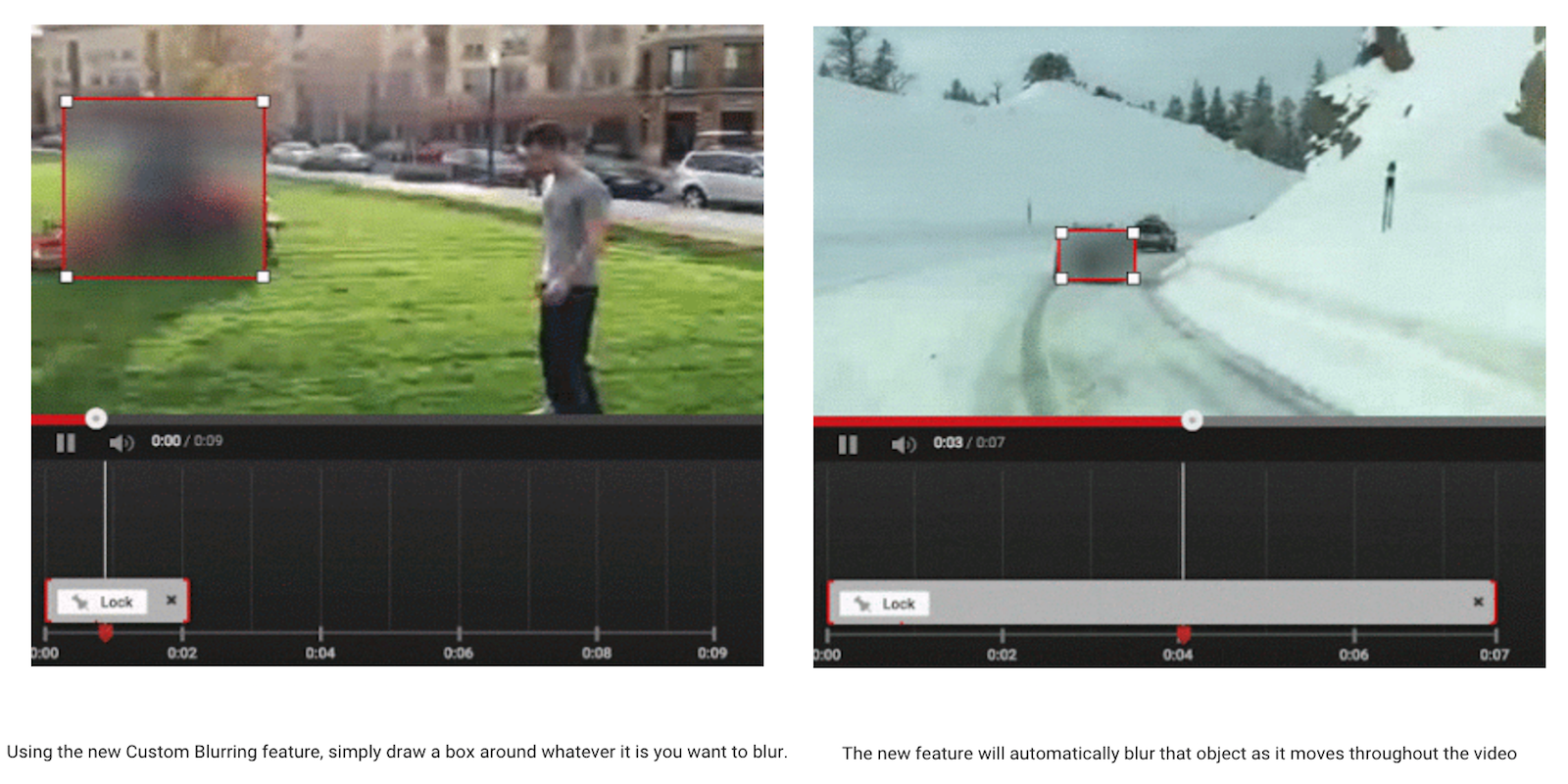
YouTube announced a new blurring tool for creators today that lets them apply custom blurring effects to any objects in their videos. The new functionality is an enhancement of the face blurring feature that YouTube has had for a few years now.

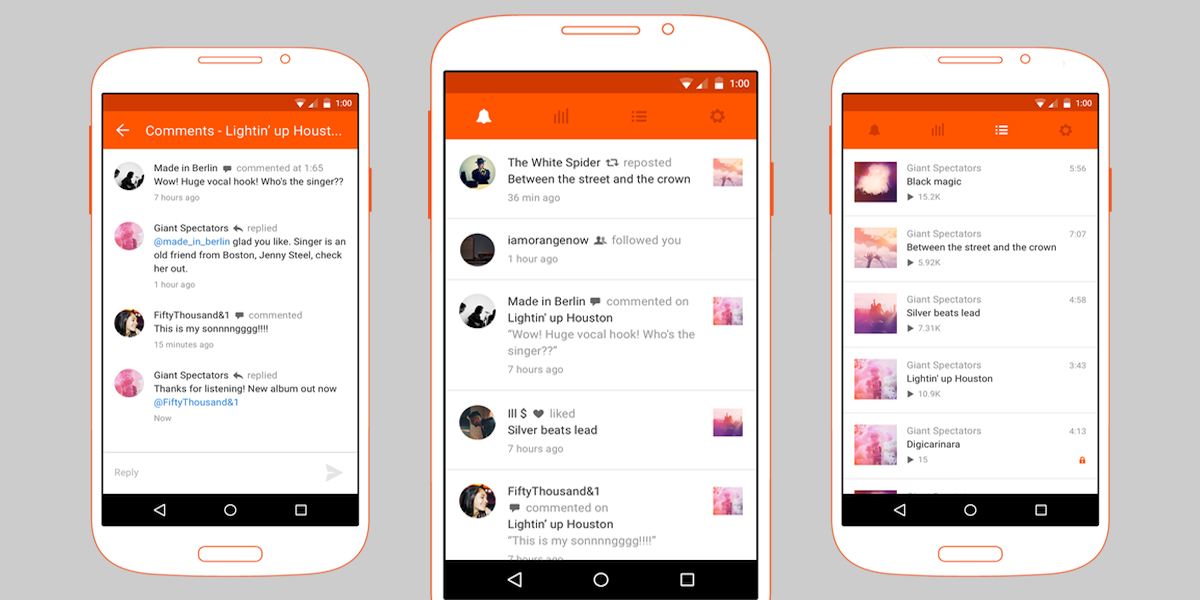
SoundCloud, the music sharing and discovery community popular with independent musicians, is today releasing its first ever app specifically for creators with the release of SoundCloud Pulse for Android.
Expand
Expanding
Close

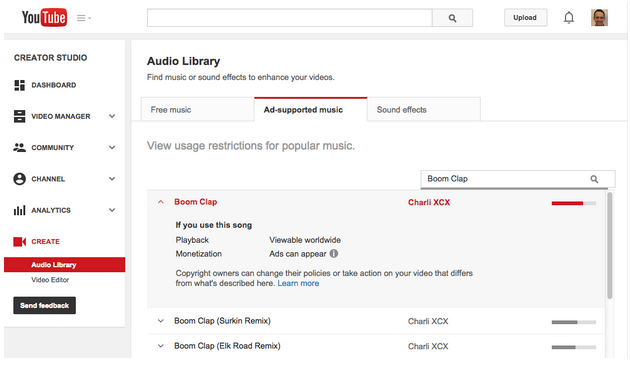
When a content creator uploads a video to YouTube with music, an automated system called Content ID automatically matches the clip against an extensive database to see if the audio is permitted or infringes copyright. Yet, until now, it was impossible for a YouTube creator to know whether a specific track was allowed or not until after uploading a video.
Expand
Expanding
Close

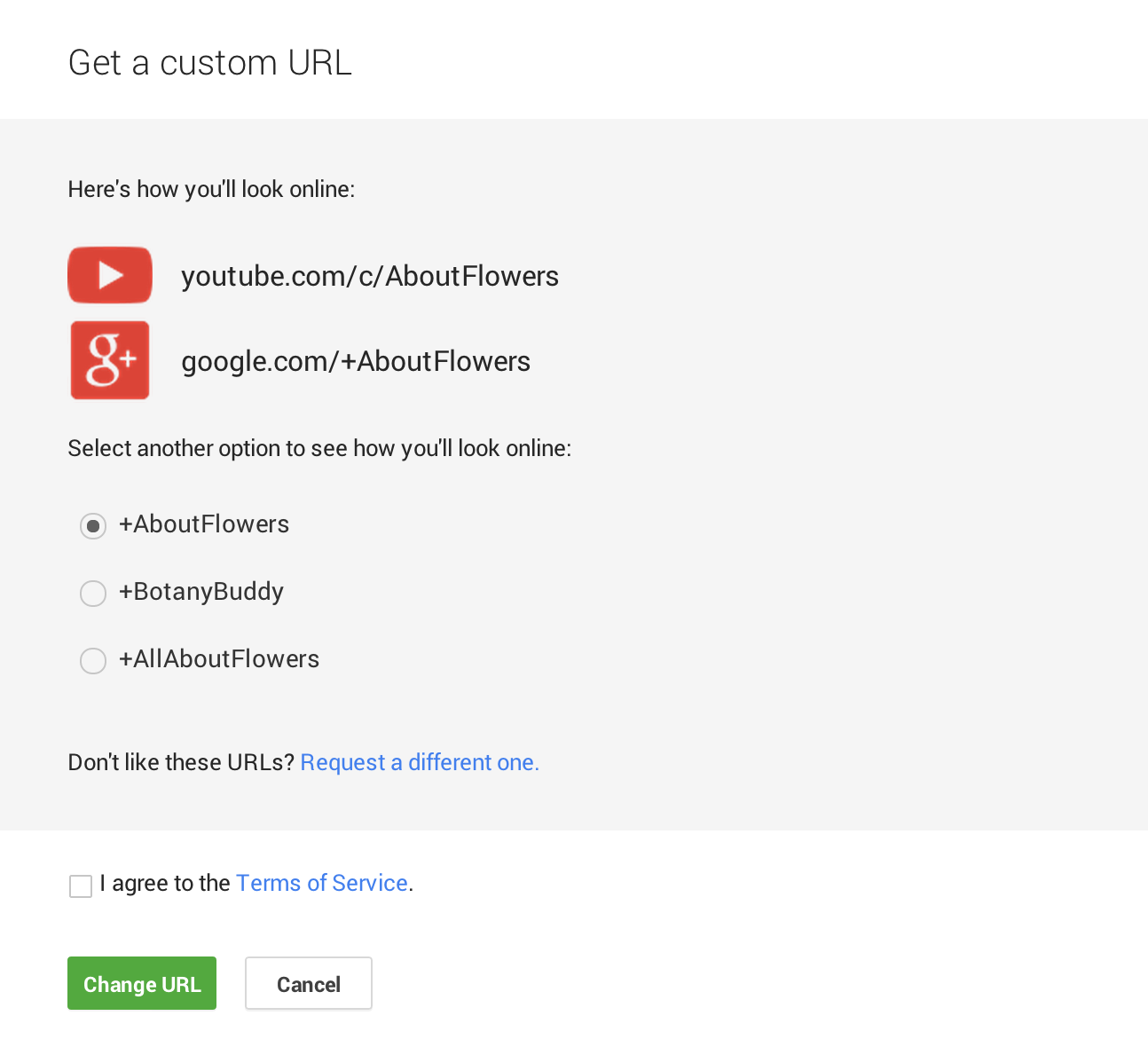
YouTube will now let creators get a hold of a custom channel URL that matches their channel name. The company noted in a blog post that many YouTubers have a channel name, which is often the user-facing brand of their channel, that doesn’t match the original URL they received when first signing up for YouTube. Users that want to change their URL to match their channel name will soon have the ability to do so:
When Tati joined YouTube, her username was GlamLifeGuru, which made her channel’s URL youtube.com/GlamLifeGuru. But as her channel grew, her fans embraced “Tati” as her brand. So her channel web address — often the quickest way back for her fans to watch more of her content — didn’t match her channel name and branding… To make sure creators like Tati and all of you have a consistent place for new and existing fans to find you, we’re introducing an easier way to pick custom URLs that match your channel names and branding.
YouTube is reaching out to creators with more than 500 subscribers starting this week allowing them to claim a custom URL. The company says it will offer several URL choices that are “based on your channel’s description, Google identity and associated websites.”
It doesn’t look like users can initiate the process manually yet, but instead will have to keep an eye out for the “Get a new custom URL” notification in YouTube’s Creator Studio.
YouTube has full instructions and more info in a support document here.

For the third quarter, HTC has announced that it earned $21 million in profit on revenue of $1.37 billion. Although this is a huge improvement over the hundred million dollar loss they reported in the year-ago quarter, the company remains in a shaky financial situation. Most of the return to profitability is accounted for by a drastic cost-cutting policy rather than increases in device sales.
Sales actually fell 8% in September year-on-year, following a 33% fall in July and a 10% improvement in August. Apple and Samsung remain fierce competition for the Taiwanese company, despite good hardware advancements in the HTC One M8.
YouTube has been getting a lot of backlash since introducing its new Google+ powered comment system earlier this month. Despite some very vocal users not exactly liking the change, Google provided an update on the new comment system last night and confirmed it’s here to stay. In a post on its YouTube Creators Blog, the company explains that it’s working to combat spam in comments and will soon introduce new bulk moderation tools for creators.
Since we launched the new comments experience on YouTube two weeks ago, we’ve received a lot of feedback from creators on the increase in comment spam. While the new system dealt with many spam issues that had plagued YouTube comments in the past, it also introduced new opportunities for abuse and shortly after the launch, we saw some users taking advantage of them.
To combat the users “taking advantage” of the new system, YouTube is implementing the following updates to help with spam:
Expand
Expanding
Close
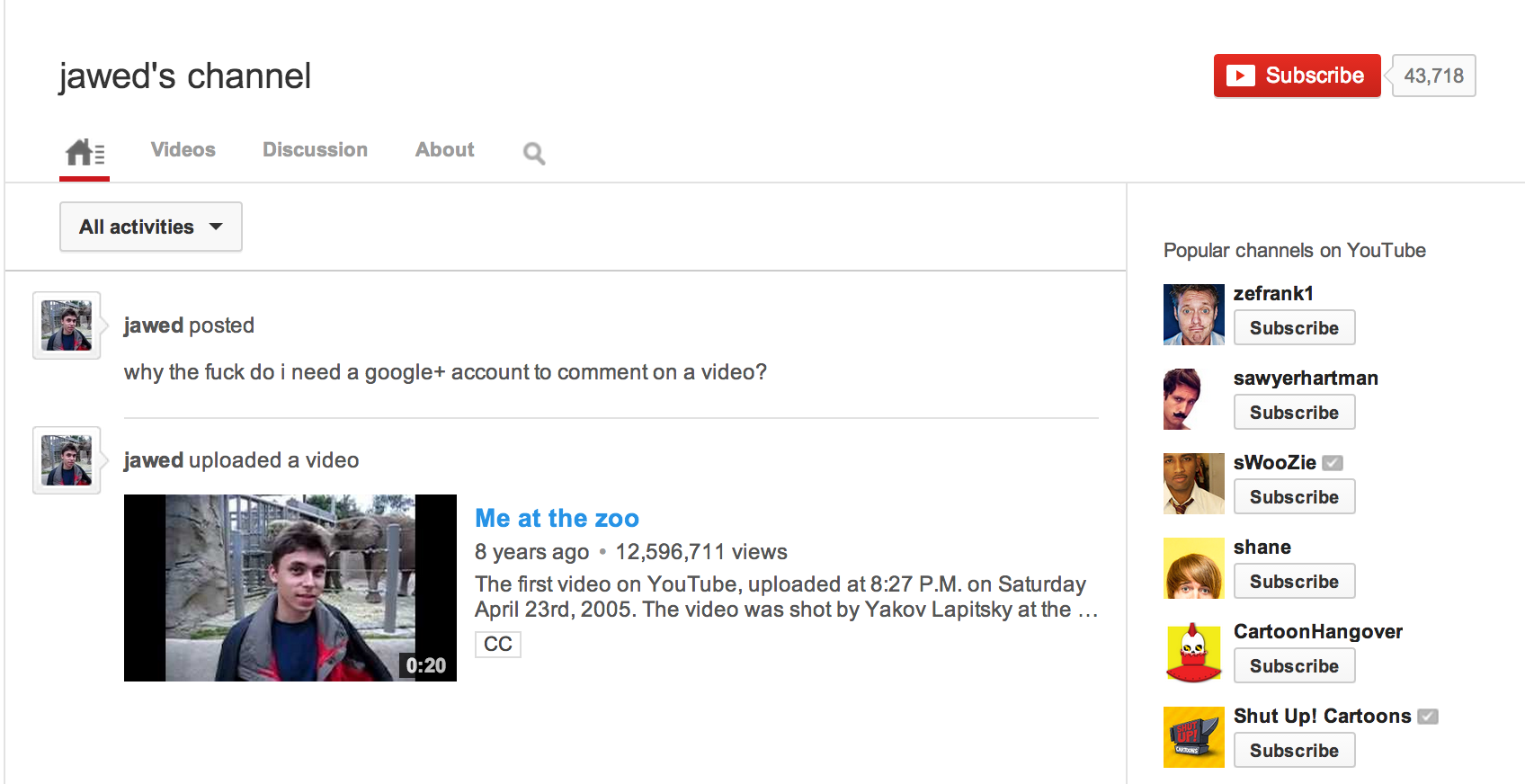
Earlier this week Google officially started rolling out a new commenting system on both the desktop and in its Android app. The new system is integrated with Google+ with the goal of finally creating a “better commenting” system on YouTube with more relevant comments and new moderation tools for creators. A revamp of YouTube’s commenting system was a long time coming, but YouTube’s own co-founder isn’t too happy about the change.
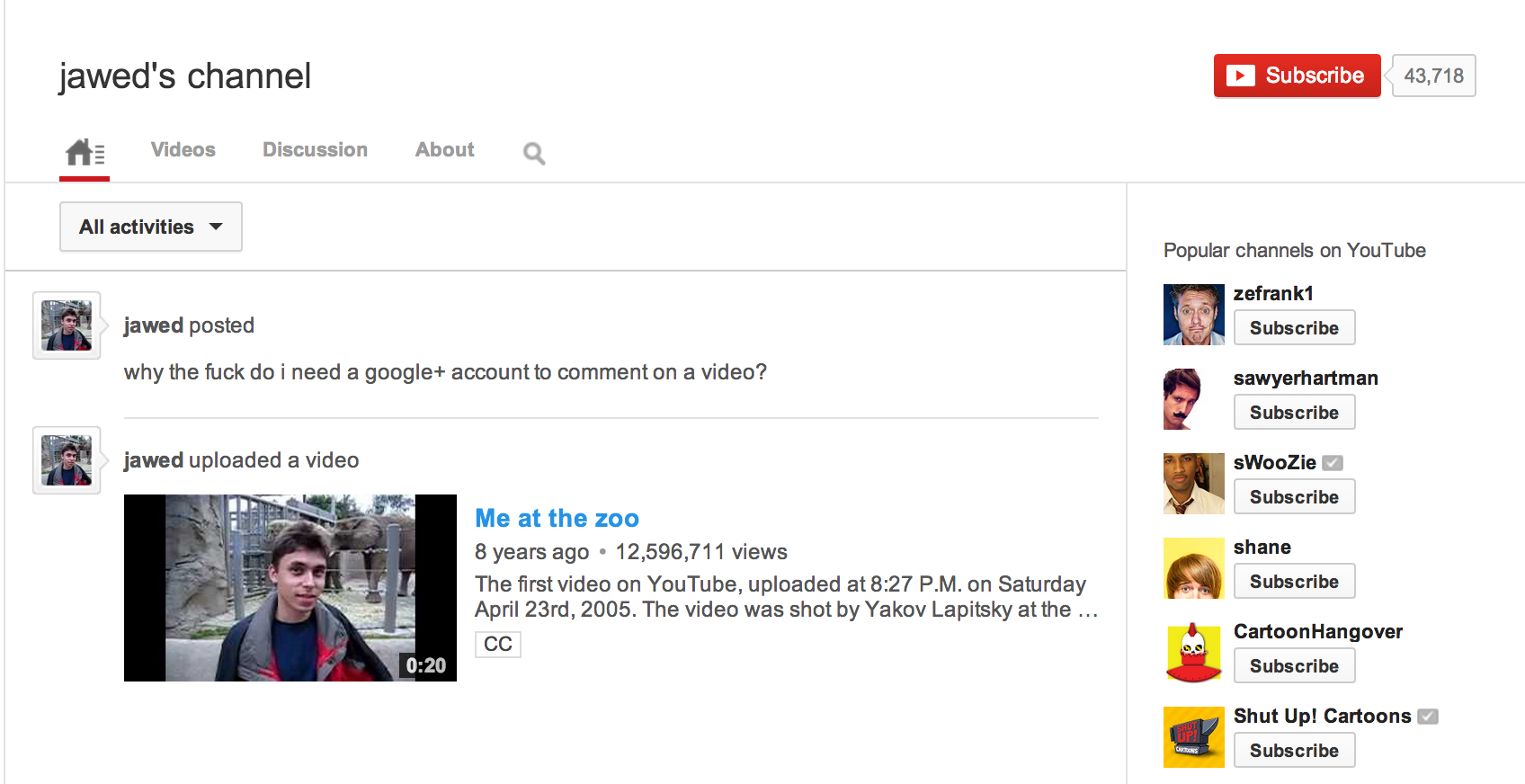
Posting his first comment in nearly eight years to the same account that uploaded the first video ever to the service, YouTube co-founder Jawed Karim is wondering why he needs a Google+ account to comment on the service he helped create:
“Why the fuck do i need a google+ account to comment on a video?”
It’s unclear if Karim is truly behind the comment, or perhaps it’s a joke from someone that got a hold of his account. Either way, Karim is not the only one that isn’t too happy about having to link a Google+ account to YouTube in order to continuing commenting.
Expand
Expanding
Close
YouTube has been adding a lot of new options and tools over the last year, most recently adding the ability for the majority of content creators to live stream right on their channel. Today yet another tool is rolling out to users and this time it comes in the form of a new Enhancement tool that allows creators to add a slow motion effect to their videos to give the impression “it was filmed with a high-speed camera.” You can try out the new effect now:
To create a slomo video, visit the Enhancements tool or the YouTube Editor and apply it to one of your existing videos. You’ll get a smooth, slomo video that makes it look like it was filmed with a high-speed camera.
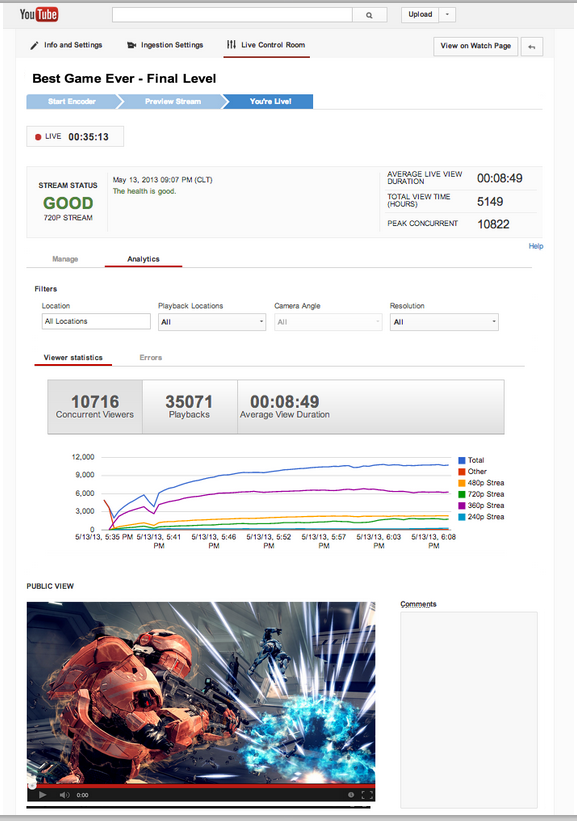 YouTube has been allowing live streaming from a number of select partner channels over the last year for everything from sports events to hangouts with politicians and today it is finally expanding live streaming to others.
A post on the YouTube Creator blog today announced that all channels with over one thousand subscribers (as long as the channel is in good standing) will now be able to apply to have live streaming capabilities:
You can check if your account is eligible by navigating to Account Features and checking for an “Enable” button for YouTube Live.
The feature will be rolling out in the next couple of weeks.
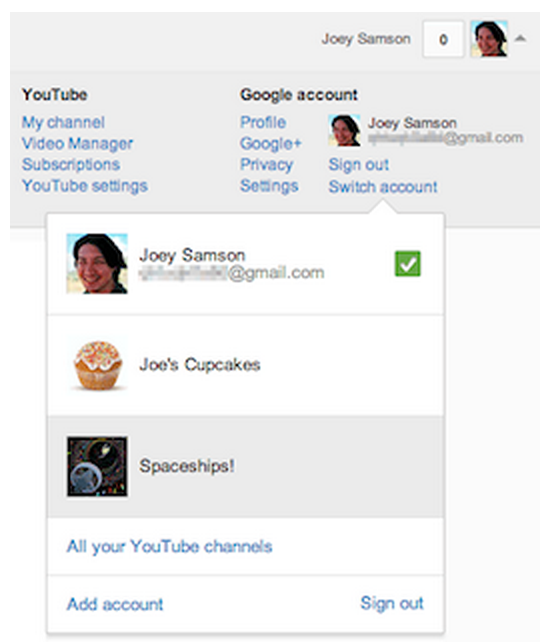 Google announced on its YouTube Creators blog last night that it is starting a new beta test for creators that will allow them to link a Google+ account to their YouTube channel.
Other benefits of linking your YouTube channel to Google+: YouTube will allow you to “Choose any name for your channel and page.” That also includes the opportunity to rename your channel if that’s something you might be interested in. You’ll also now have access to a few new features including “live broadcasts via Hangouts”, a YouTube tab displayed on your Google+ page, and better video sharing features.
Google warned that there might be some issues with the beta for third-party tools:
– Certain mobile apps and third party tools may require a bit more effort to work with YouTube channels linked to Google+ pages. Just make sure you’re using the most recent YouTube app on Android and iOS. And if necessary, setup login credentials for these apps.
To try out the beta, you’ll need a Google+ account on the same Google account you use for your YouTube channel. From there you can activate the feature through YouTube’s advanced account settings. Full instructions from Google below:
Expand
Expanding
Close


