Google Chrome

See All Stories

Available for Windows, Mac, and Linux, Google Chrome is the most widely used desktop browser in the world. Since its launch in 2008, Chrome has expanded to Android, iOS, and is the basis of a cloud-based operating system.
Chromebooks Chrome

Available for Windows, Mac, and Linux, Google Chrome is the most widely used desktop browser in the world. Since its launch in 2008, Chrome has expanded to Android, iOS, and is the basis of a cloud-based operating system.

History

Chrome was developed out of frustration at the state of browsers that limited Google’s increasingly complex web apps. In creating its own browser, Google could push the state of the web and build the best experience for its products.

Launched in September for Microsoft Windows, Chrome quickly gained 1% of the total desktop market share by the end of the year. A developer preview in 2009 brought Chrome to Mac OS X and Linux, but a stable version was not available until May 2010. In November 2011, Chrome overtook Firefox in worldwide usage and in September 2012 became the most widely used web browser beating Internet Explorer.

In July 2009, Google announced a project to build an operating system that stored applications and user data in the cloud. The thin client OS was publicly demoed in November, but it was not until 2011 that the first Chromebooks shipped from OEM partners.

A beta version of Google Chrome for Android launched in February 2012, with a stable version ready by June. Google also released an iOS version, but it is limited technically due to security restrictions enforced by Apple.

Features

Chrome shares many of the same features and underlying technology across all platforms. The browser and OS maintain version number parity across all platforms. Every six weeks a major version is released to the Stable Channel and a new developer version is introduced in the Canary Channel. A Beta Channel acts as an intermediary way to access new features without too many bugs.

Security

The automatic Chrome update system downloads updates in the background and insures that users are always on the latest version of Chrome. There are many minor patches between between major updates that delivers security fixes and keeps users secure. Chrome maintains a Safe Browsing blacklist of malicious sites that pop up a bright red warning so users can turn back.

Tabs are sandboxed to make sure processes cannot interacting with critical memory functions and other processes. Besides for security, a multi-process architecture gives each site and plug-in a separate process. As such, a crash will only take down that tab and not the entire application.

Since the first version, Chrome has had a private browsing feature. Incognito mode prevents the browser from storing cookies or history and can be opened alongside regular tabs.

Interface

The main Chrome interface has remained mostly the same over the years. In fact, the ‘Chrome’ name refers to the lack of UI elements and a focus on the browsing experience. An Omnibox acts as both the URL bar and search box. At the time, many browsers had two separate fields right next to each other. The Omnibox has prediction capabilities to help users find what they are looking for and is also present on the mobile apps.

Android apps

Later this year, Android apps and the Play Store will arrive on Chrome OS. Google previously experimented using ARC Welder to virtualize the Android run time and allowed apps to run on all platforms, including Mac, Windows, and Linux. The latest approach is limited to Chrome OS, but provides a much more native and fast experience. Apps open up as windows and can become phone or tablet-sized. Touchscreen Chromebooks will provide the best experience.


Google launches four short Chrome ads — but maybe shouldn’t have

Site default logo image

Google has launched four new 15-second ads for Chrome that seem incredibly mundane compared to the high quality, inspirational fare we’ve grown accustom to. They are such a stark contrast to some of the better ads we’ve seen for any technology over the last few years.

http://www.youtube.com/watch?v=0Aflrbwna44&feature=player_embedded

It goes downhill from here…
Expand
Expanding
Close

Google brings Chromebooks to Canada, Australia, Germany, Ireland, France, and the Netherlands

Site default logo image

Google made an announcement on the Official Chrome Blog to confirm that it is rolling out Chromebooks to new countries starting today. After successful launches in the United States and United Kingdom, Google has partnered with retailers in a handful of other countries to bring the latest Chromebooks from Samsung, HP, and Acer to new parts of the world including: Canada, Australia, Germany, Ireland, France, and the Netherlands.

Google will also expand the number of U.S. outlets offering the devices in the next few weeks to 1,000 Best Buy stores nationwide. The company didn’t mention its own, recently announced Chromebook Pixel model or whether it is available to purchase in the newly added countries.

Many of you around the world have told us you’re eager to get your hands on a Chromebook, so we’ve been working with our partners to make this possible. Today we’re happy to say we’re one step closer to making Chromebooks truly “for everyone” — or rather, pour tout le monde, für alle, and voor iedereen

Canada: In Canada the devices will launch through BestBuy.ca a Futureshop.ca with the Samsung ($269.99) and Acer ($249.99) models, while the $329.99 HP Chromebook will be available through HPshopping.ca.

Australia: Australians get access to the Samsung and Acer Chromebooks elect JB Hi-Fi and Harvey Norman stores, while the HP Chromebook will be coming soon.

France: Customers in France get access to the 299 euro Samsung Chromebook starting today through “Fnac.com, Ticketmaster, Amazon and Pixmania, as well as 10 Fnac stores in the Paris region.”

Germany: In Germany the Samsung model will sell through”-buyerAmazonCyberport and Saturn on the Internet and in the Saturn store on Hamburg’s Mönckebergstraß.” The Acer model will sell through “SaturnCyberport-buyer and Amazon.”

Netherlands: In the Netherlands the Samsung and Acer models will be available to purchase through  “mediamarkt.nlsaturn.nl and laptopshop.nl and in the store at all 41 Mediamarkt and Saturn stores.”

Google also announced that the Chromebooks will be available to businesses and schools in the new countries and explained in detail in a post on its Enterprise blog.

“To help improve computing for organizations, we’re rolling out Chromebooks to businesses and schools in these same countries as well. Learn more on our Enterprise blog.”

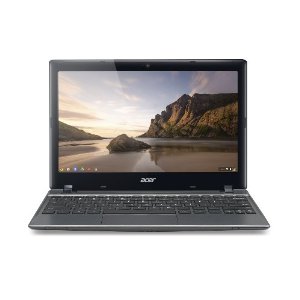
Acer unveils slightly upgraded C7 Chromebook with 4GB RAM and 6 hour battery

Site default logo image

If the Pixel sparked your interest in investing in a Chromebook, but its absurd price turned you off, then the Acer C7 Chromebook may be what you’re looking for. Announced via press release this afternoon, the new-and-improved Chromebook C7 from Acer boasts a number of useful performance boosts.

First and foremost comes a much-needed battery update. The original C7 Chromebook’s battery capped out at 3.5 hours, today’s C7 update pushes that up to 6 hours. The update today also doubled the RAM from the original model to a more reasonable 4GB. The processor remains the same at 1.1GHz.

The Acer Chromebook C7 is available and will ship today from Amazon and other retailers for $279.99.


Expand
Expanding
Close

Site default logo image

Chrome for Android updated with background audio and performance enhancements

Google updated its Chrome for Android app today with a number of performance enhancements including improved scrolling, better responsiveness for pinch-zooming, and improvements to “interactive pages thanks to the latest version of the V8 javascript engine.” Google is also including background audio support in this release and “expanded support HTML5 features”:

What’s in this version:

Updates in this version of Chrome for Android include improved text font clarity and stability fixes in addition to:
1. Improved scrolling performance
2. Increased responsiveness to pinch-zooming on pages
3. Faster interactive pages thanks to the latest version of the V8 javascript engine
4. Audio now continues to play while Chrome is in the background. Audio playing in Chrome will now pause when the phone is in use. This requires an additional permission
5. Expanded support for HTML5 features

Chromebook Pixel review: The notebook that will make a very small number of people very happy

Site default logo image

Long before the Chromebook Pixel was released, I, and surely many other Chromebook users, begged Google to create a high-end laptop that would allow technology professionals to use the Chrome OS to its fullest. To really give it a run against our high-end MacBook Pros and PC workstations, Google would have to throw more than the repurposed netbook hardware that OEMs like Samsung, Acer, HP, and others were giving this operating system.

Google’s Pixel is that high-end machine, but does it stack up where it needs to? First, the good:
Expand
Expanding
Close

Site default logo image

Chrome 26 beta includes improved spell check with support for new languages

Google announced today on the Chrome Blog that it is promoting Chrome 26 to the beta channel and including a number of new features in the release. Among the most notable new features included in today’s Chrome Beta release is an improved default spell checker that brings support for additional languages like Korean, Tamil, and Albanian. Google also highlighted other new features included in the beta like the ability to sync custom dictionaries and “support for grammar, homonym and context-sensitive spell checking in English.”

Furthermore, for users who have enabled the “Ask Google for suggestions” spell check feature, we’re now rolling out support for grammar, homonym and context-sensitive spell checking in English, powered by the same technologies used by Google search. Support for additional languages is on the way.The new spell checking engine – which is also available in Google Docs – even understands proper nouns like “Justin Bieber” and “Skrillex,” so if you’re wondering how many Ns there are inDananananaykroyd, worry no more (there are four).

The new features will rollout to users on Chrome OS, Linux, and Windows in the “coming weeks” with Mac support some time after.

Site default logo image

Today only: Samsung’s 11.6-inch Chromebook (Wi-Fi) on sale for $239 + free shipping

From 9to5toys.com (Twitter, Feed, Facebook), today:

Today only, eBay deals has the Wi-Fi variant of Samsung’s latest 11.6-inch Chromebook for the cheapest price we’ve seen at $239 + free shipping. We rarely see these Chromebooks go on sale, and, if you’re not going to pick up the new Chromebook Pixel, this is definitely the best value for your money in the Chromebook space.

Samsung Chromebook Wi-Fi 11.6″ 16GB Exynos 5 Dual 1.7GHz Notebook

Chrome enters version 25 with speech-to-text API

Site default logo image

Chrome version 25 was released with a new Web Speech API that allows web developers to integrate speech-to-text dictation into their web applications.

The other feature of importance on the new version is the removal of “silent extensions.” Silent extensions are web-browser extensions that install without your knowledge. From now on, every web extension installation must be manually approved.

The updated version is available here, but Chrome’s auto-update feature may have already installed it for you.

To get products into more hands, Google will open its own stores by the end of the year

Site default logo image

An extremely reliable source has confirmed to us that Google is in the process of building stand-alone retail stores in the U.S. and hopes to have the first flagship Google Stores open for the holidays in major metropolitan areas.

The mission of the stores is to get new Google Nexus, Chrome, and especially upcoming products into the hands of prospective customers. Google feels right now that many potential customers need to get hands-on experience with its products before they are willing to purchase. Google competitors Apple and Microsoft both have retail outlets where customers can try before they buy. Google’s retail move won’t be an entirely new area, however.

.

Google Chrome pop-up stores

Google currently has Chrome Store-within-a-store models in hundreds of Best Buys in the U.S. and 50 PCWorld/Dixon’s in the U.K. These stores have Google trained employees who demonstrate the value of Chromebooks and can answer the multitude of questions people have before making a purchase. Our source told us the new Google Stores would be a much broader play. The Chrome SIS employees don’t have sales targets, and they are there mostly for educating. Best Buy and Dixen’s also handle product and monetary transactions, not Google.

.

Google and Virgin also ran a limited test run of Kiosks in five major Airports, including this one at SFO  (Image Scott Beale)

My understanding is that these new stores will operate independently and make direct sales to customers from Google like the Nexus online store does currently. It might also make sense for Google to sell its apparel and other Google-branded merchandise in these stores as well, but that’s speculation on my part.

The decision to open stores, I’m told, came when drawing up plans to take the Google Glass to the public. The leadership thought consumers would need to try Google Glass first hand to make a purchase. Without being able to use them first hand, few non-techies would be interested in buying Google’s glasses (which will retail from between $500 to $1,000). From there, the decision to sell other Google-branded products made sense.

Along with Glass, Google will have an opportunity to demonstrate other upcoming and Google X projects like driverless cars and mini-drone delivery systems at its stores.

There are small bits of anecdotal evidence that Google is looking into retail. It is hiring folks to develop Point of Sale systems, for instance. We’re told, however, that most of the ramping up of these stores will be done by an outside agency.

Apple CEO Tim Cook recently told analysts that Apple Stores were more than just stores—but rather the face of the company.

“I don’t think we would have been nearly as successful with iPad if it weren’t for our stores. It gives Apple an incredible competitive advantage. Others have found out it’s not so easy to replicate. We’re going to continue to invest like crazy. The average store last year was over 50 million in revenue.”

Google may now understand that if it wants to roll out a new product category like Google Glass, it is going to have to dive into retail.
Expand
Expanding
Close

Site default logo image

Google integrates Drive-enabled third-party apps into Google Drive

Google announced today on the Google Developers Blog that it would now allow users to add Drive-enabled Chrome web apps to the Create menu in Google Drive. While users could previously select from one of Google’s own apps such as Google Docs or Sheets, a new “Connect more apps” button will now allow users to install apps from the Chrome Web Store’s Drive collection of apps. Once an app is installed, users will then be able to launch the app from the Create menu and open Drive files directly in the app (as highlighted in the image below):

HP unveils 14-inch Pavilion Chromebook, now available for $329

Site default logo image

We posted a leaked spec sheet late last month that showed off what appeared to be an upcoming 14-inch Chromebook from HP. HP has officially announced the new Chromebook today. While it might have a 14-inch display two inches wider than any other Chromebook, it also happens to be more expensive than Samsung’s latest offering at $329. That’s significantly more than Samsung’s latest $249 model.

HP offered up full specs on the device that is available to order through the company’s website now. Not only is the HP Pavilion 14-c01us Chromebook more expensive, it’s also heavier than Samsung’s offering at 4lbs compared to 2.5lbs. Battery life is unfortunately the same story with an approximate 4.25 hours quoted compared to the 6.5 hours Samsung’s Chromebook offers. If you can get past that, the new HP device packs in a 14-inch diagonal HD BrightView LED-backlit (1,366-by-768-pixel), 1.1GHz Intel Celeron 847 processor, 2GB of RAM, 16GB SATA SSD, HDMI, USB 2.0, as well as an Ethernet port.

The Samsung Chromebook has been the top-selling laptop on Amazon since it launched; Acer reported that Chromebooks make up 5-10% of US shipments; and in the first two months of 2013 Google announced two new devices from two new partners, Lenovo and HP. In the Enterprise, Google just announced 2,000 schools have deployed Chromebooks and businesses like Kaplan, Dillard’s and Quality Distribution are using Chrome devices as well.

HP’s hoping consumers will opt for the larger display, keyboard, and additional ports for the extra $80, but we’re not too excited about the battery life.

Samsung reveals 2013 Series 3 Chromebox featuring new coat of plastic, same specs

Site default logo image

Samsung has unveiled a new version of the Series 3 Chromebox this afternoon, a Mac mini-like device offering quick-and-easy access to Chrome OS. We plan to get a closer look at CES 2013 next week, but for now we know the new version of the Chromebox is pretty much the same hardware as the 2012 version, just featuring a new coat of plastic. It features a 1.9 GHz Intel Celeron B840 processor, Intel HD graphics, 4GB of RAM, 16GB SSD, 802.11a/b/g/n WiFi, 2W mono speaker, 6 USB 2.0 ports, a DVI port, headset jack, and 2 Display Ports. The 2013 model is now available in the UK for 279 GBP ($453.50), with no word on a US release. However for those who cannot wait, Amazon offers the 2012 model for $315. We’ll have more soon, but in the mean time you can find a photo of the back arrangement after the break. It moves away from the Mac mini look, eh? [Samsung via Liliputing]


Expand
Expanding
Close

NORAD-less Google will still track Santa this Christmas

Site default logo image

NORAD, the self-touted official Santa Tracker, went with Bing Maps instead of Google Earth this holiday season, but Google isn’t getting left in the dust, as the folks in Mountain View launched its own count down to Christmas Eve with Google Santa Tracker.

According to the official Google blog, a team of dedicated Google Maps engineers developed an algorithm to track Santa’s annual trip around the world this Christmas:

On his sleigh, arguably the fastest airborne vehicle in the world, Santa whips from city to city delivering presents to millions of homes. You’ll be able to follow him on Google Maps and Google Earth, and get his stats starting at 2:00 a.m. PST Christmas Eve at google.com/santatracker.


Expand
Expanding
Close

Latest Chromium build testing search box right on new tab page

Site default logo image

The Chrome team has announced a new addition to the Chromium (beta version of Chrome) browser this afternoon, changing the way many users will search for content online via Google and other search engines. Google is testing/experimenting with an added search box to the new tab page, a page that has historically just listed recently viewed websites, and the new search box will not only include Google search but will also be accompanied by Yahoo, Bing and others. Google said the reasoning behind the change is: “we’ve found that many people still navigate to their search engine’s home page to initiate a search instead.”

Google is also allowing search engines to display what a user has searched for right in the omnibox, potentially doing away with a second search box on the actual search page. Additionally, Google has made a new Embedded Search API available so other search engines can implement what’s new. The features outlined today are available for testing from the Chrome Developer Channel that includes a select few Chrome OS and Windows users (Mac will be coming soon). Sadly, Mountain View gave no word on when the features will hit an official build.

Source: Chromium Blog


Expand
Expanding
Close

Google launches ‘Save to Drive’ Chrome extension & enhanced photo viewer for Google Drive

Site default logo image

Google today announced on Google+ that it is introducing a new Chrome extension that will allow users to save content from on the web directly to their Google Drive account. Using the new Chrome extension, users will be able to select which part of a webpage they want to save, such as “an image of a page, the HTML source code, or a Web archive.” Once installed, users will also get an option to save images, links, or files directly to Drive when right clicking.

Google also explained it has made enhancements to the photo viewer in Google Drive that allows users to zoom, fit to page, and comment:

We’ve also added a few new ways to work with images that are already stored in Drive. You can now zoom by scrolling or using the new fit to page and 100% buttons. And if you have something to say about a specific part of an image, you can select a region and add a comment to it.

The Google Drive Chrome extension is available from the Chrome Web Store here.

Site default logo image

Google confirms its sync services killed Chrome browser sessions yesterday

Yesterday, we reported Google’s Gmail service was experiencing outages for a large percentage of users, which is something not that uncommon, but there also seemed to be widespread reports of Chrome crashing. Today, Wired pointed us to an explanation from Google engineer Tim Steele. He confirmed in a post on a Chromium discussion forum that the problem was related to Sync:

Steele wrote in a developer discussion forum, a problem with Google’s Sync servers kicked off an error on the browser, which made Chrome abruptly shut down on the desktop.

“It’s due to a backend service that sync servers depend on becoming overwhelmed, and sync servers responding to that by telling all clients to throttle all data types,” Steele said. That “throttling” messed up things in the browser, causing it to crash…. 

Chrome prides itself on “sandboxing” itself, so that a problem with a single webpage can only crash a tab in the browser, and not bring down the entire program. But that’s just what happened with Monday’s bug. It clobbered the entire browser.

OLPC dream realized: DonorsChoose.org is giving Samsung Chromebooks to schools for $99/ea

Site default logo image

Google just revealed more than 1,000 schools have adopted Chromebooks in classrooms, and it is now working with DonorsChoose.org to “help budget-strapped classrooms across the country.”

DonorsChoose is an online charity that, as Google coined it, connects public school classroom to donors, and the Google partnership will subsequently allow teachers to request the Samsung Series 5 Chromebook at a discount price of $99. The special price is only for the holiday season and includes hardware, management, and support.

Google explained the details on the official Google blog:

If you’re a full-time public school teacher in the U.S., visit DonorsChoose.org and follow the instructions to take advantage of this opportunity by December 21, 2012. Your request will be posted on DonorsChoose.org where anyone can make a donation to support your classroom. When you reach your funding goal, you’ll receive your Chromebooks from Lakeshore Learning, DonorsChoose.org’s exclusive fulfillment partner for this program.


Expand
Expanding
Close

Latest Chrome developer build hints at Google Now integration – Chromebooks rejoice

Site default logo image

Chromebooks may finally be getting voice recognition. Google Plus user François Beaufort discovered (via CNET) references to Google Now in the latest Chromium build yesterday that said “creating a skeleton for Google Now for Chrome implementation.” It’s not clear how long it will take for the new feature to roll out, but the code hints to Google Now’s features appearing in Google Chrome’s notification cards.


Expand
Expanding
Close

Review: A month with the Samsung Chromebook

TL;DR: This is the first Chromebook effort that fulfills the ChromeOS mission: good quality, excellent (MacBook Air-like) design, low cost and functional, and easy to use. It won’t replace a mid-high end machine, but, for people with basic needs or who want an inexpensive second computer, this is a no brainer at $250.

Background:

Google’s Android and ChromeOS  represent two different visions of the future of computing from inside the same company. The Android vision is a touch-enabled platform with apps that has been in vogue since the iPhone was released in 2007. The ChromeOS is the realization of the decades-old network client computer—which is just a browser as a user interface for a bunch of cloud services.

Android has clearly been popular on both phones and now tablets, but Chrome sales have been pretty lackluster until now. From my point of view, that’s due to a couple of reasons. For one, the devices, made by Samsung and Asus, were lackluster in speed compared to the Windows and Mac counterparts. ChromeOS devices should be faster than comparably equipped Macs and PCs because there is no overhead—it is just a browser. Yet the CR-48 and again with the second-generation Chromebooks weren’t noticeably faster than cheap netbooks. That’s the other problem: Chromebooks weren’t cheap – compared to similarly specced PCs, anyway. Often, you’d be able to find a cheaper Windows PC on sale that otherwise was the same or better.

So, to break it down: Chromebooks were overpriced and slow (and the design wasn’t very inspired).

Then came the third generation…


Expand
Expanding
Close

Google reportedly releasing 12.85-inch touch-enabled Chrome OS notebook at the end of 2012

Site default logo image

According to reports out of Asia, Mountain View-based Google will unveil its own-branded 12.85-inch touch laptop powered by its Chrome OS at the end of 2012. Details are scant this morning on what embodies the device; however, a report from Commercial Times said 20 million units are on tap. A Taiwanese-based company, named Compal Electronics, will be responsible for the overall production, while Wintek will supply the touch panels for the laptop.

Traditionally, Google’s approach to Chrome OS —or any of its software—has been to distribute it to various OEMs for production. Google has never manufactured its own product on a large scale, as the Nexus Q was the only one, and it wasn’t even shipped to the mass-market, but that won’t be the case with its latest Chrome OS device.

Samsung and Acer have released past iterations of Chrome OS. While the overall success of the platform is not really known, Chrome OS products are sold in larger stores like Best Buy. Google pitches Chrome OS as the solution “for everyone.” Just maybe a touch-enabled laptop could strike the fancy of some users looking to ditch their traditional devices.


Expand
Expanding
Close

Google releases Chrome Beta 24, says Chrome is 26 percent faster since last year

Site default logo image

Google released the latest beta release of Chrome today, with the Chrome 24 beta for Windows, Mac, and Linux. On top of claiming this is the fattest release yet, Google shared Octane JavaScript benchmark scores that show the browser has become 26 percent faster since last year’s release of Chrome 15.

With today’s Chrome Beta channel release, Chrome continues to get faster, as you can see in this chart which shows Octane scores. Octane is a JavaScript benchmark we designed to measure performance of real-world applications on the modern web. Stability sometimes takes higher priority, but we’re still manic about improving Chrome’s speed

Google also highlighted some of the other areas it’s improving in Chrome including enhancements to Google Cloud Print server-side and work to minimize wait times:
Expand
Expanding
Close

New Chrome Stable release improves battery life and website permission control

Site default logo image

Googler Ami Fischman, a self-dubbed “Watt Wrangler”, just announced a new battery-saving Chrome Stable release.

“We recently enabled GPU-accelerated video decoding for Chrome on Windows,” wrote Fischman on the official Google Chrome blog. “Dedicated graphics chips draw far less power than a computer’s CPU, so using GPU-accelerated video decoding while watching videos can increase battery life significantly.”

Fischman noted test results show batteries last 25 percent longer with GPU-accelerated video decoding switched on. So now, Chrome users on Windows can watch more YouTube videos, as Fischman noted, without worrying about dwindling battery life.

Chrome users can even access website permissions, such as geolocation, much more easily with the new release:

This saves you from having to dig through settings pages to find these permissions. Now, simply click on the page/lock icon next to a website’s address in the omnibox to see a list of permissions and tweak them as you wish.

This latest release also includes an option to send a “do not track” request to websites and web services. The effectiveness of such requests is dependent on how websites and services respond, so Google is working with others on a common way to respond to these requests in the future.


Expand
Expanding
Close

How to claim free Google Chromebook goodies: 100GB Google Drive storage, 12 Gogo in-air Wi-Fi passes

Site default logo image

Google launched its new ARM-powered Chromebook last week with two years of 100GB Google Drive storage and 12 Gogo in-air, Wi-Fi passes for free, and it even published FAQ pages so folks could access the perks in just a few quick steps.

Here’s how to claim the 100GB of Google Drive storage:

  1. Log into your Chromebook (ARM-powered Chromebook, Samsung Chromebook Series 5 550, or Samsung Chromebox Series 3 only).
  2. Update to to the latest version of Chrome OS (Chrome OS 23 required).
  3. Go to the Google Drive offer page, and the 100GB will soon load in your account (Google will verify the Chrome OS device—only one deal per Google account).

More details are available at Google’s Goodies page.

The steps for Gogo passes are below.


Expand
Expanding
Close

Samsung forgot to mention there’s a 3G version of its new Chromebook too

Site default logo image

Image via <a href="//www.engadget.com">Engadget</a>

According to a listing on Amazon and Samsung’s website, a 3G version of the new Chromebook is also available for $329.99. When the latest Chrome OS laptop was announced yesterday, there was no mention. However, it is now available for all to pre-order. Besides 3G technology, specs remain the same on the Chromebook. It packs an 11.6-inch screen, 16GB of storage, 2GB of RAM, and Bluetooth. Like the previous versions of the Chromebook, the new 3G version will be bundled with two free years of 100MB of data per month from Verizon. [The Verge]


Expand
Expanding
Close