Google Play

See All Stories
google play store

Before the unified Play branding, Google had the Android Market, Google Music, and Google eBookstore. Google decided to merge and rebrand its individual digital offerings into the Play Store in March of 2012.

The Play Store is now the default place to purchase apps, movies & television, music, books, and news subscriptions for all Android devices. The latter four offerings having their individual Android and iOS apps to watch, listen, and read purchased content. Most content can also be accessed through the web.

In April of 2016, the suite of icons were redesigned in a similar style to provide a consistent look across all devices and the web.

Google testing new Gmail for Android app that lets you pin and snooze emails

Site default logo image

Google might be preparing to release a new Gmail app for at least Android devices that will introduce a few new notable features.

Geek.com got its hands on the screenshots above that is apparently a version of Gmail for Android that Google is currently testing. It includes new Travel, Purchases, and Finance categories in addition to the Social, Promotions, Updates and Forums categories currently available. Also present is a pinning feature for making emails of your choosing remain at the top of your inbox as well as a “snoozing” feature that allows you to delay an email for a set amount of time much like hitting snooze on your alarm clock. Within a slightly tweaked UI you’ll also notice a new toggle at the top of your inbox that allows you to switch between showing pinned emails and haven them return to chronological order.

There’s always a chance the features above will never make it out of testing, but there’s also a possibility Google could be planning to roll them out to users in a future update. As always, we’ll keep you updated as we learn more. 
Expand
Expanding
Close

Google’s Chrome Remote Desktop Android app arrives in beta

Site default logo image

Google has long had its cross-platform Chrome Remote Desktop extension that allows users to remotely access desktops on the network through the Chrome browser. We also already knew that it’s been working on solutions to bring the feature to Android and even iOS devices, but today we get what appears to be our first look Chrome Remote Desktop running on an Android device.

Droid-Life posted the screenshots below showing that it says is an invite only beta of the app that was released in the last few days. The app is apparently being developed for both smartphones and tablets, allowing users to remotely access desktop computers with the Chrome Remote Desktop client installed from the Chrome web store. 
Expand
Expanding
Close

‘My Play Activity’ feed now rolling out to Google Play website, shows all your +1s and ratings

Site default logo image

Back in December, Google updated the Play Store app on Android with a new activity feed that was a stream of Play Store activity, connected via your Google+ profile. This afternoon, Android Police has discovered that the activity feed is now live on the web version of the Play Store, as well.

The My Play Activity page is accessible via the navigation sidebar on the online Play Store. The feature is still rolling out at the moment, so the page only loads sporadically. It could take a little while to hit your profile. Once you load it, you will be able to see a stream of all your recent Play Store activity, including +1’s, rates, and more. As the feature continues to rollout, you will be able to access other people’s Activity Page via Google+, which will be great for discovering new apps and content.

The My Play Activity page is rolling out slowly and is accessible at the link below. You should be able to refresh it a few times and get it to load. The link in the sidebar should propagate to everyone soon, as well.

Link: My Play Activity


Expand
Expanding
Close

Google once again offering 25% off Nexus 7 and Nexus 5 accessories

Site default logo image


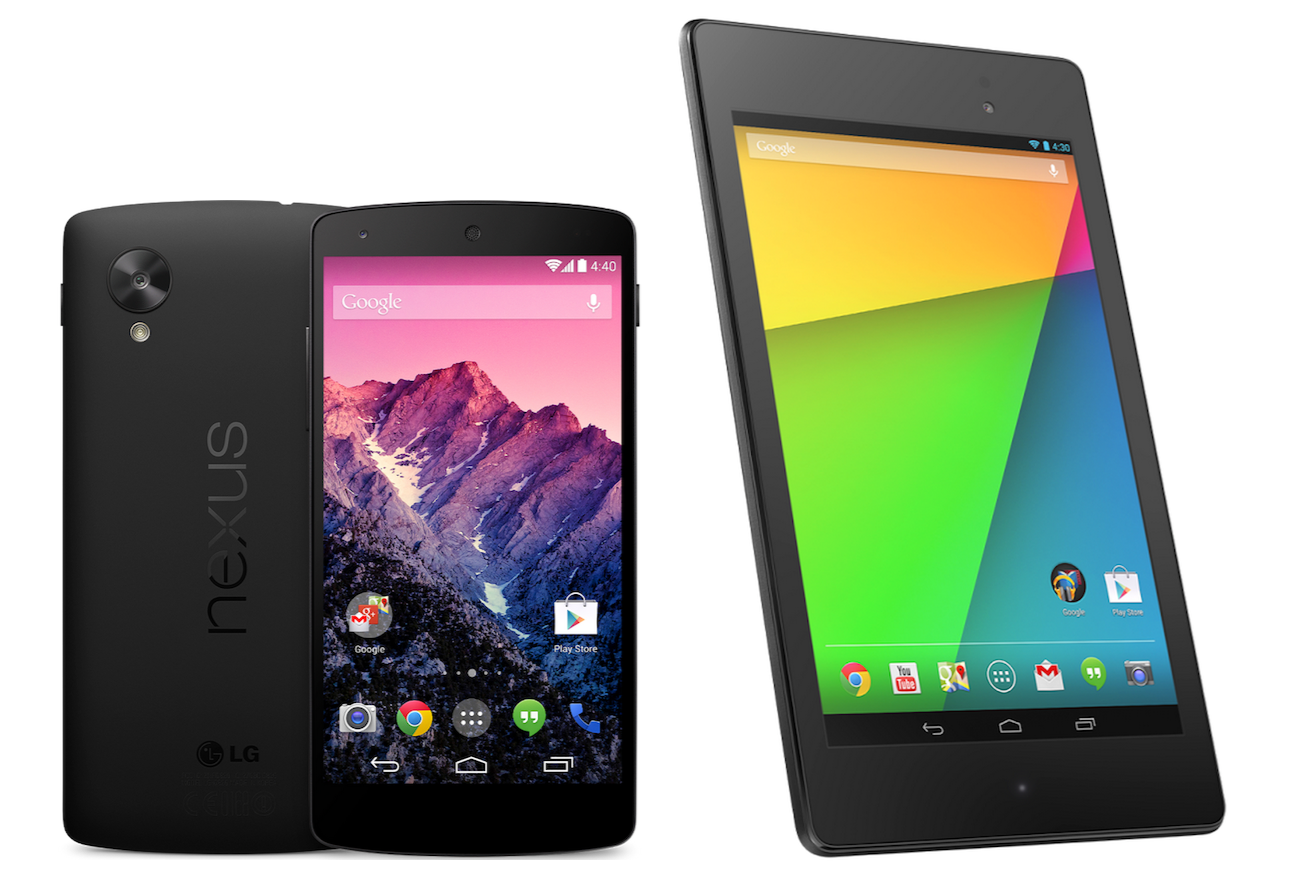
Amid all of its April Fool’s day jokes, Google has done one legitimate thing today. The company is holding another sale on the Play Store that cuts the price of official Nexus device cases by 25 percent. Google’s cases are notoriously overpriced, so this is certainly a great deal.

Not every accessory qualifies for this deal, but most of the popular ones do. The Nexus 7 sleeve will now run you $22.49, while the case and folio for the device currently cost $37.49, as does the QuickCover for the Nexus 5. The Nexus 5 bumper is on sale for $26.24.

Those cases are still somewhat pricey for what you get, however, and many accessories for the Nexus 5 and Nexus 7, are a lot cheaper on Amazon. For official LG and Google accessories, though, you can’t beat 25 percent off. 
Expand
Expanding
Close

Report: Google working on standalone Android camera app w/ refreshed UI, third-party filters & more

Site default logo image

According to a report from Engadget, Google is apparently in the process of testing an updated version of the Android camera app that includes a revamped UI and few new features. The report claims that the new camera app would include “a background-blurring effect for portrait shots,” as well as high-resolution Photo Sphere and panorama modes, and a lens blur mode that offers a shallower depth of field. There are also apparently fixes in the works for existing issues with the app:
Expand
Expanding
Close

Site default logo image

Office Mobile for Android goes free for all users

While Microsoft’s biggest news of the day might have been the debut of its Office productivity app suite for iPad, there was also news on the Android side as well.

Microsoft didn’t make dedicated apps for Word, PowerPoint, and Excel, but the company did make Office Mobile for Android free for all users. Previously, Office Mobile for Android required an active subscription to Office 365.

Just like Office Mobile for Windows Phone, we are making Office Mobile for iPhone and Android phones free for everyone. With Office Mobile, you have the ability to view and edit your Office content on the go. Office Mobile is available in the App Store and Google Play.

Now that Microsoft has moved that requirement to its dedicated iPad apps, Android and iPhone users can now enjoy Office Mobile’s full feature set without any limitations and not subscribe to the membership.

Office Mobile for Android is available for free on the Google Play Store.

Google Play Music adds drag-and-drop uploads, mini-player, & downloads to web app

Site default logo image

Google’s Play Music service previously required installing the Music Manager app to upload music to the cloud service on Mac, Windows, and Linux. Today that changes as Google adds the ability to drag-and-drop your music collection to upload it directly through the browser within the Google Play Music web interface. It’s still in “lab” beta mode, but you can easily enable it:


Expand
Expanding
Close

Site default logo image

HTC adds key Sense apps to Play Store to make updating easier

After months of leaks, HTC just unveiled the new One (M8) on stage in New York City, and with it comes a bit of software news, as well. Overnight, HTC added all of its key Sense apps to the Play Store in order to make updating them easier. Motorola also did this with the Moto X and it has turned out to be a big success.

Having each individual app on the Play Store means that HTC can quickly and easily push updates without having to issue a full OTA device update, which requires carrier approval. And as we are all well aware of, it can take awhile for carriers to approve updates. HTC can now release updates just as any third-party developer would.

HTC has added the following apps to the Play Store: BlinkFeed, Gallery, SenseTV, Service Pack, and a companion app for their Fetch accessory.

Play Store links: BlinkFeed | Service Pack | Gallery | SenseTV | Fetch

Roku for Android updated w/ new interface, search enhancements, more

Site default logo image

Roku this afternoon has released an update for its Android (and iOS) companion remote app. The update includes quite a few tweaks and new features, and bumps the app to version 3.0. First off, the app as new, much cleaner design that Roku says is significantly faster and more easy to use. The update also now lets you control any Roku on your home WiFi network, much like Apple’s Remote app on iOS. You previously had to login into the Roku account associated with each set-top box to control it.

One of the coolest new features is the ability to search within the app for a movie, show, actor, or director. The Roku app will search within all channels and show you where you can watch the content you searched for. The new search feature for now is only supported “on US-based Roku players firmware 5.4 or later” and on all hardware except the Roku 2450x or 2500x.

  • All New Visual Design – The UI features a new, modern look.
  • Search on your mobile device – Enter a movie, show, actor, or director, to explore and see what’s available. Choose from the available services and jump right into the Channel, ready to watch.
  • Control any Roku player on your network – Use the remote control, or play photos, music, or video with Play on Roku.
  • Bug fixes and other enhancements.

The Roku app for Android is available on the Play Store now.


Expand
Expanding
Close

New tax law could see UK Google Play customers paying up to 20% more next year

Site default logo image

Members of the UK government are seeking to close a tax loophole that currently allows online music, app, and book downloads to avoid the country’s 20% “value added tax” in favor of much lower international tax rates, reports The Guardian. If the push is successful, Google Play customers in the UK will instead be taxed at the appropriate rate for their own country.

However, the new law won’t go into effect until January 1, 2015, so there’s still time for things to change. Supporters of the change say that it will lead to more fair competition among foreign and domestic companies, since UK-based companies are currently at a major disadvantage due to the higher tax rate.


Expand
Expanding
Close

Google Now adds ability to launch ‘I’m feeling lucky’ radio station by saying ‘Play some music’

Site default logo image

Earlier this week, Google made a backend tweak to the Google Search app for Android that added the ability to take a picture or video with Google Now by saying “Ok Google, take a photo.” This afternoon, the company has added another new voice command, this time relating to Google Music. Starting today, you can now say “Ok Google, play some music” and an “I’m feeling lucky” radio station will start to play via Google Music. The I’m feeling lucky station provides a constant stream of music based on your listening history.

Lots of driving ahead this weekend and already bored of listening to the radio? To get a surprise mix of music, just tap the mic (or say “Ok Google”) in your Google Search app and say “Play some music.” You’ll get an “I’m feeling lucky” radio station assembled based on your recent listening.
This feature will certainly be useful for those long car rides or workouts when you want to change up your music. Google notes that you must have Google Music installed for this feature to work. You can try it out today in the Google Search app with Google Now.

Nexus 5 and Nexus 7 hit Google Play Store in eight European markets

Site default logo image

We already mentioned that Google’s Chromecast is landing in 11 new countries across North America and Europe, and Google’s transcontinental roll out doesn’t stop there.

As noted by Android Police, both Google’sNexus 5 and Nexus 7 phone and tablet can now be bought on the Google Play Store in several European markets: Austria, Belgium, Denmark, Finland, Ireland, Netherlands, Portugal, and Sweden.
Expand
Expanding
Close

Good news for Brits buying a Chromecast: the iPlayer app already supports it

Site default logo image

Photo: http://thenextweb.com

If you’re in the UK and plan to finally get your hands on a Chromecast, the good news is that the existing BBC iPlayer Android app is already compatible with the device, reports iMore.

It may take a minute or so, or even a relaunch of the app to kick it into gear. When it’s ready to go you’ll see the standard Chromecast logo along top of the app. To cast your content you need to first connect the app by tapping on the Chromecast logo and selecting which you want to pair to. After that just go ahead and choose what you want to watch and let it do the rest … 
Expand
Expanding
Close

Chromecast launches in UK, Canada, Germany, several more countries

Site default logo image

After much speculation, Google has officially announced that the Chromecast is available in 11 new countries across Europe and North America. These countries include Canada, the United Kingdom, France, Germany, Spain, Italy, the Netherlands, Norway, Sweden, Denmark and Finland. The streaming device has been available in the United States since its original announcement in July of last year.

In the UK, the Chromecast will run £30 and be available from Amazon, Google Play, Currys, and PC World. A BBC iPlayer app with Chromecast support will also start rolling out to customers in Europe today. In France, users will get access to local content providers TV Pluzz and SFR. Finally, German customers will have access to Watchever with Maxdome coming soon. Google says that it will continue to work with more local content providers to expand these options.

If you are located in one of the 11 new countries, get your hands on the device at one of your local or online retailers, including Amazon, Google Play, Currys PC World, Elkjøp, FNAC, Saturn, Media Markt and many others.


Expand
Expanding
Close

Site default logo image

Popular puzzle game Threes launches official Android version on Google Play

After hitting the #1 paid spot on the iOS App Store, popular puzzle game Threes! debuted today for Android users through the Google Play Store.

The game features shifting, numbered tiles with the objective of matching numbers and can go on for a really long time.


Threes! is available for $1.99 on Google Play.

Site default logo image

Instagram for Android now twice as fast and half the size with refreshed design

Instagram announced today it that it has not only refreshed the design of its Android app, but that it has cut the overall size of the app in half while making the profile screen load twice as fast. According to Instagram, the new design makes more considerations for how it presents photos with devices with smaller screens in mind as well as button placement with larger displays in mind.

Instagram 5.1 is available today on the Google Play Store.

Pebble launches app store on Android, new apps from eBay, Evernote, & Time Warner Cable

Site default logo image

Pebble announced today that it has updated its Pebble app for Android the smartwatch app store feature that it first rolled out for iOS users last month. The app now lets Android users browse and install apps and watch faces for Pebble:
Expand
Expanding
Close

Samsung launches ‘Milk Music’, a free and ad-free (for now) radio app for Galaxy users

Site default logo image

Samsung announced today that it’s launching a new free and ad-free music service called “Milk Music” that’s powered by Slacker and available to customers of select Galaxy devices. Samsung says the app, which is available now on available as a download on Google Play, is “fully customizable” and offers over 200 stations and a library of over 13 million songs.

“Milk Music introduces a fresh approach to music that reflects our innovation leadership and our focus on creating best-in-class consumer experiences,” said Gregory Lee, president and CEO of Samsung Telecommunications America and Samsung Electronics North America Headquarters. “We’re offering consumers amazing, rich music experiences built around what matters most to them and their lifestyle.”

The service is launching today in the US and available to those with a Galaxy S® 4, Galaxy S® III, Galaxy Note® 3, and Galaxy Note® II  as well as the upcoming Galaxy S 5.  Samsung added that it will soon offer “unique music programming from top selling and emerging artists available exclusively through Milk Music.”

While Samsung is promoting the service as completely free and free of ads, the Google Play page for the app says that the app will only be without ads and free for a for a limited time. It’s unclear if Samsung is referring to the ads or the service being free of charge, but it appears that it will either be implementing advertisements or a fee for the service in the future.

Here’s a list of features from Google Play:
Expand
Expanding
Close

Site default logo image

Google Play Music receives update with ability to start radio stations based on playlists

In a string of app updates today, Google has updated the Play Music app with a useful new feature. The app now supports the ability to start radio stations based on playlists, as opposed to just artists or songs. This feature is a very welcomed addition for those who utilize Play Music’s playlist functionality.

This update bumps the app to version 5.4.1413N and should be available via the Play Store now. Google has rolled out a plethora of new features to its Play Music app recently, such as the ability to save radio stations for offline listening and create playlists based off of genres.

Google releases huge Text-to-Speech app update with more realistic voices, interface tweaks

Site default logo image

Google has rolled out a massive update to its Text-to-Speech Android app that includes a variety of enhancements. The update, which began rolling out to devices yesterday evening, bumps the app to version 3.0. Most notably, this update improves the voice functionality and quality. While the voice was originally rather robotic and boring, this update makes it more fluent and realistic, much like Apple did with Siri in iOS 7. The updated voice is available in several languages and both male and female varieties, but each language and style runs about 200MB, so be sure you’re on WiFi when you download them. The voices are also now available in Portugese (Brazil), and Spanish (United States).

There are some issues with the new voices, however. Android Police notes that commands that contact the Google server for a reply, such as “what is 3+2”, still use the old robotic voice. Local questions, such as  “what is my next appointment”, do use the new voices, however.

The user interface has also been tweaked heavily. The voice management screen has been redesigned to show the size of each download, as well as detailed information about the voice.

The update is rolling out gradually on Google Play, so be sure to keep an eye on the Play Store for it to hit your device.


Expand
Expanding
Close

Popular trivia game QuizUp now available on Google Play

Site default logo image

Anyone who has friends that use iOS has probably heard of QuizUp. QuizUp is a simple trivia game that rocketed to the top of the iOS charts, but left many of us disappointed in the lack of an Android client. Today, however, the developers have finally released an Android version of the app to the Play Store.

The Android version of QuizUp is nearly identical to the iOS version. After you create an account, the home screen presents a variety of popular trivia categories. Categories range from sports to music to food and so much more. If you have great success in a certain topic, you become ranked higher, which can eventually lead to titles and badges. The game has great social integration, as well, allowing you to play with your Facebook, Google+ and Twitter friends, in addition to random opponents from around the world. The app also supports Google Play Services, which will share your activity to Google+.

Join over 10 million people who play and love QuizUp! Challenge your friends and connect with other players around the world in the largest real-time trivia game ever. Go head to head with over 200,000 questions in over 400 topics, ranging from your favorite TV shows and books to sports and music. New topics are added every week so QuizUp will surely test your knowledge while keeping you entertained for hours on end!

QuizUp is available for free on the Play Store now. You may notice that there are in-app purchases, but these are simply XP boosters. They don’t affect the actual gameplay at all and are not necessary at all.


Expand
Expanding
Close

Google Play 2nd birthday sale live in US

Site default logo image

Happy-2nd-Birthday-Google-Play!

Happy (belated) Birthday, Google Play! It was two years ago that Google rebranded the Android Market to Google Play, and little did we know that it would take off to become what it is now. Not only are great apps and games made available from this vast repository of digital goodness, but you can also buy the latest Nexus devices, Google Play Experience devices, Chromecasts and accessories, books, movies, TV shows, music and so much more.

Just like last year, to celebrate you can grab the following movies and music to exclusive offers on apps, games and e-books:
Expand
Expanding
Close

Motorola updates Touchless Control app with new “What’s up?” voice command

Site default logo image

Motorola this evening has released an update for its Touchless Control app that adds a few new features. Most notably, the update adds a new feature that allow you to ask your phone “What’s up?” to have your notifications read back to you. Simply say “Ok, Google Now, what’s up?” or “Ok, Google Now, read notifications” and the app will read your notifications back to you, allowing you to make the decision of whether they are important or not. Obviously, this is most useful while driving and can help you find out why your phone is buzzing without putting yourself or others at risk.

In addition to the “What’s up?” command, the update enhances end-of-speech detection for improved accuracy and faster responses and includes some bug fixes. The full change log is below:

What’s New
  • Enhanced end-of-speech detection for improved accuracy and faster responses
  • New “What’s Up” / “Read Notifications” voice command that reads out new notifications so you never miss a thing
  • “What’s Up” / “Read Notifications” fully launched for U.S. English, Spanish, and Italian and in beta for other languages / regions.
  • Compatible only with Android 4.4 KitKat
  • Bug fixes

The update is live on the Play Store now. It’s important to note, however, that Touchless Control is only compatible with the Moto  X, DROID ULTRA, DROID MAXX, and DROID Mini.

Google updates Play Games with ability to send invitations, see what games your friends are playing

Site default logo image

Originally released back in July, Google has just updated its Google Play Games app from version 1.1 to 1.5. The update adds some useful enhancements to help it compete with the likes of Apple’s Game Center.

First off, Play Games now supports the ability to send and view invitations to join multiplayer games. Previous versions of the app only allows you to join games from within the app and did not support invitations. Further improving the social and game discovery aspects of the app, the update has also added the ability to see what games people in your circles are playing.

A few slight interface tweaks have also been made. the settings have moved from the Action Bar to the side bar. The side bar also contains a new menu called “Matches” that allows you to manage your invitations. New “Recommended Games” and “Find Games” tabs have also been added.

The update is gradually rolling out to devices now, but if you can’t wait, head over to Android Police, where they have the download now.


Expand
Expanding
Close