update

See All Stories

Chrome OS updated with launcher folders and enhanced window controls


Site default logo image

Google released an update for its Chrome OS today and and in addition to some standard bug fixes and security patches, 35.0.1916.116 adds some noticeable features. For starters, the Chrome OS launcher now supports folders, so users can organize their apps as they see fit. Google has also updated window controls based on user feedback. The minimize button has now returned and the left/right tiling of windows is now accessible by long-pressing the maximize button. Hotwording (“OK Google”) in now available to US Chrome OS users through the New Tab Page and Google.com. Mountain View has also added captive portal detection during sign-in. This addition will make it easier to connect to public networks at places like hotels, airports and libraries that use a landing page to authenticate users before using the internet.




Expand
Expanding
Close

Box for Android updated with a refined UI and a snappy file previewer

Site default logo image

Cloud storage provider Box announced an update for its Android app today that introduces a trove of new tweaks and features. Users of version 3.0 will be greeted by a simplified menu and an overhauled previewer that can handle over 100 file types without flinching. This means that PowerPoint presentation will load directly from within the cloud for fast access on your Android device. This spiffed up previewer also displays page thumbnails and lets you search text in any document. While Box’s new apps isn’t exactly a Drive killer, it may come in handy as a back-up plan if you often find yourself working with funky file types.


Expand
Expanding
Close

Gmail for Android updated with interface tweaks, ability to save attachments directly to Google Drive

Site default logo image

Ahead of its tradition “update Wednesday” regiment, Google has pushed out a minor update to the Gmail app on Android today. The update bumps the app to version 4.8 and includes some various interface tweaks, most notably in the slide-out navigation menu (via +Gmail)

One of the changes includes profile images next to individual profiles on the slide-out navigation menu, and should you have more than one account, there’s also now a checkmark to better indicate which account you’re currently using. The Settings and “Send Feedback” options have also been crammed into the slide-out panel, whereas they previously were located in the action overflow button in the upper right corner.


Expand
Expanding
Close

Site default logo image

Verizon Galaxy Note 3 KitKat update rolling out to a device near you

Five months after Google released Android 4.4 KitKat, Galaxy Note 3 users on Verizon are beginning to see the update being pushed out over the air. Various people are reporting that they have received the the update on their devices. The update includes various changes and small tweaks to the user interface, as well as enhancements to the software stack to make the device more stable and perform better.

If you’d like to grab the update, start pressing that “check for updates” button, or connect your device to the nearest computer with Kies installed on it, and get downloading.

Plex for Android gains support for automatic photo uploads

Site default logo image

Mobile media player Plex for Android has been updated today with support for automatic photo uploads from the camera roll. The feature requires a subscription to the Plex Pass service. The updated app allows users to automatically upload all photos from the camera roll to the Plex library for access on other devices…


Expand
Expanding
Close

Site default logo image

Latest Galaxy S5 update improves fingerprint scanner accuracy, tweaks camera performance

The latest update to hit the international version of the Samsung Galaxy S5 improves the overall accuracy of the fingerprinting system, and makes the camera open faster, as well as bringing various other small fixes (via SamMobile).

Improvements to the accuracy of the fingerprint scanner will be a welcome upgrade for many. Various early reviews found that the fingerprint scanner wasn’t as accurate as the part found in the iPhone 5s, though it’s difficult to prove that.

The other tweaks make for a faster overall experience with the device, and it seems that Samsung has improved the use of RAM with this update.

There’s no word on when this update might hit carrier versions of the device, though it likely won’t be for some time. If you have the international version of the Samsung Galaxy S5, you can grab the update now via Kies. The update is also rolling out OTA, though it may take some time before it hits your device.

Google Play Music iPad app hidden inside iPhone version, public release likely soon

We’re hearing that Google Play Music for iPad is getting close to release and a tipster has sent in a couple of videos showcasing what he/she claims is a pre-release of the new app. We’ve heard independently that Play Music for iPad was getting close to delivery and our tipster says this is a development build (see update below). The app will function similarly to the iPhone version, but redesigned for iPad.

We are still somewhat skeptical of the screenshots below, but the app’s functionality (shown in the videos) seems to be very similar to the iPhone version and it would make sense for Google to release it for iPad. Though we’re still unsure if the update will arrive as a universal build or if Google will have separate versions available in the App Store.


Expand
Expanding
Close

Site default logo image

Google releases Glass XE17 update, promises to fix boot loop bug

While the XE16 update brought KitKat and various other enhancements to Glass Explorers everywhere, it also carried a few nasty bugs that — among other things — could force devices into a boot loop. As such, Google issued XE16.2, which was supposed to fix these issues. Apparently it didn’t quite do that, as Google has today released the Glass XE17 update.
Expand
Expanding
Close

Foursquare announces Swarm, a standalone app for check-ins

Site default logo image

Today Foursquare announced that it will be repurposing its mobile app to focus specifically on search, reviews and finding places to eat. As for check-ins, that’ll soon be handled by a new piece of software known as Swarm. This new application will focus on the social media side of things, giving users an easy way to locate and connect with their friends when out and about.


Expand
Expanding
Close

Snapchat updated with video chats and instant messaging

Site default logo image

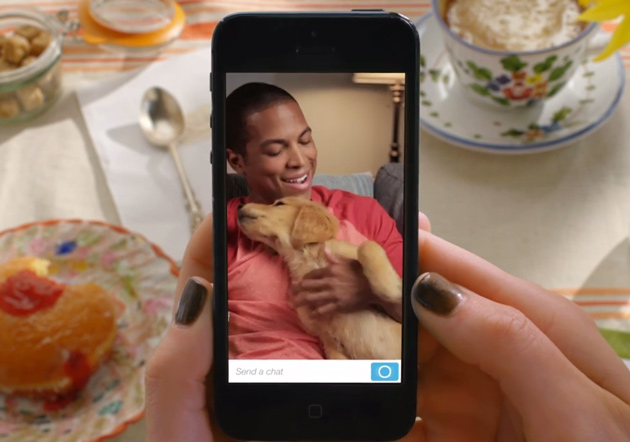
Snapchat received a massive update today that introduces video chats and instant messaging. As for those of you concerned about privacy, don’t worry, self-destructing messages aren’t going anywhere. Users can swipe to the right on a contact’s name in their inbox to start a regular chat. Whenever you leave a session, messages viewed by you and the other participant will be cleared, however both of you will have the option to screenshot anything you’d like to save.


Expand
Expanding
Close

Google Search updated with ability to remember where you parked

Site default logo image

Update: It turns out Google Search/Now on Android is also getting a ton of other new features in addition to the ability to find a parked vehicle (via SearchEngineLand):

  • Offline support: Google Now cards will remain loaded when users lose their internet or mobile connections
  • Indoor maps: in “some malls” Google Now will offer a searchable directory of stores (US + Japan) and then take users to an indoor map of that mall. We don’t know which particular malls but probably the ones available on the US and Japan lists here. In addition Google has individual store maps (probably coming later) for some retailers such as Best Buy, Home Depot, Ikea and others. It doesn’t have everyone store in those chains however.
  • Product search reminders: If you’ve done a previous search for a product online or on a mobile device and you happen to be near a store that carries that product, Google will show you a Now card (kind of like a reminder/notification) about the product.

Google this afternoon has updated its Search app on Android with several new features. The update bumps the app to version 3.4 and has some pretty useful features within it. First off, it adds a Google Now card that offers the ability to automatically detect where you’ve parked and help you find that spot later, a feature that was rumored earlier this month.


Expand
Expanding
Close

New updates will stop Google Glass from hijacking your phone calls

Site default logo image

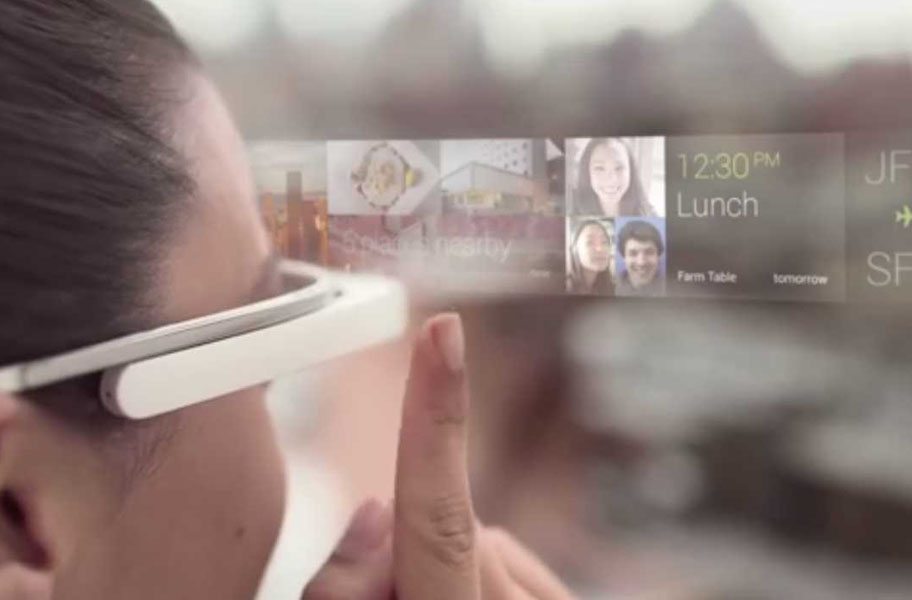
Today, Google announced a trio of updates heading to Glass later this week and they appear to be pretty thoughtful. First on the docket is image backups.This process will only take place when Glass is connected to WiFi, however users with wireless data to burn will have the option of forcing a data backup if they wish to do so. Snap happy shutterbugs will also be able to clear photos and videos from their timelines, which should help keep things nice and tidy.


Expand
Expanding
Close

Site default logo image

Sprint now pushing Android 4.4 KitKat to the LG Flex (update: T-Mobile too)

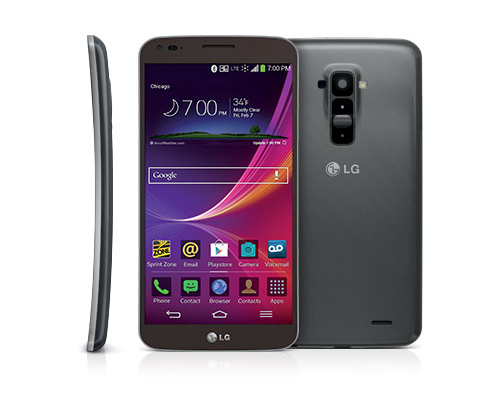
Sprint customers rocking the LG Flex will start receiving an over-the-air notification advising of an update for their device. Not just a generic carrier update, this new software push will advance the curved smartphone to Android 4.4 KitKat. Sprint says the update will be rolling out in stages and may take several days to hit all of its customers.

If you’ve yet to receive any notifications and would like to try to help the update along, you can manually check for the software by tapping: Settings> Systems updates> Update LG software> Check now. If the update is available for your device, you’ll receive a download prompt. If not, you’ve waited this long, a few more days probably won’t kill you.

Update: Not to let Sprint customers have all the fun, T-Mobile is now rolling out KitKat to its LG G Flex users.

(via Sprint)

Site default logo image

KitKat update arriving on Verizon’s Galaxy Note 10.1 2014 Edition

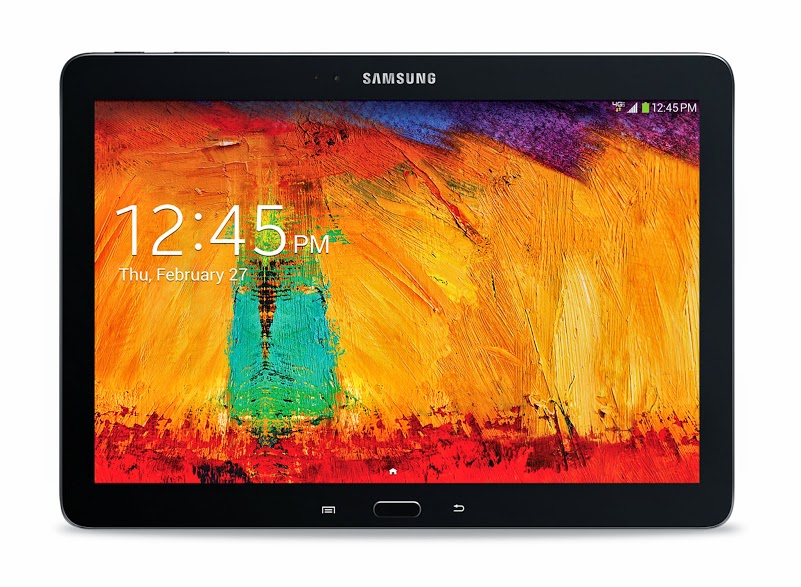
Last week, international Galaxy Note 10.1 2014 Edition owners started sinking their teeth into KitKat and today it’s Verizon’s turn. An over-the-air update for Big Red’s 2014 version of the Galaxy Note 10.1 is slowly starting to trickle out to customers sporting Samsung’s slab. In addition to KitKat, the new software push ships with a few bug fixes. Highlights include: a more stable S Note widget and Chrome’s tab bar no longer flickers when in portrait mode.

If you’re new to Android 4.4, you can expect to gain Google Cloud Print support, faster multitasking and Immersive Mode, which automatically provides full screen viewing. If you’ve already managed to pull down this new software, be sure to let us know how it’s treating you and your tablet by sharing your experience with us in our comment section below.

(via Verizon)

Site default logo image

Republic Wireless’ Moto X receiving KitKat today

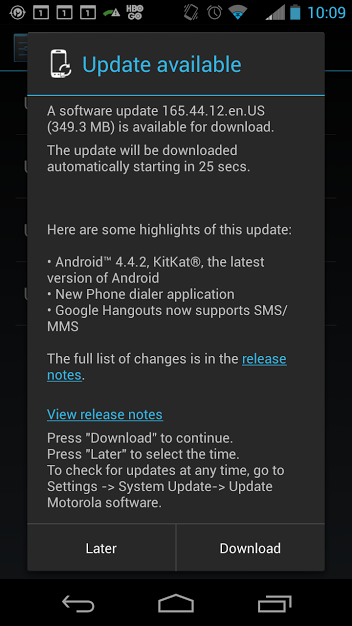
If you happened to pick up a Moto X from the Sprint-fueled MVNO Republic Wireless, your device’s Android 4.4.2 update is rolling out today. Members of the carrier’s forums have confirmed that the 349.3MB update is in the wild and that it includes a new dialer and an updated Hangouts app — not the new one though. The software push appears to be over-the-air, but trying to manually update your device through its settings menu probably won’t hurt.

If you happen to pull down this new OS, be sure to let us know how it’s treating you and your Moto X.

Google Glass getting Calendar Glassware, SMS for iPhone this week

Site default logo image

An iMessage sent to Glass

Google announced today that it’s about to bring SMS for iPhone and a new Calendar Glassware to Google Glass users following an update to KitKat and the introduction of new features earlier this month. First up, iPhone users will now be able to receive text messages on Glass but, as Google points out, they “won’t be able to reply from Glass due to some limitations with iOS.” The support for SMS is a feature that Glass users have long had access to when paired to an Android device.

SMS for iPhone – iOS fans, by popular demand you can now get texts from your friends on Glass. Get started by going to your iPhone’s Bluetooth settings and turning on “Show Notifications” for your paired Glass. When you receive a new text message, it will appear as a notification on Glass. Keep in mind that you won’t be able to reply from Glass due to some limitations with iOS. (Android fans, don’t feel left out – you’ve got SMS on Glass already.

You’ll begin receiving notifications as long as the “Show Notifications” option for your paired Glass is selected from Bluetooth settings. Google also announced today that it will release Calendar Glassware available in the MyGlass tab:
Expand
Expanding
Close

MLB At Bat iOS and Android apps add Chromecast support for Premium subscribers

Site default logo image

Google announced today on its Chrome blog that Major League Baseball is adding support for its $35 Chromecast streaming stick through the MLB At Bat app for Android and iOS. That means that users with the app and an MLB.TV Premium subscription will be able to stream live and on-demand video content from the app (or from a browser tab in Chrome through MLB’s site) to a Chromecast connected TV. You’ll also be able to use the phone or tablet you’re streaming from as a second-screen experience to “check scores, stats and news” while watching the game on the bigger screen:

MLB.TV is the latest live streaming service to come to Chromecast, so now MLB.TV Premium subscribers can invite their friends over to watch live, out-of-market games. While casting a game to the big screen, use your phone or tablet to check scores, stats and news from around the league. You can even choose between home or away broadcasts to steer clear of the opposing team’s announcers when your guys are on the road.

The updated apps are rolling out today for the MLB At Bat app for Android and iOS on Google Play and the App Store, but the Chromecast feature will require an MLB.TV Premium subscription to get started. Those cost $129.99/year or $24.99/month in comparison to the regular $19.99/season or $2.99 month At Bat subscription and offers “every 2014 Regular Season out-of-market game LIVE or on-demand in HD” across platforms. 


Expand
Expanding
Close

Site default logo image

Flickr 3.0 redesigned on Android, sets its sights on Instagram

[youtube http://youtu.be/aP759GdbSLA]

Flickr — Yahoo’s photo-sharing service — has been completely redesigned Android to focus on the social aspect of the service, making for a direct competitor to Instagram. The new design is similar on both iOS and Android, though the specific look and feel has been tailored to each platform; the Android app keeps a darker feel. Both apps are fast to load photos and browse the feed.

The update is out right now in Google Play. Flickr isn’t the most popular photo-sharing service around on mobile , but version 3.0 makes it one of the nicest for both iOS and Android — plus that free terabyte of storage helps sweeten the deal.

Site default logo image

Google Calendar update adds autocomplete to event locations

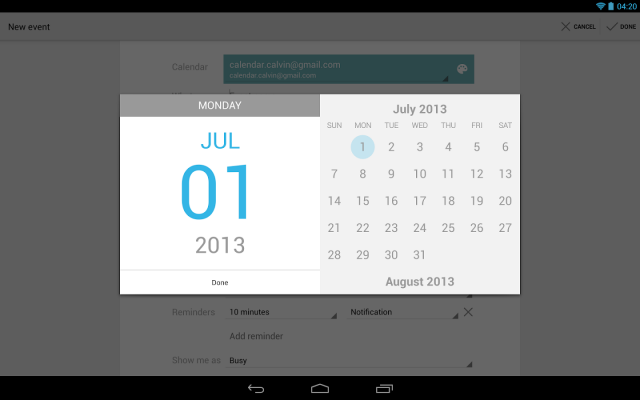
Google’s updating spree continues with a new software push for Android’s stock Calendar app. A modest update, version 201308023 adds location autocomplete from Google Maps when adding a new event to Calendar. While this new feature will likely save you a few seconds at a time, it’s the little things that count.

Recently, a few screenshots of what was rumored to be a redesigned Calendar app hit the web, so perhaps this small update is just an appetizer before Google serves up the main course. Head on over to the Play Store to download this new update.

YouTube for Android updated with UI tweaks, ability to Cast live streams to Chromecast

Site default logo image

Google’s Update Wednesday continues today with an update to YouTube for Android. The update bumps the app to version 5.6.31 from 5.5.27 and includes a couple of significant changes. The biggest new feature is the ability to cast live videos from the YouTube app to your Chromecast. The process works just as it does on the desktop and the quality is fantastic. Of course, this would have been very useful during the live streams from the Coachella music festival last weekend, but there’s still the second weekend with which to use it. This will also be incredibly useful for watching live streams from Google I/O on the big screen.

The Watch Later interface has also been updated to fit in with the rest of the app’s interface, as opposed to the image-heavy interface in the previous version. You can now see at least four videos without scrolling, while you were previously limited to two on the same screen.

The update is rolling out now, albeit very slowly. If you’d like to bypass Google’s staged rollout, head over to Android Police where they have the APK available for download.  If not, keep an eye on the Play Store for it to hit your device.


Expand
Expanding
Close

Google adds 50 megapixel Photo Spheres, hints at Advanced Photo Mode in new Camera app

Site default logo image

Hints of new features have been found in the just-released Google Camera app. The APK — which was put under the microscope by Liam Spradlin of Android Police — contains references to an Advanced Camera Mode, Time Lapse Mode, and Wide Angle Mode. Additionally, Google has confirmed that the Camera app now captures Photo Spheres in 50 MP, making for a major upgrade  in image quality.
Expand
Expanding
Close

Site default logo image

Google Play still tops App Store in downloads, slowly narrowing revenue gap

The Play Store continues to hold a growing advantage over Apple’s App Store in terms of sheer downloads, according to the most recent App Annie report (via TechCrunch). More importantly, Google’s mobile app store is slowly narrowing the revenue gap that exists between the two platforms. While Google passed Apple’s App Store in terms of downloads last year, a major gap remained in the revenue that both platforms generated for developers. While Android still lags behind iOS in this department, it seems that the two are slowly reaching parity. Last year’s indexed revenue for the Play Store was ranked at about 40; as the above chart shows, it’s climbed to be just above 50.

Google Play led the iOS App Store in downloads by approximately 45% in Q1 2014, up from 35% in the previous quarter. Meanwhile, the iOS App Store maintained its comfortable advantage in revenue, leading Google Play by 85%. However, Google Play continued to narrow this revenue gap. The gains for Google Play come as Android devices extended their lead in worldwide device installed base.

Google Play saw revenue growth in the United States, which helped it to close the gap. Additionally, Android saw strong download growth around the world. iOS continued its growth in the US, as well as in China — traditionally a stronghold for Android device, albeit devices without access to the Play Store. Apple’s platform also saw strong growth in Vietnam and South Africa, among other smaller countries.

The takeaway? Both ecosystems are strong, and getting stronger.