In Google’s annual Founders Letter, Larry Page revealed that Google was handling more than 100 billion searches a month, but said that the service was still “a million miles” from the service he’d like to see Google become.
In many ways, we’re a million miles away from creating the search engine of my dreams, one that gets you just the right information at the exact moment you need it with almost no effort. That’s partly because understanding information in a deep way is a hard problem to solve …
A new Google+ addition, rolled out (confusingly) in the midst of AprilFool’s season, makes view counts optionally visible on your profile. Both profiles and pages can now show the number of times content on your Google+ has been viewed. The view count applies to all content, totalling the number of views across your profile, posts and photos.
The stat can be optionally hidden. To change the visibility, go to your Google+ settings (plus.google.com/settings) and toggle the checkbox labelled ‘Show how many times your profile and content have been viewed’.
There’s a commonly-held myth that any image found in Google images is fair game for anyone who wants to use it. In reality, most images are copyrighted by default and usage generally requires permission – especially for commercial use.
Google’s Matt Cutts has tweeted that you can now filter images by usage rights. If you want to find images you can use commercially, for example, just do your search, click Search Tools and then select ‘labelled for commercial use’ from the pull-down.
It’s not immediately apparent how Google identifies the permissions associated with an image. We’ve reached out to Google and will update when we have a response.
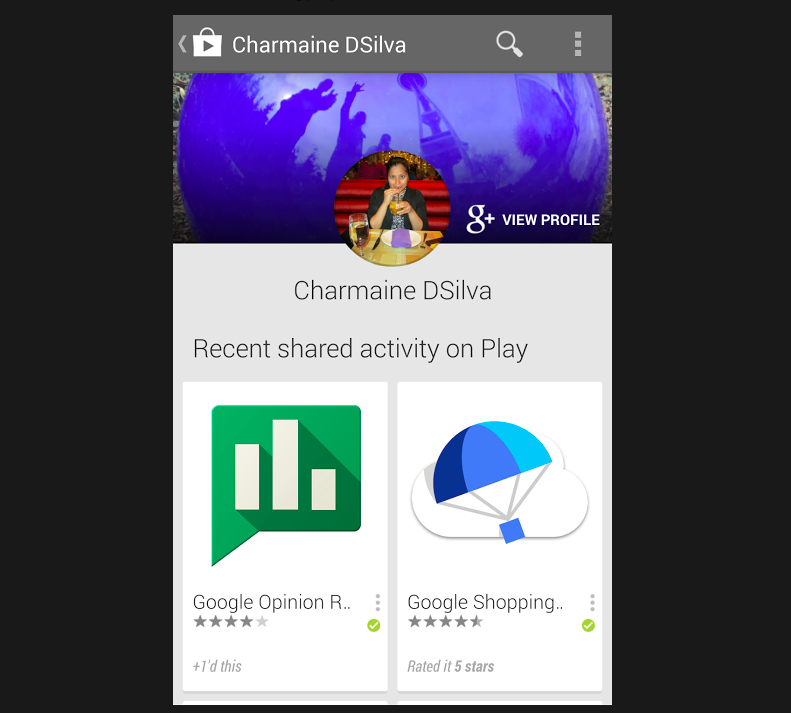
The world called for another aspect of our Google lives to be invaded by Google+ and voila…Google+ inside Google Play. Google just announced via…where else…Google+ that a new version of the Play Store is rolling out to “make it easier for you to find and share recommendations with your friends and family.”
Google is rolling out support to its take out service for exporting email and appointment data from its Gmail and Google Calendar services, the company announced today.
While Google often supports data exporting when sunsetting a service, the company says in this instance it’s simply allowing users the ability to better archive personal data and switch to other services with less friction. Expand Expanding Close
In its Explorer Story: Young Guru [through Google Glass], Google shows a lot of new features of the Google Glass upgrade and expected upgrades including the hardware addition of the stereo headphones.
A Georgia Fire Chief is singing the praises of Google Glass. It isn’t hard to see why a heads up display would be a big benefit to Firefighters but a less Beta product would probably more optimal for bigger rollouts. (which are probably a year out at least).
Google has apologized for Gmail delivery delays experienced by some users yesterday. Google says that whilst most messages were not affected, 29% of messages were delayed by a couple of seconds, with only 1.5% of messages being critically delayed, by as much as two hours. The issue lasted for about 8 hours, starting at around 5:30 am PST.
A novel new use for Google Glass: In the operating room, a surgeon does an operation wearing Google Glass and shares the procedure real time with his colleagues and students in a far off classroom via Google Hangouts.
“It’s a privilege to be a part of this project as we explore how this exciting new technology might be incorporated into the everyday care of our patients,” said Dr. Christopher Kaeding. “To be honest, once we got into the surgery, I often forgot the device was there.”
Google Glass has a frame similar to traditional glasses, but instead of lenses, there is a small glass block that sits above the right eye. On that glass is a computer screen that, with a simple voice command, allows users to pull up information as they would on any other computer. Attached to the front of the device is a camera that offers a point-of-view image and the ability to take both photos and videos while the device is worn.
Google just announced a nice bit of API code that will allow developers to to make it easy for readers of websites to download files to their Google Drive account.
Adding a Save to Drive button on your website is easy. You simply have to include the script and HTML tag below:
<script src="https://apis.google.com/js/plusone.js"></script>
<div
 data-filename="My Statement.pdf"
 data-sitename="My Company Name"
 data-src="/path/to/myfile.pdf">
</div>
It isn’t hard to see how this could come in handy.
Google announced today on its Google+ page that it is expanding its Gmail Search Field Trial. It’s a program that lets users let upcoming features, and users who have signed up to preview new features will now be able to access Calendar results alongside Gmail and Google Drive results:
With all that you juggle every day, its easy to lose track of appointments, plans, and reminders. With today’s expansion of our Gmail Search Field Trial (http://goo.gl/dQGNs), we’ve added Calendar results to your Gmail and Drive results.
Google explained users would be able to quickly call up upcoming events from their Google Calendars by searching for [what is on my calendar today], while they’ll also be able to search for specific calendar entries with phrases such as [when am i meeting bryan]. You can sign up to access the latest and upcoming search features from Google on its Gmail Field Trial page.
Google rolled out the official YouTube app for Wii U in November, allowing users to browse channels and categories from the GamePad and view the video in 1080p on their TVs. Today, as previously announced, Google is rolling out its new Google Maps and Street View solution for Wii U owners with the Wii Street U app available now on the Wii U eShop. The app allows users to view street view and 360 degree content and easily navigate Google Maps using the Wii U GamePad:
With Wii Street Utm powered by Google, you can step into Google Street View with an immersive experience that will make you feel like you’re actually there! View a 360 degree Google Maps Street View of locations all over the world using the Wii Utm GamePad controller’s motion controls. Jumping to a location is easy—just use the GamePad touch screen to type in an address or location and start exploring, or instantly travel to over 70 fascinating, hand-picked locations around the globe.
As noticed by TNW, Google appears to be testing a new flight search service that differs from its Google Flights offering launched in September of last year. In our tests, the service, dubbed “Flight Explorer”, is fully accessible through www.google.com/flights/explorer, indicating this might be an upcoming refresh of the Google Flights service. Upon navigating to the Flight Explorer page, Google automatically detects your location for the “From” category and selects what appears to be the next closest country in the “To” section.
The service also provides some improvements over Google’s old flights search, allowing users to select the trip length with a slider under their destination, as well as a number of filters along the top, including: Stops, Airline, Duration, Outbound time, and Return Time. While the service appears to be ready to go, clicking links for any flights that show up in the results takes you to a familiar Google Flights page currently. We expect to hear more about Google’s new Flight Explorer service soon.
Google just announced Google I/O 2013 would kick off in 162 days from May 15 to May 17 at the Moscone Center West in San Francisco. Google is not accepting registrations yet, but it will announce more details in February.
It might only be December, but Google I/O 2013 is set and is just 162 days away! We’ll be returning to Moscone Center West in San Francisco on May 15-17, 2013, and sharing the experience beyond via Google Developers Live and I/O Extended viewing parties. We’ll announce registration details in February 2013. Expand Expanding Close
According to AndroidCentral, Google confirmed that it would resume selling its new Nexus 4 smartphone today after weeks of unavailability following the Nov. 13 launch. Both the $299 8 GB and $348 16GB models were listed as sold out just shortly after going up for sale in the United States on the Google Play store. Since then, some shipments have reached customers. However, Google earlier this month notified some pre-orders customers that their device would ship in three weeks due to “overwhelming demand.” We’ll keep you posted if the device actually hits Google Play later today.
Google has apparently added the option to “Buy Google Play Credit” on the Play Store’s web version, so U.S. customers can now go to the bottom of the store to purchase credits in increment starting at $5:
There does not seem to be a choice for gifting credits, but that will feature will likely surface down the road—along with availability in other countries.
Google just published a new edition of Think Quarterly—its own online magazine geared toward Google partners and advertisers—called “The Open Issue“.
The informative publication, which touts “insights and outlooks on the digital future,” appears to have 10 new sections in the current issue with the following ‘Open’-related theme:
Open systems of information and technology have completely altered how we live and work, unleashing unlimited opportunities. In fact, there’s never been a more exciting time to be ‘open’ for business.
A few of the spotlighted features include interviews with Wiki’s Jimmy Wales, Google Idea’s Jared Cohen, and American Express’ Susan Sobott. Check out “The Open Issue” online or download the PDF.
Google announced a few updates for YouTube Analytics today on the YouTube Creators blog. The new tools for content creators include enhanced “time watched” data, a beta version of “Annotations report,” and a few UI improvements.
For time-watched data, which Google originally rolled out earlier this year, channel owners can now see an enhanced Views report that includes “estimated minutes watched”. It also features other metrics from a “Compare metric” drop down menu, such as: “Monetizable views”, “Unique viewers”, “Estimated minutes watched”, and “Total estimated earnings”. You will also now find “Annotations (Beta)” in the YouTube Analytics sidebar, allowing you to “view data on the performance of your video annotations, with insights on viewer click and close rates.
As for design changes, there is now a Date Slider to easily adjust the time period you are viewing data for, a metadata section with data for video duration and lifetime views, and video hover cards to quickly view a thumbnail and info for your videos.
We have launched a new version of Google Trends, bringing the great functionality of both Google Insights and Google Trends into one. Following the release of the revamped of hot trends and the special olympics addition, this release should make it even easier for you to tell stories about search and explore what people are interested in around the world.
As these product are now one, Insights for Search is being deprecated. We are working hard to make sure that any URLs you might have stored for Insights/Trends will be gracefully handled by the new united site.
Google Trends previously detailed how often a particular term is Google searched relative to the total volume of searches conducted across the world; where as Google Insights for Search provided, well, insights into those search terms. Unlike Trends, Insights for Search also provided a visual graph.
Now, both products have been folded and redesigned into a fancy new tool:
Google has been working with businesses to get panoramic Street View-style imagery for quiet a while to essentially provide Google Maps users with the ability to browse the inside of retail stores and other buildings. Today, Google is rolling out some improvements to the feature including an easier way to access the 360-degree imagery. Now, when browsing Google Maps, you can drag the orange Pegman onto any orange circle (which indicate a location with interior imagery) to zoom right into the building:
Now, if you’re searching or browsing Google Maps and want to check out what a business looks like on the inside, we’ve improved your ability to find and view these 360-degree panoramics. Simply drag and drop the orange Pegman on the left hand side of your screen onto an orange circle on the map. Voila! You’ll be virtually transported through the doors, and able to pan around and explore the interior of the establishment.
Google also posted the video above showing off where to find some of these interior business photos.
Google Drive received an update today that makes it easier to collaborate and communicate, as Google’s popular discussion function, previously only available in documents and presentations, is now live in spreadsheets.
Getting things done with others would be much easier if everyone was sitting right next to you. But since that’s rarely the case, we’re always updating Google Drive to make it easier to collaborate with others, no matter where you are or who you’re with.
Today we’re bringing the discussion functionality that’s already in documents and presentations to spreadsheets. If a cell has a comment in it, you’ll see an orange triangle in the upper right corner and when you hover over the cell you’ll see the full discussion.
Totaled comments are now at the bottom of the sheet tab’s screen, where a simple mouse hover on the comment icon will display a thread. Users can also +mention to include other people in the project’s discussion, which will send a notification to their email, and then they can choose to reply without even leaving their Gmail inbox.
Comments prior to today’s update are tucked away as saved “Notes”, which are still accessible in spreadsheets, and users can further take advantage of the black triangle in cell corners to differentiate them from the new-comment style. Moreover, users can create new notes or annotations in a cell from the “Insert” menu.
Google Product Manager Austin Chang made an announcement on his Google+ today highlighting some new features rolling out on Google+ (via TNW). In addition to the “sliders” the service rolled out last year, allowing you to filter what you read and share on Google+, Google is rolling out three new features today that provide even more control. The new features allow you to control notifications from specific circles, opt to send emails for important news you are sharing, and mute notifications from a specific contact within a circle. Chang explained: