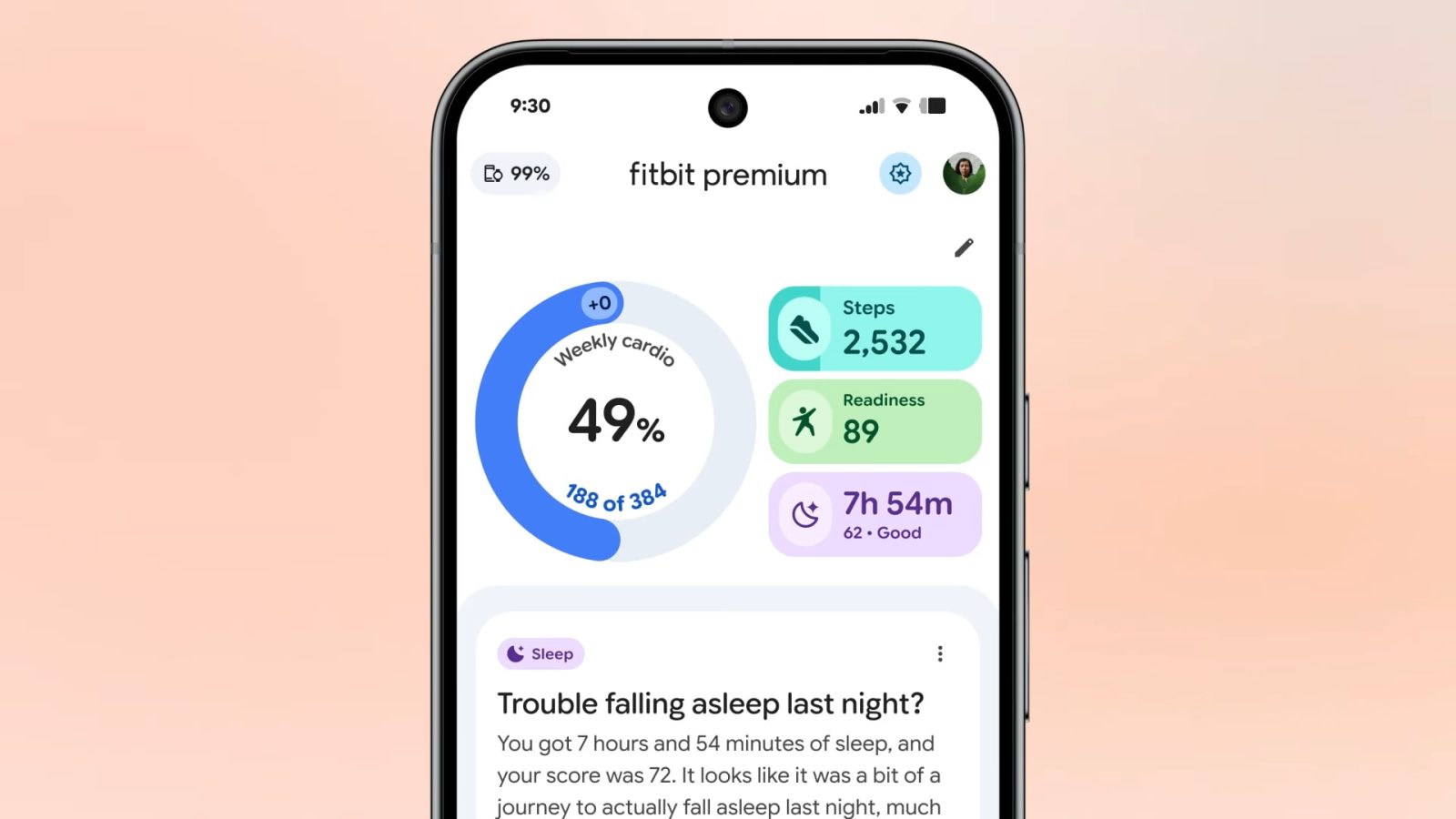
Fitbit Public Preview adds food & water logging, more as app redesign comes to free users

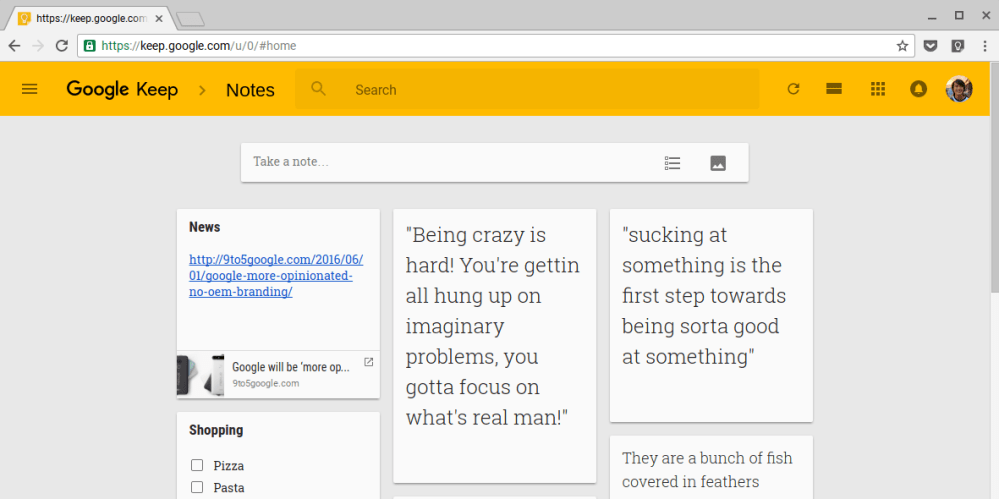
The last major update to Google Keep in April added a Chrome extension to easily save and add notes to links. An update today adds link previews, duplication prevention, and autocomplete when adding list items. The Keep site is also getting a significant refresh that matches Google’s other web apps.
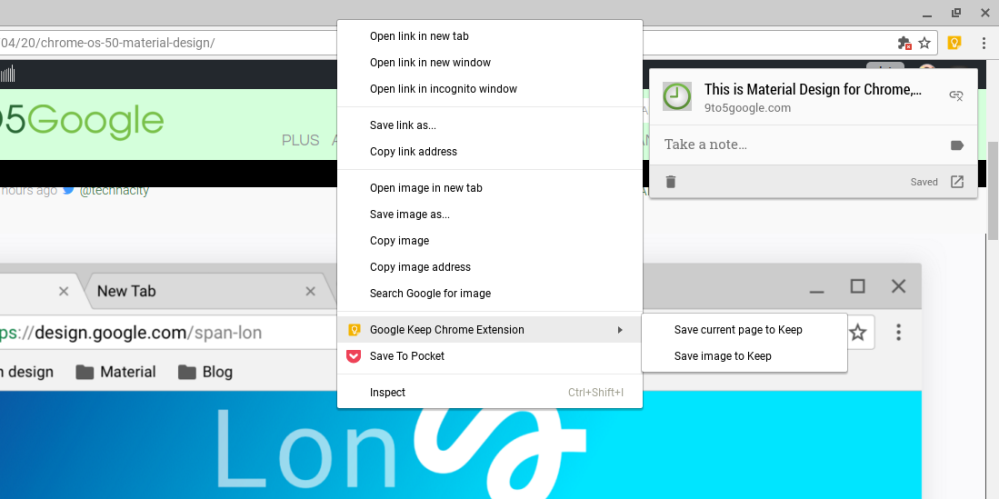
Update: The Android app is receiving a similar update that allows users to add notes right from the Share menu. Additionally, hashtags in notes now act as labels.
Google Keep started out as a basic, cross platform note taking app with reminders and has slowly gained more features like image uploading, advanced search, and drawing. An update today adds a new Chrome extension that allows users to easily save and markup web pages and images.
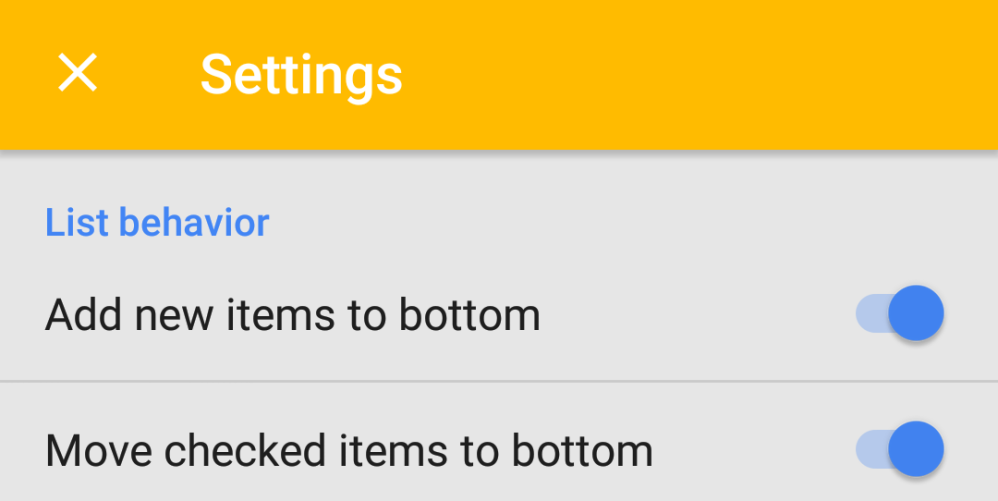
Google Keep was announced as a minimalist note taking and reminders app in 2013. An update to the service today finally adds a unified settings panel on the web and in the Android app.


Google today announced that it’s bringing its Google Keep note taking app to iPhone and iPad for the first time after originally releasing only for web and Android users a couple years back.
Expand
Expanding
Close



Evernote, which previously offered only a free Basic membership or a $50/year Premium one, has now added a middle tier. The new Evernote Plus subscription offers many of the premium features for half-price, at $25/year. The catch? Limits to the amount of data you can add to Evernote.
Evernote Plus limits you to 1GB/month total, a maximum note size of 50MB and no more than 250 emails per month – and you’ll be missing out on a few features, like the ability to search inside PDFs and Office documents. The full comparison chart can be found here.
Evernote has also increased Premium prices in some regions, including the U.S. if you pay monthly, up to $5.99/month. However, the company says that it has locked in existing pricing for current subscribers.
If you’re currently paying and the price of Premium went up in your region, then we’ve locked you into your rate for a year, or more. As long as you continue in your current plan, your price will adjust at your first renewal after April 29, 2016.
Finally, some regions have seen a price fall, and the company’s FAQ explains how to switch to the lower price.
Evernote for Android gained business card scanning late last year.
Google has updated its How Google Fights Piracy report with details of its latest moves to remove pirate sites from its search results. A key element is improved automated demotion of sites that have received high numbers of DMCA takedown notices.
In August 2012 we first announced that we would downrank sites for which we received a large number of valid DMCA notices. We’ve now refined the signal in ways we expect to visibly affect the rankings of some of the most notorious sites. This update will roll out globally starting [this week].
The “most notorious sites” are likely to include rapidgator.net, filestube.com and dilandau.eu, each of which has, notes Gizmodo, received at least 11 million individual takedown requests …
Expand
Expanding
Close

Things are getting interesting for Google on the legal front. Not long after the ‘right to be forgotten‘ ruling and the messy fallout from that, a Hong Kong court has ruled that the company is responsible for auto-complete suggestions where they could be said to defame.
MyBroadband (via The Loop) reports:
A Hong Kong court has ruled that a local tycoon can sue Google Inc for defamation because searches for his name on Google suggest adding the word ‘triad’, Hong Kong’s notorious organized crime groups.
Searches in both English and Chinese for Albert Yeung Sau-shing, the founder and chairman of Hong Kong-based conglomerate Emperor Group, will automatically suggest phrases related to organized crime using Google’s ‘autocomplete’ function.
On Tuesday, the High Court of Hong Kong dismissed Google’s argument that it was not responsible for the autocomplete suggestions related to Yeung and that the court did not have personal jurisdiction over the U.S. search giant …

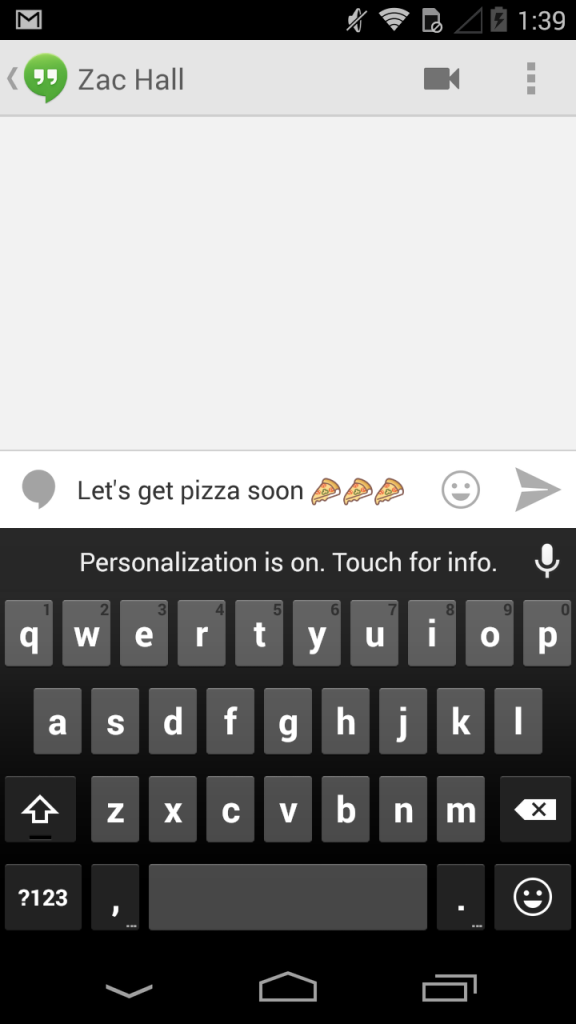
Google this morning started rolling out a minor update to its Keyboard app on Android. The update bumps the app to version 3.1.19 and is pretty small. The only notable change is that the Voice Input button has been moved to the top row of the keyboard, on the right side of the auto-complete suggestions. Previously, the button was located next to the spacebar. This change is definitely useful, as many users would previously accidentally tap the voice button when aiming for the space bar.
The update is available on the Play Store now, although it is rolling out slowly.

Google announced a couple of welcomed improvements to Google Calendar on the desktop today. Perhaps the most notable new feature is autocomplete for addresses powered by Google Maps:
Calendar will autocomplete addresses as you type so you can quickly and accurately add locations to your events. Your friends can then simply click on the “map” link to make sure you all end up at the right place.
The update also brings suggestions for instant relevant events as you type. Now, when searching Calendar you’ll see instant suggestions pop up for events and contacts relevant to your search query. Like the autocomplete feature, instant suggestions for events and contacts aim to make it easier to quickly input entries into your calendar.
Lastly, Google Calendar will now automatically update event guest lists for Google Groups as members leave or join the group:
Expand
Expanding
Close
While we have yet to get all the official details from Google, we get hints at a new feature today that could be headed to Google Drive via leaks from the Drive source code discovered by 1E100. Within Drive’s source code are hints at a new service dubbed “Google Keep,” including links to a new icon for the service, an Android app, and at one point the Google Keep web app itself. Google has since removed the evidence, but our friends over at Android Police were able to capture the screenshots above before Keep was taken down.
There is some evidence that the app would include Evernote-like functionality, with one screenshot revealing an “Add to Keep” function for webpages. The app otherwise appears to provide functionality with color-coded notes, the ability to add and save pictures, create lists, share, etc.
The app could also launch as a standalone Android app, because 1E100 discovered http://g.co/keep redirects to https://play.google.com/store/apps/details?id=com.google.android.keep. We’ll keep you posted if we hear anything official from Google about Keep.
A few more screenshots below:

Google just announced on the Official Gmail Blog that Gmail users would have new options when searching within their inbox starting today. Users can now find emails by size by searching for “size:5m” or “larger:5m”, for instance, to find emails larger than 5MB. Google is also rolling out new date search operators, including: “older_than”, “newer_than”, and exact match.
We’re always looking for ways to make it faster and easier for you to find your messages using search in Gmail. So starting today, you can now search emails by size, more flexible date options, exact match and more… These changes go hand in hand with other recent enhancements to search such as the improved autocomplete predictionsand a field trial for instant results from Gmail, Google Drive and more as you type.
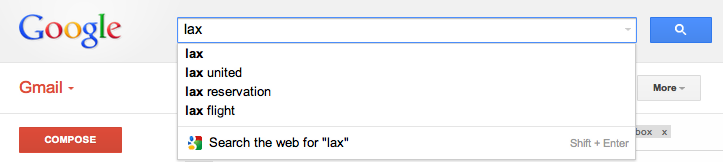
Following an update to Gmail last week that brought improved search results and integration of contact information and Google+ Circles, today Google announced on the Official Gmail Blog that it is now including autocomplete predictions when searching from within your Gmail inbox.
Much like Google Web search and many of its other services, when beginning to type in the search bar from within Gmail, you will now see suggestions or autocomplete predictions matching content within your emails. Google explained:
Now when you type something into the Gmail search box, the autocomplete predictions will be tailored to the content in your email, so you can save time and get the information you want faster than ever before. For example, you might now get lax reservation or lax united as predictions after typing “lax” if you have received an email with a flight confirmation for your trip to Los Angeles in your inbox recently.
The new feature will roll out to English Gmail users over the next few days, but Google noted support for additional languages would roll out over the coming months. The feature is also not yet available to Google Apps users.


