Apps and Updates



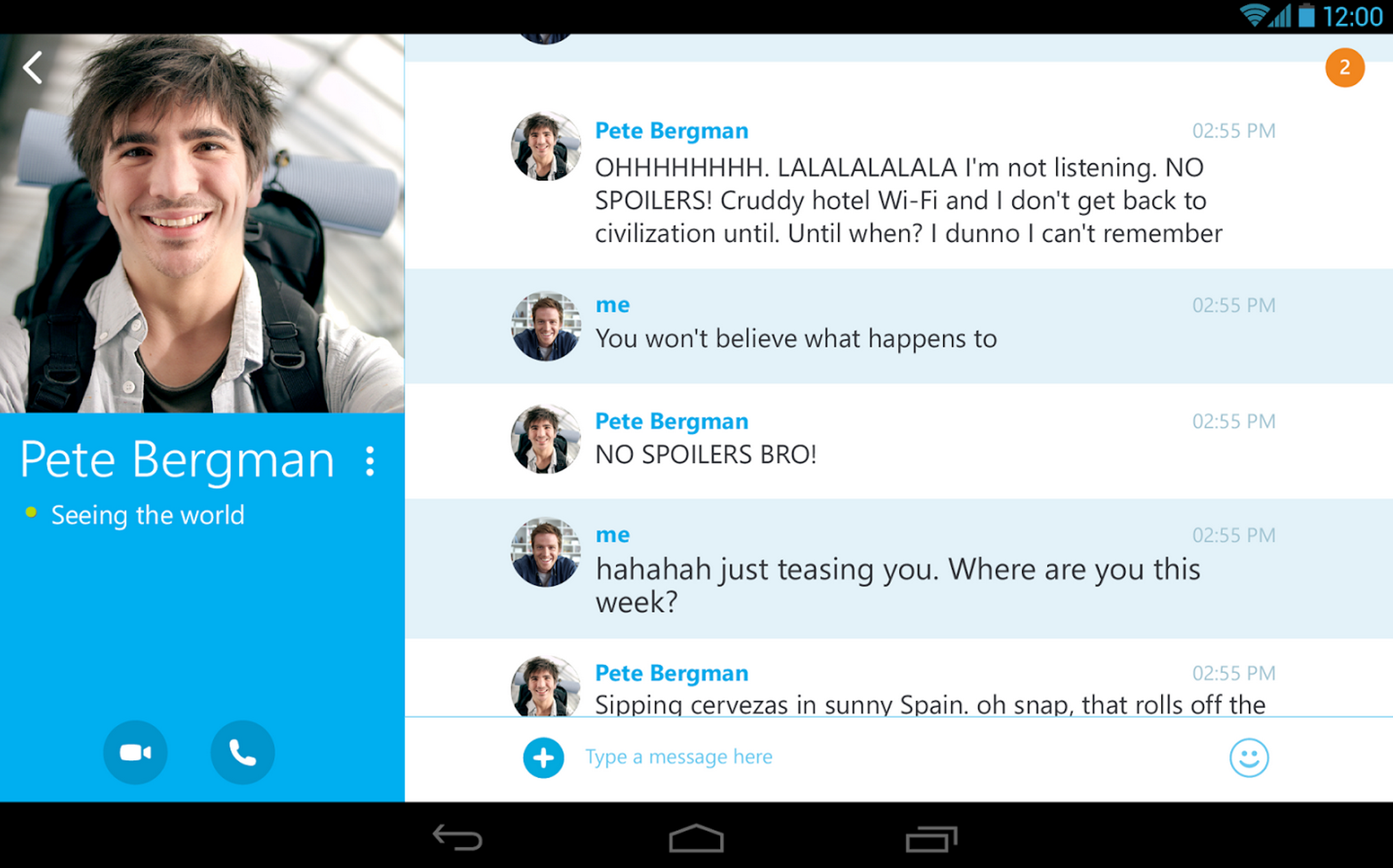
Skype announced today that it’s finally fixing the way notifications work for users with multiple devices by only delivering chat notifications to the device you’re actively using. If you’re signed into Skype on multiple devices like your Mac, iPhone and iPad, Skype will now recognize which device you’re actively using to chat and only send notifications to that device. It will also notice when you stop actively using a device and continue sending notifications to all devices. The changes are only for chat, however, as call notifications will continue to come through on all devices you’re signed into:
The moment you stop actively using Skype on any device, all devices will receive notifications again to make sure you never miss anything important. When you pick up any one of your devices to respond, we will stop send notifications to all other devices. Call notifications are still sent to all devices so you can answer on whichever gadget you prefer, not just the one you’re closest to.
Skype notes that with the change to notifications chat history will continue to “sync across all devices allowing you to continue a conversation from any one of them.”
Skype is rolling out the feature to all users on the latest version of Skype over the next few weeks.


Pushbullet is one of the more essential utilities when it comes to making my daily workflow a breeze, and today the team behind it has announced that app has been updated to include a small but potentially game-changing feature—not just for me, but for everyone who uses an Android phone and a Windows PC. I think it’s obvious how many benefits would come from being able to quickly and seamlessly copy & paste text across platforms, and the latest version of Pushbullet for Android takes the cross-platform notification and file sharing app to the next level by letting you do just that.

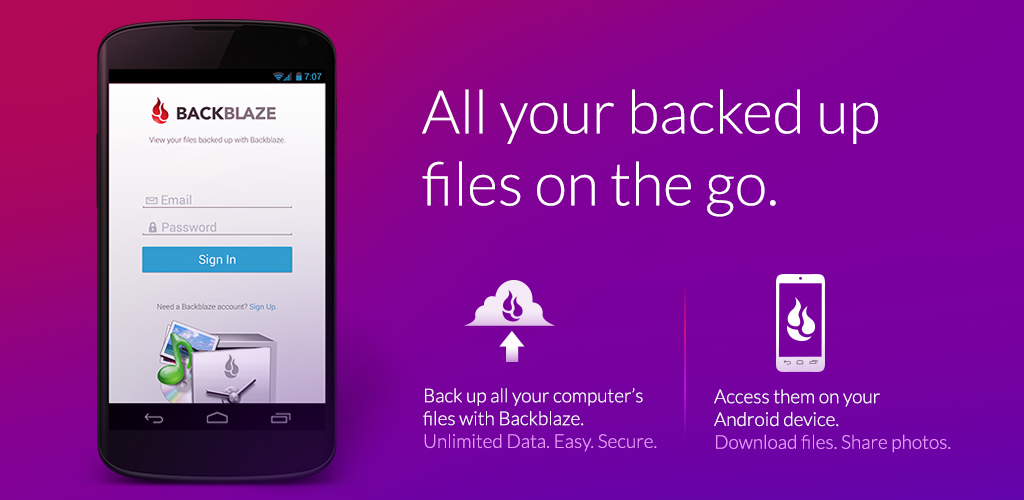
There’s some good news for Backblaze and Android users this morning: a fresh, new app called Backblaze Mobile. The unlimited online backup service for Mac and PC is out today with its first Android client for Backblaze users.
While the app doesn’t allow you to upload and save files from your Android device, Backblaze for Android does allow you to view and download saved files from your computer right on your Android device. This means Android users subscribed to Backblaze can browse files backed up from their PC or Mac for viewing, sharing, and opening in Android apps on-the-go. Backblaze for Android supports downloading files up to 30MB in size at the time of launch, so you won’t be able to access massive, gigabyte files to your device just yet.

Backblaze users running Ice Cream Sandwich or later can grab Backblaze Mobile for Android on the Google Play Store for free (the service is $5/month). You can read more about the new app from Backblaze here.

A judge in Brazil has had it with the anonymous bullying carried out on social networking apps like Secret and has stepped in to put a stop to it, according to a report from Estadao [translation]. Judge Paulo Cesar de Carvalho has ruled that Google must delete the application from its Play Store, but the ruling doesn’t stop there.
According to the report, the judge has demanded that Google remotely delete the application from every device that has installed it in the country. While that might sound like a hilarious case of a judge not understanding how technology works, you may be surprised to learn that it’s actually a capability that Google has, sort of.

When a totally revamped version of 1Password for Android was released to the Play Store earlier this summer, the AgileBits developers still weren’t quite sure on how to price the app. Since the release, the app has been free for anyone to use. At the time of release, AgileBits said that eventually, a premium version would be released with many of the features hidden in it. Now, in a blog post, the developer team has announced that, as part of today’s 1Password 4.1 update for Android, many of the premium features are behind in-app purchases.

Microsoft announced today that it’s releasing a big update to its OneNote app for Android that includes full support for handwriting and brand new experience for tablets with a new UI.
Handwriting support has been the biggest feature request and we have listened to your feedback! If you have an Android tablet, say goodbye to pen and paper because now you have OneNote to take notes during lectures or meetings. With this update you can take handwritten notes, draw with your stylus and even with your finger. Your notes will sync across all your devices, helping you access them easily and stay organized.
Also included in the update is a new tablet-optimized UI with formatting options including “font type, font size, font color, highlight color, text alignment and heading style.”
We have completely redesigned the UI to fit your Android tablet. The new tablet navigation lets you scan through your notebooks and sections so you change to your notes quickly. For those of you who like to keep your notes well formatted, this update has a lot to offer. We have added many new formatting options… You can even organize your notes better by inserting tags to your notes.
Other new features in this release include the ability to “change the page color for visual appeal or add grid lines or ruled lines to your pages to assist in handwriting or drawing.”
The update is available now on Google Play.
[youtube=https://www.youtube.com/watch?v=dEofqMkMmQY]
Google has dropped a new app for iPhone this morning called Photo Sphere Camera. The app offers a special camera that allows you to capture 360º images – everything above, below, and around you – for viewing and sharing. The new app even allows you to publish 360º images you capture to Google Maps for others to see as well. Google notes that the app requires iPhone 4S or higher for capturing images. Photo Sphere Camera is available for free on the App Store joining a long list of other Google apps including its popular game augmented reality game Ingress.
Expand
Expanding
Close

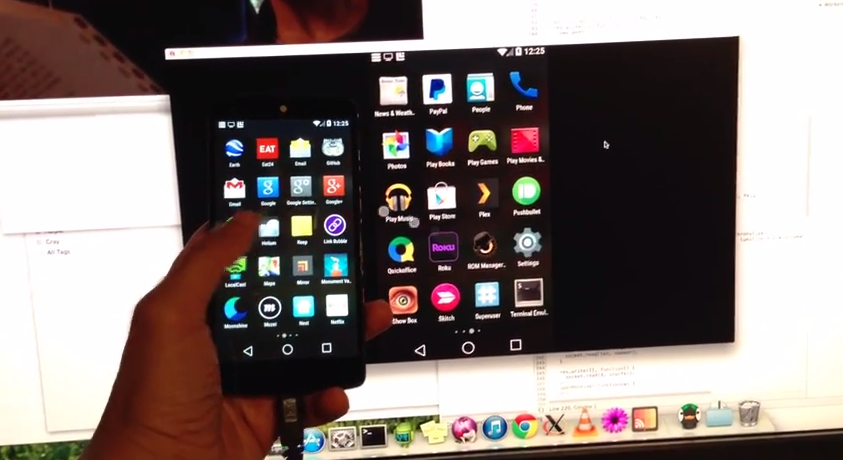
AllCast users will soon be able to easily mirror their Android device’s screen on a desktop thanks to an update from the app’s lead developer Koushik “Koush” Dutta. The media streaming software already features Chrome integration, letting users broadcast media to desktops and this appears to be the next step of its evolution.
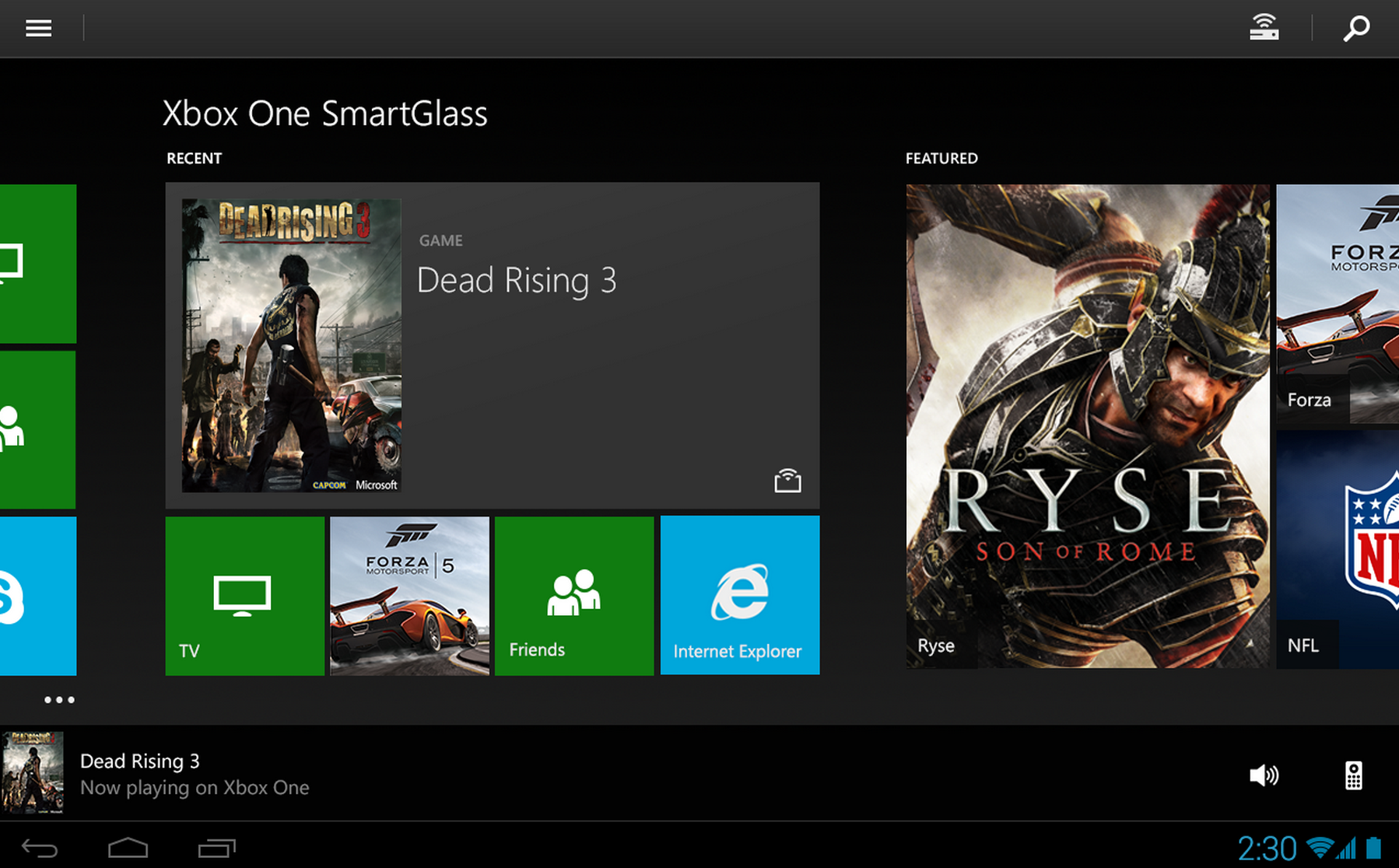
Microsoft updated its Xbox One SmartGlass app for Android today with a few interesting new features including the ability to purchase and remotely begin installing games to your Xbox.
The app now lets users browse new and popular games, add-ons, and bundles as well, which will come in handy now that you can also purchase and begin automatically installing content on your Xbox right from your smartphone or tablet.
Also included in version 2.8 of the app is the ability to “rate your favorite game clips and activity feed entries” and “receive and view shared Activity Feed and Game Clips”.
The updated Xbox One SmartGlass app for Android is available on Google Play now. A full list of what’s new in the update is below.
•Rate your favorite game clips and activity feed entries
•Purchase things on your phone or tablet and they will start installing on your Xbox
•Browse new and popular games, add-ons, and bundles
•Receive and view shared Activity Feed and Game Clips
•General stability and polish improvements
•Bug fixes
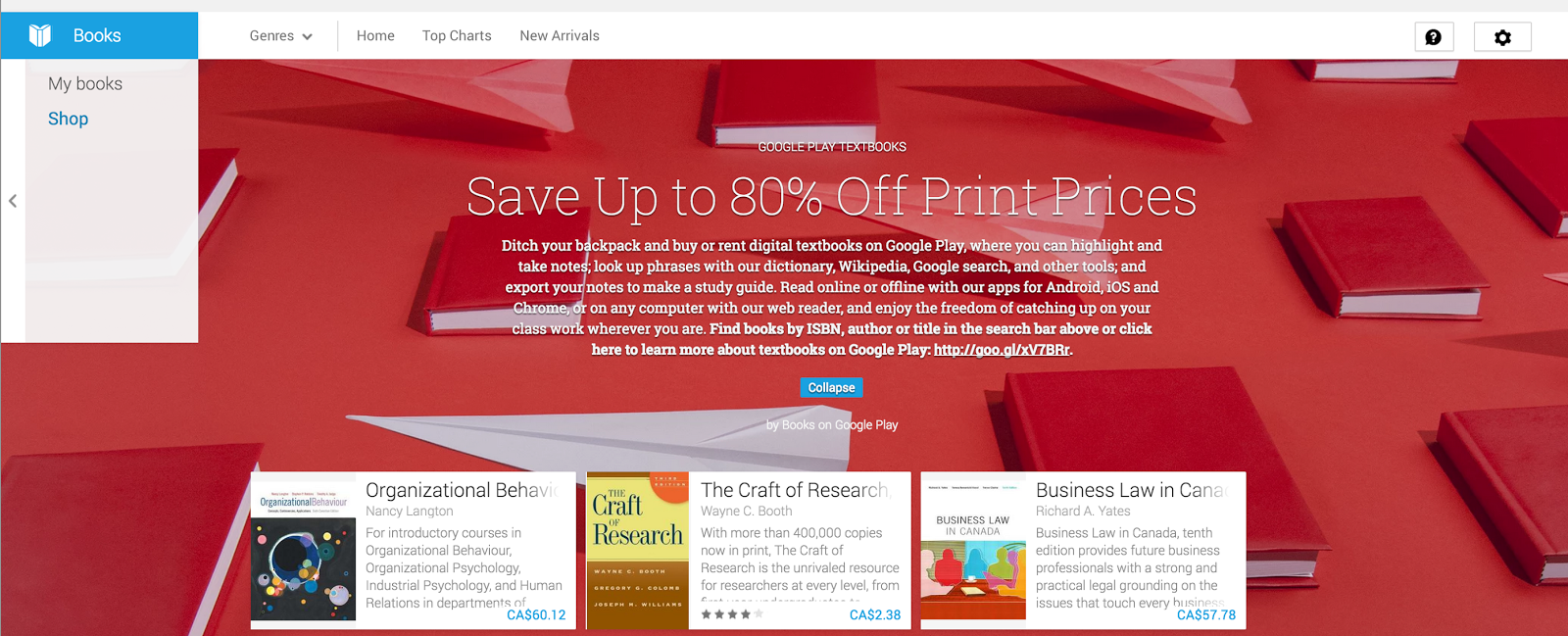
Google announced today that it’s launching the ability to purchase and rent textbooks in Canada through its Google Play Books service:
Starting now, students in Canada can rent or purchase digital textbooks from Google Play Books. With thousands of textbooks from top publishers, we have a comprehensive selection of higher education titles from science and mathematics to history and English, and everything in between… With the Google Play Books app, you have convenient tools at hand to make studying simpler and faster. You can instantly search within a textbook for a particular word or phrase, bookmark chapters and pages, highlight and annotate key passages and get quick access to dictionaries, translation tools, Wikipedia and Google search.
Google first started rolling out the feature to Google Play Books in the US last year.
The textbooks library is available through Google Play Books and accessible on Android, iOS devices, and through Google Play on the web. Canadians can head over to Google Play now to purchase or rent textbooks now.
Google has acquired Jetpac, a city guide application for iPhone, the app’s developers announced today (via The Next Web). The free app (and others by the Jetpac team) will be removed from the App Store in the coming days, and the service that powers it will be shut down on September 15th.
Google hasn’t said exactly what it plans to do with the company’s technology, which automatically scans users’ photos to detect local points of interest like coffee shops or “hipster hangouts.” The service featuerd data for over 6,000 cities, according to the App Store description. It seems logical, however, that Google would attempt to integrate these features with Google Maps or a location-based Google Now feature.
You can grab the Jetpac app for free on the iTunes Store, though it won’t be very useful beyond its mid-September shutdown.
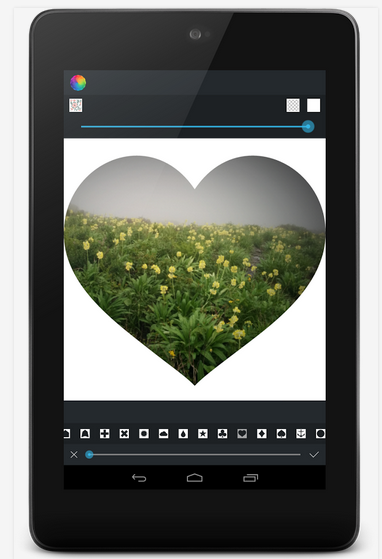
After a favorable run on iOS, Afterlight is now available for Android. Priced at $0.99, this image editing software features 59 filters, 66 textures and 77 stylish frames, along with additional options available through in-app purchases. Think of Afterlight as a solid companion for social shutterbugs who frequently share pictures through outlets like Instagram, Google+, Twitter and Facebook.
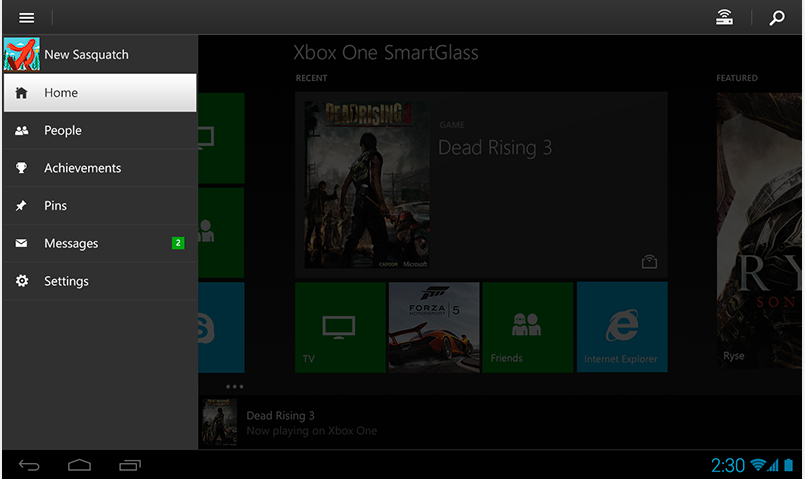
Microsoft has updated its SmartGlass Beta companion app with support for the new features being added to the Xbox One. New SmartGlass features like streaming live TV to your mobile devices, recording game clips and booting the console directly to television playback when coming out of standby are now available to sample.
Aislelabs, a Toronto-based company offering in-store analytics and solutions for building mobile shopping experiences, today released a report examining how Apple’s Bluetooth iBeacon technology impacts battery life on iOS devices vs Android. The study found that Apple’s iBeacon framework, first introduced with iOS 7 to let iOS developers take advantage of Bluetooth beacons for sending location-aware notifications, actually performs better with Android, at least when it comes to battery life:
Expand
Expanding
Close
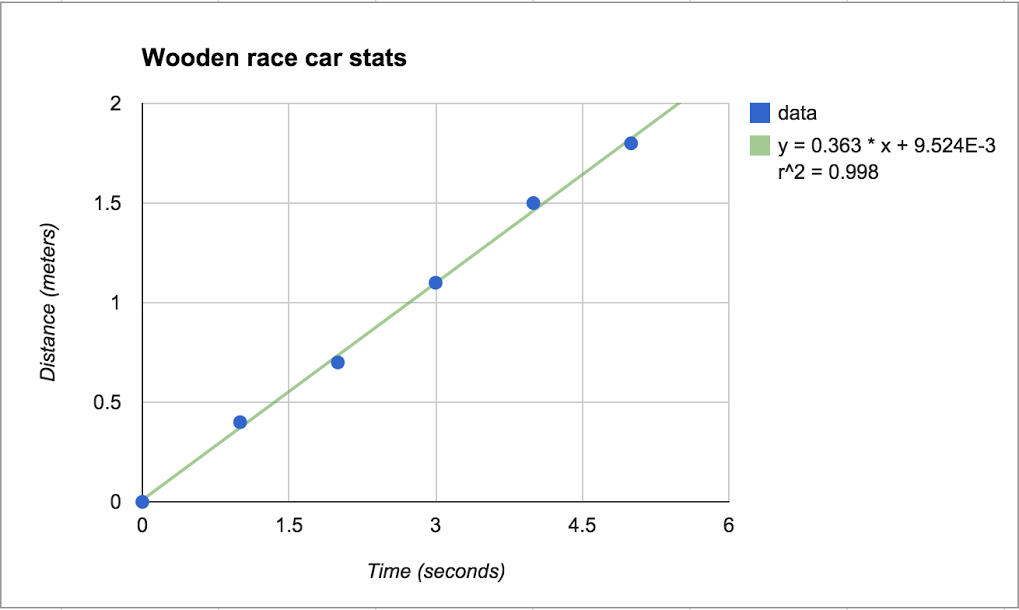
A couple nice new features for Google Sheets users are rolling out today including the ability to copy and paste charts and a new trendlines feature.
Sometimes it’s helpful to recognize and track patterns of data in your spreadsheets, so that’s why today we’re launching trendlines to scatter plot, bar, column, and line graphs in Google Sheets. Trendlines are commonly used to analyze financial and scientific data, but they can even be useful in the classroom or for personal needs like budgeting.
There are a bunch of ways to customize trendlines in Sheets, like:
-Choose between exponential or linear trendlines
-Add a variety of labeling options
-Customize your trendline
Today’s update also brings the ability to copy and paste charts in Sheets between other sheets or spreadsheets.
Google has more info on adding trendlines to charts here.
After a brief hiatus, we received another look at Google Stars and today you’ve got a chance to play with a pre-release build of Mountain View’s new bookmarking software, thanks to the efforts of code connoisseur Florian Kiersch. If you’re feeling adventurous, the programer has managed to extract a nightly build of a Stars extension for Chrome.
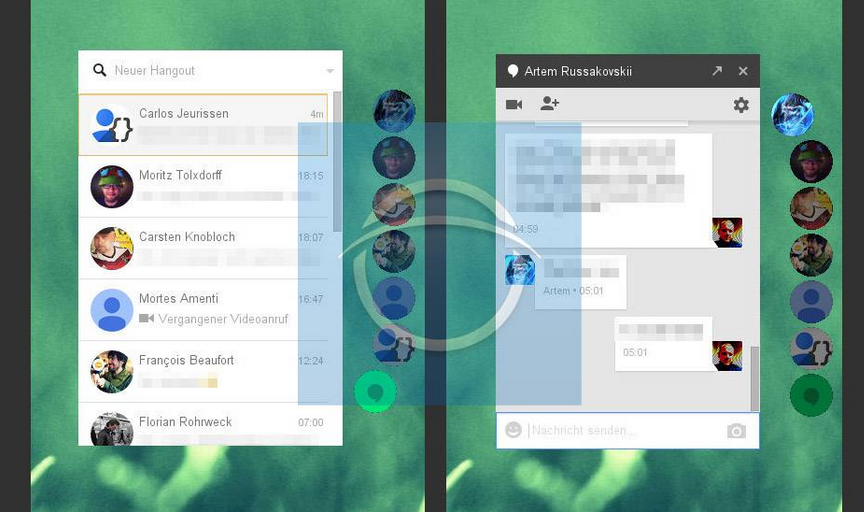
According to new screenshots posted by Caschys Blog (above and below), Google appears to be working on a new Hangouts experience for Chrome currently dubbed “Ultra Violet.”
Expand
Expanding
Close

Uber announced today that it’s added new features that will make the experience even more seamless for both users and its drivers.
We envision a day when there is no coordination necessary to take an Uber ride. Simply push the button, and the rest is essentially on cruise control: the car quickly shows up at exactly the right place and whisks you away to your destination via the best possible route. The latest rider and driver app releases take us one step closer to that world with two new features:
A new destination entry feature lets users quickly enter destination details into the Uber app that are then automatically available to the driver when they arrive. “You can literally skip the step where you tell the driver where you’re going.”
Uber has also added turn-by-turn navigation to its driver app: With one tap, the driver can enable turn-by-turn navigation to the destination you’ve provided. There’s no need to juggle multiple apps or waste time typing in an address.
Uber says the features are live now, although doesn’t list the features in the latest update that hit the app yesterday.
If you frequently travel, then you know that airports can be a mess. You arrive a couple hours before your flight to make it through an airline’s grueling check-in process, only to find out your flight has been delayed. Now playing the waiting game, you sit around wondering if it’ll be minutes or hours before you board your flight. Apparently Google is aware of this type of situation and the company has updated its Google Now platform with new features for globetrotters.
Microsoft announced today that a new system update for its Xbox One game console will soon let users stream live TV to their smartphone or tablets. Set to arrive in the next few months, the Xbox One’s SmartGlass companion app will be equipped with the option to watch television via a local network connection without interrupting a gameplay session.
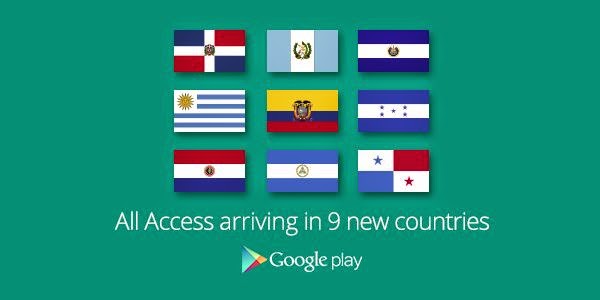
Google just announced that its Google Play Music All Access streaming service is arriving today in nine new countries, including: The Dominican Republic, Ecuador, El Salvador, Guatemala, Honduras, Nicaragua, Panamá, Paraguay, and Uruguay.
The nine new additions add to the many other countries that the $10/month streaming service is already available. The current list minus the new countries above, includes: Australia, Austria, Belgium, Bolivia, Canada, Chile, Colombia, Costa Rica, Czech Republic, Denmark, Finland, France, Germany, Greece, Hungary, Ireland, Italy, Liechtenstein, Luxembourg, Mexico, Netherlands, New Zealand, Norway, Peru, Poland, Portugal, Russia, Slovakia, Spain, Sweden, Switzerland, Ukraine, United Kingdom, United States.
You can check out the service and grab a free 30-day trial in your country here.
After announcing a preview of “Google Classroom” back in May, today Google has opened up the tool for educators to all Google Apps for Education users. Classroom offers teachers a slick platform to plan lessons, assignments, and work alongside students, and today Google also announced some new features its implemented on advice from educators that have been previewing the software. Google is adding new collaboration tools that allow teachers to work with students while they work on assignments:
Expand
Expanding
Close
The Chromecast’s capabilities just keep expanding, and today—as a special treat for those of us who actually use Google’s social network—you’ll find that you can now cast your Google+ feed directly to a Chromecast-connected device. The app has long been able to cast your photos, but apparently you can now send your entire feed full of posts and images to your TV to be viewed in their full glory (via iTechTriad).
After selecting your destination device, the app can automatically pan through all of your posts and you can just sit back and watch. But of course, if you’d rather have control, you can also flip through posts at your own pace. The updated app is supposedly being pushed through Google Play, but it appears that the feature is being flipped server-side. But once it’s on for you, you’ll be able to view photos, videos, and text via Chromecast at the tap of a button.
Dropbox this evening began rolling out an update to its app on Android, bumping it to version number 2.4.3. The biggest change with this update is the addition of in-app previews for Microsoft Word and PowerPoint documents, as well as standard PDFs. The search process has also been revamped and now tracks recent queries and offers typeahead suggestions.