Google Maps




Google announced in a blog post this morning that it has expanded its the popular Google Maps traffic alerts feature to India. This means that any smartphone user based in India will get real-time notifications during navigation if traffic conditions change for the worse, and before a journey is set to begin, so that they can choose the quickest route more easily.


The Waze maps app— the one Google acquired a few years back to improve its own mapping services—today announced a new features that will warn drivers when they are driving over the speed limit.
Now when you’re using the Waze app to navigate, you’ll automatically see a visual warning (pictured above) if you go over the speed limit, and you can also manually set audio warnings for reaching the limit or hitting 5, 10 or 15% over.


With about half a billion dollars between production and marketing campaigns, it is no wonder that ‘Batman v Superman: Dawn of Justice’ marketing and merchandise can be found all over the place. The movie directed by Zack Snyder features two of the most popular superheroes of all time, whose masked versions are just as famous as their ‘real life’ counterparts.
In a promotion for today’s release, a new Google Maps tour will allow you to step inside billionaire Bruce Wayne’s home…


As any regular user of Google Maps will know, the service doesn’t always get house locations right. It’s not unusual for street numbers to be inaccurate, and you sometimes get a home shown on one street when it’s around the corner on a different one.
So you’d think if you were doing something fairly important like, you know, demolishing someone’s house, you might just quickly double-check the address when you got there. But WFAA reports that Nabors Demolition of Seagoville skipped that part, and demolished the wrong house …

An update rolling out to Google Maps on Android allows users to label any location with a nickname for easier search and lets users add a whimsical sticker icon to represent their home and work addresses.
Google Maps is adding new ride options on mobile devices today as it turns the former Uber-only feature into a section dedicated to several car services. It’s launching today for Android users and coming soon to other platforms.

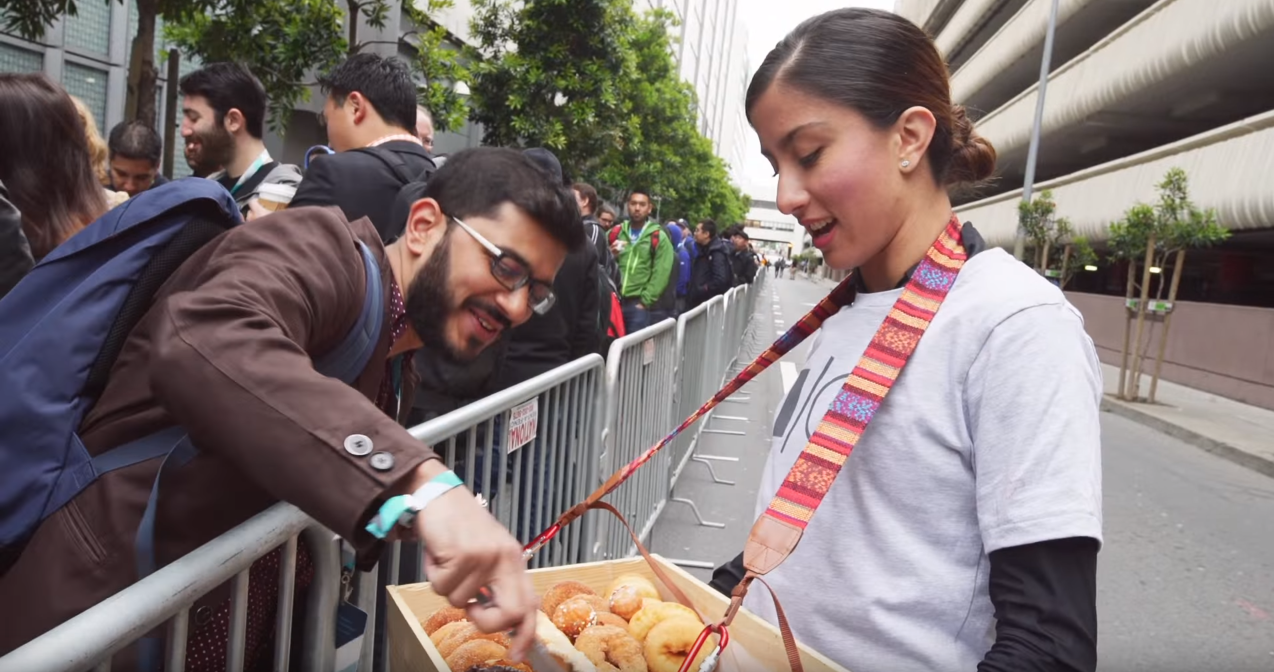
Google said that registration for I/O 2016 would be opening on March 8th, and today is March 8th! You can now head over to the Google I/O website and register to attend the event. There’s no need to be in a hurry, though. Just like previous years, I/O 2016 attendance will be determined based on a lottery system. Register any time between now and March 10, 2016 at 5:00PM PST, and you’ll be on the list…
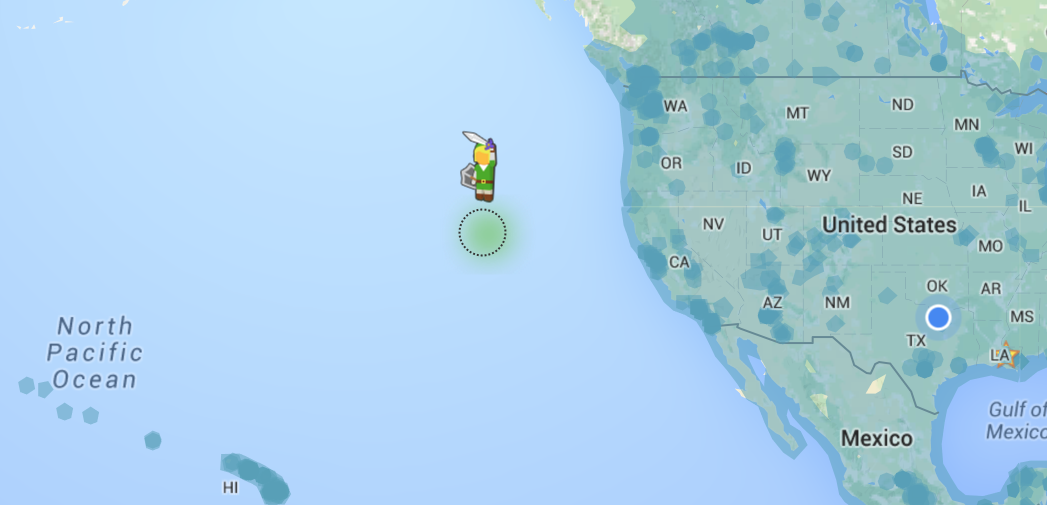
If you open Google Maps today, you might find a pleasant little surprise waiting for you. In order to celebrate the launch of The Legend of Zelda: Twilight Princess HD on Wii U, Nintendo and Google have partnered up to replace the usual “Pegman” Street View guy with a miniature version of Link…

Google Maps is expanding its ‘Explore around you’ feature to France, Italy, Spain, Germany, and Japan. The tool helps users find places to grab a meal or drink based on location and lists them as pre-made categories.
For most people, Google Map Street Views are their first interaction with 360 degree images. As people have begun to associate other 360 degree content as Street Views, Google will be taking advantage of the recognition. At today’s LG G5 event, Google announced that from now on shared Street Views will be stored in high quality for free.
Since it launched in 2007, Google Street View has captured both mundane and exotic locations, spanning from your front yard to majestic mountains and ancient cities from around the world. Most recently, the portable Street View backpack was spotted at Disney’s Magic Kingdom and Epcot parks in Florida…
My Maps is a handy tool that allows users to label and makes notes on top of Google Maps. Users can access their annotated maps from the full Maps app, but need to go to the My Maps website or use the mobile app to make edits. Today, the Android My Maps app has been redesigned in its first update since 2014.
Google has won a UK court case filed against it by a European mapping company named Streetmap.EU, which claimed the search giant had been skewing results in its own favor. Streetmap will appeal the decision, according to the Wall Street Journal.
While the last update to Google Maps for Android brought a smart ‘Driving Mode‘, version 9.20 adds a slew of new minor features, including the ability to manually add places to your timeline, photos in user reviews, and more turn-by-turn navigation settings.
Google has announced in an official blog post that it’s adding a new flood alert system to its services in India. Thanks to information provided by the Central Water Commission (CWC) users will be able to find flood alerts, including river level info, for more than 170 areas in India where the CWC has active observation stations.
Alerts are available in a number of Google’s apps and services like Google web search, Now cards in the Google app, Google Maps and the Public Alerts homepage on desktop and mobile.

Waze is already the go-to app for real-time traffic updates, and today they’ve upped their game. Waze has officially announced its Transport SDK, which will give partners the ability to implement some of Waze’s features into their own applications. There will be no need to switch out of an app just to see a road block two miles ahead in the not-so-distant future.
Google has partnered with a number of outdoor explorers, photographers, runners, skiers and filmmakers to take us closer than ever before to highest mountain in the Alps. Google’s new virtual exploration is simply breathtaking, and easily worth a few minutes of your time…
Update: Google has officially announced the feature and clarified that Driving Mode will only suggest your home, work, and other recently searched for destinations.
An update to Google Maps for Android adds a new intelligent ‘Driving Mode’ that predicts where you’re heading in order to provide driving updates. Additionally, the update adds more prominent controls for audio feedback and granular privacy settings to the Timeline feature.
Google’s Maps app for iPhone and iPad got a small but useful update on the App Store today. The latest version of the Google Maps iOS app now includes a couple of handy features.
First up, and undoubtedly the most useful for drivers is the up-to-date gas prices in the US and Canada. The feature was included in the Android version of Google’s app a couple of months ago and lets users check nearby gas stations to see which has the most affordable prices. You can find prices simply be searching for ‘gas’ or ‘gas stations’ in the search field and Google Maps will automatically bring up the nearest options and list pricing for those locations.
Business hours have been included in the app for some time, but today’s update also lets you check when is best to avoid/visit particular businesses. Like its online search and maps tools, the updated iPhone app brings the ability check popular visiting hours for local stores and outlets. Now you can see what you always knew about any business or retail location: It starts getting busy after lunch.
Google Maps version 4.13.0 is available to download from the App Store for free and requires users to be running iOS 7.0 or later and is compatible with iPhone, iPod touch, and iPad.

Google today has announced an update to the Google Maps SDK for iOS, bumping it to version 1.11. The update includes bitcode support, new events, and brings some features previously available only in the Android SDK to iOS.
Bitcode support means that Apple can optimize for specific target devices at provisioning time and is an intermediate representation of your app that is uploaded to the App Store.
Google Maps SDK for iOS 1.11 also includes two new events that take better take advantage of multitouch features of iOS devices. Google writes on its Geo Developers blog:
The Google Maps SDK for iOS 1.11 also introduces two new events: didLongPressInfoWindowOfMarker and didCloseInfoWindowOfMarker. The long press event takes advantage of iOS long-touch as another way for users to interact with Maps SDK for iOS enabled apps. The close event is particularly useful if you wish to programmatically zoom back out on the map after the user has looked at the detail associated with a particular marker.
The latest Google Maps SDK for iOS 1.11 also includes a handful of new features and bug fixes:
In order to help monitor and show the effects climate change is having on the world around us, Google has teamed up with a number of global organizations to photograph various areas using its 360-degree Trekker camera. Using Street View in Google Maps, you can now take tours of a remote Manitoba habitat, some of the Amazonian rainforest and a Californian nature reserve…
Over the weekend, executives from Yelp and TripAdvisor noticed that Google was pushing restaurant, or POI results from its services down in favor of its own. Neither of the popular location information services was particularly pleased to see it happening, but Google claims it was due to a “bug” and that it will be fixed…just as soon as possible!

When it comes to ancient cities, they don’t come much more exotic than Petra in Jordan, made famous by Indiana Jones and the Last Crusade, and that’s where Google’s Trekker takes us with its latest Street View imagery. Google handed over its blog post announcing it to Queen Rania of Jordan.
To this day, after too many trips to count, Jordan’s ancient archeological site, the Rose-Red city of Petra, still fills me with awe. Concealed in majestic mountain gorges, visitors can wander through the entire city of Petra, imagining what life was like in the thriving trading center and capital of the Nabataean kingdom. Carved by hand into vibrant red, white and pink sandstone cliffs, it has, miraculously, survived earthquakes to withstand the test of time …

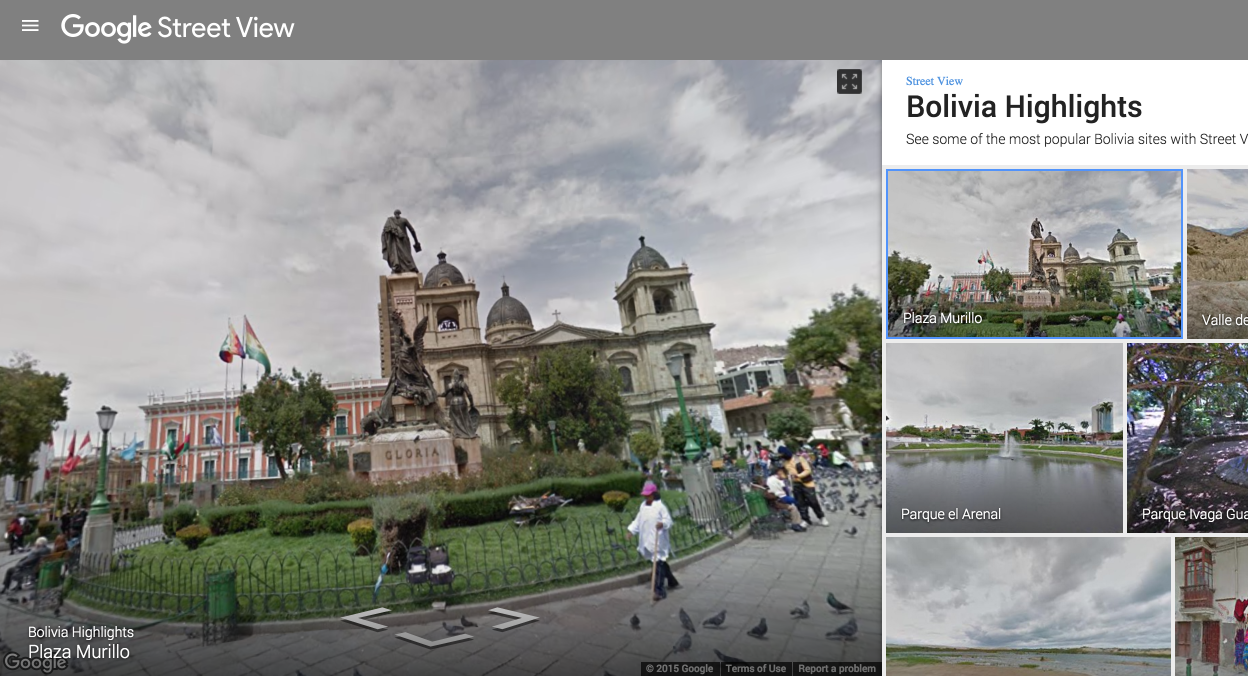
Street View has been slowly getting more locations since it launched in 2007, and now the company has added many of parts of Bolivia and Ecuador to the list. These two South American countries are full of history and beautiful imagery, and now they can be explored from the comfort of your Chrome browser.
Google is even featuring some of the best imagery from Bolivia and Ecuador on its Street View site.
Just a couple of months ago, Google launched a standalone Street View app for Android and iPhone. Android users will find it on the Play Store, and iPhone users can download the standalone Street View app on the App Store. And if you’re interested in exploring Bolivia and Ecuador in VR, you might be interested in the fact that the Street View app recently added support for Google Cardboard.