iOS

See All Stories
Site default logo image

Android hits 51 percent of mobile web use, while iOS grows faster

comparison

A new report from Millenial Media, one of the world’s largest online ad networks, shows that Android boosted its share of mobile web usage to 51 percent this year, but that iOS usage is growing at a faster rate.

Android’s usage grew five points since Q2 last year, while iOS usage grew eight points to reach 42 percent. In tablets, the iPad held its lead, while the Android share was convincingly led by Samsung’s Galaxy Tab.

tablets

In the manufacturer league tables across all devices, Apple lead the way with 39 percent share, with Samsung taking second place at 26 percent.

brandsVia Fortune

Site default logo image

Google Maps for iOS adds ability to share locations to Google+

Google updated its Google Maps app today for iPhone and iPad with one new feature on top of the usual bug fixes. With version 2.2.0, users can now share their locations directly to Google+ from within the Google Maps iOS app. Tapping the the share button will now provide a “Google +” option and users can also select specific circles to share with before posting. Previously users could only mail, message, or copy a location to the clipboard.

What’s New in Version 2.2.0

● Share your favorite places with friends via Google+
● Bug fixes

Google launches app for iOS to setup Chromecast, manage settings

Site default logo image

Google has released a new application for the iPhone, iPad, and iPod touch to make it easier for users to setup and manage the Chromecast TV device.

• Set up your Chromecast to work with your Wi-Fi network
• Manage your Chromecast settings (such as changing your device name, Wi-Fi password, etc.)

The application is free on the App Store. The Google Chromecast is a device that plugs into a TV set via an HDMI port. The Chromecast allows users to stream content, such as YouTube and Netflix, from devices like computers, tablets, and smartphones.


Expand
Expanding
Close

Google brings ‘Field Trip’ virtual tour guide app to Google Glass

Site default logo image

Google is today rolling out its Field Trip app, previously available only on Android and iOS, to those lucky enough to be part of its Google Glass explorers program. While the Google Glassware version of the app appears to offer a slightly stripped down version of the virtual tour guide experience, the hands-free experience with Glass seems to be a natural fit for Field Trip. John Hanke, who is in charge of the Niantic Labs project at Google told Cnet that Field Trip was actually “conceived with Glass in mind, but Glass wasn’t ready.” 
Expand
Expanding
Close

Google adds Waze’s real-time incident reporting to Maps on iOS & Android, integrates search/StreetView into Waze apps

Site default logo image

Real-time-waze-reporting-google-mapsGoogle announced today on its Google Maps blog that it’s finally tapping into the talent and technology it picked up with its acquisition of Waze back in June to integrate real time incident reports from Waze into Google Maps. The new integration means that when Waze users report incidents for everything from accidents to road closures, Google Maps users on both iOS and Android will now be able to benefit:

Users of Google Maps for Mobile will now benefit from real time incident reports from Waze users. This means when Wazers report accidents, construction, road closures and more on Waze, the updates will also appear on the Google Maps app for Android and iOS.

The features will initially be limited to users in certain locations, including: Argentina, Brazil, Chile, Colombia, Ecuador, France, Germany, Mexico, Panama, Peru, Switzerland, UK and the US. In addition, as Google first hinted back in June, the company will also be integrating Google Search into the Waze apps on iOS and Android, while the Waze Map Editor now has access to Google Street View imagery:
Expand
Expanding
Close

Site default logo image

Google introduces new local ads experience in Google Maps on iOS & Android

Google today announced on its blog that it’s introducing an “updated ad experience” for Google Maps on iPhone, iPad, and Android that will display a small banner at the bottom of the screen when a user performs a search. Google used to display smaller banner ads that would pop up as an overlay on the map after searching for a location, but the new experience brings ads into the new bottom bar that Google introduced in its recent redesign of the Google Maps mobile apps. 

Relevant ads on the Google Maps app can now appear at the bottom of the screen after a user performs a search. They include a title, ad text, and a link to get directions. Users can tap or swipe upward to see more information — this is a new click type known as “Get location details” and results in a standard CPC charge.

Just like the previous ads, tapping or swiping up on the new ads placed at the bottom of the screen will pull up details about businesses including images, reviews, phone numbers and addresses. Google’s recent update to the Google Maps mobile apps also brought Zagat ratings and Google Offers into the local business search results displayed on the new bottom navigation bar.

Google provides more information for advertisers interested in display local ads in Maps in its blog post here. 

Site default logo image

BlackBerry rolling out BBM for iOS and Android beta invites

BBM-AndroidEmail-vzm

report from BlackBerryOS.com notes that invites to BlackBerry’s upcoming BBM service for iOS and Android have now started rolling out to users on the company’s Beta Zone website. Back in May, BlackBerry announced that its popular messaging platform would finally become cross-platform and arrive on both iOS and Android devices “later this summer,” and that deadline to launch is of course quickly approaching. Not all Beta Zone members have received the invite email above, but it looks like BlackBerry is getting closer to finally launching the new apps.

We haven’t seen much of the iOS app, but BlackBerryOS also got its hands on the screenshots below of the latest Android beta:

Site default logo image

Chrome for iOS adds support for opening links in Google apps, voice & text-to-speech enhancements, fullscreen iPad, & data cost savings

Image (1) chrome-a_512.png for post 72530Google has just issued a big update to its Chrome app for iPhone and iPad that brings new “interoperability with other Google Apps” and a number of other notable features. That means that you’ll now be able to open all links for YouTube, Maps, Google+ and Drive in their native apps instead of in the browser.

The update also brings enhancements to the newly introduced voice search capabilities, including: always visible controls from the toolbar and text-to-speech support for “all variations of English, Spanish, German, Italian, French, Japanese, and Korean.”

Other improvements in today’s update include fullscreen support on iPad, easier access to browser history, and, according to Google, data cost savings:

Reduce data usage and speed up page load times.  View data savings in Bandwidth Management settings. This feature is being rolled out and will be available to all users over time.

Google explained the experimental data cost savings feature in a whitepaper when it was first introduced on Android. Google said its tests showed the feature will reduce data usage by up to 50%:
Expand
Expanding
Close

Site default logo image

Pebble announces 275k units sold to date, 1M app downloads

Pebble-retail_pkg_3d_black_red_web

Following the retail launch of its Bluetooth smartwatch at Best Buy earlier this month, Pebble is for the first time disclosing how many units its sold since its extremely popular Kickstarter campaign. Pebble is now at 275K orders to date, 190K of which came from its website after initially selling around 85k to its Kickstarter backers. Pebble also announced it has now hit over 1 million app downloads on the platform and plans to implement new features for developers.

We recognize that our beta SDK is incomplete, so we’re working quickly to expose more features and APIs to 3rd party developers, making it easier for watch apps to communicate, and building better development tools. Enabling and incentivizing developers to share their watchapps with the entire Pebble community is also a priority. We won’t stop until we’ve created the best platform for you to write the wearable app you’ve been dreaming of.

Pebble’s Eric Migicovsky also clarified when preorders would be receiving their orders and announced he’d be holding a Reddit AMA today at 12pm PDT on reddit.com/r/pebble.

Site default logo image

YouTube Capture adds support for accounts with multiple channels, performance improvements

Google updated its YouTube Capture app for iPhone and iPad today with support for YouTube account users with multiple channels and a couple other performance enhancements.

Also included in version 1.5 is improved uploading on devices still running iOS 5.

A full list of what’s new below:

What’s New in Version 1.5

– Support for YouTube accounts with multiple channels.
– Better uploading on iOS 5 devices.
– General improvements.

BlueStacks announces the GamePop Mini, a free subscription-based Android gaming console

Site default logo image

Earlier this month, our sister site 9to5Mac reported on a new technology from BlueStacks called “Looking Glass” that brought iOS games to your big screen via a subscription-based console. On Friday, however, the company announced another new console with that technology, but the big selling point here is that it is free and incredibly small. In fact, the company says it is about the size of a pack of gum. Just like with the company’s other Cube console (which isn’t yet released), the BlueStacks Mini does require a subscription commitment, which will run you $7 a month for a year.

It’s worth noting that the BlueStacks Cube is also free with a subscription, but that offer expires on July 1st. The company says that its goal is to always offer a gaming console for free.

“We have always planned on having a free console option,” said BlueStacks CEO, Rosen Sharma. “The biggest value of the GamePop service is its content – not the box. Hardware costs have come down so fast that we’re able to undercut the rest of the market. With the free promotion we’ve been doing in June we’re already seeing a ton of adoption. That volume then attracts more developers and therefore more and better content. It’s building momentum.”


Expand
Expanding
Close

Google Earth gets new UI, Street View & improved directions/search, now in 100 countries

Site default logo image

Google updated its Google Earth app for iOS and Android today with a few new features including a revamped interface that includes the left side panel it has been bringing to lots of its mobile apps.

Also new in version 7.1.1 of Earth is Google’s Street View feature, as well as improved directions and search with the ability to “visualize transit, walk, bike and drive directions in 3D while update search result list will let you browse search results quickly.” Google also announced that it is now making Google Earth available in over 100 countries worldwide:

Also with this release, we’re making Google Earth for mobile available in more than 100 countries worldwide, so you can start their virtual journey in Google Earth from almost anywhere on Earth. To unleash your inner explorer, check out your local Google Play store or iTunes to download the latest version of Earth for Android and iOS.

Version 7.1.1 of Google Earth is available on the App Store and Google Play now. 
Expand
Expanding
Close

Digg’s Google Reader replacement beta now rolling out to all

Site default logo image

After launching a private beta of its new Google Reader replacement, Digg announced today that it is now rolling out the beta to all users signed up to test the new app. Digg just sent out the first batch of invites to the new web app, but promises it will be “adding users in increasingly larger batches.”

The app is still a work in progress and won’t get you every feature you might have had with Google Reader, but for now you can easily import your Google Reader content, use Google Reader-like shortcuts, and save and share to all the usual third-party services.

iOS versions of Digg Reader land for iPhone and iPad in the App Store sometime today, and Digg says an Android app will be available before the end of July.

Digg warns that the app is still very much in beta, but reminds us of a few features it plans to add in the coming months:
Expand
Expanding
Close

BlackBerry launches ‘Secure Work Space’ feature for iOS & Android enterprise users

Site default logo image

http://www.youtube.com/watch?feature=player_embedded&v=c0UEQXUNBto

BlackBerry already started providing enterprise management tools for iOS and Android devices through its BlackBerry Enterprise Service 10 suite, but today it launched a new ‘Secure Work Space’ feature that will bring even better multi-platform device management and security to companies allowing iOS and Android devices in the workplace. The idea is to separate work apps and the user’s personal data:

Secure Work Space is a new containerization, application-wrapping and secure connectivity option that delivers a higher level of control and security to iOS and Android devices, all managed through the single BlackBerry Enterprise Service 10 administration console… On a personal iOS or Android device, users with Secure Work Space get integrated email (with attachment viewing), calendar and contacts for productivity, as well as secure browser access to intranets and document editing capabilities with BlackBerry’s Documents To Go™. With corporate data separated and controlled within the Secure Work Space container, these standard apps can be deployed with confidence to any user, together with other apps chosen by the company.

BlackBerry noted that it is working with partner Box for the cloud aspect of the new service, while users interested in taking advantage will have to purchase a $99 per year, per device license to access the new Secure Work Space feature through Blackberry Enterprise Service 10. The big benefit, according to BlackBerry, is that users “no longer need to configure and manage expensive VPN infrastructures to provide mobile device access to data and apps that reside behind their corporate firewalls.”

A free trial is available here.

Feedly launches new cloud backend & web interface, hits 12M users ahead of Google Reader demise

Site default logo image

Following Google’s announcement that its RSS Reader product would be retired on July 1st, apps like Feedly that relied on the Google Reader backend announced big plans to help itself and other apps through the transition. Feedly has been preparing its move to its own “feedly cloud” back end since the announcement, and earlier this month transitioned its own iOS client to the platform. Today, Feedly is officially launching the new back end and API, as well as a brand new web interface and the first apps to integrate the feedly cloud platform:

As of today, feedly cloud is now live, providing a fast and scalable infrastructure that serves as the backbone to feedly, as well as a number of connected applications. Feedly cloud is open today to all users visiting http://feedly.com, providing a simple one-click migration path from Google Reader.  And thanks to the great developer community that has gathered around it, providing multiple safe and sound alternatives to Google Reader.  With the release of feedly cloud, feedly today transitions from a product to a platform. We are also today delivering a new, completely stand-alone Web version of feedly.

On top of the new API and feedly cloud back end, the company is also delivering on one of the most requested features for the service: a standalone new web interface that doesn’t require any plugins or browser extensions.
Expand
Expanding
Close

Gmail for iOS updated with new inbox grouped by category & improvements to notifications

Site default logo image

As expected, Google just started rolling out its brand new inbox to iOS users after first introducing us to the new category-based design last week. While its not a tabbed design like on the desktop, much like the Android app that just started rolling out iOS users can now access the new feature that groups emails into separate inboxes by selecting categories from the app’s side navigation bar.

 Meet the new inbox: If you’ve enabled the new inbox, your mail is now grouped into categories so that you can see what’s new at a glance and decide which emails you want to read when. Primary mail is shown first and it’s easy to access and keep track of email in other categories by opening the menu. Configure this feature by going to Gmail.com on your computer.

Today’s Gmail update also brings improved notifications allowing you to customize what emails you receive notifications for:
Expand
Expanding
Close

Site default logo image

Amazon launches ‘Login with Amazon’ sign-in service for Android, iOS & web

Amazon is announcing today the roll out of a new service called “Login with Amazon” t0 allow developers to easily offer an Amazon sign-in option in their apps, games, and websites. Amazon says in a trial with Zappos.com customers chose to sign in using the Login with Amazon service about 40 percent of the time, while a trial with Woot found customers using Amazon sign in “had the highest rate of order conversion”:

“Login with Amazon enables app developers and website owners to leverage Amazon’s trusted sign-in solution, allowing them to focus on providing a great experience for their customers,” said Michael Carr, Amazon Vice President, eCommerce Services. “Amazon customers now have a hassle-free way to quickly and securely sign-in to apps, games and websites, without having to remember yet another password.”

Amazon is making the service available free of charge to devs and has SDKs for both Android and iOS available to download through its new login.amazon.com website.

Apple CEO Tim Cook: We have no religious issue with doing Android apps, but we won’t do Chat heads on iOS

Site default logo image

Tim Cook noted during his interview at the D11 conference tonight that “Apple has no religious issue porting an iOS app to Android,” but was careful to point out that they would only do so “if it made sense.”

When asked about Facebook’s Android home screen replacement and whether such access would ever be available to developers on Apple’s platform, Cook noted that there are plans to allow deeper access to iOS, but such changes will only be allowed if they don’t impact the customer’s experience. Kara Swisher specifically asked about the possibility of Chat Heads becoming part of iOS, but Cook was quick to shoot the idea down:
Expand
Expanding
Close

Leaked screenshots show redesigned Gmail with ‘Categories’ feature to sort emails by content

Site default logo image

The image above is being passed around by an anonymous tipster this evening that claims to have screenshots alongside some new information about an upcoming version of Gmail for both the web and mobile devices.

According to the tipster, the update Gmail for web will have new Category tabs that organize emails into separate inboxes based on the content within (as pictured above). Examples given include Main (for family, friends and everything that doesn’t belong in another category), ‘Social’ for emails related to social networks, ‘Offers’ for promotional material, ‘Notifications’ for reservations, bills, etc, and ‘Forums’ for mailing lists and forums.

We have no way of verifying the legitimacy of the tip, but it’s an interesting concept nonetheless and it will apparently also be hitting the new Gmail mobile apps when it begins rolling out this Wednesday…
Expand
Expanding
Close

gMusic app unofficially brings Google’s new “All Access” subscription music service to iOS

Site default logo image

When Google unveiled its brand new $9.99/month “All Access” Google Play music streaming service earlier this month at its I/O keynote, we quickly learned that the service would not be coming to iOS initially. Google didn’t get into why, but today developers of the popular gMusic iOS app has unofficially brought support for the service to iPhone and iPad.

The app previously acted as client for songs stored in your Google Music library, but with an update to version 6.0 today the All Access subscription service is now officially available to iOS users. The changelog on iTunes also lists the ability to “Create/play Radio Stations” and “Search, listen, and add music to your library from inside the app.”

As for why Google didn’t make it’s own All Access app for iOS, we’ve heard from sources close to the situation that Google wants to submit an app but is currently in a holding pattern with Apple regarding what they will accept.

gMusic: Google Music Player is available on the App Store now for $1.99. The updated app will require users to have a Google Play All Access subscription to access the new features. 
Expand
Expanding
Close

Google+ Hangouts will soon include SMS integration

Site default logo image

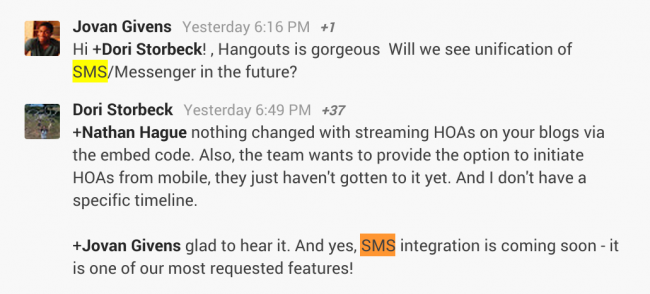
Google announced its new cross-platform messaging service called Hangouts at Google I/O yesterday, which prompted many users to wonder if Google had plans to bring SMS and messaging unification to the Hangouts inbox.

Droid Life points us to comments by Dori Storbeck, who manages the Hangouts and Chat Google+ community, which confirm integration with SMS is highly requested and coming soon.

We expect SMS integration will only be available on Android as iOS doesn’t allow the necessary hooks to pull off the feature, which makes the platform that much more appealing for fans of the Hangouts service.

Hangouts launched on the Play Store for Android and App Store for iOS yesterday, as well as Google+ or Gmail on the desktop.
Expand
Expanding
Close

Google+ Stream redesigned with three column view, intelligent hashtags, responsive design

Site default logo image

Google+ will receive a card-based interface redesign featuring a new three column view. The new interface is responsive to the user’s display size. The new multi-column view is customizable meaning you can toggle back to the previous single column view if you prefer.

Google+ will also begin rolling out intelligent hashtags for photos, meaning if you post a photo of the Eiffel Tower, Google+ can automatically recognize the subject and appropriately tag it for you.

Users will now be able to view related photos by clicking on the current photo and seeing related hashtags on the flip side of the photo. A video below highlighting the related hashtag feature is below.


Expand
Expanding
Close

Google announces Hangouts messaging service coming to iOS, Android, and desktop today

Site default logo image

Update: The apps are now live on Google Play and the App Store.

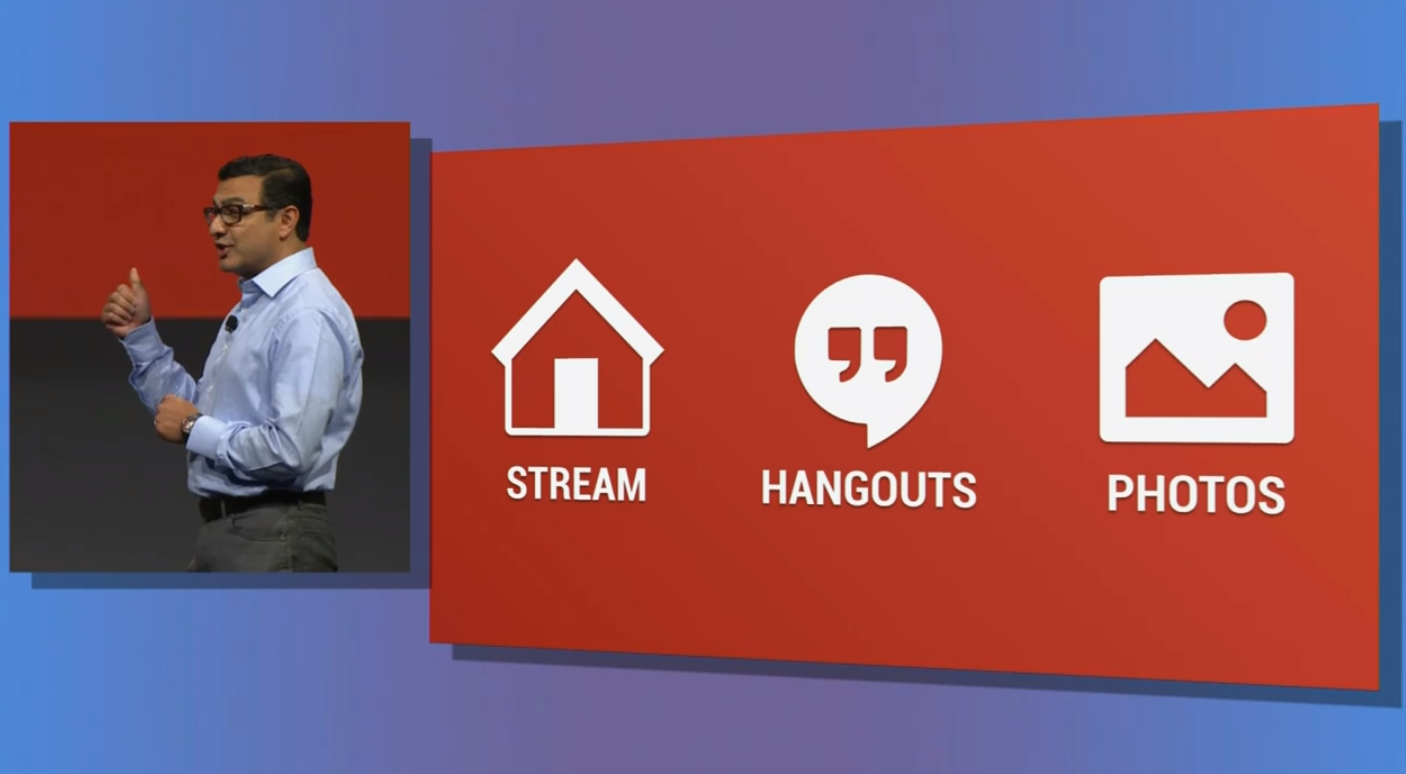
Google today launched its much rumored messaging service live on stage at its I/O keynote and announced the service would be coming to multiple platforms today. While some thought the service would be dubbed “Babel,” Google instead rolled out a standalone app called simply “Hangouts” that will be coming to iOS, Android and desktop later today.

Google execs provided a demo of the app running on Android today, but also gave us a glimpse of the iOS version as pictured above. The demo mostly focused on showing a list of conversations (not contacts) as well as one-on-one and group messaging, photo albums stored in the cloud, and the ability to start text conversations and video calls with contacts in one tap.

As for Gmail:

What does this mean for your Gmail? You now have the option to switch from the current version of chat to Hangouts. Simply click “Try it out” next to your chat list to switch to Hangouts and give your chat an instant facelift (literally!). You’ll now see the profile photos in the order of your most recent conversations. With Hangouts, you’ll also be able to quickly send messages, have video calls with up to ten people at once, and share photos. You can start a conversation with just one friend or even a whole group.

Google made a point of noting that conversations are stored and saved in the cloud, allowing users to have long-lasting conversations and browse a full history that dates back months or years. The app will unify and replace the Google Talk, Google+ Messenger, and the Google+ Hangout apps that currently make up Google’s messaging services.

The service will be launching as a new standalone app called Hangouts for iOS devices, Android, and on the desktop some time today.

Google announces Google Play for Education launching this fall

Site default logo image

Google today announced a new service called Google Play for Education that allows schools to easier find and distribute Google Play content to Android devices in schools.

The Google Play Education store will allow schools to search for content by subject matter and grade level and provide content that has been recommended by other educators. Google is teaming up with partners such as NASA and PBS for content but it will also begin accepting app submissions from developers this summer before the education store launches this fall.

Rather than using credit cards in an education environment, teachers will be able to purchase bulk quantities of apps and charge licenses against a balance from the school’s purchase order. The Google Play for Education service will also allow school’s that use Google Apps to instantly distribute an app to multiple devices in a school by setting up a Google Group

Google Play for Education will be launching this fall. You can learn more at https://developers.google.com/edu/.