Latest

Dunkin’ Donuts app gets Google Wallet integration, lets you recharge cards with a tap

Screen Shot 2015-04-01 at 4.37.20 PM

Dunkin’ Donuts is a pretty big breakfast food and beverage chain in the United States, and Google has today announced that they’re partnering with the seller of donuts to bring Google Wallet integration to the Dunkin’ Donuts Android app.

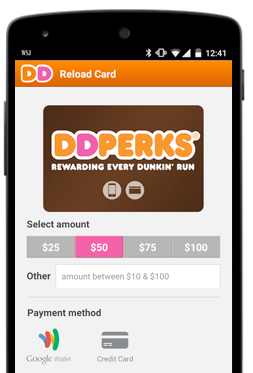
Dunkin’ Donuts now brings its guests a faster way to purchase and recharge their mobile Dunkin’ Donuts Cards in the Dunkin’ Donuts Mobile® App on Android. By simply selecting Google Wallet at checkout, Dunkin’ Donuts guests can recharge their cards with a couple of clicks—no need to type in credit card information anymore. And hungry Seamless customers will start to see the Google Wallet payment option available in their Android app, helping them get their grub – a delicious array of 80+ cuisine types – in a snap.

While you previously had to use a Credit Card (and spend minutes typing in the appropriate information), the latest version of the Dunkin’ Donuts app lets you recharge your perks cards with a couple taps. Selecting Google Wallet from the “Payment method” section will simply ask for your Google account information.

Google says that Seamless, a company specializing in food delivery and takeout, has also this week integrated Google Wallet in their app. You can download both the Dunkin’ Donuts and Seamless apps on the Play Store for free.

Google Play for Education & classroom-ready Android tablets come to Canada

Site default logo image

20140623-Google Edu-Guelph ON-078

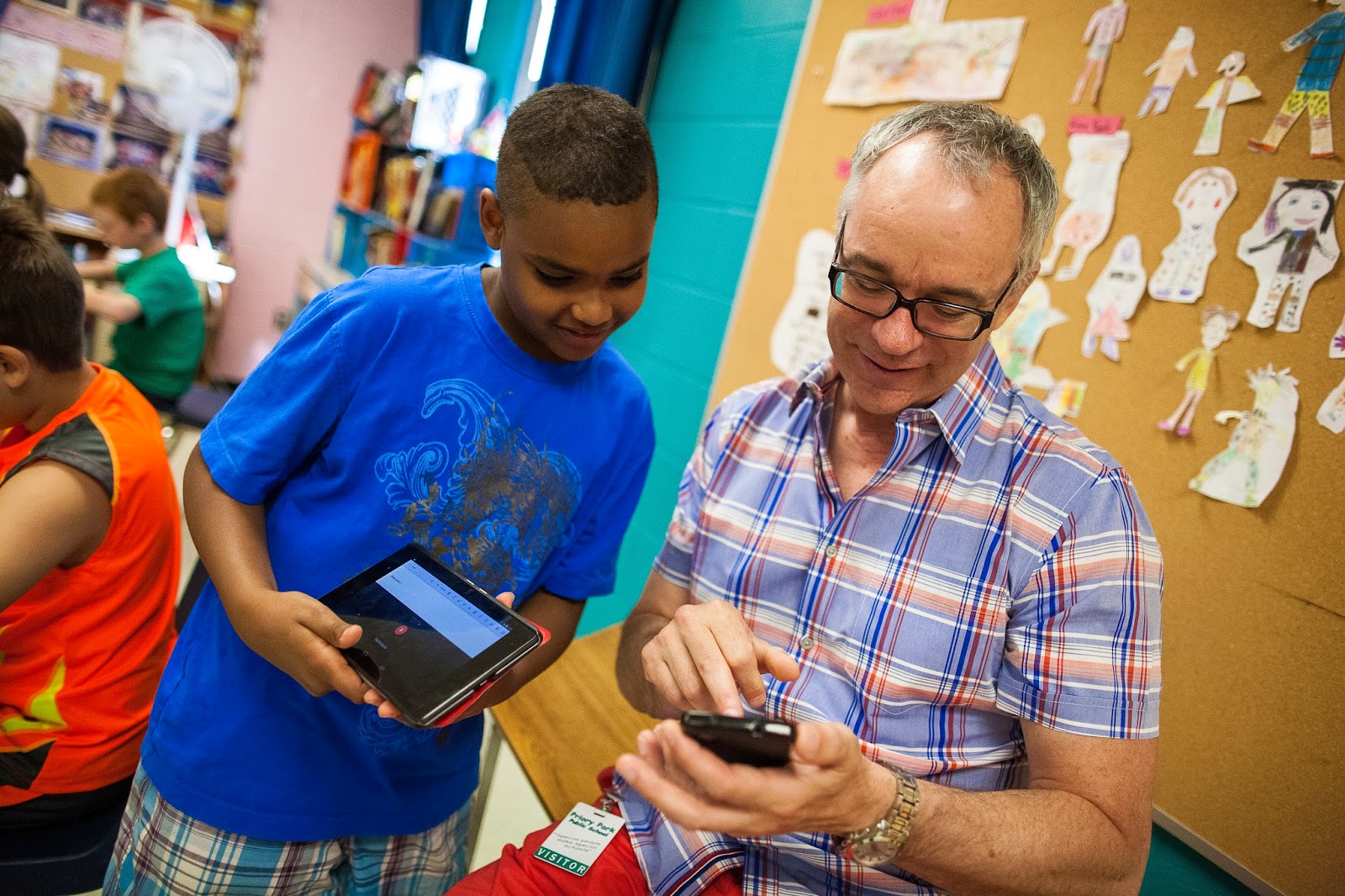
Google first launched its Google Play for Education effort, a program that aims to get classroom-ready Android tablets into schools, back in November of 2013 in the US. It expanded into the UK back in January of this year, and today Google announced that both Google Play for Education features and Android tablets that support the platform are now available in Canada.
Expand
Expanding
Close

Month view is making a comeback in the latest Google Calendar update

N6_month1

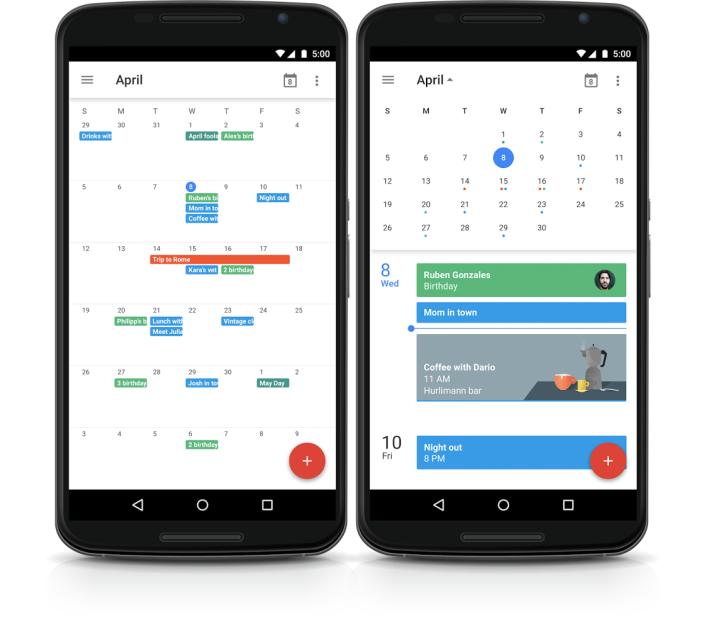
Google is usually pretty good at acting on user feedback, and today they’re doing so with the return of month view to the Google Calendar app for smartphones.

The view “provides a high level view of all scheduled events for a full month, allowing people to then tap on a specific day for a closer look,” according to Google’s blog post


Expand
Expanding
Close

Site default logo image

Instagram Android app adds Fade and Color tools, post notifications

Instgram-fade-color-01

Instagram is adding a few new features to its Android app today including two new creative tools for editing photos and a new post notifications feature.

For the two new creative tools, the Fade feature offers “a quiet tone to your photos by softening colors,” while the Color tool allows you to apply a yellow, orange, red, pink, purple, blue, cyan or green tint to the shadows and highlights in your photos.

Also new in the updated Instagram app is a Post Notifications feature that allows you to receive notifications when people you follow post once enabled: You will see an option to “Turn on Post Notifications.

The updated Instagram app, version 6.19.0, is available on Google Play now.

Site default logo image

Twitter unveils revamped ‘quote tweet’ functionality, coming to Android soon

Twitter this evening has announced a change to the “quote tweet” functionality of its service. With an update that’s rolling out to Android users soon, using the quote tweet feature will now embed the actual tweet instead of simply quoting it as text.


Expand
Expanding
Close

Twitter says that Periscope for Android is on the way

periscope-logo-1920-800x450

A week ago, Twitter released its answer to mobile live video broadcasting, Periscope. Mobile live video broadcasting is definitely the latest trend in social networking, and it was initially introduced by Meerkat. But both Periscope and Meerkat chose to release their apps on iOS first (as is sadly a common theme). Now that the public’s interest is growing, though, the need for an Android version is pressing.

Periscope summed it up in their latest blog post, with a couple of answers to common questions, one of them being “When is Android coming?”. Periscope, as expected, answered “Soon! We’re working on it.” This is great news for the many Android users who find it unfair and illogical that both Meerkat and Periscope hit iOS first, considering Android has a much larger hold of the mobile OS market.

Periscope didn’t give a timeline, but Android users can rest assured that Periscope will be available to them sometime in the near future. You can read more about Periscope on their official website. As of now, there’s no word on Meerkat.

Google Wallet for Android updated w/ Maps integration & new transaction search tools

Site default logo image

rich receipt shot

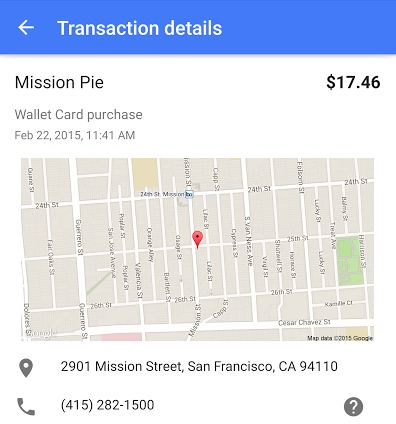
Google announced today that it has started rolling out an update to Google Wallet on Android with a couple of notable new features. First off, Wallet on Android now packs Google Maps integration. With this integration, you can see exactly where you performed any given transaction on an embedded map. This feature, Google says, will make it easier to notice any sort of suspicious activity that occurs.


Expand
Expanding
Close

PSA: Amazon Prime Instant Video now works on Android tablets

61RRdWd9+NL

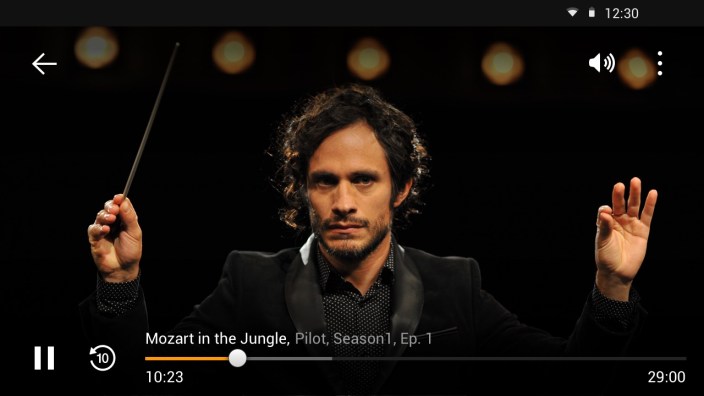
Today, thanks to an update to the Amazon Prime Instant Video app, Amazon is finally allowing users to stream video content on Android tablets (via Android Police). Previously, Prime Instant Video only worked with Android phones, and more recently with Fire devices and iOS devices. The functionality of the app hasn’t changed—users still have to launch Prime Instant Videos from their web browser.

Sadly, support for Chromecast is nowhere in sight, and probably won’t be around any time soon considering how long it has taken Amazon to support Android tablets.

Now watch Amazon Instant Video on your Android phones and tablets. Android tablet customers can search and browse for videos on Amazon.com in their web browser and tap Watch Now to have the Prime Instant Video app begin playing the video.

You can download Amazon Instant Video version 2.0.45.1010 for free from the Amazon App Store (and only the Amazon App Store, sadly).

Dropbox updates its Mailbox email app with Material Design

Recently, Dropbox updated its Mailbox email app with Material Design, bumping the version number to 2.0.1. Google first introduced Material Design at Google I/O 2014, but it has definitely been a trend that some apps—even those made by companies as large as Dropbox—are still only just now pushing their visual overhauls. The update includes a new FAB (floating action button), rearranges the navigation drawer and action bar to better fit their purposes, and more.
Expand
Expanding
Close

Microsoft brings its OneNote scanner to Android with Office Lens preview

Site default logo image

Office Lens

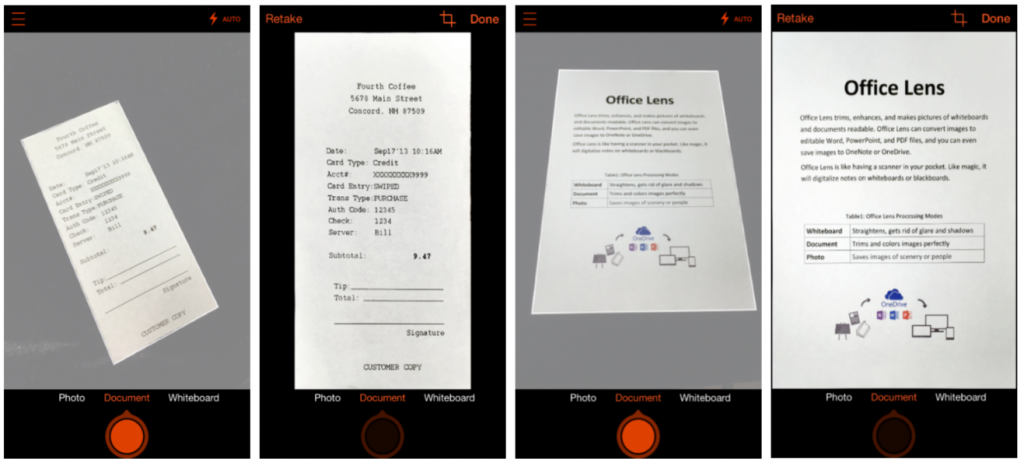
Microsoft is bringing its OneNote scanner app called Office Lens to Android after first launching on Windows Phone a year ago. Office Lens is similar to other on-the-go scanner apps letting you use your Android smartphone camera to capture information from receipts, documents, and other information around you. Office Lens is different, however, because it’s connected directly with OneNote, Microsoft’s cloud-syncing notebook service.


Expand
Expanding
Close

Skype 5.3 for Android adds updated UI w/ chat bubbles, animated emoticons & emoji support, more

Site default logo image

Skype-android-5-3

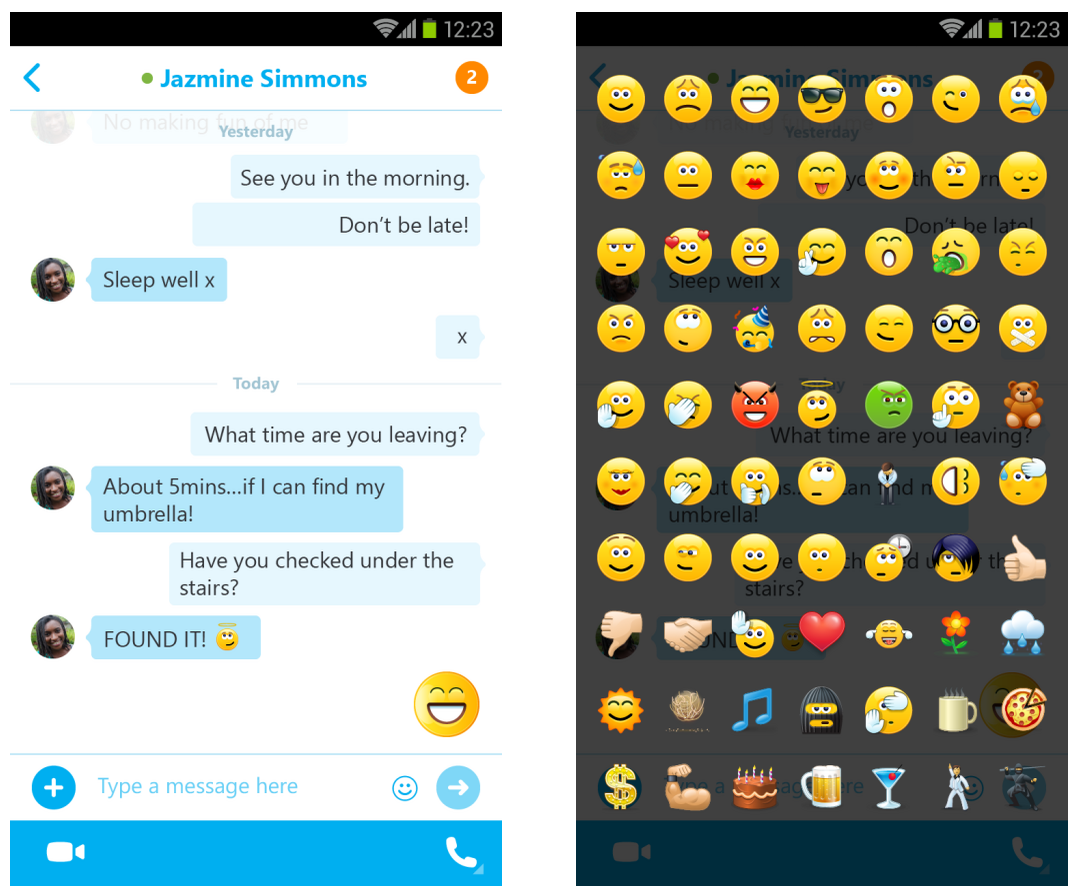
Skype today released an update to its Android app, version 5.3, which introduces new features that bring the Android version more up-to-date with features recently released for iOS and desktop users.

Among the new features, Skype 5.3 for Android includes an updated UI with chat bubbles, which looks much like the Skype experience already on other platforms.

The update also includes large and animated emoticons, emoji support, and other performance and user experience enhancements.
Expand
Expanding
Close

Inbox by Gmail gets custom morning, afternoon, and evening snooze times in latest update

customsnooze

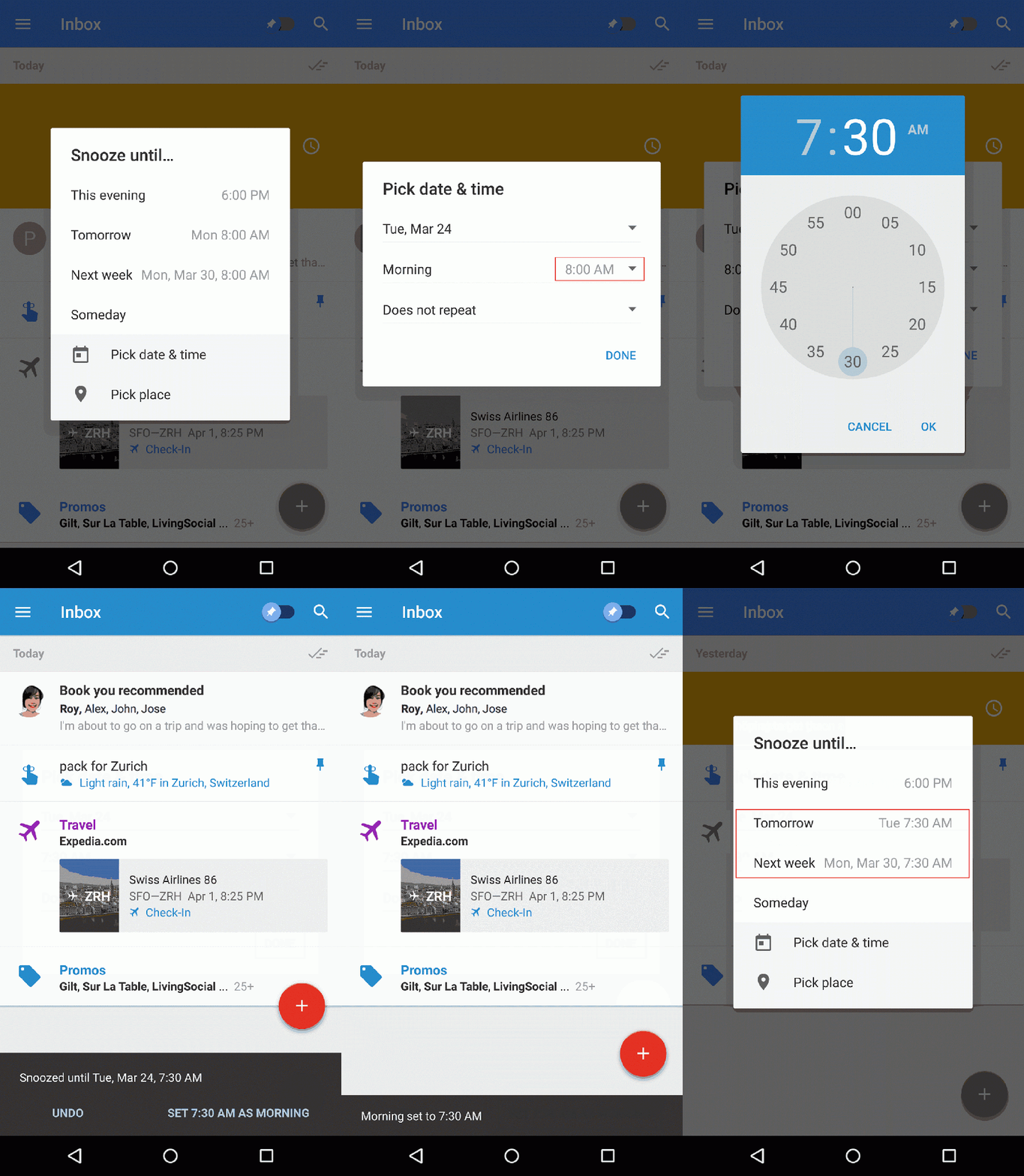
Google has announced today that a useful new feature is coming to Inbox by Gmail, namely the ability to customize morning, afternoon and evening “Snooze” times. Once you have the update, all you have to do is open the app, slide left on an email, tap “Pick date & time,” and select the time you’d like to snooze to. You should see a prompt at the bottom of the app asking you if you want to make this your morning, afternoon, or evening time.


Expand
Expanding
Close

Latest version of WhatsApp for Android finally lets all users in on VoIP calling

It’s been a long time coming for voice calling in WhatsApp. The company decided on an extremely dragged out rollout of the much-anticipated feature, but now it appears that anyone using the latest version of WhatsApp for Android has access to calling as many friends as they would like…


Expand
Expanding
Close

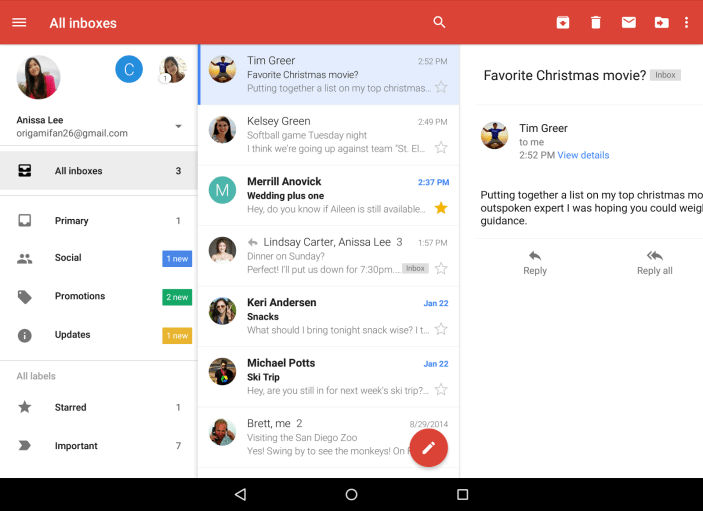
Gmail for Android adds ‘All inboxes’ tab, smarter search, more

All Inboxes View - Final

Google announced today that a new version of Gmail is now available, featuring several notable enhancements. First up, you’ll notice that the new version brings the oft-requested ability to view all of your mail in one place; just tap “All inboxes” and you’ll get a look at all of your email across added accounts. This is probably the most monumental change here, but there are a few other minor updates as well…

These days, many of us have more than one email address. If you’re a student, you may have one account for school, one for a campus group you lead, and one for your blog. If you’re a parent, you might have one for family and one for your business. However many email addresses you have, today’s improvements to the Gmail app for Android make it easy to manage all your mail from all your accounts (yes, even @yahoo and @outlook) while you’re on the go.

Messages from Yahoo, Outlook.com and other IMAP/POP accounts now have the familiar stacked conversation view (as has previously been available for Gmail conversations only), search has been updated with better auto-complete, and the app also has some nifty updated animations. Finally, you’ll find larger attachment previews and the nifty ability to “save to Drive with a single tap.”

You can grab the Gmail app on the Play Store for free as usual, and you should start seeing the update rolling out if you haven’t received it already.

Site default logo image

Plex for Android update brings expanded Android TV availability, redesigned interface

Plex today has pushed an update to its Android app that bumps it to version 4.0. The update continues to improve the user interface of the application. Plex for Android gained a few Material Design inspired qualities with its last update, but with today’s 4.0 update, the design has been significantly enhanced.


Expand
Expanding
Close

Google releases new ‘Cloud Console’ app for mobile Google Cloud Platform management

HP2FPOZ9CQGavcuR2yT5VmOqXFKKnSMs1vHTg6K7M5HptI9pVDAxpUPsgs-0DtsYT4E=w300-rw (300×300) 2015-03-25 11-11-07

Google has today released a new app called “Cloud Console” in beta, and it brings a convenient mobile management console to those who have solutions running on Google’s Cloud Platform.

Among the app’s highlighted features, you’ll find the ability to check the status of Google App Engine and Compute Engine resources, create custom dashboards to get a “glanceable overview” of your solutions, take action from your mobile handset like stopping virtual machines, and view and manage incidents in Google Cloud monitoring.

Here’s the official description:

The Cloud Console enables you to manage your solution running on the Google Cloud Platform directly from your Android phone or tablet:

* Check the state of your Google App Engine or Compute Engine resources
* Create your own custom dashboard to get a glanceable overview of your solution
* Take quick actions directly from your device such as stopping a virtual machine
* View and manage Incidents tracked in Google Cloud monitoring

We plan on shipping new features regularly. Please give us your feedback in the app by swiping from the left and tapping “Send feedback”.

You can get the app for free on the Play Store.

Update: The app has now been officially announced:

Imagine being away from your desk and receiving automatic alerts when an issue occurs in your Google App Engine app. Or waiting at the airport and stopping your test VMs before leaving for vacation. With the beta launch of Cloud Console for Android, managing Google Cloud Platform from your phone or tablet is possible (and yes, an iOS version is in the works).

Site default logo image

OpenTable app now lets Android users pick up the bill

OpenTable announced today that it’s bringing its Pay with OpenTable feature to Android users allowing those booking reservations to also pay for meals using the app.

For participating restaurants, you’ll now be able to pay your check with a few taps inside the OpenTable app after adding your credit card.

“Millions of diners use our apps to discover and book the perfect table,” said Jocelyn Mangan, OpenTable Senior Vice President, Product Management.  “We’re excited to provide Android users with a payment experience that is intuitive and integrated into the OpenTable app they know and love.”   

The feature is only available in select cities and restaurants in the US, but OpenTable is always adding new additions to the list of supported locations.

The Pay with OpenTable feature is available through the latest version of the OpenTable app for Android on Google Play.

App Roundup: Google updates Maps, YouTube, Inbox, Play Music, more

Google Inc. - Android Apps on Google Play 2015-03-19 09-29-00

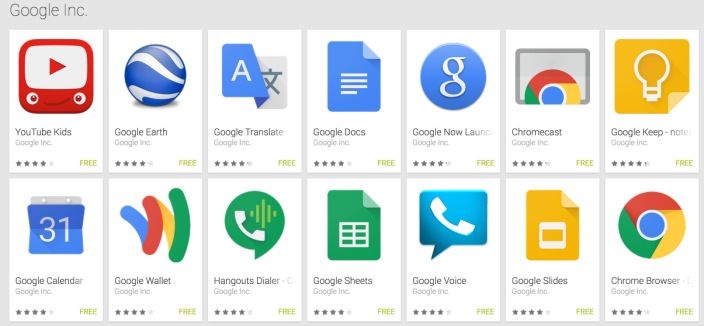
Google tends to push several updates to its apps in the middle of the week, and this week has been a particularly eventful one. Updates have landed over the last 24 hours for several apps in Google’s Android inventory, including Inbox, Google Docs (Sheets and Slides, too), YouTube, Quickoffice, Google Maps, and Google Play Music.


Expand
Expanding
Close

Site default logo image

Motorola Gallery gets updated w/ Material Design enhancements, Highlight Reel on more devices

highlights_google

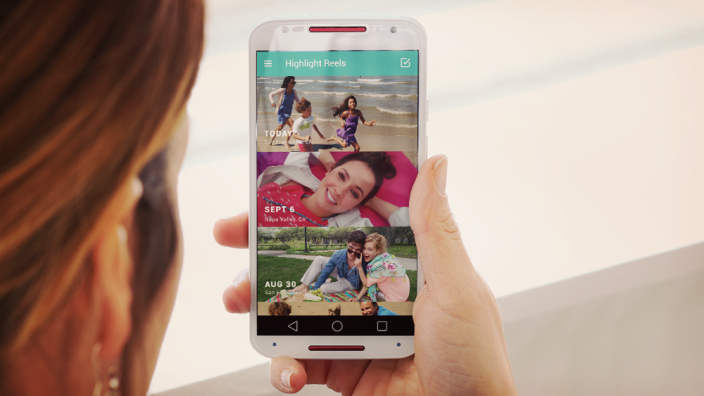
Motorola has today pushed out an update to its Motorola Gallery app, bringing a host of improvements across the board. On all devices, the app features an improved Camera Roll view with better sorting, a new app icon and Material Design enhancements, and quicker access to photo cropping. Also, you’ll find that the the app’s “Highlight Reel” is now available for both variants of the Moto X and the Droid Ultra.

As per the app’s description on Google Play:

For all devices:
Improved Camera Roll view with sorting by event and time
New app icon and material design enhancements
Quicker access for cropping a photo
Stability and performance enhancements
For Moto X (1st Gen.), Moto X (2nd Gen.), DROID Ultra family and DROID Turbo only:
Highlight Reel now available for Moto X (1st gen), Moto X (2nd gen) and Droid Ultra
More free music downloads to personalize Highlight Reels
As you might expect, you can grab the app for free.

YouTube adds support for 360-degree video on mobile & web

Site default logo image

[youtube=https://youtu.be/7IaYJZ2Usdk?list=PLbsGxdAPhjv_tgCNWGaGvSnlIMZNkmnrM]

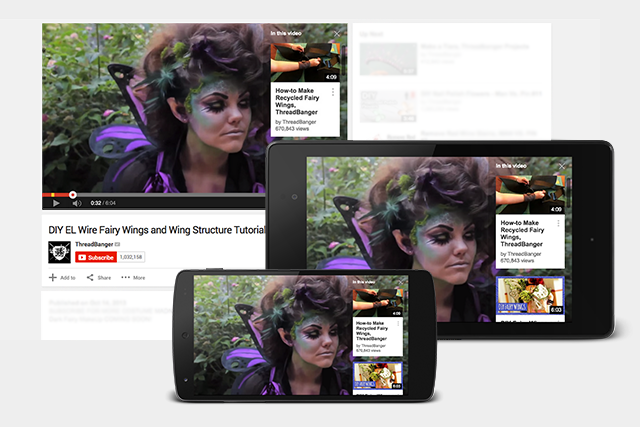
YouTube is adding support for 360-degree video uploads alongside a new viewing experience for the video format on both mobile and the web.

Users viewing the 360-degree video (like the one embedded above) will be able to do so by dragging with their mouse in Chrome on the web or by physically moving their Android device (and soon iPhone and iPad) in the mobile app:
Expand
Expanding
Close

Google releases Calendar for iPhone app

Site default logo image

[youtube=https://www.youtube.com/watch?v=t4vkQAByALc]

Google just announced its much anticipated Google Calendar app for iPhone is now available on the App Store. The app is essentially an iPhone version of the standalone Calendar mobile app previously only available for Android devices. Google first unveiled the latest version of its Calendar app alongside the release of Android 5.0 Lollipop late last year. 

The Google Calendar app for iPhone works with your Exchange and iCloud calendars and also integrates with Gmail to automatically turn events from emails into Calendar entries. Here’s a rundown on features from Google:


Expand
Expanding
Close