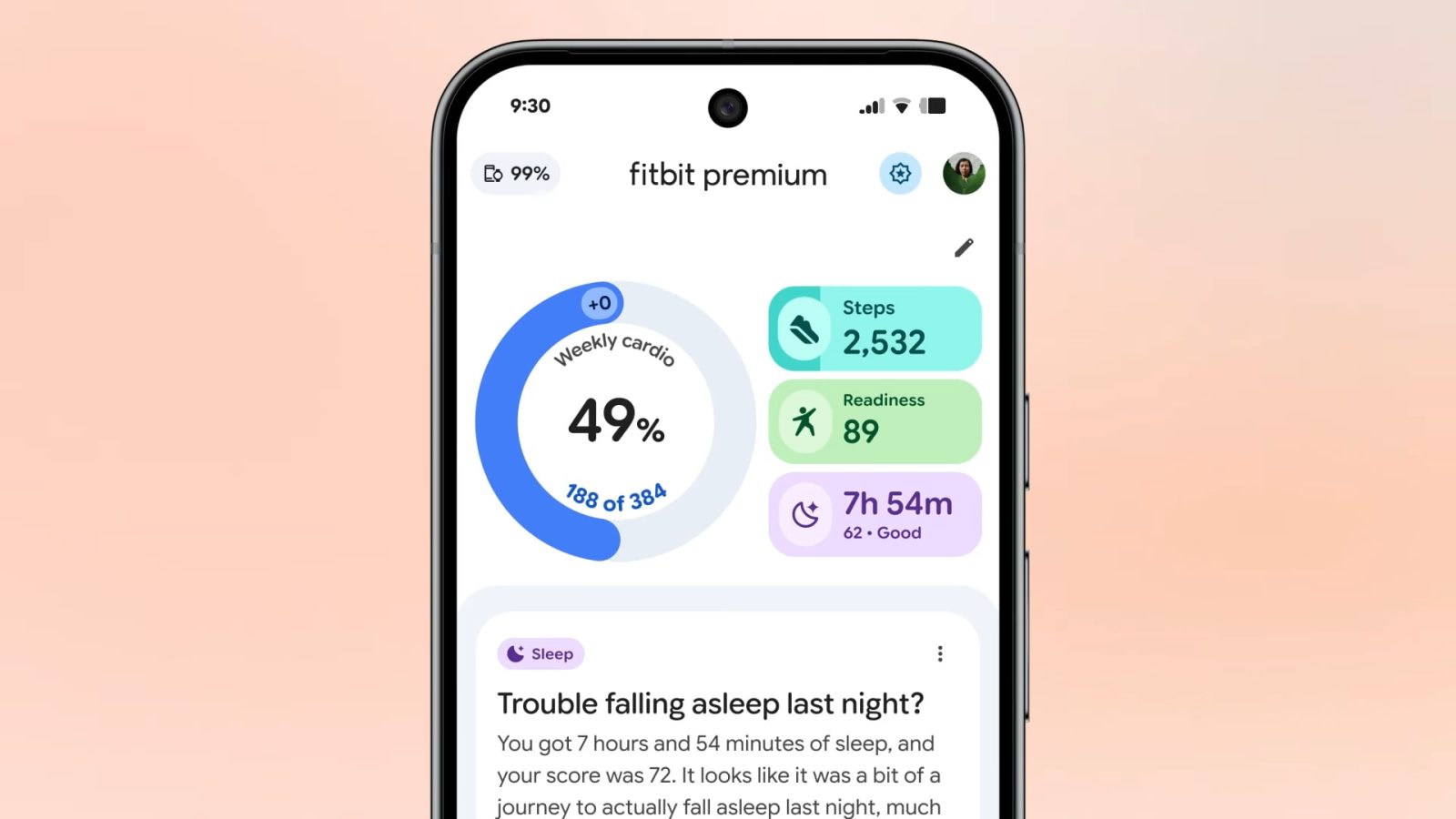
Fitbit Public Preview adds food & water logging, more as app redesign comes to free users

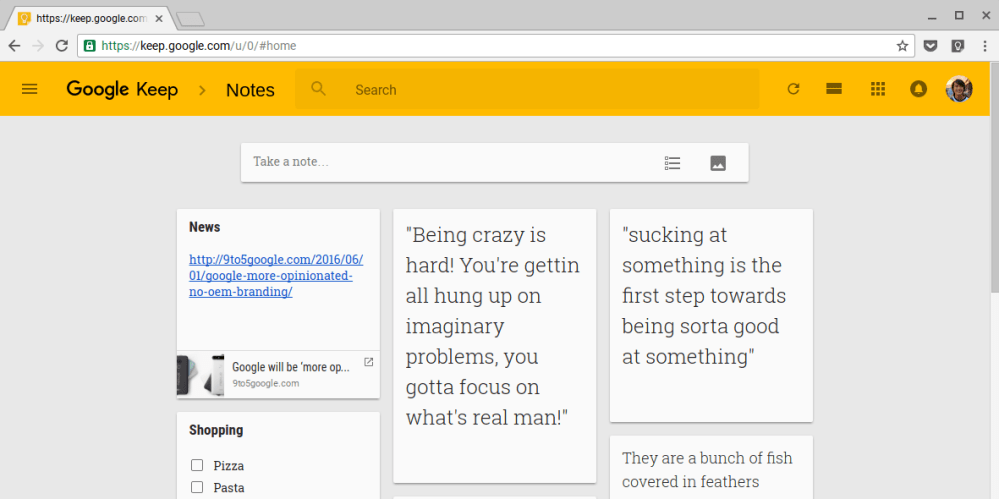
The last major update to Google Keep in April added a Chrome extension to easily save and add notes to links. An update today adds link previews, duplication prevention, and autocomplete when adding list items. The Keep site is also getting a significant refresh that matches Google’s other web apps.
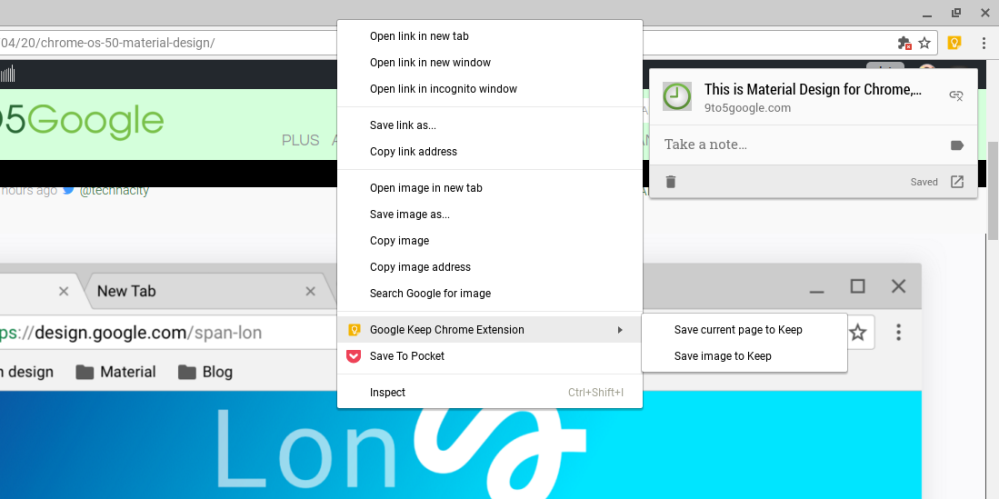
Update: The Android app is receiving a similar update that allows users to add notes right from the Share menu. Additionally, hashtags in notes now act as labels.
Google Keep started out as a basic, cross platform note taking app with reminders and has slowly gained more features like image uploading, advanced search, and drawing. An update today adds a new Chrome extension that allows users to easily save and markup web pages and images.
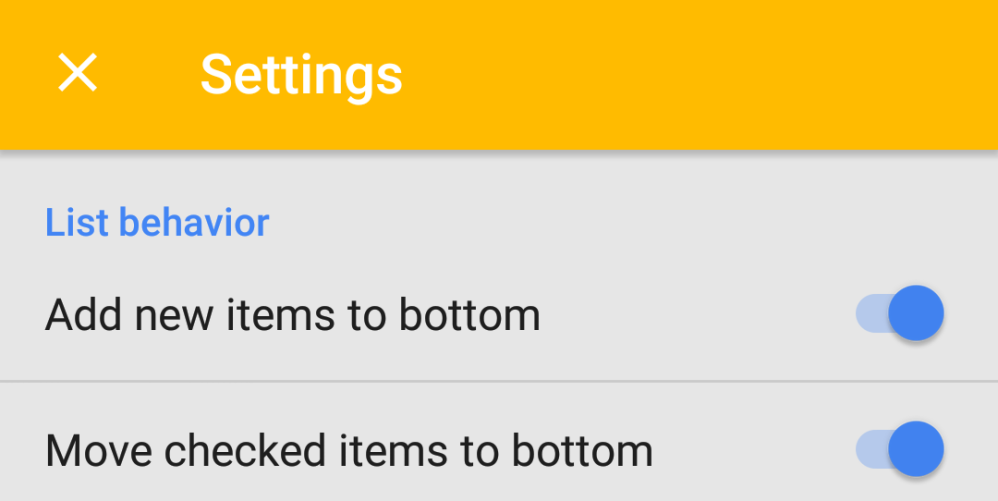
Google Keep was announced as a minimalist note taking and reminders app in 2013. An update to the service today finally adds a unified settings panel on the web and in the Android app.



Today Google Calendar for both Android and iOS gains a handy new Reminders feature that works alongside the app’s to-dos feature.
With the Reminders feature, users will be able to keep track of to-do lists across Google platforms including Inbox, Google Keep, Google Now, and Calendar.
Here’s how the new reminders work:
You might already create calendar entries to remind you to call the doctor or pick up groceries on the way home. But while those entries come and go, Reminders stick with you over time so you can track them until they are actually done. If a Reminder isn’t completed, it will appear at the top of your Calendar the next day. And the next. When you do finally call the doctor or pick up those necessities, just swipe the Reminder away … and you’re onto the next to-do.
And since the reminders work across Google apps, you can create them from Inbox, Google Keep, Calendar, and even using Google Now voice commands: “Ok Google, remind me to buy birthday candles.”
The new Reminders feature for Calendar on Android and iOS is rolling out this week. Google says it will come to the web apps in the near future. The updated Google Calendar app for iOS also adds 3D Touch to create events or reminders.


Google today announced that it’s bringing its Google Keep note taking app to iPhone and iPad for the first time after originally releasing only for web and Android users a couple years back.
Expand
Expanding
Close


Evernote, which previously offered only a free Basic membership or a $50/year Premium one, has now added a middle tier. The new Evernote Plus subscription offers many of the premium features for half-price, at $25/year. The catch? Limits to the amount of data you can add to Evernote.
Evernote Plus limits you to 1GB/month total, a maximum note size of 50MB and no more than 250 emails per month – and you’ll be missing out on a few features, like the ability to search inside PDFs and Office documents. The full comparison chart can be found here.
Evernote has also increased Premium prices in some regions, including the U.S. if you pay monthly, up to $5.99/month. However, the company says that it has locked in existing pricing for current subscribers.
If you’re currently paying and the price of Premium went up in your region, then we’ve locked you into your rate for a year, or more. As long as you continue in your current plan, your price will adjust at your first renewal after April 29, 2016.
Finally, some regions have seen a price fall, and the company’s FAQ explains how to switch to the lower price.
Evernote for Android gained business card scanning late last year.

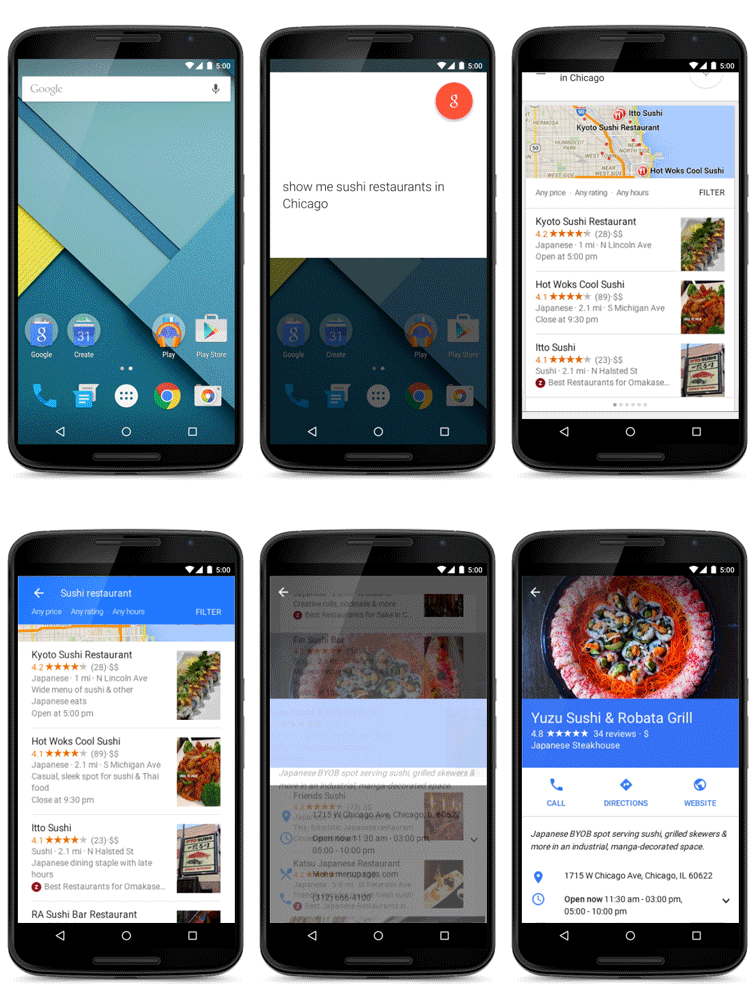
With the release of Android Lollipop for a wider lineup of Nexus devices expected to occur any day now, the official Google Search app has been updated with a brand new design and several new features that make searching for everything from the best sushi in Chicago to Van Gogh research for a school project that much better of an experience.
First and foremost, the Google Search app has been revamped with a Material Design user interface and that includes bold colors, fluid animations and simplified layouts. Nexus 6, Nexus 9 and Samsung Galaxy Note 4 users also benefit from being able to activate “Ok, Google” searches even when the smartphone is unplugged and the display is off.
The latest version Google’s official app is more effective at organizing your day-to-day life by automatically pulling events that it feels you might want to follow up on, like catching up with Chris over dinner or getting drinks with Susan. Normally, these small events would be buried in your inbox and you might forget to follow up on them later.
Expand
Expanding
Close

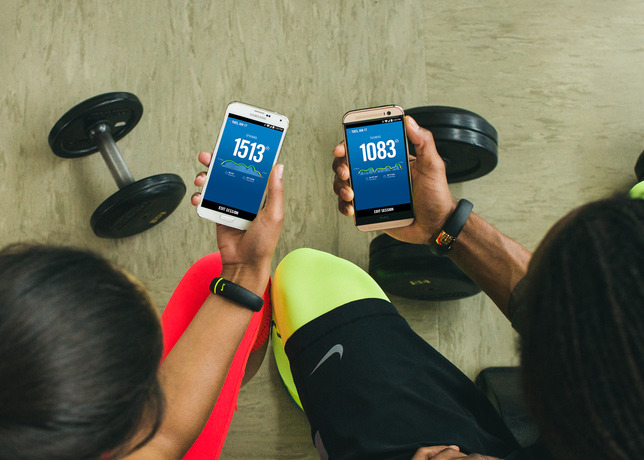
Just over a year ago, Nike announced that it would not be developing a FuelBand application and compatibility for Android devices. Now, times have changed. Nike has just announced that it is bringing Fuel to Android and it can be found on Google Play.
Here are the features:
NikeFuel Daily Goal – Create a goal, edit and view progress toward that goal.
Sessions – Track deliberate periods of movement, such as workouts and games, by starting and ending a Session on the Nike+ FuelBand SE. Review session data afterward for a focused analysis of movement. Users can calibrate and share sessions via Nikeplus.com.
Move Reminders and Win The Hour – Users can set up Move Reminders on their Nike+ FuelBand SE so they will remember to get moving for five minutes out of every hour. The Nike+ FuelBand App allows users to track their success with Win The Hour stats.
NikeFuel Leaderboards – Compare data with friends and the community by using Nike+ Friends and the NikeFuel community.
Activity and Session History – Analyze past activity data to see progress and patterns.
NikeFuel Daily Goal Recognition – When a goal is achieved, an onscreen celebration will appear.
Automatic Syncing – Bluetooth LE seamlessly syncs Nike+ FuelBand data to a compatible Android handset.
Profile and Settings – View and edit Nike+ account information and Nike+ FuelBand SE device settings on the app.
The launch of the app comes as Nike winds down development of FuelBand hardware and as its engineers get poached by other hardware makers like Google and Apple.

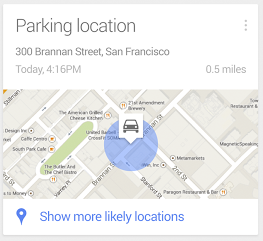
Update: It turns out Google Search/Now on Android is also getting a ton of other new features in addition to the ability to find a parked vehicle (via SearchEngineLand):
Google this afternoon has updated its Search app on Android with several new features. The update bumps the app to version 3.4 and has some pretty useful features within it. First off, it adds a Google Now card that offers the ability to automatically detect where you’ve parked and help you find that spot later, a feature that was rumored earlier this month.
[youtube=https://www.youtube.com/watch?v=p8Ey0AufD9g]
The Google Search iOS app has received a huge update today that brings a number of new features including the ability to activate voice search handsfree. Users on iPhone 4S or later can now simply say “OK Google” to begin a voice search, much like what users have been able to do with Google Now on Android devices for quite some time.
Version 3.1.0 now includes notifications for upcoming events, flights and public transit. For example, the Google Search app will provide notifications for delayed flights, tell you how long you have to catch the last train, and remind you of upcoming appointments . You can also now set reminders within the app:
Ask Google to remember things for you. Just say
• “Remind me to buy coffee beans at Starbucks,” or
• “Remind me to check out the fair this weekend”
and Google will remind you at the right time or place
In addition, Google says users can now set reminders for when their favorite musicians, tv shows, actors or celebrities are releasing new content or appear in headlines. There are also new cards in the app that display info for movie and event tickets, boarding passes, reservation confirmation for rental cars, public transit and upcoming events.



The massive update also includes a redesigned homepage, new gestures for zooming and moving images, one touch sign-in for other Google apps, and “improved voiceover accessibility”. It’s certainly a big update for the Google Search app that brings it closer to the Google Now equivalent at the heart of Android.
Google Now gets even better with:
• Notifications – Get notified when it’s time to go
• Reminders – Never forget to put out the trash
• New cards – See tickets, boarding passes, & more
• Handsfree voice – Just say “OK Google” to search*
* requires iPhone 4s or later
Notifications deliver info before you open the app:
• When to leave for your next appointment or event
• If your flight is running late
• How to catch the last train home
Ask Google to remember things for you. Just say
• “Remind me to buy coffee beans at Starbucks,” or
• “Remind me to check out the fair this weekend”
and Google will remind you at the right time or place.
You can also ask to be reminded when your favorite:
• Musicians release a new album
• TV show has a new episode
• Actors star in a new movie
• Celebrities and politicians make headlines
Just search and press the “remind me” button.
New cards organize the info you care about:
• Tickets for movies, concerts and events
• Boarding passes for your flights
• Reservation confirmations for car rentals
• Warnings when your last train home leaves
• Lists of upcoming local events
And finally, search is better than ever with:
• A redesigned and simplified homepage
• Gestures to zoom or throw away images
• One touch sign in if you use other Google apps
• Improved voiceover accessibility
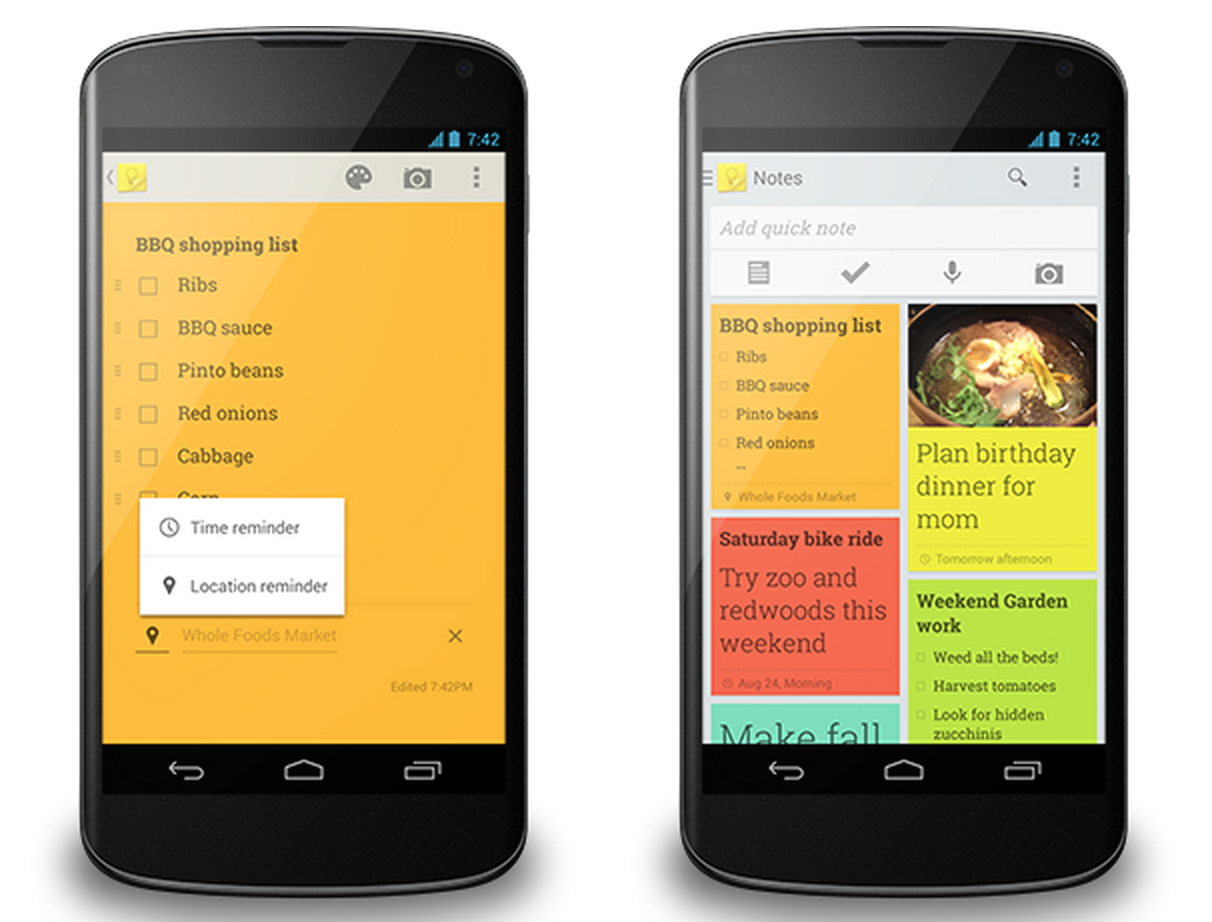
Google announced today on its Google Drive blog that it’s rolling out a new update to its Google Keep note taking app that will introduce both time and location based reminders. After updating to the latest version of the app, users will be able to select a small reminder icon at the bottom of each note and select from a time reminder to set a specific date and/or time of day, or a location-based reminder that provides suggestions for nearby destinations as you type. The feature will let users ‘snooze’ the reminders if they choose, and the update also brings a new and improved navigation drawer for the app:
Of course, sometimes plans change. If you get a reminder you’re not ready to deal with, simply snooze it to a time or place that’s better for you. It’s now even easier to get to all of your notes using the new navigation drawer, which includes a way to view all of your upcoming reminders in one place. And for people who want more separation between their home and work lives, the drawer also lets you easily switch between your accounts.
Google Keep will also now allow users to attach photos from their device’s photo gallery opposed to just being able to snap a new picture:
Expand
Expanding
Close

While we have yet to get all the official details from Google, we get hints at a new feature today that could be headed to Google Drive via leaks from the Drive source code discovered by 1E100. Within Drive’s source code are hints at a new service dubbed “Google Keep,” including links to a new icon for the service, an Android app, and at one point the Google Keep web app itself. Google has since removed the evidence, but our friends over at Android Police were able to capture the screenshots above before Keep was taken down.
There is some evidence that the app would include Evernote-like functionality, with one screenshot revealing an “Add to Keep” function for webpages. The app otherwise appears to provide functionality with color-coded notes, the ability to add and save pictures, create lists, share, etc.
The app could also launch as a standalone Android app, because 1E100 discovered http://g.co/keep redirects to https://play.google.com/store/apps/details?id=com.google.android.keep. We’ll keep you posted if we hear anything official from Google about Keep.
A few more screenshots below:


