Chromecast

See All Stories

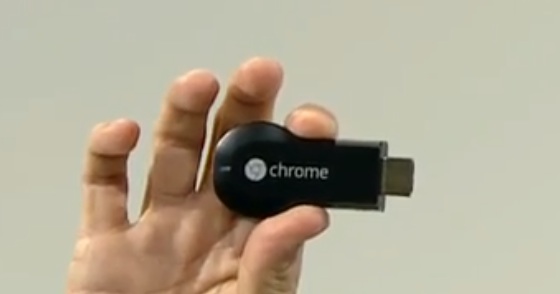
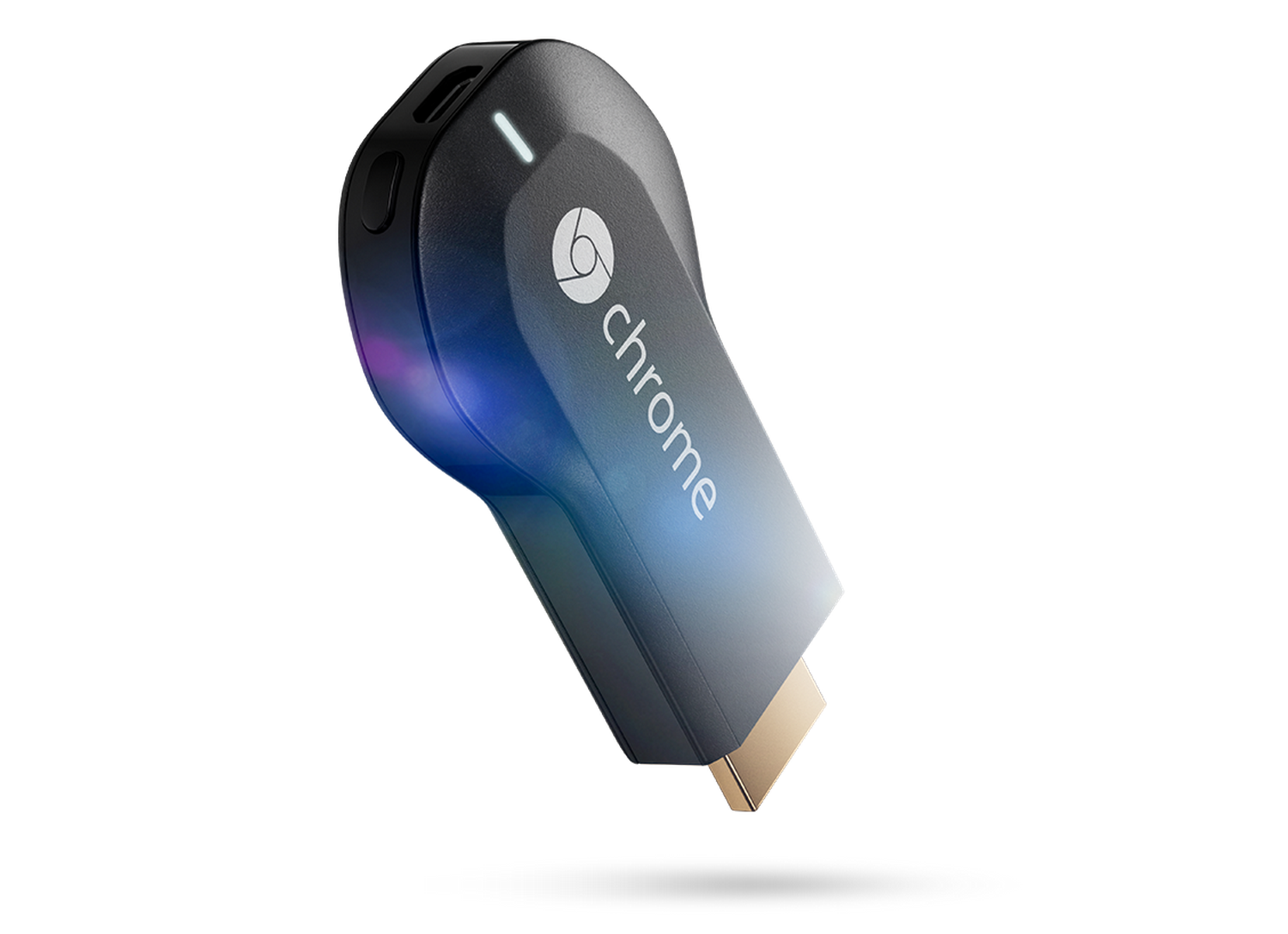
The Chromecast is a media streaming device from Google, allowing you to play your favorite content from Netflix, Spotify, Google Play Music, Pandora, and countless other services on your television. The device is a small HDMI dongle, and retails for $35.


Google bringing off-network ultrasonic-controlled device pairing to Chromecast

Site default logo image

Google is developing new ways to connect your mobile devices to its Chromecast and one of these alternative methods will be through ultrasonic sounds. The company recently announced support for off-network casting during its I/O developer conference in San Francisco and Chromecast engineering manager John Affaki said during a presentation that Google was looking to refine the platform’s social experience.


Expand
Expanding
Close

Android TV Remote Control and preview version of Google Cast Receiver hit Play Store

Site default logo image

Yesterday at its I/O developer conference, Google introduced its new take on bringing the power of Android to the living room with Android TV. Google’s new “L” version of Android will power set-top boxes and full TV sets from Razor, Asus, Philips, Sony and more bringing voice control and gaming capabilities to the entertainment experience.

In addition to making an Android TV SDK available later today so developers can create software for Android TV, Google has already released a remote control app on the Play Store for use with Android TV when it’s available later this year. Google notes that the app is intended to work with the ADT-1 Developer Kit. The app features both a d-pad and touchpad for using your Android device to maneuver around the Android TV interface. Android TV Remote Control is available today on the Play Store.
Expand
Expanding
Close

Google talks Chromecast: Casting without WiFi connection, new Backdrop feature with news, weather, photos, and mirroring

Site default logo image

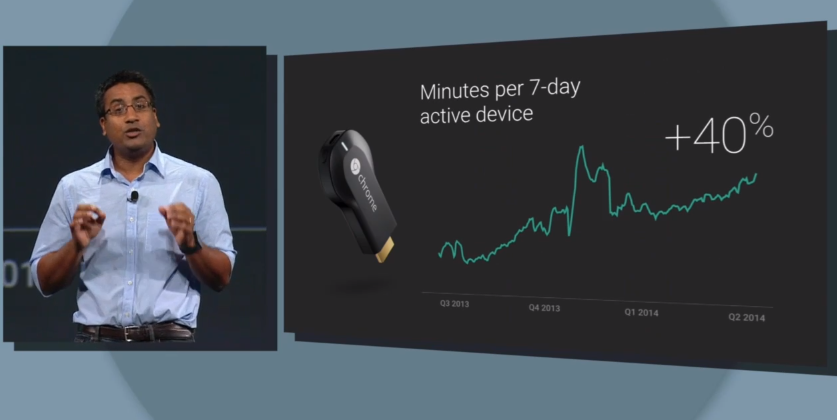
Not only did Google discuss Android TV at Google I/O, the company also discussed its Chromecast HDMI stick that connects content from your smartphone, computer, or tablet to your TV. Rishi Chandra, Google’s Director of Product Management Chromecast, noted that the Chromecast “consistently outsells all other streaming devices combined” at Best Buy and similar retailers. He pointed out that Chromecast tops Amazon in a several countries as well. Since its launch last year, usage has jumped 40% with the majority if views coming from YouTube. A new dedicated site at chromecast.com/apps will now present a list of compatible apps.

Using “the cloud”, Chromecast users can now share content from devices to a Chromecast-connected television without being on the same WiFi connection. A new feature called Backdrop coming later this year will present information like news, weather, and photos on a blank Chromecast to make it useful to have connected to your TV even when you’re not sending content from a device. The Chromecast will also support mirroring from Android on supported devices from HTC, LG, Samsung, and Nexus devices.
Expand
Expanding
Close

Chromecast adds streaming support for PBS Kids, DailyBurn, Stevie, and Deezer

Site default logo image

Google this morning announced that its $35 streaming stick now supports four new services. Starting today, you can now cast content from PBS Kids, DailyBurn, Stevie, and Deezer to the Chromecast. DailyBurn users will now have access to all of the service’s HD workout videos to stream to the Chromecast. DailyBurn offers virtual workout classes raining from 15 minutes to over an hour-long with a variety of activities, such as cardio, yoga, and dancing.


Expand
Expanding
Close

Mozilla developing streaming stick in bid to compete with Google’s Chromecast

Site default logo image

[youtube http://www.youtube.com/watch?v=VS0VUOfrycw]

Video gia GigaOm

Mozilla, the company behind the Firefox web browser, is working on a stream stick set to directly compete with Google’s Chromecast and other similar products, according to GigaOm. The device runs Mozilla’s own Firefox OS, originally designed for smartphones, and is apparently referred to as “Netcast” within the Firefox browser.

Unlike Google’s current offering, the Netcast would allow developers to integrate the technology into applications on a wide variety of operating systems and hardware devices, including many platforms not currently supported by the Chromecast. In a statement to GigaOm, Mozilla noted that anyone is welcome to work with Firefox OS and that hardware running that system does not necessarily have to come from that company.


Expand
Expanding
Close

AllCast updated with new tablet interface, auto-pause functionality, more

Site default logo image

The streaming media app AllCast received a hefty update this morning with some much needed features. Koush, the developer and creator of the app, updated AllCast to version 1.1.1.6 on the Play Store. New with the update is a new tablet interface. The tablet design has a split view that allows you to browse your media selection on one side of the interface and control playback on the other side.


Expand
Expanding
Close

Buy a Chromecast in Canada by June 30th and score a $20 Google Play credit

Site default logo image

Canadians who purchase a Chromecast between June 9th – 30th will receive a $20 CAD Google Play credit from Mountain View. The deal is available on purchases made through Google Play and authorized retailers. To redeem your Google Play credit, you’ll need to set up your Chromecast before July 30th and visit the device’s special offers page.


Expand
Expanding
Close

VLC soon adding Chromecast support to its Android, iOS, and desktop apps

Site default logo image

Google’s $35 Chromecast has slowly built up its app portfolio since it was released, and now the device looks like it will be getting another huge service implemented. According to a post on the official VideoLAN forum, discovered by GigaOM, VLC’s developers are currently working on implementing Chromecast support to its media player.

“In addition to the iOS variant, we are also working on a Windows / Linux / Mac implementation, which will take a bit longer because it’s harder.”


Expand
Expanding
Close

Site default logo image

Chromecast now available in Brazil, but it’ll cost you around $90

The Chromecast world tour rages on and its latest stop is Brazil. Google’s madia streaming dongle is now available in the land of Carnaval and while it’s known for being an affordable alternative to expensive set-top boxes, its price point in Brazil isn’t what we’re accustomed to seeing. Listed at R$199 (about $88.20), the Chromecast almost sounds like a luxury item. Such a high premium may sound strange, but history has taught us that most consumer electronics don’t come cheap in Brazil.


Expand
Expanding
Close

Google Play Movies & TV now available for Chrome OS, allowing offline playback of Play Store content

Site default logo image

Chrome OS users now have the ability to download and view movies and TV shows from the Google Play Store using the newly-released Play Movies & TV app. The app allows users to manage video libraries without an internet connection, something the operating system has previously been unable to do.

The library can also be synced across multiple desktop and mobile platforms, including Windows PCs, Macs, Android phones, and iOS devies. Chromecast streaming is available to play your downloaded content on an HDTV, and the app has full support for Google’s Info Cards, which display information about the content being played.

You can grab the app for free on the Google Chrome web app store. The full description is below.


Expand
Expanding
Close

Chromecast now streaming Google+ photos & video, WatchESPN, Major League Soccer, & Crunchyroll video

Site default logo image

Google made a big announcement today for new content arriving for users of its $35 Chromecast HDMI streaming stick. The latest additions to the lineup include the WatchESPN app, Major League Soccer via the MLS Matchday app and MLS LIVE premium services, photos and video from Google+ apps, as well as TV and video content from the Crunchyroll video service:
Expand
Expanding
Close

Site default logo image

Chromecast now available in Australia, Belgium, Portugal and Switzerland

Yesterday, Google revealed plans to bring its Chromecast media streaming dongle to the Land of the Rising Sun, but the search giant isn’t stopping there. Today, Mountain View announced that its Chrome OS-powered entertainment stick is now available in Australia, Belgium, Portugal and Switzerland. As with other territories, Chromecast will offer support for local content particular to its market. Google asked some its international team members what they plan on casting and they offered up a few suggestions.


Expand
Expanding
Close

Site default logo image

Chromecast coming to Japan on May 28th

In order to take the world by storm, Google has to expand the Chromecast’s availability and that’s what the company appears to be doing. The media dongle recently became available in South Korea and tomorrow it’ll officially go on sale in Japan for  ¥4,200 (around $41). Local content providers such as Docomo will provide support for Chromecast, as well as Google’s in-house brands like YouTube and Google Play. to prepare Japanese customers for the Chromecast experience, Mountain View has released a promo video showing off some of its media stick’s capabilities. Here’s a look at what will be available in Japan starting tomorrow. 

[youtube http://www.youtube.com/watch?v=nWG5-ZfoxXI]

(via Google)

Chromecast streaming now available from PornHub

Site default logo image

When Google announced the Chromecast last year, we knew that the search giant’s media stick would be used to stream a wide variety of media types. So it’s no surprise that one of the adult entertainment industry’s biggest players has adopted support for the company’s budding new platform. The MindGeek-owned operation PornHub now offers Chromecast as a streaming option from its mobile website when visiting it from Chrome for Android.


Expand
Expanding
Close

Chrome for Android updated with undo tab close, Chromecast video, multiwindow support, & more

Site default logo image

Just a short while after releasing an update to Chrome OS, Google is now pushing out an update to the Chrome browser on Android. Although minor, the update does include a few improvements. The update bumps the app to version 35.0.1916.122, as well.

With this update, the app now has an undo tab close button, which allows you to undo closing a tab, should you have done it by accident. The app also now supports fullscreen video with subtitles and HTML5-based controls. Google also notes that Chrome now has support for some multi-window devices, as well as support for casting “some” videos with Chromecast. It’s unclear, however, what devices and videos this update adds support for. Nevertheless, casting videos with Chromecast is a great addition. Most of these features have been in beta for about a month now.

  • Undo Tab Close
  • Fullscreen video with Subtitles and HTML5 controls
  • Support for some multi-window devices
  • Support for casting some videos with Chromecast
  • Other bug fixes

The update to Chrome for Android is available on the Play Store now, although it appears to be a staged rollout and may take a little while to hit your device. 


Expand
Expanding
Close

Site default logo image

Google Chromecast now available in South Korea

After months of streaming content around the world, Chromecast is now officially available in South Korea. As in other territories, the me Google’s media dongle will feature streaming support across Android, iOS and desktop versions of Chrome. Google is partnering with Korean media outlets like Tving and Hoppin to offer access to thousands of domestic videos, movies and TV shows.

Google estimates that over 80 percent of YouTube views in Korea come from smartphones, which could make the Chromecast a viable option in this mobile driven market.

(via Google)

Site default logo image

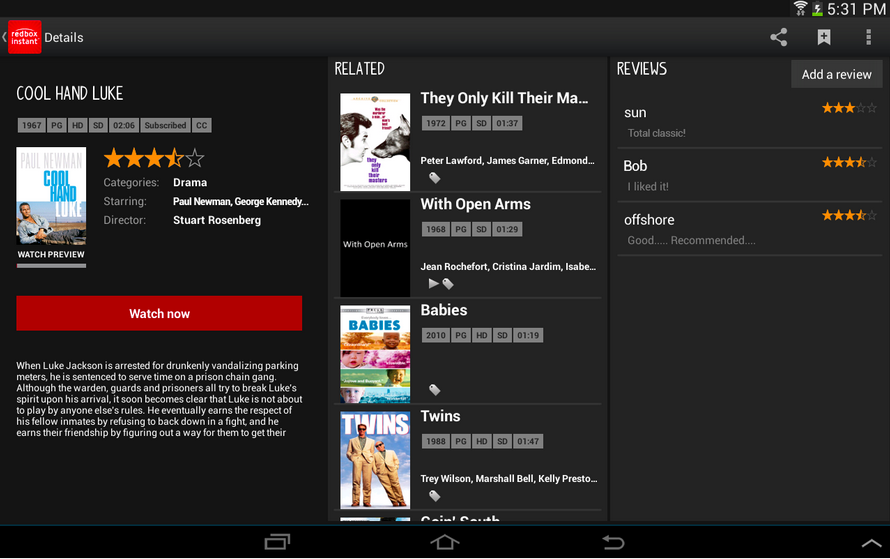
Redbox Instant Android app updated with Chromecast support

Another day, another entertainment app adding support for Chromecast. Not to be outdone by its competitors, Redbox Instant recently added video streaming support for Google’s mini media maven. Sure, Redbox’s online library may not have the inventory offered by a place like Netflix, Amazon or Hulu, but when you pair its streaming service with its game and movie dispensing kiosks, along with its occasional rental credits — baby you got a stew going!

Of course, what app update would be complete without its set of bug fixes and performance enhancements? If you haven’t already, you can pull down this refreshed software from the Play Store and start casting movies on your big-screen tonight.

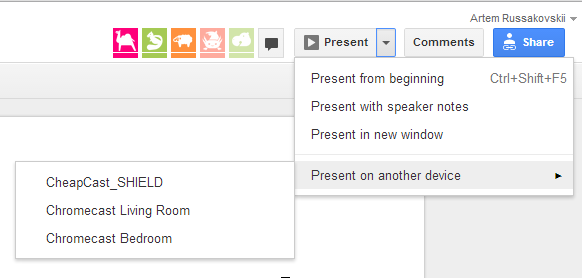
Google Drive can now stream presentations to Chromecast

Site default logo image

You were all set to wow the boardroom with that new presentation you worked on over the weekend, but before you walked out the door to head to the office, you received a call telling you that the conference room’s projector was on the fritz. What do you do now? Pull that Chromecast out of your TV, that’s what! Google has quietly updated its desktop version of Drive, giving it the ability to stream presentations to its mighty media dongle.


Expand
Expanding
Close

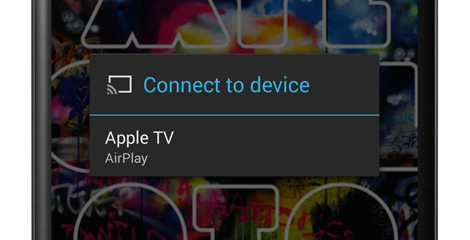
MagicPlay brings native Apple AirPlay support to Play Music on rooted devices

Site default logo image

MagicPlay—another app from the doubleTwist developers—brings support for Apple’s AirPlay to any Android device running Android 4.1, allowing content to be streamed to an Apple TV connected to the same Wi-Fi network as the phone. If you aren’t rooted, a separate app will enable you to stream your music and videos to an Apple TV or compatible set of speakers from doubleTwist, but you won’t be able to use these features within the Play Music app itself.

If your device is rooted, however, MagicPlay now adds an option to stream your content via AirPlay from the Play Music app. This feature, added in the 1.1 update that was released today, was announced by doubleTwist in a blog post today. MagicPlay now takes advantage of an API normally reserved for the Chromecast:
Expand
Expanding
Close

Site default logo image

Google offering movie rental credit to new Chromecast customers in the UK


Here’s a quick deal for our friends across the pond. From now until July 15th, Google is offering a £4.99 Play Store movie rental credit to UK residents who set up a new Chromecast. Since some of the movies in the UK Play Store are less than the promotion’s offering, it’s quite possible that you’ll have something leftover towards your next rental. 

If you recently purchased Google’s entertainment dongle and you’re planning your next movie night, head on over to the Chromecast set up page to take advantage of this offer.

MLB At Bat iOS and Android apps add Chromecast support for Premium subscribers

Site default logo image

Google announced today on its Chrome blog that Major League Baseball is adding support for its $35 Chromecast streaming stick through the MLB At Bat app for Android and iOS. That means that users with the app and an MLB.TV Premium subscription will be able to stream live and on-demand video content from the app (or from a browser tab in Chrome through MLB’s site) to a Chromecast connected TV. You’ll also be able to use the phone or tablet you’re streaming from as a second-screen experience to “check scores, stats and news” while watching the game on the bigger screen:

MLB.TV is the latest live streaming service to come to Chromecast, so now MLB.TV Premium subscribers can invite their friends over to watch live, out-of-market games. While casting a game to the big screen, use your phone or tablet to check scores, stats and news from around the league. You can even choose between home or away broadcasts to steer clear of the opposing team’s announcers when your guys are on the road.

The updated apps are rolling out today for the MLB At Bat app for Android and iOS on Google Play and the App Store, but the Chromecast feature will require an MLB.TV Premium subscription to get started. Those cost $129.99/year or $24.99/month in comparison to the regular $19.99/season or $2.99 month At Bat subscription and offers “every 2014 Regular Season out-of-market game LIVE or on-demand in HD” across platforms. 


Expand
Expanding
Close

YouTube for Android updated with UI tweaks, ability to Cast live streams to Chromecast

Site default logo image

Google’s Update Wednesday continues today with an update to YouTube for Android. The update bumps the app to version 5.6.31 from 5.5.27 and includes a couple of significant changes. The biggest new feature is the ability to cast live videos from the YouTube app to your Chromecast. The process works just as it does on the desktop and the quality is fantastic. Of course, this would have been very useful during the live streams from the Coachella music festival last weekend, but there’s still the second weekend with which to use it. This will also be incredibly useful for watching live streams from Google I/O on the big screen.

The Watch Later interface has also been updated to fit in with the rest of the app’s interface, as opposed to the image-heavy interface in the previous version. You can now see at least four videos without scrolling, while you were previously limited to two on the same screen.

The update is rolling out now, albeit very slowly. If you’d like to bypass Google’s staged rollout, head over to Android Police where they have the APK available for download.  If not, keep an eye on the Play Store for it to hit your device.


Expand
Expanding
Close

AllCast updated with ability to Cast content from Google Drive to Chromecast

Site default logo image

Since its release back in December, AllCast has become one of the most useful apps for owners of Google’s $35 Chromecast. This afternoon, the app, developed by Koushik Dutta, was updated with support for yet another source to beaming content from your Android device to your Chromecast. With this update, you can now stream content from your Google Drive account to your Chromecast, via the AllCast app.

The feature is still in an early beta, but it actually works quite well. The interface within the app still needs work, though, For instance, you simply see a list of all your videos and images, which can be rather cluttered for people with a lot of files stored in Drive. Folder support is in the works for the next update, however, according to Dutta.

In addition to Google Drive support, the update also includes various bug fixes, including a fix for those whose Chromecast and Android device were disconnecting after 30 minutes. The full changelog is below:

  • BETA: Google Drive
  • Potential fix for disconnecting after 30+ minutes
  • Various bug fixes

The update is available on Google Play now, for both the free and premium versions of the app. 


Expand
Expanding
Close

Site default logo image

Chrome Beta 35 for Android brings Undo Tab Close, Chromecast video support, & more

Following yesterday’s release of Chrome Beta 35 for the desktop, the Android beta started rolling out last night with a few notable new features that will soon be making their way to all users. In the beta, you can now “Undo Tab Close,” which means if you accidentally close a tab you’ll now be able to restore it. There are also improvements for multi-window devices, which we assume means tablets that support apps running side by side, as well as “fullscreen video with subtitles and HTML5 controls.”

Perhaps the most notable feature is initial support for Chromecasting videos. Google is making it easier to cast videos from Chrome for Android to the TV through its $35 Chromecast HDMI stick, but for now it’s not sharing a lot of details on what videos you can expect to work. It does note that “YouTube support for casting videos is not complete.”

You can expect these features to be rolling out for all users in the near future. Until then, you can try out the new features in the updated beta release