Author

Avatar for Chance Miller

Chance Miller

chancehmiller

+ChanceMiller

Chance currently writes for both 9to5Google and 9to5Mac, in addition to 9to5Toys. He has previously written for several other online publications. He uses a Nexus 5, iPhone 5s, iPad Air, Hackintosh, and Macbook Air.

Connect with Chance Miller

Google wants to trademark dat ‘Glass’

Site default logo image

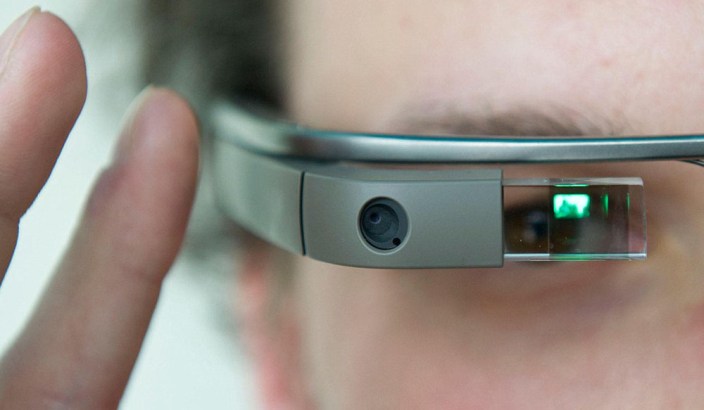
A visitor is testing the new Google Glasses at the international fair for digital economy 'NEXT Berlin 2013' in Berlin, Germany, 24 April 2013.  NEXT Berlin 2013 is an international trade for which serves as a platform of digital innovations from the worl

The Wall Street Journal is reporting that Google has been working for the past year to register the word “Glass” as a trademark in the United States. The company successfully received a trademark for the “Google Glass” name, but so far, has been unsuccessful to its attempts to trade the single word “Glass.”

According to the report, Google first submitted its application to trademark “Glass” with the classic, futuristic font last year. Shortly thereafter, Google heard back from the U.S. Patent and Trademark Office and was informed that the word could not be trademarked. One of the reasons cited by the office was that the trademark was too similar to other existing and pending computer software trademarks. This could lead to consumer confusion, according to the examiner.

The trademark examiner also claimed that the word “Glass”, even when written in its classic font, is “merely descriptive.” According to federal law, words that describe a product cannot be trademarked. “Google, like many businesses, takes routine steps to protect and register its trademarks,” a Google spokesman said.

Expand
Expanding
Close

Google Play Newsstand updated with interface tweaks, new My Library section

Site default logo image

Following an update to Google Keep earlier this afternoon, Google is now rolling out an update to its Play Newsstand app, which was released earlier this year as a replacement for Currents. The update makes some design tweaks, as well as enhances how you can organize your sources.

First off, the My News and My Magazine categories have been merged into a new My Library section. There is also a new Read Now category bar at the top of the interface that autohides and allows you to easily swipe between categories. Finally, the action bar now changes colors depending on what section you are in (News/Business/Sports/etc).

The update is rolling out now, although it is a staged update and may take a while to hit your device. Keep an eye on the Play Store.


Expand
Expanding
Close

Report: Google to launch ‘Android Silver’ program with live 24/7 support, new ‘Never Lost’ functionality

Site default logo image

nexusae0_wm_3

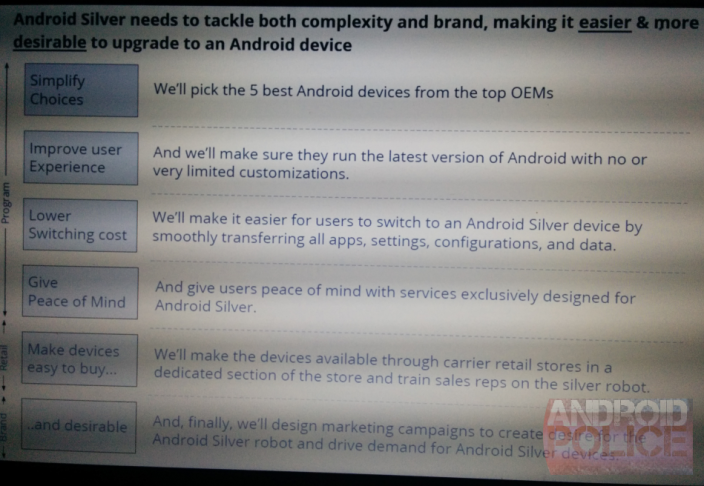
Earlier this year, HTC announced a new HTC Advantage program that offered premium support to its customers at an added cost. According to a new report, Google may soon launch something of its own that offers a premium Android support and sale experience. Android Police reports that Google is planning to launch a new “Android Silver” program that will work with customers to help solve issues they have after they purchase an Android device.

According to the report, Android Silver will only be compatible with select devices, chosen by Google. The qualifications for the program are stringent and include the fact that a device “run the latest version of Android with no or very limited customizations” in order to qualify. Google will only support 5 handsets at a time and they will not be ones sold be Google. Instead, the company plans to focus strictly on carrier partnerships for Silver.


Expand
Expanding
Close

Android distribution data updated for April, KitKat usage doubles to 5 percent

Site default logo image

Screen Shot 2014-04-01 at 8.50.31 PM

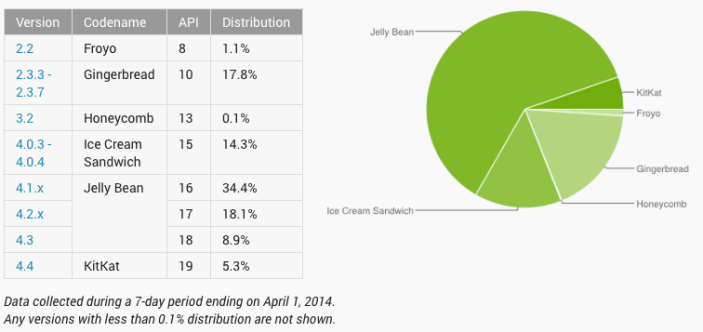
As it does at the beginning of every month, Google has just updated the Android Distribution data to reflect data collected during a 7-day period ending on April 1, 2014. Notable this time around is that Android 4.4 KitKat usage more than doubled, rising from 2.5 percent last month to 5.3 percent. Of course, that’s still a very small percentage of the total user base, but growing by double in a month signals that KitKat updates are finally starting to make their way to the masses. 

With the rise in KitKat usage came a slight decline in Jelly Bean numbers from an even 62 percent to 61.4 percent . Ice Cream Sandwich declined to 14.3 percent from 15.2 percent last month, while Gingerbread continued to slow demise, going from 19 percent to 17.8 percent.

With this new data, 81 percent of all devices are now running a version of Android 4.0 or greater. This seems respectable, but it’s important to note that Android 4.0 Ice Cream Sandwich was originally unveiled all the way back in 2011. So it’s apparent that Google can still do even more to improve the Android update progress. But things are improving and that’s what matters.


Expand
Expanding
Close

‘My Play Activity’ feed now rolling out to Google Play website, shows all your +1s and ratings

Site default logo image

Screen Shot 2014-04-01 at 6.40.32 PM

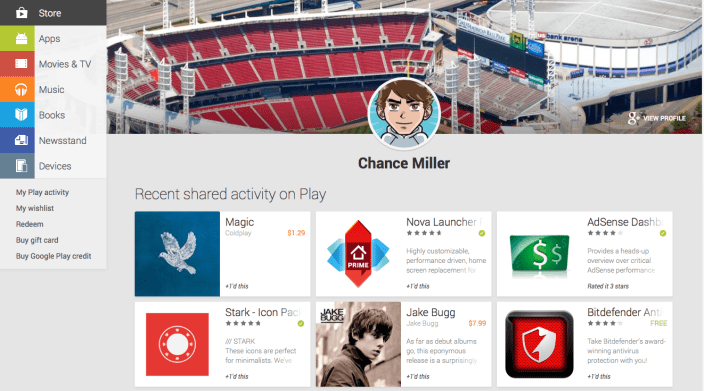
Back in December, Google updated the Play Store app on Android with a new activity feed that was a stream of Play Store activity, connected via your Google+ profile. This afternoon, Android Police has discovered that the activity feed is now live on the web version of the Play Store, as well.

The My Play Activity page is accessible via the navigation sidebar on the online Play Store. The feature is still rolling out at the moment, so the page only loads sporadically. It could take a little while to hit your profile. Once you load it, you will be able to see a stream of all your recent Play Store activity, including +1’s, rates, and more. As the feature continues to rollout, you will be able to access other people’s Activity Page via Google+, which will be great for discovering new apps and content.

The My Play Activity page is rolling out slowly and is accessible at the link below. You should be able to refresh it a few times and get it to load. The link in the sidebar should propagate to everyone soon, as well.

Link: My Play Activity


Expand
Expanding
Close

BT Sport support coming soon to Chromecast in the UK

Site default logo image

chromecast

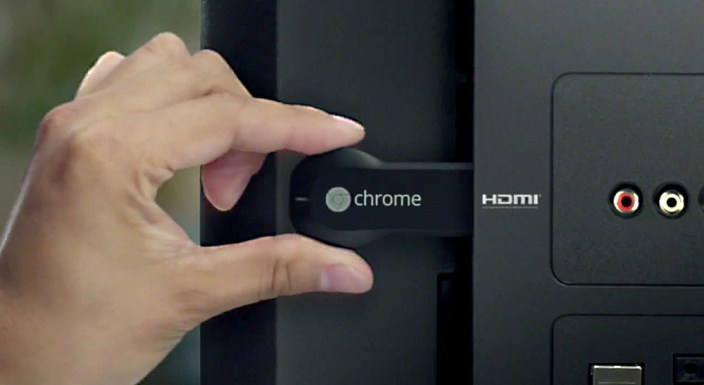
Just weeks after the device became available in the UK (among others), Google has already started rolling out more UK-centric channels to the Chromecast. Joining the BBC iPlayer app, BT Sport has just announced that it too is planning to add Chromecast support for its channels in the coming weeks, as well.

As you would expect, you’ll have to be a BT customer in order to access the sports coverage. BT Sport is one of the largest sports providers in the UK. It has exclusive live TV rights to the English Premier League, in addition to owning the UK ESPN channels and broadcasting a plethora of other sports.

There’s no official release date for the BT Sport rollout on the Chromecast, but it is certainly great to see Google working so diligently to bring UK content to the Chromecast. This news comes just days after Google also added Vudu, Crackle, and Rdio support to the Chromecast. The open SDK is certainly paying off.


Expand
Expanding
Close

Google once again offering 25% off Nexus 7 and Nexus 5 accessories

Site default logo image

Google 25% off deal
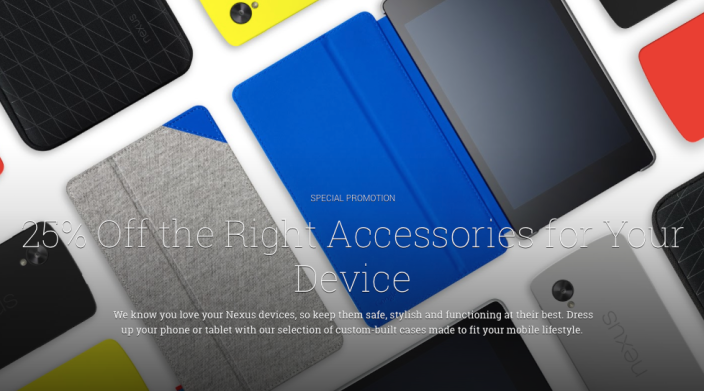
Amid all of its April Fool’s day jokes, Google has done one legitimate thing today. The company is holding another sale on the Play Store that cuts the price of official Nexus device cases by 25 percent. Google’s cases are notoriously overpriced, so this is certainly a great deal.

Not every accessory qualifies for this deal, but most of the popular ones do. The Nexus 7 sleeve will now run you $22.49, while the case and folio for the device currently cost $37.49, as does the QuickCover for the Nexus 5. The Nexus 5 bumper is on sale for $26.24.

Those cases are still somewhat pricey for what you get, however, and many accessories for the Nexus 5 and Nexus 7, are a lot cheaper on Amazon. For official LG and Google accessories, though, you can’t beat 25 percent off. 
Expand
Expanding
Close

Google Now may soon be able to remind you to pay your bills

Site default logo image

nexusae0_bills_framed_thumb

Since its release, Google Now has added a plethora of features, such as improved traffic capabilities, voice commands, and much more. According to a new report from Android Police, the service will be receiving yet another new capability in the near-future that will help you remember to pay your bills.

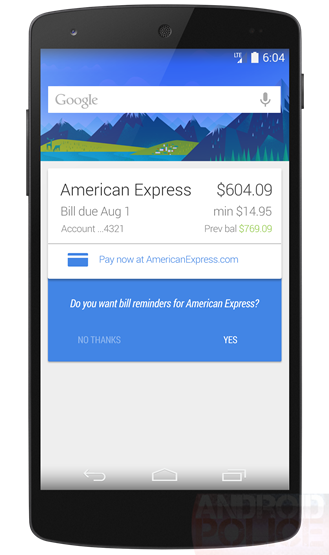
According a person familiar with the matter, Google Now will soon add an interface that will remind you of upcoming bills, including how much they will be for. The feature, which will be integrated into the classic Google Now card interface, will also include a link to easily pay the bill online.

The screenshot below is a mockup of the interface based on the available information. The latest update to the Search app also includes hints at this feature, some of which were used to help make the mockup. As you can see, the card shows the amount due, the minimum payment, and any other information.

Android Police says the source for this feature is very reliable and that their “confidence level” with this report is a 9/10. It’s unclear when this feature will launch, but given that there is already code appearing the Search app, we shouldn’t have to wait too long.


Expand
Expanding
Close

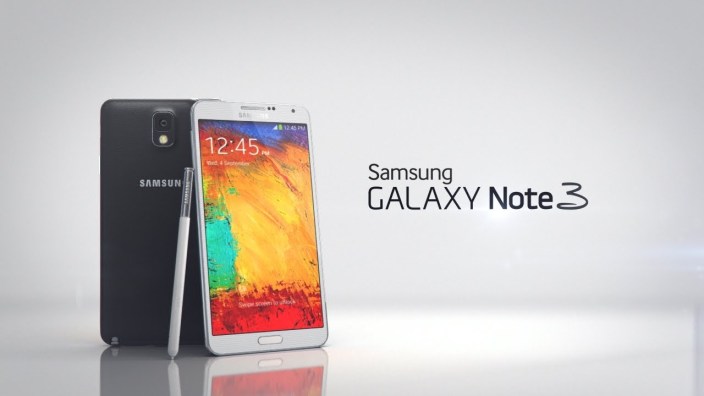
Android 4.4 KitKat now rolling out to AT&T Galaxy Note 3

Site default logo image

maxresdefault

AT&T has just announced that Android 4.4 KitKat is now rolling out to its Samsung Galaxy Note 3 variant. The update is rather basic and includes all of the interface tweaks we’ve come to expect with KtiKat, including the transparent notification bar. The update also adds a new full-screen immersive mode and support for colored emojis.

Other new features include integrated cloud printing capabilities and the ability to quickly access the camera from the lock screen. You can also now choose a default messaging service if you have more than one app installed. AT&T is also touting improved GPS performance with the update.

  • Improved user interface: The latest version of Android includes enhancements such as re-styled status and navigation bars, a new full-screen-immersive mode, color emoji support, improved closed captioning support, stronger security and smarter power use.
  • Default messaging app: Choose a default messaging app when multiple messaging services are installed.
  • Improved GPS performance
  • Enhanced music access: Full screen album art and media controls are available from the lock screen when listening to music.
  • Camera access: The camera can also be accessed directly from the lock screen.
  • Location menu: An integrated location menu enables users to easily activate GPS and share location details.
  • Wireless printing: Integrated support for wireless printing available in enhanced settings.
  • New sound controls: Set sound for specific Samsung applications in enhanced settings.

If you own an AT&T-branded Galaxy Note 3, you can head into Settings>About Device > Software Update > Check for Updates to update. Though, it is gradually rolling out so it may not be available for your device yet.


Expand
Expanding
Close

Timehop now available on Android, lets you relive your social networking past

Site default logo image

Popular iOS app Timehop has finally made its way to Android today. Timehop is an app that allows you to see what you were posting on a variety of social networks exactly one, two, three, and four years ago. The app requires that you log in with your Facebook account, but can connect to Twitter, Instagram, and Foursquare to see what you were posting.

Timehop helps you celebrate the best moments of the past. What were you doing a year ago today? Two years? Three years?Timehop brings together your old photos and posts from your iPhone, Facebook, Instagram, Twitter, and Foursquare and replays your past a day at a time. You’ll quickly fall in love with checking your daily Timehop. Give it a try today!

You can only view your posts from one, two, three, or four years ago, not anyone else’s, which is somewhat disappointing. But Timehop says the point of the app is to be somewhat of a time capsule for your social networks. If you want to bask in your social network awkwardness, the app is available on the Play Store now.


Expand
Expanding
Close

HTC One (M8) reviews praise design & performance, camera quality disappoints

Site default logo image

Screen Shot 2014-03-25 at 11.31.12 AM

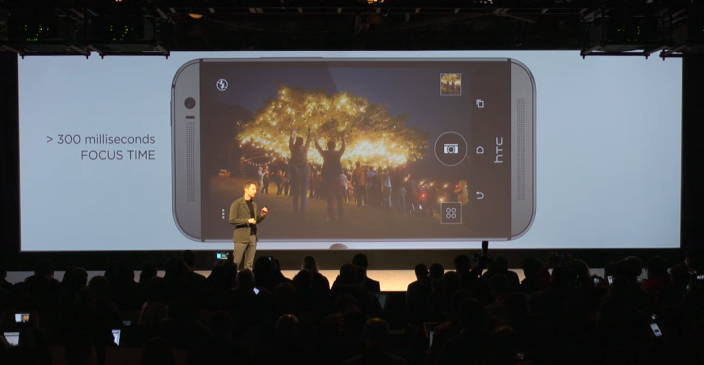
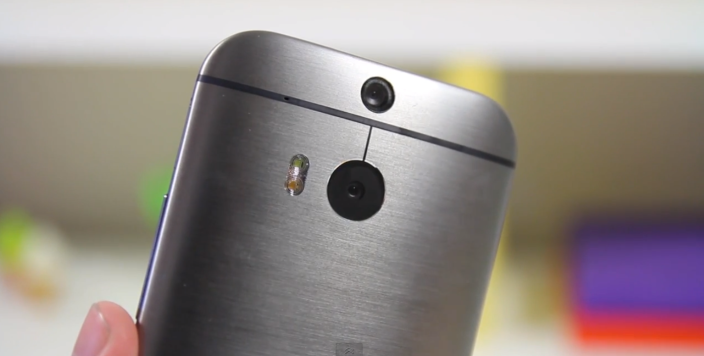
The reviews of the just announced new HTC One (M8) are officially out, and as of right now, it looks like HTC has a hit on its hands. Reviewers are praising the device’s stunning Gunmetal design, as well as its 5-inch display. Some reviewers, however, aren’t that big of a fan of the highly touted camera, saying its quality is often hit or miss and the software is somewhat clunky.

Gizmodo

Like last year’s One, the 2014 edition (HTC is calling it the “HTC One (M8)” but we think that’s ultimately more confusing) is machined from a solid block of aluminum, but it’s even more metal this time. Last year’s had a fair amount of plastic in the edges of the device, but this year it’s pretty much metal everywhere you look. It’s also had some of its sharp edges ground out, and you’re left with a smoother, slightly rounder device. It’s incredibly solid and it feels like it could take a bullet in the back and keep on going (it probably couldn’t, don’t try that, thank you).


Expand
Expanding
Close

Google testing new grid interface for promotions tab within Gmail

Site default logo image

Field_Trial

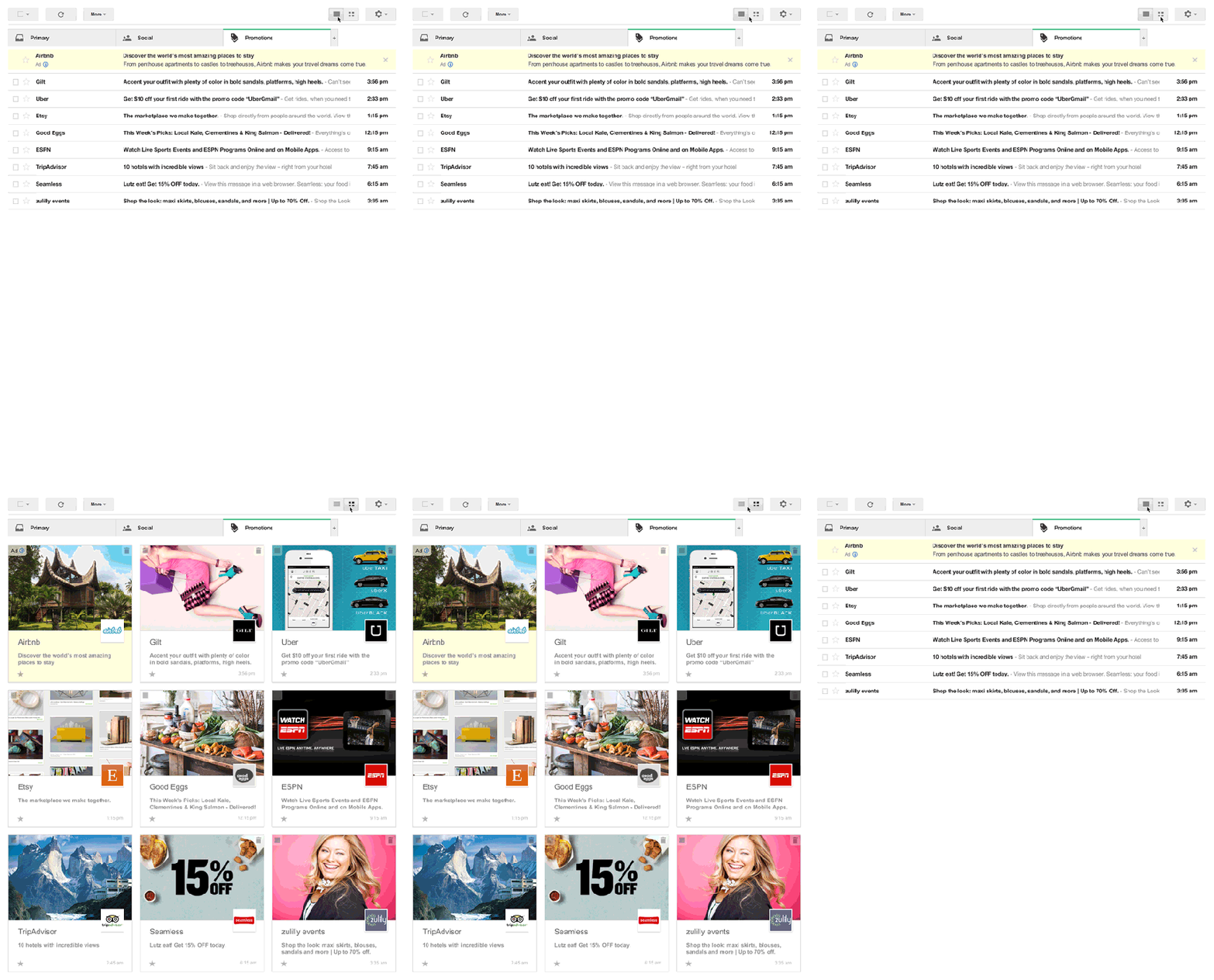
In a blog post on the official Gmail blog, Google has just unveiled a new design for the promotions tab within the web Gmail interface. The promotion tab was originally introduced last year when Google switched to a categorical tabbed design. Currently, the promotions section looks the same as the other categories within Gmail, but with this change, the design will switch from being list-based to a grid. instead of just subject lines, the grid view will pull in images from the email and make it easier to see exactly what the message is promoting. The grid view also makes it easier to scroll through a lot of messages by introducing infinite scrolling.

Promotional mail has a lot of images, from pictures of snazzy new shoes to photos of that rock-climbing gym you’ve been wanting to try. But right now, those images are buried inside your messages—and with only subject lines to go on, it can be a challenge to quickly pick out the deals and offers that interest you most. To help you find what you’re looking for faster, you can now sign up for a new field trial for Gmail that lets you view the Promotions tab in a more visual way.

To sign up for the grid view, head to g.co/gmailfieldtrial and if you’re selected, you’ll have the option to switch between the grid a list views with ease.

Site default logo image

HTC adds key Sense apps to Play Store to make updating easier

HTC-One-m8

After months of leaks, HTC just unveiled the new One (M8) on stage in New York City, and with it comes a bit of software news, as well. Overnight, HTC added all of its key Sense apps to the Play Store in order to make updating them easier. Motorola also did this with the Moto X and it has turned out to be a big success.

Having each individual app on the Play Store means that HTC can quickly and easily push updates without having to issue a full OTA device update, which requires carrier approval. And as we are all well aware of, it can take awhile for carriers to approve updates. HTC can now release updates just as any third-party developer would.

HTC has added the following apps to the Play Store: BlinkFeed, Gallery, SenseTV, Service Pack, and a companion app for their Fetch accessory.

Play Store links: BlinkFeed | Service Pack | Gallery | SenseTV | Fetch

Roku for Android updated w/ new interface, search enhancements, more

Site default logo image

Roku this afternoon has released an update for its Android (and iOS) companion remote app. The update includes quite a few tweaks and new features, and bumps the app to version 3.0. First off, the app as new, much cleaner design that Roku says is significantly faster and more easy to use. The update also now lets you control any Roku on your home WiFi network, much like Apple’s Remote app on iOS. You previously had to login into the Roku account associated with each set-top box to control it.

One of the coolest new features is the ability to search within the app for a movie, show, actor, or director. The Roku app will search within all channels and show you where you can watch the content you searched for. The new search feature for now is only supported “on US-based Roku players firmware 5.4 or later” and on all hardware except the Roku 2450x or 2500x.

  • All New Visual Design – The UI features a new, modern look.
  • Search on your mobile device – Enter a movie, show, actor, or director, to explore and see what’s available. Choose from the available services and jump right into the Channel, ready to watch.
  • Control any Roku player on your network – Use the remote control, or play photos, music, or video with Play on Roku.
  • Bug fixes and other enhancements.

The Roku app for Android is available on the Play Store now.


Expand
Expanding
Close

Google takes Glass to next level with fashion partnership, teams up with Oakley/Ray-Ban parent company Luxottica

Site default logo image

google-glass

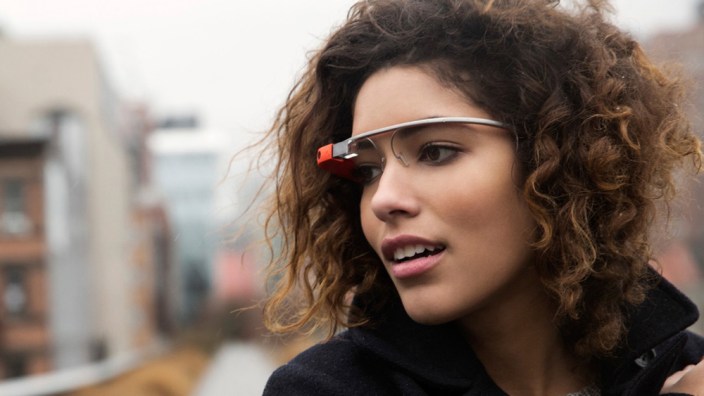
Google has just announced that it has signed a deal with with Ray-Ban and Oakley parent company Luxottica to work together on creating a series of frames compatible with Google Glass. Google also notes that the retail channels of Luxottica will make distributing Glass to the mainstream public even easier.

Unfortunately, details about availability and specific designs remain sparse, as Google notes several times that this announcement is simply to inform customers that the two companies are working together, not that they have any product to release. At first, Google says it plans to work with Ray-Ban and Oakley, but will eventually expand into Luxottica’s other brands, which include Vogue-Eyewear, Persol, Oliver Peoples, Alain Mikli, and Arnette. The first designs are expected to feature “avant-garde design,” which implies something more stylish than the bland offerings Google has now.

Google hopes that this partnership will make Glass more appealing to the general public, as people associate the Ray-Ban and Oakley names with style and high-end eyewear. The deal will also offer even more customization options.  “Between frames, shades, and colors, there are over 40 different ways for Explorers to make Glass their own today,” Google said, “but that’s not enough.

Earlier this year, Google announced its own in-house designed frames, dubbed the Titanium Collection. Wetley also announced its own prescription frames, and was first to the market. You can read a FAQ about the partnership from Google below:


Expand
Expanding
Close

Google Now adds ability to launch ‘I’m feeling lucky’ radio station by saying ‘Play some music’

Site default logo image

Earlier this week, Google made a backend tweak to the Google Search app for Android that added the ability to take a picture or video with Google Now by saying “Ok Google, take a photo.” This afternoon, the company has added another new voice command, this time relating to Google Music. Starting today, you can now say “Ok Google, play some music” and an “I’m feeling lucky” radio station will start to play via Google Music. The I’m feeling lucky station provides a constant stream of music based on your listening history.

Lots of driving ahead this weekend and already bored of listening to the radio? To get a surprise mix of music, just tap the mic (or say “Ok Google”) in your Google Search app and say “Play some music.” You’ll get an “I’m feeling lucky” radio station assembled based on your recent listening.
This feature will certainly be useful for those long car rides or workouts when you want to change up your music. Google notes that you must have Google Music installed for this feature to work. You can try it out today in the Google Search app with Google Now.

Verizon promo image suggests 1PM ET availability for new HTC One on Tuesday

Site default logo image

verzion-m8-teaser

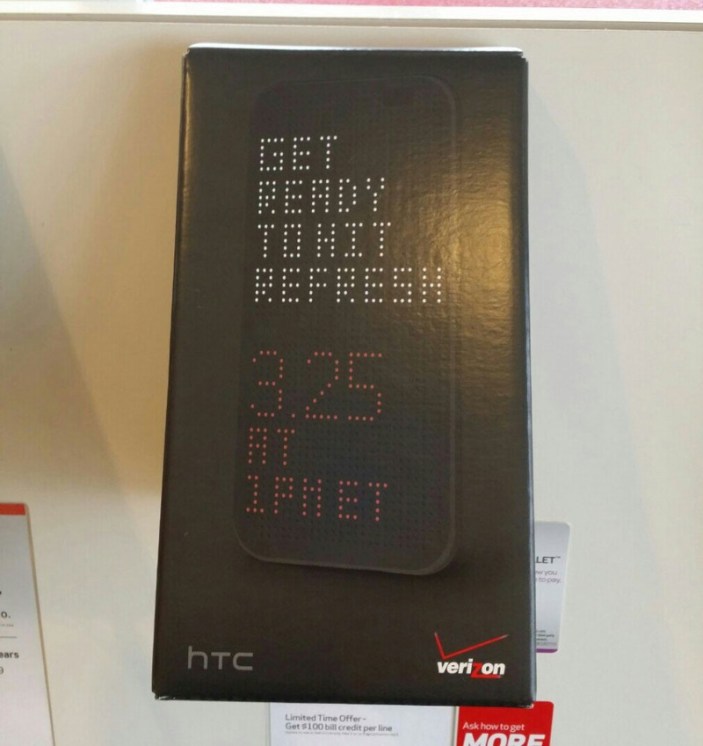
HTC is expected to finally unveil its All New HTC One at an event next Tuesday, and it looks like we won’t have to wait long at all for it to go on sale. According to an image obtained by Android Central, the device could go on sale March 25th, at 1PM ET on Verizon, which is the same day as HTC’s event.

The promo image shows an HTC One M8 decked out in the cases leaked last week and invites shoppers to “get ready to hit refresh” on March 25th at 1PM ET. HTC’s event will take place at 11AM ET the same day.

It’s unclear whether the All New HTC One will go on sale from all U.S. carriers on the 25th, or if it is just Verizon. There’s also a possibility that Verizon will only be putting the device up for pre-order that day, and that a release is scheduled for later on.

Nevertheless, it looks like we won’t have to wait long at all to get our hands on the new HTC One next week. We’ll have coverage of the event, as well, so be sure to stay tuned.


Expand
Expanding
Close

Google Keyboard updated with new Personalized Suggestions feature

Site default logo image

Following a minor update to the Search app on Android, Google has just released a significant update to its Keyboard app. The update bumps the app all the way to version 3.0.19373 from version 2.0. The update introduces a few minor interface tweaks. For one, there is now an “ABC” button to easily switch between the emoji keyboard and letter keyboard. There’s also a new settings icon when you long press the microphone button.

The biggest addition, however, is new Personalized Suggestions. This is a new feature that tracks what you type in Google’s suite of apps, such as Gmail, Hangouts, and Search. Google will then use this data to offer improved suggestions and auto-correct within its apps. For obvious security reasons, Google has offered the ability to turn this feature off, by heading into the keyboard’s settings menu and unchecking the box next to “Personalized Suggestions.”

As with most updates nowadays, the Keyboard update is a staged rollout, so it may take a few days to hit your device. Keep your eyes on the Play Store.


Expand
Expanding
Close

Google Search updated with ability to launch camera with voice commands

Site default logo image

1scFuNjNekz61Vn06SGG6U4iDrGFNY__GcCGa2g

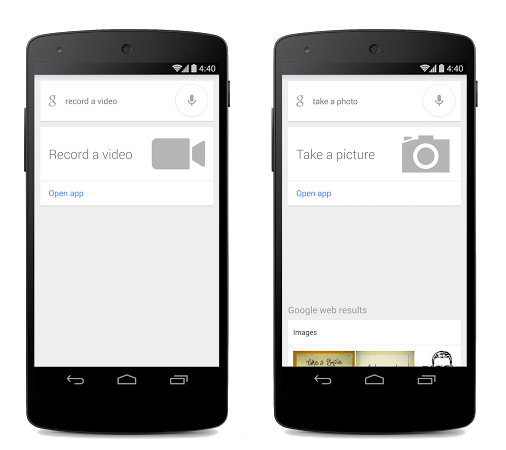
Google today has released an update for its Search app on Android that adds a cool new voice command. With this update, you can now instruct your device to open the camera by simply tapping the microphone and saying “Ok Google,” then “take a photo” or “take a video.” Google says this will make it much easier to grab shots of those can’t-miss moments.

The first home run in T-ball, the surprise proposal, or just that gorgeous sunset… Sometimes the perfect photo passes you by as you fumble with your phone to open the camera app. Now with the Google Search App on Android, you can just tap the microphone or say “Ok Google,” then “take a photo” or “take a video.” Google will launch your camera app in the preferred mode. So update your app, snap those shots and don’t forget to show off your beautiful photos!

The update appears to be a staged rollout so it may take sometime to hit your device. Be sure to keep an eye on the Play Store and your Search app itself. 
Expand
Expanding
Close

Moto 360 Hangout recap: requires Android 4.3+BT 4, interchangeable bands, wireless charging, cameraless

Site default logo image

[youtube http://www.youtube.com/watch?v=HpY8O5Zer78&feature=youtu.be]

Motorola has just wrapped up a 25 minute Google Hangout where it showed off its recently announced Moto 360 wearable device and answered some frequently asked questions. During the event, Motorola discussed some of the inspiration behind the watch’s design, as well as revealing some more details about the device as a whole.

One instance in which Motorola’s Moto 360 is unique is its rounded design. Many other smart watches, including the Pebble and Gear are rectangular or square. Motorola says the decision to round its device was due to the iconic shape people associate watches with. The company also notes that 80 percent of watches sold today are still round. Another detail regarding the design is that the straps will be interchangeable, although Motorola says there will only be “several different options” the the bands. Ultimately, we’d love to see it use the common 22mm strap like the Pebble, but that’s unclear at this point.

There wasn’t much else revealed during the Q&A. Motorola says the device will work equally as well with left handers as it does with right handers. The device is also “aimed at women” too, which seems rather obvious. Motorola also confirmed that there is no camera in the device. As far as technical details go, the company said the Moto 360 will require Android 4.3 and BlueTooth 4.0 to be functional. In terms of size, the device is about 46 mm in diameter, which is rather large for a watch. But Motorola notes that the rounded design makes it seem a lot smaller than it really is.


Expand
Expanding
Close

Chromecast launches in UK, Canada, Germany, several more countries

Site default logo image

chromecast

After much speculation, Google has officially announced that the Chromecast is available in 11 new countries across Europe and North America. These countries include Canada, the United Kingdom, France, Germany, Spain, Italy, the Netherlands, Norway, Sweden, Denmark and Finland. The streaming device has been available in the United States since its original announcement in July of last year.

In the UK, the Chromecast will run £30 and be available from Amazon, Google Play, Currys, and PC World. A BBC iPlayer app with Chromecast support will also start rolling out to customers in Europe today. In France, users will get access to local content providers TV Pluzz and SFR. Finally, German customers will have access to Watchever with Maxdome coming soon. Google says that it will continue to work with more local content providers to expand these options.

If you are located in one of the 11 new countries, get your hands on the device at one of your local or online retailers, including Amazon, Google Play, Currys PC World, Elkjøp, FNAC, Saturn, Media Markt and many others.


Expand
Expanding
Close

Skype for Android update promises to make your battery life suck less

Site default logo image

unnamed-102

Skype has today had updated its Android app with a handful of new features and bug fixes. In a blog post, Skype explains that it was been working diligently over the last year to greatly improve the battery with the app, and that today’s update finally does so. The update introduces “aggressive battery savings” that will make the app have little to no effect on your device’s battery life.

The company says that it in order to improve battery life, it had to completely transform the way the Skype technology works and that this transformation is not entirely complete yet. One instance of this is that for time being, Skype has turned off instant notifications of messages in group chats. The company hopes to release another update soon that re-enable them with little battery impact. For now, however, you can enable them by going to Settings > Notifications > and choosing the “Sync group messages in the background” box. Although, this will impact your battery life.

The update also improves stability on KitKat, in addition to fixing audio and video calling on tablets without BlueTooth.

  • Workaround for the KitKat bug which caused a runaway process when the camera was synced in the background.
  • Fix for audio and video calling on tablets that do not have Bluetooth.
  • Now lists your Windows Live Messenger contacts in the Skype (default) view, not just the All contacts view.

The update is available on the Play Store now and bumps the app to version 4.7.


Expand
Expanding
Close

Google Play Movies expands availability to 37 new markets

Site default logo image

unnamed

Google today has announced a pair of expansions for its Play Movies and TV app. First off, the app itself has been updated with support for 40 new languages. The update has also added the ability to download movies in either HD or SD, where as downloading was previously only supported in high-definition. The full change log the app update is below:

  • Support for over 40 new countries
  • Get your content offline faster – now HD movies and shows may be downloaded in HD or SD.
  • Improved video streaming performance for select KitKat devices.
  • Additional app improvements and bugfixes.
 Most notably, however, Google has also announced that its Movies service has expanded to 37 new counties. Those counties include:

Benin, Bolivia, Burkina Faso, Cambodia, Cape Verde, Chile, Colombia, Costa Rica, Denmark, Dominican Republic, Ecuador, El Salvador, Finland, Gabon, Guatemala, Haiti, Honduras, Ivory Coast, Luxembourg, Mali, Mauritius, Namibia, Netherlands, Nicaragua, Niger, Norway, Panama, Paraguay, Peru, Portugal, Rwanda, Senegal, Sweden, Togo, Uruguay, Venezuela and Zambia.

That is certainly a significant expansion and brings the service to millions of new people. Sadly, TV show availability remains sparse, being available only in Australia, Japan, the United Kingdom, and the United States.

Finally, Google has also expanded its Play Music and Music All Access services to Greece, Norway, Sweden, And Slovakia.


Expand
Expanding
Close