Gmail

See All Stories

Announced on April 1, 2004 with an unprecedented 1GB of user storage, many assumed that Gmail was just one of Google’s April Fools’ pranks. For comparison, competing services only had 2 to 4MB for users to store email messages and attachments. Currently, Gmail storage is combined with that of other Google products with 15GB available for free.

Gmail was released in beta with an invite system and was not open to the general public until February 2007. In July of 2009, it finally dropped its beta status. As of February 2016, Gmail is the most widely used web email provider with 1 billion active users worldwide.

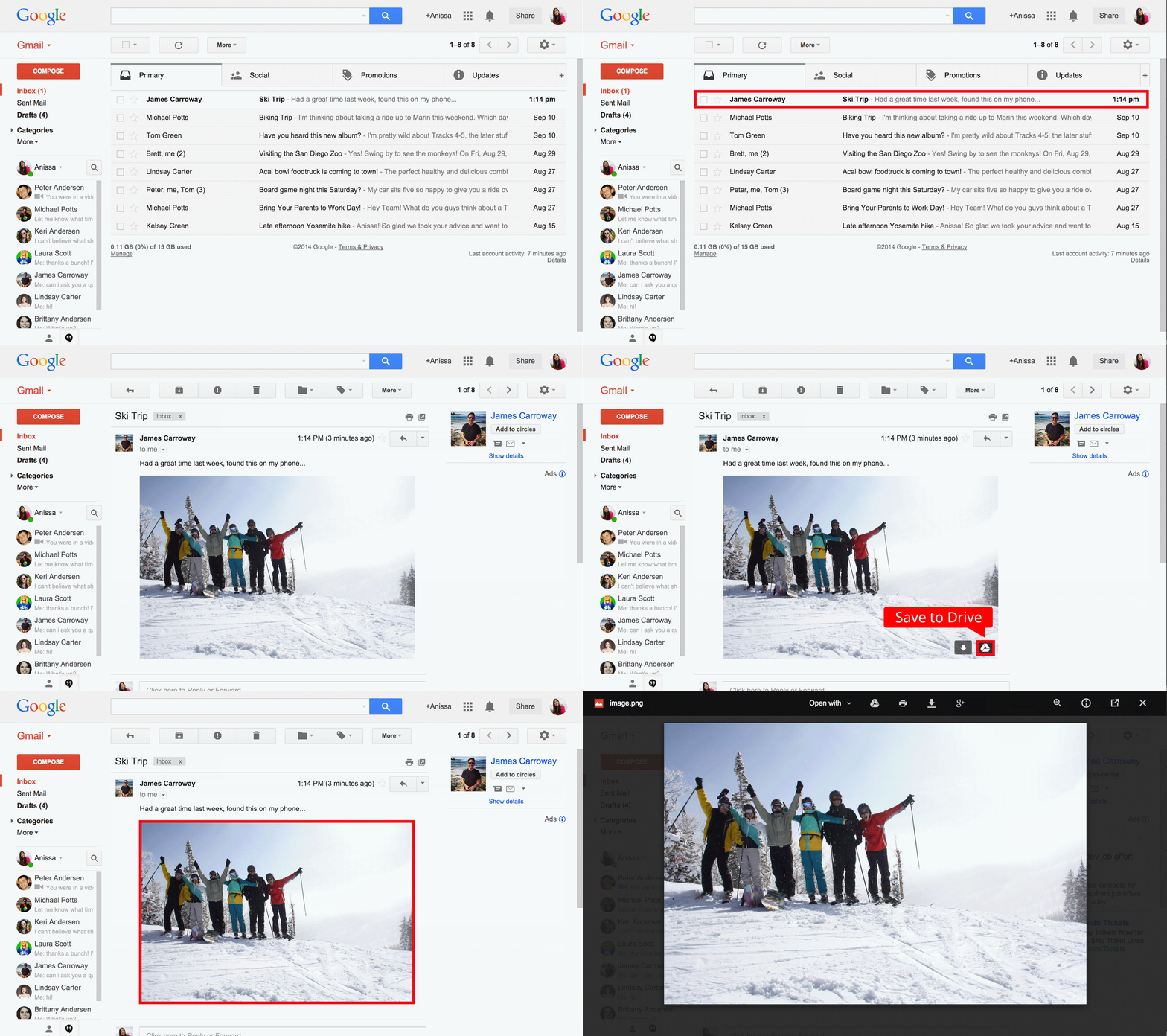
Besides email, Gmail has a number of features, including integration with Google Drive for sending large attachments and choosing images from Google Photos. Users can fully search their email with advanced spam filtering and labels to manage messages. Google also scans emails to show context-related advertisements.

Since launch, the email service has gone through a number of redesigns. Apps are available for Android, iOS, and the mobile web.


Google helped police arrest a man for child abuse after locating explicit images in his Gmail account

Site default logo image

Google helped law enforcement arrest a man in Houston, Texas by sending a tip to National Center for Missing and Exploited Children (NCMEC). The search giant used information obtained from the suspect’s email account, according to a report from Business Insider. Already a registered sex offender, the man was previously convicted of sexually assaulting a child in 1994 and was recently caught after sending explicit images of a child via email.


Expand
Expanding
Close

Gmail for iOS updated with ‘Insert from Drive’ and ‘Save to Drive’

Google has released an update to Gmail for iOS this afternoon that brings “Insert from Drive” and “Save to Drive” functionality to the iPhone and iPad. Just like with Gmail on the web, iOS users can now insert files directly from Google Drive into emails.

If the recipient does not have shared access to the Google Drive file you are sending them, Gmail for iOS will inform you so that you can change the sharing sendings before sending it.

“Important stuff doesn’t always happen when you’re conveniently sitting at your desk. Maybe you’re out to dinner when your boss tells you that she needs the latest project proposal ASAP, or your daughter calls you on your commute home to ask you to proofread her college essay (that’s of course due that night!). While we can’t make your life more predictable, today’s update to the Gmail iOS app, along with earlier updates to the Gmail Android app, makes it easier to get stuff done on-the-go.”

Gmail for iOS also now allows you to change your profile directly through Settings, allowing you to set a profile picture or update your personal information right from your iPhone or iPad.

Lastly, the latest version of Gmail for iOS allows you to choose which signed-in accounts you want visible in the app for users with multiple accounts.

The update is rolling out on the App Store now.

What’s New in Version 3.14159

• Save attachments directly to Google Drive so you can access them anywhere while saving space and bandwidth on your device
• Insert Google Drive files directly into messages
• New account management options to choose which accounts you want to have visible in Gmail without removing accounts from your device.
• Change your profile picture (in Settings)

Google Voice now features calling from Hangouts on the web

Site default logo image

We reported earlier this year that Google has plans to eventually roll Google Voice’s features into its Hangouts service and retire the former product, and we’re slowly seeing that transition play out now. Google’s Alex Weisen, who works on Google Voice, shared last night in a Google+ post that they’re making calling via Hangouts an option from the Google Voice website. Furthermore, the functionality will not require a Google+ account to work either. The option appears to be live on the Google Voice web interface now.
Expand
Expanding
Close

Site default logo image

Google continues enterprise push for Google apps with delegated contacts search

Google has announced a new feature for enterprise users of Google Apps: the ability for assistants and other team members to search for particular people in their boss’s contacts list.

Contacts delegation allows enterprise users to delegate full access to the contacts in their “My Contacts” group without granting access to their mail or anything else in their accounts. […]

To save users time when locating specific delegated contacts, we’ve now added search functionality. Delegates can search delegator contacts by selecting the delegator contact group in the navigation pane, and then searching.

It’s not the most exciting of new features, but is one of those small things that can make a worthwhile difference to a PA who might have to contact a dozen or more people a day – and every improvement like that helps Google build its case for broader enterprise adoption of Google Apps.

Leaked screenshots show off revamped Play Store designs – bigger, bolder, clearer

Site default logo image

Here’s what the Google Play Store is likely to look like when it gets its ‘Material Design’ revamp based on the new look and feel of Android L. Google has already started rolling out the new design language on the web in the form of new pages for Docs, Sheets and Slides.

The screenshots were obtained by Android Police, which says that the redesign of the Play Store is “well underway” … 
Expand
Expanding
Close

Gmail for Android update adds Insert from Drive for attaching Google Drive files to emails

Following updates to Chromecast, Google Maps and Google Camera this afternoon, Google has updated Gmail for Android with a new Insert from Drive feature that allows for Google Drive attachments to be inserted into emails directly from Android smartphones and tablets. If the file is not shared with the person you are sending it to, an option will pop up to change the sharing settings.


Expand
Expanding
Close

Goldman Sachs taking legal action against Google to retrieve a misaddressed email [Update: Google complied]

Site default logo image

Image via Reuters

Update: The WSJ reports that Google agreed to block access to the email, and advised that it had not been read

According to a new report from Reuters, investment banking firm Goldman Sachs is taking legal action against Google over an email that it accidentally sent to the wrong address. The report claims that a Goldman Sachs employee was sending an email, but instead of putting the correct @gs.com ending, the employee put @gmail.com, which in turn caused the email to be sent to a total stranger.


Expand
Expanding
Close

Site default logo image

Google introduces new API beta that makes it easier for apps to integrate Gmail features

Yet another announcement from Google I/O today comes in the form of a new Gmail API beta that will make it easier for developers to integrate Gmail features into their apps:

While IMAP is great at what it was designed for (connecting email clients to email servers in a standard way), it wasn’t really designed to do all of the cool things that you have been working on, which is why this week at Google I/O, we’re launching the beta of the new Gmail API.

Designed to let you easily deliver Gmail-enabled features, this new API is a standard Google API, which gives RESTful access to a user’s mailbox under OAuth 2.0 authorization. It supports CRUD operations on true Gmail datatypes such as messages, threads, labels and drafts.

So what’s the benefit over IMAP or other solutions that developers have already been using to integrate Gmail features? Google says the new API, unlike IMAP, “gives fine-grained control to a user’s mailbox.” That means that an app, for example, “only needs to send mail on behalf of a user and does not need to read mail, you can limit your permission request to send-only.” There are also other benefits like speed:

To keep in sync, the API allows you to query the inbox change history, thereby avoiding the need to do “archaeology” to figure out what changed. Finally, a huge benefit is speed. While there’s still some tuning to be done (“beta” – remember?), results from our tests and feedback from pre-release developers suggest that the new Gmail API is delivering dramatic performance improvements over IMAP for web application use cases.

Google has more on the new API here. 

Google Now adds improved Calendar and Gmail integration with new inferred events feature

Site default logo image

Google appears to have made a backend tweak to Google Now this afternoon that adds a feature rumored earlier this year. First spotted by Android Police, Google will now grab events from your Gmail app and put it in a Google Now card. The Now card will have the option to add the event to your calendar or ignore it.


Expand
Expanding
Close

Site default logo image

New Chrome extension PixelBlock lets you stop email trackers in Gmail

A new extension has landed in the Chrome Web Store called PixelBlock, which lets you block companies and individuals from tracking whether or not you’re opening their email. As you can see above, the extension shows a small red eye when it has detected a tracking attempt.

The creator, Omar Qureshi, had this to say about the plugin:

I made this to protect my email privacy and find out at the same time who’s trying to track me, and what they’re using. Was pretty surprised to see who used email tracking on me while sifting through my emails with PixelBlock on.

It’s not uncommon for companies that send out newsletters and the like to track those who are and aren’t opening them. With this quick extension, available completely free, you’re just one click away from being protected while using the web-based Gmail client.

Google aims to unify app design with new ‘Quantum Paper’ framework

Site default logo image

Leading up to Google I/O this year, we’ve seen a handful of leaks regarding the design of Android. We’ve seen redesigned apps leak, such as calendar, the dialer, and Gmail, as well as updated icons. According to a new report out of Android Police, all off these recent design leaks and updates have been apart of a new program within Google called Quantum Paper.


Expand
Expanding
Close

Google breaks down how much email is encrypted during transit, launches End-to-End encryption tool

Site default logo image

Google wants you to know exactly how much email you send and receive is encrypted during transit, so today it launched a new section in its Transparency Report that does exactly that:

When you mail a letter to your friend, you hope she’ll be the only person who reads it. But a lot could happen to that letter on its way from you to her, and prying eyes might try to take a look. That’s why we send important messages in sealed envelopes, rather than on postcards… Email works in a similar way. Emails that are encrypted as they’re routed from sender to receiver are like sealed envelopes, and less vulnerable to snooping—whether by bad actors or through government surveillance—than postcards.

Google notes that Gmail has always used encryption in transit using Transport Layer Security (TLS), but that doesn’t do much if the email client on the other end isn’t doing the same.  Around 40 to 50 percent of emails between Gmail and others aren’t encrypted, according to Google, and it provided the following chart of what services are using encryption:
Expand
Expanding
Close

More images of Gmail for Android redesign leak, more simplistic interface shown

Site default logo image

Over the past couple of months, rumors of major changes to Gmail on Android have been circulating. Geek.com leaked screenshots of a redesigned interface that was very colorful compared to the current app. We reported on some new features coming to the app, as well, including a snooze functionality. Now, Google+ user Yoel Kaseb has posted some images of what he claims is a redesigned Gmail app for Android. Kaseb also leaked images of a Google+ update that ended up being almost entirely true.


Expand
Expanding
Close

Gmail for Android updated with interface tweaks, ability to save attachments directly to Google Drive

Site default logo image

Ahead of its tradition “update Wednesday” regiment, Google has pushed out a minor update to the Gmail app on Android today. The update bumps the app to version 4.8 and includes some various interface tweaks, most notably in the slide-out navigation menu (via +Gmail)

One of the changes includes profile images next to individual profiles on the slide-out navigation menu, and should you have more than one account, there’s also now a checkmark to better indicate which account you’re currently using. The Settings and “Send Feedback” options have also been crammed into the slide-out panel, whereas they previously were located in the action overflow button in the upper right corner.


Expand
Expanding
Close

Site default logo image

Google retiring Gmail Calendar invitation feature in July

Gmail’s Calendar invitation feature is operating on borrowed time, as Google has plans to remove this option in July. If you’re unfamiliar with this feature, it lets you add event invites directly from within an email without having to open Calendar. It’s unknown why Google is pulling the plug on this feature, however there appears to be a replacement in the works.

“We’ll still be supporting creating invitations, just through different steps, ” a Gmail community manager recently said in a forum post. “The workaround now is to click into calendar and to create an invitation from there.” Whatever these new steps might be remains to be seen, (maybe it’ll be part of the rumored Gmail redesign) but hopefully this will bring about some appreciation for a feature that was most likely under used.

(via Google Operating System)

Site default logo image

Gmail gets revamped Hangouts with availability indicators, improved search, emoji & more

Google announced today that it’s adding some improvements to the Hangouts messaging feature built into Gmail on the desktop. Returning are the small green availability indicators next to the profile photos of contacts, and Google is also introducing message snippets, improved search functionality and 80 emoji:

Starting today you’ll see some changes in your conversation list in Hangouts, including message snippets and the return of green “availability” bubbles to make it easier to see which of your friends are currently active. With the new search icon, you can see a list of all your chat buddies and find other friends on Hangouts. And whether you’re happy, grumpy, or any of the other seven dwarfs (plus a few not in the storybook classic), you can set your mood using one of 80 emoji. Your friends will have no problem guessing how you’re feeling that day.

Google says the new features will roll out to Gmail users on the desktop that have opted in to the new Hangouts experience today. If you haven’t already, you can switch to the new Hangouts by clicking your profile picture and selecting “Try the new Hangouts.”

Site default logo image

Sony’s SmartWatch 2 can now provide Instagram notifications

If you’re an Instagram user with a Sony Smartwatch 2, Sony has you covered. The snappily-named Smart extension for Instagram app allows you to view notifications and read friends’ comments on your photos.

The app gets integrated into Smart Connect once installed. You can choose an update frequency ranging from 15 minutes to three hours, and the watch will then vibrate to indicate Instagram activity, displaying details on the display.

The app is a free download from the Google play store.

Google reportedly working to integrate Wallet functionality into Glass

Site default logo image

According to a new report out of TechCrunch, Google is working to add Google Wallet functionality to Glass. Citing a “source close to the company”, the report claims that Google is currently testing the feature internally, but that it hopes to make it public in the near future. Currently, Glass users have to be signed in to a computer on Google’s corporate network in order to install the app on their Glass.

Like many features on Glass, Google Wallet will work almost exclusively with voice commands. Users will be able to simply ask Glass to “Send money”, then have the ability to swipe through the interface a view times and your done. One of the most common uses for this would be the ability to send your share of a dinner bill to a friend, much like with the Google Wallet integration in Gmail.

The fees for using Wallet with Glass will be the same as other services, with Google taking a 2.9 percent fee for all transactions. Google is certainly looking to add more practical use cases to Google Glass, and the ability to pay with Wallet will certainly come in handy for users.


Expand
Expanding
Close

Google is reportedly working on end-to-end encryption for Gmail

Site default logo image

Google is currently developing a process that will make it easier for Gmail users to encrypt their emails, according to Venture Beat’s unnamed sources. For over 20 years, Pretty Good Privacy (PGP) has been an encryption standard, but the platform hasn’t always been the most user-friendly. This, along with growing concerns over unwanted internet surveillance has prompted Google to task its engineers with making PGP easier to use.


Expand
Expanding
Close

Supposed Google+ app redesign shown off in leaked screenshots

Site default logo image

We’ve seen a lot of leaks regarding Google apps recently, including supposed new icons for Android, new features for Google Now, and a new Gmail interface. This time around, Google+ user Yoel Kaseb has allegedly obtained screenshots of a completely redesigned Google+ app for Android.

Kaseb says the app is unstable and still an early test build, but the design appears to follow the same trends as other recently leaked Google interfaces. Kaseb has also been locked out of the APK by Google and can no longer use the interface, which does lend some credibility to the validity of the images.


Expand
Expanding
Close

Google adds quick access to Auto Backup photos through Gmail’s web interface

Google has announced a new feature for its Gmail web interface that allows users to quickly insert Auto Backup photos from your smartphone into messages. Now you don’t have to worry about syncing photos in order to share them through via Gmail on a computer. Along with that, you’ll also be able to share full albums and have the ability to resize images while composing a message.


Expand
Expanding
Close

Mailbox goes beyond iOS, now available on Android and coming soon to OS X

Site default logo image

Dropbox announced today that Mailbox, the popular gesture-heavy email client it bought last year, will soon be launching a desktop version of its software.

The company also announced a set of new features like Dropbox account sign in and syncing and delete automation coming soon to the iPhone and iPad versions that will debut first in a version available for Android; this marks the first time the email software will be available on another platform aside from iOS as Mailbox is available on the Google Play Store now.

Users interested in using the beta version of Mailbox for OS X, which is said to be very minimal and rely on the trackpad for gesture-based interactions, can sign up on Mailbox’s website to learn more about the upcoming beta.
Expand
Expanding
Close