For both Google and Apple, the operations on their virtual stores are hugely important, as they account for millions of dollars. However, there has historically been a disparity between the number of downloaded applications and the actual money generated by them, a trend that seems to have peaked in the first quarter of this year.
According to App Annie‘s Index Market for Q1 of 2016, in fact, Google’s Play Store saw a number of downloads that roughly doubles that of the iOSApp Store, which in turns represents the platform with the highest profitability, with over 90% more revenue generated over its counterpart…
After the big splash made by smartphones and then, albeit with less of an impact, tablets, various forms of smartwatches have tried to sneak in into everyone’s digital life. As companies like Google and Apple try to extend their reach with increasingly bigger ecosystems that attempt to lock users in, the smartwatch race may prove to be an important area, despite the generally lukewarm reception consumers seem to have so far given.
Indeed, much like with chatbots, companies like Microsoft and Amazon may be interested in having a part of their services used right on your wrist, and while not directly coming from the Seattle company, it looks like Alexa may be your next wearable’s digital assistant. iMCO and Chronologics, the two companies behind the project, seem to be on track to deliver the “CoWatch” smartwatch, and have started an Indiegogo campaign that already raised over $10,000 in the first day of debut…
Today, WhatsApp is announcing that all messages, photos, phone calls and videos sent over its messaging app will be encrypted end-to-end. This means that no one can access any communications apart from the people in the conversation. This means if WhatsApp is subpoenaed by government for information, WhatsApp will not be able to help them as it simply cannot help them.
In a blog post announcing their launch of an embeddable web and native app VR viewer, Google also introduced the official launch of their Cardboard SDK for iOS. The SDK allows iOS developers to embed virtual reality content within their own apps to then be viewed using a viewer like Google’s own Cardboard.
Google is updating its Google Sheets and Slides apps for iOS today with new features that allow changing themes, filters and layouts on the fly from within the mobile apps.
For Google Sheets, the update brings the ability to view and change existing filters applied to a spreadsheet.
After announcing a deal in September to produce a Pokémon Go games with Nintendo and Alphabet-owned Niantic, the Pokémon people are today showing a little more about how gameplay will work and giving us a first look at the title coming to both Android and iOS devices.
The game uses augmented reality features to blend real world objects and locations with the gameplay, and the company today gave the run down and a look at how exactly that will work:
According to a report from VentureBeat, Google is working to compete more directly with live streaming app Periscope. The report claims that Google will launch an app called YouTube Connect that will allow anyone to immediately begin broadcasting live onto YouTube from their smartphone.
According to a report from The Verge, Google is building its own third-party keyboard for iOS and has been doing so for “months.” While it’s unclear when or if the keyboard will be released, the report notes of several features Google has been working to implement as employees test it.
Following in the footsteps of Facebook, Instagram today announced in a blog post that it will soon adjust the way in which content is presented in its iOS and Android apps. While content is currently shown in chronological order, Instagram will soon switch to a new personalized algorithms based on each user…
Google is on a roll lately with readying its iOS apps for the 12.9-inch iPad Pro announced last September and released last November.
Google’s YouTube app gained native resolution two weeks ago, but lacked iOS 9 multitasking features like Split View and Picture-in-Picture, then yesterday we saw Google Photos update with iPad Pro support in an update that actuallyincludes Split View and Slide Over features.
Now it’s the Google Docs apps turn, at least to start, as the latest version of Google Docs for iOS adds native resolution support for the iPad Pro.
Google Photos already lets users backup and view an unlimited number of high-resolution photos and videos for free, and Google recently added a button that lets users manually purge downloaded content to make room for more free storage. There’s a new update awaiting Google Photos users today that adds support for the latest software and hardware features on iPhones and iPads.
Twitter has toady announced long-awaited support for native GIF search with partners Giphy and Riffsy. The addition of GIF search means that users will now be able to search for GIFs from a library of thousands and instantly insert them into their direct message or tweet.
Update: A new hands-on video shows the $4 iPhone clone in all its glory (embedded below).
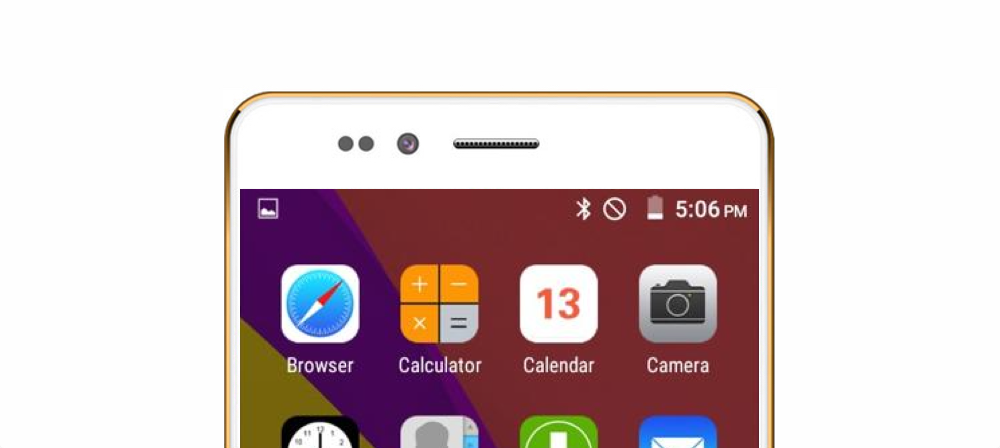
We told you earlier today about the insane $4 Freedom 251 phone, and now at least one publication has managed to get their hands on the device. Initial impressions aren’t great, and it looks like this phone — unsurprisingly — is just a mess of copyright infringement. Not unlike many other low-end offerings from dozens of overseas manufacturers, the phone pulls a lot of “inspiration” from the Cupertino company’s smashing successes…
Google has today uploaded its latest “Be together. Not the same.” ad to YouTube, and it’s a profound statement of how the company views its mobile platform, as well as how it views competitors. In the ad, dubbed “Monotune,” an unnamed pianist plays a tune in two versions: one using all the piano’s normal variety of keys, and the other on a special piano Google rigged to play the same note on all its keys…
Google has finally launched a full-fledged iOS app for users of its AdWords advertising service. The AdWords app arrives today as the first official iOS app for the service and it’s available for both iPhone and iPad users now.
Yahoo today announced that it’s revamping the way it aggregates news content and in the process launching redesigned commenting, news discovery, and notification features to users on Android, iOS, and through its Yahoo homepage on the web.
According to a new report out of app analytics company App Annie, Apple’s trend of bringing in more revenue via its App Store than Google does via the Play Store continued in 2015. Google, however, continued to see far more app downloads than Apple…
Google’s Maps app for iPhone and iPad got a small but useful update on the App Store today. The latest version of the Google Maps iOS app now includes a couple of handy features.
First up, and undoubtedly the most useful for drivers is the up-to-date gas prices in the US and Canada. The feature was included in the Android version of Google’s app a couple of months ago and lets users check nearby gas stations to see which has the most affordable prices. You can find prices simply be searching for ‘gas’ or ‘gas stations’ in the search field and Google Maps will automatically bring up the nearest options and list pricing for those locations.
Business hours have been included in the app for some time, but today’s update also lets you check when is best to avoid/visit particular businesses. Like its online search and maps tools, the updated iPhone app brings the ability check popular visiting hours for local stores and outlets. Now you can see what you always knew about any business or retail location: It starts getting busy after lunch.
Google Maps version 4.13.0 is available to download from the App Store for free and requires users to be running iOS 7.0 or later and is compatible with iPhone, iPod touch, and iPad.
Google today has pushed a beefy update to its Play Movies & TV app on iOS that bumps it to version 2.0.7910 and brings several new features. The update gives the app a refreshed interface, AirPlay support, recommendations, and more.
Google has highlighted new features for Google Drive apps today that it says make it easier to search for files on Android, iOS, and web.
Among the improvements to search in the app, you’ll now be able to narrow your search by file type and open advanced search from the search box. For iOS specifically, users can now get quick access to recent files and search from the Home screen icon using 3D Touch and the ability to search from iOS’s Spotlight feature.
Here’s a full list of improvements courtesy of Google:
Narrow your search to a file type from the search box on Android, iOS, and the web.
Open advanced search instantly from the search box.
Access recent files or search Drive from the home screen using 3D Touch on iOS.
Search Drive using the iOS search bar without opening the Drive app.
Search for shared files by file owner using their name or email address.
Use advanced search options like the date a file was modified, words it contains, or who it was shared with.
Google says the improvements for Drive will roll out to the Android and iOS apps over the coming weeks.
I’ve been an iOS user since day one — back when it was called “iPhone OS” — and haven’t had any reason to leave Apple’s camp. Each day, I use iOS devices and apps, and for the most part, they “just work.” You could offer me a cheap Android phone or tablet and I wouldn’t have much use for it.
Or so I thought. Just in time for the holidays, 9to5’s publisher Seth Weintraub sent me an unexpected gift: a $99 Motorola Moto G (2nd Gen), also available on Amazon. That price isn’t a typo — for under $100 (half the price of the recently released sixth-generation iPod touch), Motorola is selling a full-fledged smartphone with a larger, higher-resolution screen than the $199 iPod, and for that matter the old iPhone 5c I decided to replace it with. You’ve probably heard that Amazon is trying a similar tactic with its $49 7″ Fire Tablets, which so radically undercut the price of Apple’s iPads that you can buy five for the same price as an entry-level iPad mini 2… and still have change left over. Since these products were developed by well-established companies, they’re budget-priced, but not junk.
I wanted to see whether the Moto G would have any value in my life, and how it would stack up against lower-end iOS devices. What I found was exactly the reason Apple leads the cellular industry in profits yet continues to lag behind Android in market share: the Moto G offers a more than “good enough” alternative at a price that anyone can afford. From my perspective, the existence of a good $99 smartphone is precisely the reason the iPod family has all but disappeared, and why even iPad mini pricing is arguably unsustainable…
Update: Just like the multiple account support that disappeared mere hours after it appeared, this awesome 3D Touch feature is now gone.
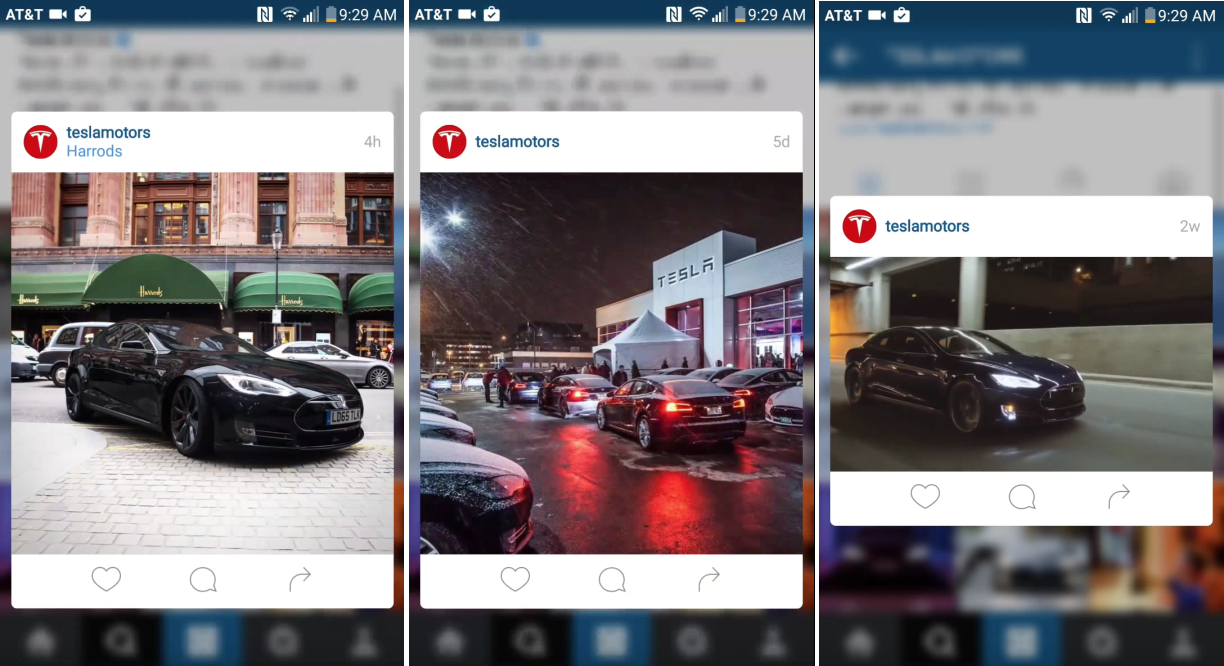
Instagram for iOS has had 3D Touch features for quite a while, but it looks like the Instagram team wanted to experiment with bringing some of these to Android as well. While the latest version for Android obviously doesn’t take advantage of force sensitive hardware (which doesn’t really exist of this side of the mobile space anyway), it does add a nifty new pop up for quickly liking, commenting, and sharing posts…